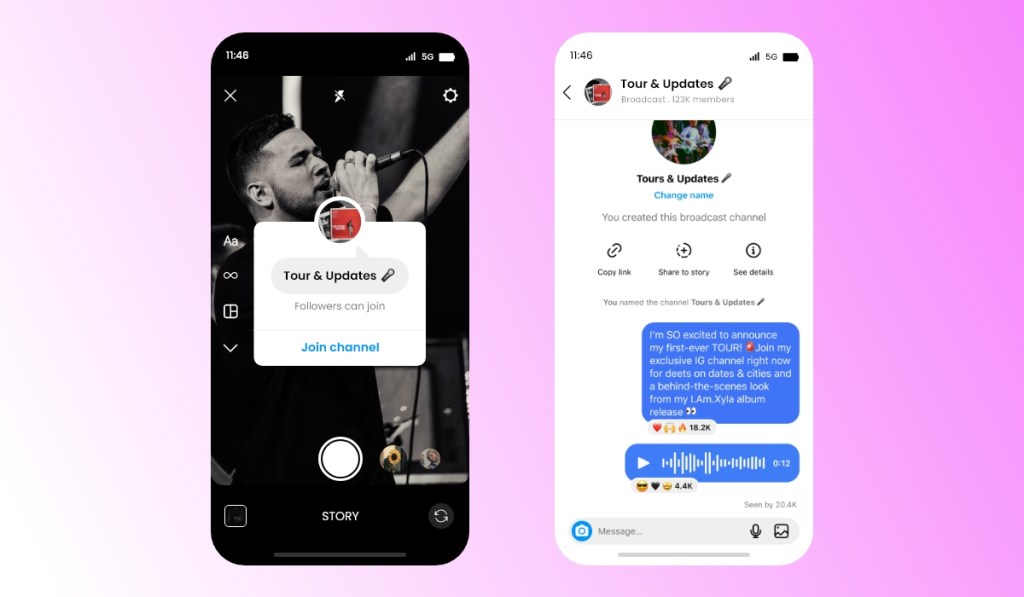
As the world is shifting their businesses online due to large audience cater and possibilities. Businesses are prioritising to have social media presence. Instagram is one of the prominent social media platforms that is known for evolving. It keeps on rolling out new features that helps creators, businesses and others to engage with their audience in deeper level. Instagram is rolling out a new Instagram Feature that will help creators share information with their audiences termed as Instagram Broadcast Channel. It is currently limited to US creators only but will be soon rolled to other users.
Instagram Statistics describes the possibilities it has for the existing users and with new features rolling out, Meta is letting their creators to grow and engage rapidly with their users. In this blog, we will be discussing about Instagram Broadcast Channel feature and how to use it. In other words, this is – the Instagram Broadcast Channel – Explained!
What is Instagram Broadcast Channel?
Creators are getting their well-deserved praise and reach. And as the platform witnessed the number of creators and their fans getting more, it made their connection more difficult and complex, and hence the need for an Instagram Broadcast Channel feature emerged.
The feature allows creators to communicate with the audience closely and understand the need of the market. Being a creator, it is important to have a deeper connection with the audience, and even while running a business page on the gram, it is essential to stay in touch with the consumers and keep them updated.
Instagram Broadcast Channel will enable businesses and creators to have one-to-many interactions providing the followers with exclusivity and building a stronger bond. Only the creator can send a message on the broadcast channel. Hence, making it a very close and exclusive connection and being you be the only account to post a message reduces the chances of the channel getting unwanted or irrelevant messages.
Once you have created the channel, you can invite followers to join the channel by sharing the link. You can share the join link via Instagram stories and messages or even share the link on different platforms. Sharing the channel link on different platforms also helps you promote your Instagram page, building a robust presence there.
Another smart way to promote your channel broadcast is by sharing the link in the bio. While vital point to keep in mind is that only your followers of your Instagram page can join your channel. That means to join your channel, one has to follow your Instagram page. So you can imagine how beneficial it is for your growth on Instagram.
Now let’s understand how to create Instagram Broadcast Channel using the desktop and smartphones. We have also covered a Instagram Reels Guide blog with some helpful tips and tricks that you can also read.
How To Create Instagram Broadcast Channel
To create an Instagram Broadcast Channel, just follow the steps mentioned below. In this segment, you will learn how to create a channel through desktop and mobile devices.
Create Instagram Broadcast Channel Using desktop
To start a broadcast channel:
Tap send or messenger in the top right of the Instagram feed.
Tap create a button in the top right.
Tap Create broadcast channel.
Give your broadcast channel a name.
Tap Create broadcast channel.
You can find your broadcast channels in the Instagram app by tapping send or messenger in the top right and then clicking Channels. When you send the first message to your broadcast channel, all your followers will receive a notification inviting them to join the channel.
And as mentioned above, you can also invite people to join by using an invite link. You can share the channel with different platforms. The limit number of people upto 1 million people can join a broadcast channel.
Create Instagram Broadcast Channel Using Android & iPhone devices
Instagram app for Android and iPhone
Tap the message button in the top right of the feed.
Tap Create in the top right.
Tap Create broadcast channel.
Give your broadcast channel a name.
Tap Create broadcast channel.
Key Takeaways
It was all about the Instagram Broadcast Channel feature! You can promote your channel with your users using different Instagram marketing trends. The feature allows you to bond stronger with your consumers and build a robust relationship with them. So what are you waiting for? Try it now, and take advantage of your competitors.
Brand reputation has become integral to a business’s success. In this digital landscape, opinions are formed in just a few clicks, and information travels at the speed of light. Public perception can shift in an instant in this internet-driven era. To safeguard and boost a business’s credibility, brand reputation management must rise as an essential discipline that demands a strategic, proactive approach.
Instagram aggregation plays a significant role in our daily lives. With the emergence of Instagram, it has been easier than ever for customers to share their opinions and experiences about a brand online through reviews. You must continuously manage your Instagram brand reputation to ensure your brand is perceived to be trustworthy, responsible, credible, and reliable.
In this paper, we will explore how managing public perception can significantly impact your brand’s reputation and highlight key strategies. Let’s get started!
The practice of monitoring conversations & perceptions, responding to reputation threats, and seizing opportunities proactively to boost reputation on Instagram is called Instagram Brand Reputation Management. Simply put, brand reputation is how an audience perceives a brand.
In this digital age, corporate reputation management gives businesses more control over how they are perceived online and uses technology to improve learning and support essential decisions.
The Importance Of Brand Reputation Management In The Age Of Aggregation
How a brand is perceived now depends on Instagram user-generated content because audiences are no longer passive. Audiences have been empowered because the masses now create reputation and social proof, and it is no longer easily manageable.
Positive online reviews and ratings can improve a brand’s online reputation by boosting customers’ trust and increasing sales. Negative reviews & ratings, on the other hand, can damage a brand’s online reputation and drive away prospective customers.
It’s very important to differentiate between brand reputation and brand image. Brand reputation relates to brand perception and is how the world perceives the brand based on the information available, while brand image is the way a brand introduces itself to the world.
In the age of aggregation, the challenges of effectively managing brand reputation have certainly grown. In this digital era, new social media platforms are emerging, giving businesses new opportunities for greater reach and helping them reach new customers.
Key Strategies For Effective Instagram Brand Reputation Management
Brands should effectively manage their reputation to prevent catastrophes. Here are some key strategies to help you best manage your brand’s reputation.
1. Building A Strong Brand Foundation
A strong foundation includes your brand’s visual identity, voice, and messaging. A strong brand identity is tailored to your target audience and stays consistent across Instagram. It will develop a reputation of reliability with customers.
Creating reliable, valuable content that resonates with your target audience boosts credibility and builds loyal customers.
2. Monitoring Online Presence
By monitoring your Instagram presence, you can stay on top of negative reviews or comments that could damage a brand’s reputation. You can always see what customers are saying about your brand. To find out when and where your brand or other branded keywords are mentioned online, use tools such as Google Alerts and then leverage this information to quickly respond to solve any issues you find.
3. Proactive Crisis Management
Crises can still occur despite all proactive efforts. But how a brand handles times of crisis can make or break its brand reputation. A swift and transparent response is needed for crisis management in the digital age.
Taking responsibility and acknowledging the issue is critical. Consumers appreciate honesty and transparency, which builds trust even in adversity. During a crisis, communication should be multi-faceted. Throughout the crisis, the audience will be kept informed, and regular updates will be provided on how the issue is being resolved.
4. Impact Of Instagram On Brand Reputation
Instagram is a platform to share posts, ideas and activities. With a massive user base, businesses use the platform to share their products and services with users. Eventually, Instagram generates valuable word-of-mouth marketing for your brand, apart from building customer trust. Use Instagram monitoring tools to track brand mentions, UGC, comments and etc.
5. Addressing Negative Feedback On Instagram
Online reviews have become digital word-of-mouth, influencing buying decisions and shaping brand perceptions. As a brand, you should take special care with negative reviews apart from responding to consumer feedback. Offer solutions or alternatives empathetically by directly addressing the customer’s issue or concern. To build your brand’s trustworthiness, an offer to make things right or a polite apology can go a long way.
6. Transparency And Honesty
Brands that are transparent and honest about their products and services can better connect with customers through shared values and beliefs. When customers buy from your brand, these values make them feel good about choosing you. By hiding behind PR speech, avoid repelling consumers and focus on customers’ concerns with transparency to instill trust in your brand.
The Role Of Instagram Aggregation For Brand Reputation Management
Aggregation plays a crucial role in shaping a brand’s reputation in different ways. When executed thoughtfully, aggregation can strengthen a brand’s image. By pulling from diverse sources, aggregation lets brands curate and present high-quality content.
Catering to users’ different needs and preferences, content aggregation can take various forms.
How Does Aggregation Affect Consumer Perception?
Depending on the context and the quality of aggregation, its impact on consumer perception can vary. Below are some ways in which aggregation can influence consumer perception:
1. Convenience And Efficiency
For consumers, aggregation platforms often provide a convenient and efficient way to extract diverse information from different sources in one place. It can improve the user experience by saving time and effort and promoting a positive perception.
2. Content Quality And Curation
Customers will likely perceive the platform positively if aggregation involves curation and filtering to ensure high-quality content. By presenting relevant and valuable information, curation adds value and improves the overall user experience. This is where the Tagembed Instagram widget comes into play. It lets you collect, curate, and embed an Instagram feed on a website in just a few clicks.
3. Credibility And Trust
Aggregation platforms must prioritize reliable, accurate, and trustworthy sources to build customer trust. When users trust the authenticity of the aggregated content, it positively influences their perception of the platform.
Wrapping Up!
In this digitalized era, brand reputation management is a multi-faceted endeavor that requires a
Strategic, proactive, and adaptive approach. For any business strategy, brand reputation management is a vital component. For long-term success, prioritizing reputation management is not just a good business practice but a critical requirement. Investing in brand reputation is not optional as businesses continue to thrive in the ever-evolving digital landscape.
People don’t buy from a store they don’t trust, no matter how good the product photos look. And on Shopify, where thousands of stores sell nearly identical products, trust is often the only thing separating a sale from a bounced tab.
One of the simplest ways to earn that trust is by showing shoppers what real customers are already saying and posting on Instagram. Integrate Instagram feed to Shopify puts that proof right on your storefront instead of leaving it buried in a hashtag somewhere. Here’s how it actually helps, and how to set one up.
Key Takeaways
Shoppers trust other customers more than they trust brand copy, and an Instagram feed showsS in action, right on your store.
Around 93 percent of shoppers read reviews before buying, and a live feed of tagged photos works the same way.
Shopify doesn’t include a native Instagram feed, so you’ll need an app like Tagembed to pull one in.
A feed built from real customer photos and mentions builds more trust than your own product shots ever will.
Where you place the feed matters almost as much as having one. Product pages and checkout areas are where trust gets tested most.
What Does Adding an Instagram Feed to Shopify Actually Mean?
An Instagram feed on Shopify is a widget that pulls posts, Reels, or Stories from Instagram and displays them somewhere on your store, usually the homepage or a product page. Some stores show their own brand posts. Others go a step further and pull in customer photos, tagged posts, and mentions, so visitors see real people using the product instead of just staged marketing shots.
Shopify doesn’t build this in natively. You’ll need an app for it, which is where a tool like Tagembed comes in.
Why Customer Trust Is Such a Big Deal for Shopify Stores
Anyone can set up a Shopify store in an afternoon. That’s great for entrepreneurs, but it also means shoppers have gotten more careful about who they hand their card details to. A clean design and a few product photos aren’t enough anymore. People want proof that other people have bought the thing and been happy with it.
That’s exactly the gap an Instagram feed fills.
How an Instagram Feed on Shopify Builds Trust
It Shows Real Customers, Not Just Brand Photography
Product photos taken by a brand always look a little too perfect. A photo someone posted of themselves actually wearing or using the product feels honest by comparison, and honesty is what builds trust. Around 93 percent of shoppers say they read reviews before buying something, and an Instagram feed of tagged posts works on the same psychology, just in photo form instead of text.
It Turns Social Proof Into Something Visitors Actually See
A five-star rating is easy to skim past. A grid of real customers tagging your brand is harder to ignore, because it’s visual and it’s happening in real time.
It Keeps the Store Looking Alive
A live feed updates on its own every time someone new tags you. That means your store never looks like it’s been sitting untouched since launch, which itself is a quiet trust signal. Shoppers notice when a store looks abandoned.
It Shortens the Distance Between Browsing and Buying
When an Instagram feed links straight to a product page, someone who was just scrolling for inspiration can go from “that looks nice” to “add to cart” in one click, without ever having to second-guess whether the product looks as good in real life as it does in the listing photos.
Instagram Feed vs. Reviews Widgets and Trust Badges
Trust badges and reviews widgets aren’t going away, but they don’t do the same job as an Instagram feed.
Trust Element
What It Shows
Where It Falls Short
Instagram Feed
Real photos and mentions from actual customers
Needs moderation, relies on people tagging you
Reviews Widget
Star ratings and written feedback
Text only, easy for visitors to skim past
Trust Badges
Security seals, payment icons
Confirms safety, doesn’t show product in use
Testimonials Section
Hand-picked customer quotes
Feels curated, can read as less authentic
The strongest stores usually combine all four, but an Instagram feed is the one that shows rather than tells, which is why it tends to carry more weight.
How to Add an Instagram Feed to Shopify With the Tagembed App
The easiest way to do this is with the Tagembed Instagram Feed app, right from the Shopify App Store. No embed codes, no theme editing, everything happens inside your Shopify admin.
Step 1: Install the Tagembed App From the Shopify App Store
Go to the Shopify App Store from your admin panel and search for Tagembed. Open the listing and click Add App to install it for free
Step 2: Create a Widget From the App Dashboard
Once installed, you’ll land on the Tagembed app dashboard inside Shopify. Click Create Widget, give it a name so you can find it later, and hit Create.
Step 3: Choose Instagram and Pick a Feed Type
Select Instagram as your source, then pick the connection type. For trust-building specifically, Instagram Mentions or Tagged posts work best since they pull in what customers are already posting about you, though Hashtag and Handle are also available.
Step 4: Connect Your Account and Collect the Feed
Authorize your Instagram account through the app. Tagembed handles the connection for you, so there’s no manual API setup involved. Your posts get pulled into the editor within seconds.
Step 5: Customize the Feed to Match Your Store
Head to the Customize tab and adjust the theme, layout, card style, banners, and CTA buttons so the feed looks like a natural part of your store rather than something bolted on.
Step 6: Moderate the Feed
Use the Filter or Moderation option to review posts and mark them Public or Private. You can moderate manually, post by post, or set up automatic filtering rules.
Step 7: Add the Feed to Your Store
Once you’re happy with how it looks, add the widget to your storefront directly from the app, in a single click. Since it’s installed as a Shopify app rather than pasted-in code, it stays connected to your theme and keeps updating automatically as new posts come in.
Best Practices for Building Trust With Your Shopify Instagram Feed
Moderate everything before it goes live. One irrelevant or low-quality post undoes the credibility the rest of the feed is building.
Prioritize mentions and tagged posts over your own content. Trust comes from other people’s posts, not your own marketing.
Keep the design consistent with your store. A feed that looks out of place reads as an ad, not proof.
Check load speed. A feed that slows the page down works against the trust it’s supposed to build.
Revisit moderation regularly. New tags come in all the time, so don’t approve posts once and forget about it.
Where to Place the Feed for Maximum Trust
Homepage, so it’s the first thing visitors see after landing
Product pages, close to the price or Add to Cart button, where doubt is highest
Checkout or cart page, as a last reassurance before someone completes a purchase
Landing pages, especially for paid traffic, where trust needs to be earned fast
Mistakes That Hurt Trust Instead of Building It
Showing only brand-published content and calling it social proof
Skipping moderation and letting spammy or off-brand tags slip through
Placing the feed somewhere visitors rarely scroll to
Letting the feed go stale by not reconnecting or refreshing the account
Final Thoughts
Trust on Shopify isn’t built by a logo or a clean layout. It’s built by proof that real people bought the product and were happy enough to post about it. Adding an Instagram feed to Shopify takes that proof, which would otherwise sit scattered across Instagram, and puts it right where shoppers are deciding whether to buy. Set up moderation once, place it where doubt runs highest, and let every new tag keep making the case for you.
Frequently Asked Questions
1. Does Shopify have a built-in Instagram feed feature?
No. Shopify doesn’t include a native Instagram feed, so stores need an app like Tagembed, installed straight from the Shopify App Store, to pull one in and display it on the theme.
2. Which type of Instagram feed builds the most trust?
Mentions and tagged posts tend to work best for trust, since they’re made up of content real customers created, not the brand itself.
3. Will adding an Instagram feed slow down my Shopify store?
It shouldn’t. Tagembed’s Shopify app is built to be lightweight so it doesn’t affect page speed or loading time.
4. Can I control which Instagram posts show up on my store?
Yes. The app’s Filter and Moderation tools let you mark posts Public or Private, either manually or with automatic rules, before they show up on your storefront.
5. Is the Tagembed Shopify app free to use?
Yes. Tagembed offers a free-forever plan for Shopify stores, with the ability to collect, moderate, customize, and add an Instagram feed without paying anything upfront.
Remember the good old days of Instagram? A haven for blurry brunch photos and vacation selfies, it was a simpler time. But fast forward to today, and the platform has morphed into a powerful launchpad for creators.
It’s no longer just about documenting your avocado toast obsession; it’s about building a brand, connecting with a like-minded community, and – yes, you guessed it – making some serious cash.
Intrigued? You should be!
Instagram monetization isn’t just for celebrity influencers with follower counts that rival small countries. It’s a viable option for anyone with a passion, a phone camera, and a willingness to hustle.
Buckle up because we’re about to unlock the secrets to turning your Instagram passion into a full-fledged profit machine.
Finding Your Niche for Instagram Monetization: The Sweet Spot Between Passion and Profit
Imagine Instagram as a giant party. You wouldn’t just crash any random gathering, right? You’d find the group that shares your interests, the ones geeking out over the same dog breeds (dachshunds for life!) or discussing the best way to brew the perfect cup of coffee (French press, all the way!).
Finding your niche on Instagram for Instagram monetization is similar. It’s about identifying that sweet spot between your burning passion and a topic that resonates with a specific audience.
Are you a whiz at baking show-stopping cakes? Perfect! There’s a whole community of dessert enthusiasts waiting to drool over your creations.
Or maybe you’re a travel buff with a knack for capturing breathtaking landscapes. Pack your metaphorical bags because adventure seekers will be lining up to follow your global escapades.
Building a Profile that Screams “Look at Me (But Like, In a Good Way)”
Remember that first date when you put extra effort into your appearance? Your Instagram profile needs the same treatment. Think of it as your digital handshake to potential followers.
A blurry profile picture and a bio that reads “Just living my best life” aren’t going to cut it. Craft a bio that’s clear, concise, and tells the world exactly who you are and what you’re all about.
Think of yourself as a walking, talking (or, should we say, posting) brand! Invest in some high-quality photos that showcase your niche for Instagram monetization, and curate your highlights to give viewers a glimpse into your world.
Content is King (or Queen, Depending on Your Preference)
Alright, you’ve got the foundation laid. Now comes the real fun – creating content that stops the scroll and keeps people coming back for more. Think of your audience as hungry hippos (don’t worry, they’re the cute kind!).
You need to throw them a delicious content buffet that satisfies their specific cravings. Stunning visuals are a must-have. Instagram is a visual platform, after all. But don’t underestimate the power of storytelling for Instagram monetization. Use captions that are engaging, funny, or informative (or all three!).
And variety is the spice of life (or the Instagram feed, in this case)! Experiment with different formats – Instagram photos, videos, stories, Reels – to keep your audience on their toes for Instagram monetization. Think of yourself as a culinary master, whipping up a content buffet that caters to every taste bud (or, should we say, eyeball?).
How to Make Instagram Monetization: Turning Your Passion into Paychecks
Now for the part, you’ve all been waiting for: how do you monetize Instagram?! There are several avenues you can explore to turn your Instagram passion into profit.
#1 Brand Collaborations: The Power of Partnerships
Imagine this: a brand that perfectly aligns with your niche comes knocking on your digital door, eager to collaborate. Sounds pretty sweet, right?
Brand partnerships are a fantastic way to leverage your influence and promote products or services to your audience. However, don’t just jump on board with any brand that comes along.
Authenticity is key! Partner with brands you genuinely believe in, or your audience will sniff out the insincerity faster than a dog with a fresh steak.
#2 Affiliate Marketing: Earning Commissions with a Click
Think of affiliate marketing as being a digital matchmaker. You connect your audience with products or services you love, and if they purchase through your unique affiliate link, you earn a commission.
It’s a win-win situation! But remember, for anyone with the question “how to get monetized on Instagram,” transparency is important. Always disclose that you’re using affiliate links so your audience knows what’s up.
#3 Selling Your Products or Services: Becoming Your Boss
Do you have a knack for crafting handmade jewelry or offering online yoga class? Instagram can be your virtual marketplace!
Utilize Instagram Shopping features to showcase your products and make purchasing a seamless experience. Think of it as setting up a pop-up shop in the middle of your bustling Instagram town square.
#4 Instagram Monetization Through Instagram Features: Badges, Subscriptions, and Beyond
Instagram itself is constantly rolling out new features that creators can leverage for monetization. Live features like badges allow viewers to purchase virtual gifts and show their appreciation during your live streams.
Imagine it like a virtual tip jar, rewarding you for the entertaining or informative content you’re creating. Instagram Subscriptions is another option, allowing you to offer exclusive content like stories, lives, or posts to paying followers.
Think of it as a VIP section of your online community, where your most dedicated fans get access to the good stuff.
#5 Growth and Analytics: Tracking Your Success and Tweaking Your Strategy
Building a successful Instagram presence for Instagram monetization is a marathon, not a sprint. Don’t get discouraged if your follower count doesn’t skyrocket overnight. Tracking your performance through Instagram Insights is crucial for understanding what resonates with your audience and optimizing your strategy.
Think of it as having a personal Instagram GPS guiding you toward content that converts. Analyze metrics like reach, engagement, follower demographics, and website clicks to see what content performs best.
Are your baking tutorials getting tons of likes? Double down on those! Did your landscape photos fall flat? Maybe it’s time to experiment with travel tips or behind-the-scenes glimpses into your adventures.
#6 The Secret Ingredient: Authenticity, Consistency, and a Whole Lot of Hustle
There’s no magic formula for Instagram monetization. However, a few key ingredients can significantly increase your chances of turning your passion into profit.
Authenticity is the Secret Sauce: Building genuine connections with your audience is the foundation of a thriving Instagram presence. Be yourself, share your passion, and don’t be afraid to show your personality. People connect with realness, not a perfectly curated facade.
Consistency is Key: Nobody likes a flaky friend, and your Instagram audience is no different. Maintain a regular posting schedule to keep your followers engaged. Think of it like showing up for weekly game nights with your online community.
Embrace the Hustle: Building a successful Instagram business takes dedication. Be prepared to experiment, analyze, and adapt your strategy based on your results. Remember, Rome wasn’t built in a day, and neither is an Instagram empire.
Conclusion: From Passion to Paychecks, Your Instagram Journey Starts Now
Turning your Instagram passion into profit is no longer a pipedream. With the right approach, dedication, and a dash of creativity, you can transform your hobby into a thriving online business.
So, what are you waiting for? Grab your phone, unleash your creativity, and embark on your journey to Instagram monetization success. Remember, the only limit is your imagination (and maybe your phone’s storage space for all those amazing photos and videos). Now get out there, start posting, and watch your passion pay off!
Customer reviews can influence purchasing decisions more than any advertisement. Before buying a product, booking a service, or signing up for a platform, people often look for proof that others have had a positive experience.
Instagram has become one of the most popular places for customers to share their experiences with brands. Whether it’s a product review, an unboxing video, or a simple appreciation post, this content can help businesses build trust and credibility.
The challenge is that Instagram Stories disappear after 24 hours. That’s where Instagram Highlights become useful.
By saving customer testimonials in Highlights, businesses can keep positive feedback visible on their profile for months or even years. Instead of letting valuable customer experiences disappear, you can create a dedicated space where potential customers can easily see what others have to say about your brand.
In this guide, you’ll learn how to use Instagram Highlights to showcase customer testimonials, build trust, and create a stronger first impression for profile visitors.
What Are Instagram Highlights?
Instagram Highlights are collections of Stories that remain on your profile after the original Story expires.
Normally, Stories disappear after 24 hours. However, Instagram allows users to save selected Stories into Highlights, which appear below the profile bio.
Highlights can be organized into categories and customized with their own cover images and titles. This makes them a useful tool for displaying important content that deserves long-term visibility.
Businesses commonly use Highlights for:
Customer reviews
Product collections
FAQs
Tutorials
Events
Company updates
Why Customer Testimonials Matter for Businesses
Customer testimonials play an important role in building confidence among potential buyers.
People trust real customer experiences because they provide an unbiased view of a product or service. While marketing content tells customers what a business offers, testimonials show how those offerings have helped real people.
Build Trust With New Visitors
When someone visits your Instagram profile for the first time, they may not know much about your business.
A dedicated testimonial Highlight immediately shows positive experiences from existing customers. This can help create trust on your website and brand before a visitor even explores your product pages.
Provide Real Customer Experiences
Customer reviews offer insights that promotional content often cannot.
They answer questions such as:
Is the product worth buying?
Does the service deliver results?
Are customers satisfied?
Seeing genuine feedback can make potential customers feel more confident.
Increase Purchase Confidence
People often look for reassurance before making a purchase.
A profile filled with customer success stories, positive reviews, and user-generated content can help reduce doubts and encourage action.
Benefits of Using Instagram Highlights for Testimonials
Major benefit of Instagram Highlights is that they help businesses keep valuable customer testimonials visible on their profiles even after Instagram Stories disappear. Instagram Highlights allow brands to showcase reviews, feedback, and user experiences in an organized way, helping build trust, improve engagement, and create stronger connections with potential customers. By using Instagram Highlights effectively, businesses can turn customer feedback into lasting social proof.
Keep Positive Reviews Visible
Stories disappear quickly.
Highlights ensure that valuable testimonials remain available for anyone who visits your profile.
Instead of constantly reposting reviews, you can create a permanent collection that continues working for your business.
Create a Dedicated Social Proof Section
Organizing testimonials into a dedicated Highlight makes it easier for visitors to find customer feedback.
A Highlight labeled “Reviews” or “Customer Love” immediately tells visitors where they can learn about customer experiences.
Strengthen Brand Credibility
Positive reviews show that real people have used and enjoyed your products or services.
This type of content often feels more authentic than traditional marketing materials.
Improve the Profile Experience
Visitors should be able to find important information quickly.
A well-organized Highlight section helps users explore your brand without scrolling through months of posts.
How to Create a Testimonial Highlight on Instagram
Creating a testimonial Highlight is simple, but taking a strategic approach can make it more effective.
Step 1: Collect Customer Testimonials
Start gathering customer feedback from various sources.
These may include:
Instagram mentions
Story tags
Product reviews
Direct messages
Video testimonials
User-generated content
Ask customers for permission before sharing their content whenever necessary.
Step 2: Share Testimonials as Instagram Stories
Before adding content to a Highlight, it must first be shared as a Story.
When posting testimonials:
Use clear screenshots
Highlight key feedback
Add customer names when appropriate
Include product images
Keep text readable
You can also add your brand colors and design elements for consistency.
Step 3: Save Stories to a Highlight
Once the Story is published, save it to a dedicated Highlight.
Choose a name that clearly communicates its purpose, such as:
Reviews
Testimonials
Happy Customers
Customer Love
Success Stories
This helps visitors understand what they’ll find before opening the Highlight.
Step 4: Design a Professional Highlight Cover
A custom cover can make your profile look more organized.
Choose an icon or design that matches your brand identity and keeps all Highlights visually consistent.
Simple designs often work best because they are easier to recognize on mobile devices.
Best Practices for Testimonial Highlights
Not every testimonial should be added to your Highlights. Focus on quality rather than quantity.
Use Real Customer Photos
Whenever possible, include photos or videos from actual customers.
Visual proof often creates more trust than text-only reviews.
Include Specific Results
Testimonials that mention measurable outcomes are often more persuasive.
For example:
Increased sales
Saved time
Better customer engagement
Improved user experience
Specific details make reviews more believable.
Keep Content Easy to Read
Avoid cluttered designs and lengthy paragraphs.
Visitors should be able to understand the testimonial within a few seconds.
Update Highlights Regularly
Customer experiences change over time.
Adding fresh reviews keeps your Highlight relevant and shows that your business continues to deliver value.
Organize by Product or Service
Businesses with multiple offerings may benefit from separate Highlight categories.
For example:
Product Reviews
Service Reviews
Customer Stories
Video Testimonials
This makes navigation easier for visitors.
Creative Ways to Showcase Testimonials in Highlights
There are many ways to present customer feedback beyond simple screenshots.
Before-and-After Stories
Show transformations, improvements, or results achieved by customers.
This format works particularly well for fitness, beauty, design, and consulting businesses.
Video Testimonials
Short videos often feel more personal and authentic.
A customer speaking directly about their experience can leave a stronger impression than written text.
Customer Success Stories
Tell the full story behind a customer’s journey.
Explain the challenge they faced, the solution they used, and the results they achieved.
User-Generated Content
Share photos and videos created by customers using your products.
This type of content helps create a sense of community around your brand.
Influencer Reviews
If influencers have reviewed your product, consider creating a dedicated section for those collaborations.
Product Review Collections
Group reviews based on specific products to help visitors find relevant feedback quickly.
Common Mistakes to Avoid while Creating Instagram highlights
While testimonial Highlights can be powerful, certain mistakes can reduce their effectiveness.
Using Outdated Reviews
Old testimonials may not accurately reflect your current products or services.
Keep your content fresh whenever possible.
Adding Too Many Similar Reviews
Displaying dozens of nearly identical testimonials can overwhelm visitors.
Choose reviews that highlight different benefits and experiences.
Sharing Poor-Quality Screenshots
Blurry images can make your profile appear unprofessional.
Always use clear, high-quality visuals.
Forgetting Customer Permission
Respect customer privacy and obtain permission when required.
Ignoring Negative Feedback
Not every review will be positive.
Constructive criticism can help improve your products and customer experience.
Failing to Update Highlights
A Highlight that hasn’t been updated for years can make your profile look inactive.
Regular updates show that your business is active and growing.
Display Instagram Testimonials Beyond Instagram
Customer testimonials don’t have to stay on Instagram alone.
Many businesses display Instagram reviews and customer content on their websites to strengthen trust and improve visitor engagement.
By showcasing social proof on key pages such as homepages, product pages, and landing pages, businesses can help visitors make informed decisions.
Displaying customer experiences where purchasing decisions happen can often have a greater impact than keeping them solely on social media.
Examples of Testimonial Highlight Categories
Here are some effective Highlight categories businesses can create:
Reviews
A collection of customer ratings and written feedback.
Customer Stories
Detailed experiences shared by customers.
Success Stories
Results and achievements customers have experienced.
Video Reviews
Short clips featuring customer feedback.
Product Feedback
Reviews focused on specific products.
Community Love
Mentions, tags, and appreciation posts from customers.
Conclusion
Customer testimonials are one of the most valuable forms of social proof a business can have. They help potential customers understand what it’s like to use your products or services and provide reassurance before a purchase.
Instagram Highlights make it easy to keep those positive experiences visible long after a Story expires. By creating a dedicated testimonial Highlight, organizing reviews effectively, and updating content regularly, businesses can turn customer feedback into a powerful trust-building asset.
Whether you’re a small business, creator, or growing brand, using Instagram Highlights for customer testimonials is a simple way to showcase customer satisfaction and make a stronger impression on every profile visitor.
Frequently Asked Questions
How many testimonials should I add to a Highlight?
Focus on quality over quantity. A collection of 10 to 20 strong testimonials is usually more effective than a large number of repetitive reviews.
Can I add old Stories to Highlights?
Yes. If Story Archive is enabled, you can add previously published Stories to Highlights.
What should I name my testimonial Highlight?
Simple names such as Reviews, Testimonials, Customer Love, or Success Stories work well.
Are video testimonials better than screenshots?
Video testimonials often feel more personal and authentic, but both formats can be effective when used correctly.
How often should I update testimonial Highlights?
Review and refresh them regularly by adding recent customer feedback.
Can businesses use user-generated content as testimonials?
Yes, provided you have permission from the content creator when necessary.
Instagram automation has become one of the most debated topics in social media marketing.
On one side, marketers and businesses use automation to save time, schedule content, manage messages, and streamline repetitive tasks. On the other, Instagram has a long history of cracking down on spammy automation practices that manipulate engagement and violate platform policies.
This leaves many creators and businesses asking the same question:
Is Instagram automation actually safe?
The short answer is yes—but only when used correctly.
Not all automation tools are created equal. Some operate within Instagram’s guidelines and use Meta-approved APIs. Others rely on risky methods that can lead to action blocks, account restrictions, reduced reach, or even permanent bans.
In this guide, we’ll explore Instagram’s automation rules, the risks involved, what activities are considered safe, and the best practices you should follow in 2026.
What Is Instagram Automation?
Instagram automation refers to using software or tools to perform repetitive actions without manual effort.
Common automation use cases include:
Scheduling posts and Reels
Publishing content automatically
Managing direct messages
Auto-responding to comments
Tracking analytics
Social listening
Hashtag research
Lead generation workflows
The goal is simple: save time while maintaining a consistent presence on Instagram.
However, there’s a major difference between productive automation and spam automation.
Instagram welcomes certain types of automation while aggressively restricting others.
Why Instagram Is Strict About Automation
Instagram’s priority is maintaining authentic interactions between users.
Over the years, marketers abused automation through:
Follow/unfollow bots
Mass liking tools
Auto-comment spam
Fake engagement services
Bulk DM campaigns
These tactics created poor user experiences and manipulated platform metrics.
As a result, Instagram invested heavily in detecting artificial behavior patterns and unauthorized automation. Today, the platform can identify suspicious activity based on action frequency, timing patterns, device behavior, and engagement signals.
This is why understanding what is allowed—and what is not—is crucial.
Uses Meta-approved APIs and follows Instagram’s guidelines.
Examples include:
Content scheduling
Analytics reporting
Auto-replies to customer messages
Comment moderation
Inbox management
Team collaboration workflows
These activities are generally permitted because they improve efficiency without manipulating engagement.
Unsafe Automation
Attempts to imitate human behavior at scale or artificially boost growth.
Examples include:
Auto-following users
Auto-unfollowing accounts
Mass liking posts
Automated generic comments
Sending unsolicited DMs
Scraping user data
Password-sharing bots
These activities violate Instagram’s policies and significantly increase the risk of account restrictions.
Instagram Automation Rules You Need to Know
Before using any automation tool, it’s important to understand Instagram’s new rules and restrictions to ensure your account remains safe, compliant, and protected from action limits, reduced reach, or potential penalties.
1. Use Official API-Based Tools
Meta allows automation through approved integrations and APIs.
When a tool uses the official Instagram Graph API, it operates within Instagram’s ecosystem and follows platform restrictions automatically.
One of the easiest ways to identify a safe tool is by checking how it connects to your account.
If it uses OAuth login through Meta and never asks for your Instagram password, it’s generally much safer.
2. Avoid Password-Sharing Tools
This is one of the biggest red flags.
If a tool asks for:
Your Instagram password
Direct account credentials
Browser automation access
You should proceed cautiously.
Many account bans and security incidents originate from tools that bypass official APIs. Community discussions consistently highlight password-sharing automation as one of the biggest risks associated with Instagram growth tools.
3. Respect User Consent
Instagram increasingly focuses on consent-based interactions.
Safe automation is generally triggered by actions users take themselves, such as:
Commenting on a post
Replying to a Story
Sending a DM
Clicking an ad
Mass outreach to users who have never interacted with your account is far more likely to violate platform guidelines.
4. Stay Within Activity Limits
Instagram monitors behavior patterns closely.
Accounts that perform actions too quickly or too frequently may receive:
Temporary action blocks
Reduced visibility
Feature restrictions
Excessive automation remains one of the most common triggers for account reviews.
Even legitimate automation comes with certain risks.
Account Restrictions
Instagram may temporarily restrict actions if your account appears suspicious.
Common restrictions include:
Unable to like posts
Unable to comment
DM limitations
Temporary feature removal
These restrictions often occur when automation is too aggressive.
Reduced Reach
Poor-quality automation can negatively affect engagement quality.
For example:
Generic comments
Repetitive interactions
Spam-like messaging
These behaviors can send negative signals to Instagram’s algorithm and reduce content visibility over time.
Security Risks
Some automation providers prioritize growth over security.
Recent incidents involving automated systems across Meta platforms demonstrate why businesses should be careful about granting access to third-party tools.
Before connecting any automation tool, verify:
Security standards
API compliance
Data protection practices
Access permissions
Account Suspension
Severe policy violations can result in:
Disabled features
Suspended accounts
Permanent bans
This risk is especially common with tools promising unrealistic growth results such as:
Thousands of followers overnight
Unlimited DMs
Automated engagement farms
If it sounds too good to be true, it usually is.
What You Should Automate (Safely)
If your goal is sustainable growth, focus on automating repetitive tasks rather than engagement manipulation.
Good candidates include:
Content Scheduling
Planning content in advance ensures consistency without requiring daily manual posting.
Analytics Reporting
Automation tools can collect and organize performance data, helping marketers make faster decisions.
Comment Moderation
Filtering spam comments improves user experience and saves moderation time.
Customer Support
Automated replies can answer common questions while directing users to human support when necessary.
Lead Capture
Businesses often automate responses to users who request information through comments or direct messages.
These activities align with Instagram’s goals and generally carry minimal risk when implemented correctly.
What You Should Never Automate
To protect your account, avoid:
Auto-follow/unfollow campaigns
Mass liking
Mass commenting
Scraping competitors’ audiences
Purchasing fake engagement
Sending bulk unsolicited DMs
Password-sharing growth bots
These tactics may produce short-term spikes but often create long-term account problems.
Automation should support relationships, not replace them.
The most successful brands use automation for efficiency while maintaining genuine conversations with their audience.
Monitor Account Health
Keep an eye on:
Reach
Engagement
Account notifications
Security alerts
Sudden drops may indicate automation issues.
Enable Two-Factor Authentication
Protect your account from unauthorized access.
This simple step significantly improves account security.
Start Slowly
Avoid sudden spikes in activity.
Gradually introduce automation workflows and monitor results before scaling.
Where Social Proof Fits Into Instagram Marketing
Many brands invest heavily in Instagram content but fail to maximize its value.
A single Instagram post may generate engagement for a few days before disappearing into the feed.
That’s why businesses increasingly display Instagram content on their websites.
Instead of relying solely on social algorithms, brands can showcase their Instagram content as social proof, helping build trust and increase engagement with website visitors.
If you’re exploring Instagram automation strategies, it’s also worth understanding the tools available to streamline content management and maximize the value of your Instagram presence.
Additionally, many businesses use Instagram feed widgets to automatically display their latest posts, Reels, and user-generated content on their websites, turning social activity into a powerful trust-building asset.
Final Thoughts
Instagram automation is not inherently dangerous.
In fact, when used correctly, it can save countless hours, improve efficiency, and help businesses maintain a consistent presence on the platform.
The key is understanding the difference between safe automation and risky automation.
Use official tools. Respect Instagram’s guidelines. Focus on enhancing user experiences rather than manipulating engagement.
Automation should help you work smarter, not shortcut authentic growth.
As Instagram continues evolving in 2026, the safest long-term strategy remains the same: combine smart automation with genuine human interaction.
FAQs
Can Instagram ban me for using automation tools?
Yes, if the tool violates Instagram’s policies. Safe, API-based automation tools generally carry much lower risk than password-sharing bots or engagement manipulation software.
Is Instagram post scheduling safe?
Yes. Scheduling posts through approved tools or Meta’s native scheduling features is considered safe and widely used by businesses.
Are auto DMs allowed on Instagram?
Auto DMs can be safe when triggered by user actions such as comments, Story replies, or messages. Unsolicited mass messaging is much riskier.
How can I tell if an automation tool is safe?
Look for tools that use Meta’s official API, OAuth authentication, and never ask for your Instagram password directly.
What is the biggest Instagram automation mistake?
Using tools that promise rapid follower growth through auto-following, mass liking, or spammy engagement tactics. These methods carry the highest risk of restrictions and account penalties.
Shopify is one of the most powerful eCommerce platforms, but standing out in a competitive market requires more than just listing products. Today’s customers want real experiences, social proof, and visual inspiration—and that’s exactly what Instagram delivers.
This is where Instagram Shopify integration becomes essential.
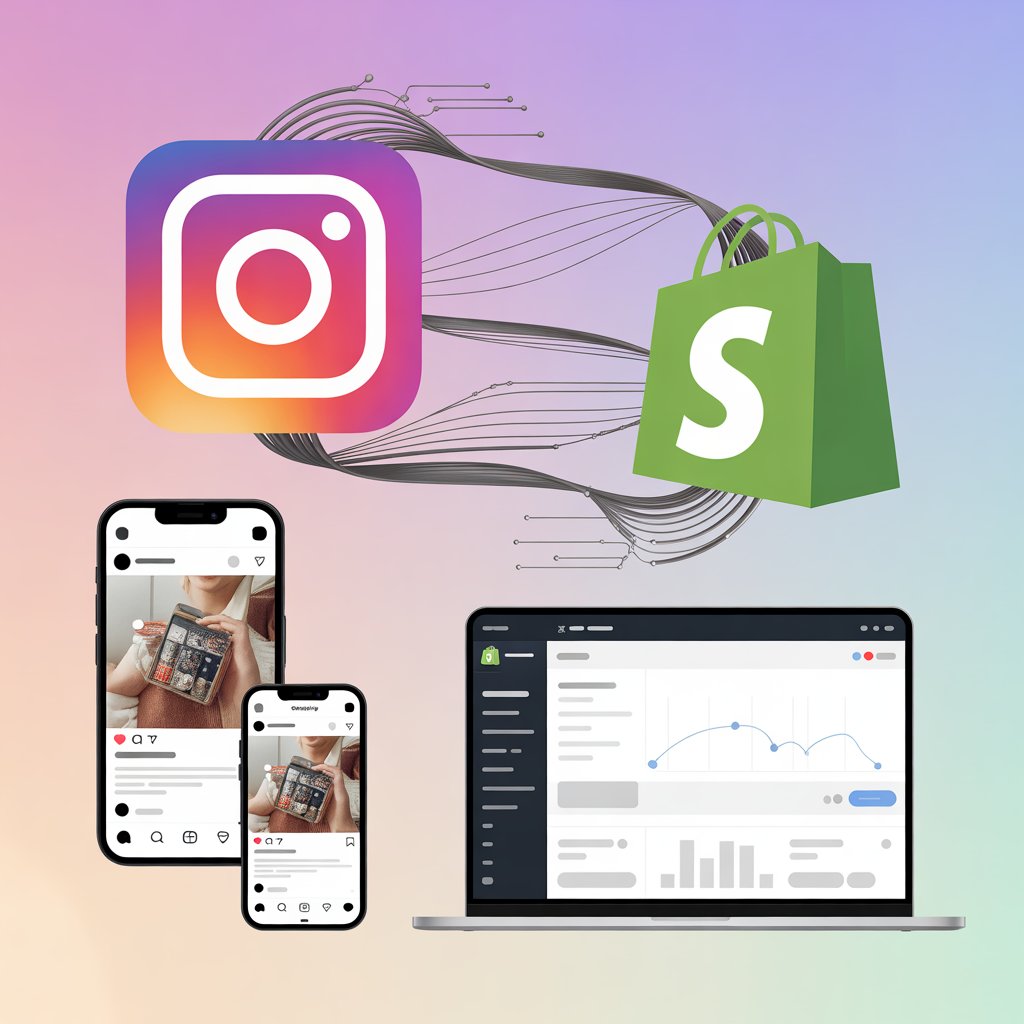
By adding an Instagram widget for Shopify, you can bring your social content directly into your store, showcase real customer experiences, and create a seamless path from discovery to purchase. From shoppable galleries to user-generated content (UGC), Instagram integration helps transform your Shopify store into a conversion-driven visual experience.
In this guide, we’ll explore the best plugins for Shopify Instagram integration in 2026, along with their features and how they help boost engagement and sales.
What is Instagram Shopify Integration?
Instagram Shopify integration refers to connecting your Instagram content with your Shopify store using apps or plugins.
These tools allow you to:
Embed Instagram feeds on Shopify store pages
Display content from hashtags, mentions, and profiles
Create shoppable Instagram galleries
Showcase user-generated content for social proof
Instead of keeping Instagram content limited to social media, integration brings it directly into your shopping experience.
Why Add an Instagram Widget to Shopify Store?
Turn Social Content into Sales
Shoppable Instagram feeds allow customers to explore and purchase products directly from posts.
Build Trust with User-Generated Content
Displaying real customer photos increases credibility and authenticity.
Instagram galleries add a modern, visually rich section to your Shopify store.
Best Shopify Instagram Integration Plugins (2026)
Taggbox Plugin
Taggbox is one of the most powerful solutions for Shopify Instagram integration, designed to turn social content into a revenue-generating asset.
Key Features
Shoppable Instagram Feeds Taggbox allows you to tag multiple products directly within Instagram posts, creating a seamless shopping experience for users.
Multi-Source Content Aggregation Collect content from Instagram handles, hashtags, mentions, reels, and more to create a diverse feed.
AI-Powered Moderation Automatically filter irrelevant or off-brand content to maintain quality.
Customizable Instagram Widget for Shopify Design your feed with layouts like grid, carousel, and gallery to match your store branding.
Real-Time Updates Automatically sync new Instagram posts to keep your Shopify store fresh.
Analytics & Conversion Tracking Track engagement and performance to optimize your Shopify Instagram strategy.
Why Taggbox Stands Out
Taggbox goes beyond basic embedding by offering a complete Instagram widget for Shopify, including UGC collection, shoppable feeds, and performance insights. It helps brands increase conversions by turning social proof into actionable shopping experiences.
SnapWidget
SnapWidget is a simple and widely used tool for embedding Instagram feeds into Shopify stores.
Key Features
Automatically display Instagram photos and videos
Responsive grid and scrollable feed layouts
Auto-sync with new Instagram posts
Easy embed process
It is a good option for users looking for a lightweight Instagram feed widget for Shopify websites with minimal setup.
Flockler
Flockler is a instagram aggregator that offers strong Shopify Instagram integration capabilities.
Key Features
Combine Instagram with multiple social platforms
Create shoppable Instagram feeds
Advanced moderation and filtering tools
Unlimited feed creation and layouts
Flockler helps brands build trust and increase sales by showcasing authentic content directly on Shopify pages.
Juicer io
Juicer io is a versatile tool for aggregating Instagram content along with other social media platforms.
Key Features
Multi-platform feed aggregation
Customizable layouts and styles
Content moderation features
Easy integration with Shopify
It works well for brands that want to display a mix of social content alongside Instagram.
Tagembed
Tagembed is a beginner-friendly plugin designed for quick and easy Instagram widget integration with Shopify.
Key Features
No-code setup
Responsive Instagram feed display
Supports posts, reels, and videos
Basic customization options
It is ideal for users who want a simple solution to embed Instagram feeds without complex configurations.
How to Integrate Instagram with Shopify
Adding an Instagram feed to your Shopify store is straightforward:
Choose a Shopify Instagram plugin
Connect your Instagram account or content source
Customize your feed layout and design
Enable product tagging (if available)
Add the feed to your homepage, product pages, or landing pages
Most tools offer a no-code Instagram widget for Shopify, making integration quick and easy.
How to Choose the Right Instagram Plugin for Shopify
Ease of Integration
Look for plugins that offer simple installation and setup.
Customization Options
Ensure the widget matches your Shopify theme and branding.
Shoppable Features
Choose tools that allow product tagging and direct purchases.
Content Moderation
Filter and control the content displayed on your store.
Performance Optimization
Fast-loading widgets improve user experience and SEO.
Conclusion
Instagram Shopify integration is no longer just an optional feature—it’s a powerful strategy for driving engagement, building trust, and increasing conversions.
By using the right Instagram widget for Shopify, you can turn your social content into a dynamic and interactive shopping experience. Among the available options, tools like Taggbox stand out for their ability to combine UGC, shoppable feeds, and advanced customization into one platform.
If you want to create a high-performing Shopify store in 2026, integrating Instagram effectively can make a significant difference.
FAQs
What is Shopify Instagram integration?
It is the process of connecting Instagram content to your Shopify store using plugins or widgets.
Can I make my Instagram feed shoppable on Shopify?
Yes, tools like Taggbox and Flockler allow you to tag products and create shoppable feeds.
Do Instagram widgets update automatically?
Yes, most tools sync new posts in real time.
Do I need coding skills to add Instagram feed to Shopify?
No, most plugins offer no-code integration.
Which is the best Instagram widget for Shopify?
Taggbox is one of the best options due to its advanced features and conversion-focused capabilities.
Adding an Instagram feed to your Shopify store is one of the easiest ways to make your website more engaging and visually appealing. It helps you showcase real customer experiences, product videos, and social proof, all in one place.
Using an instagram aggregator, you can collect and display content from your Instagram account directly on your website without any hassle. This not only enhances your store’s design but also improves trust and conversions.
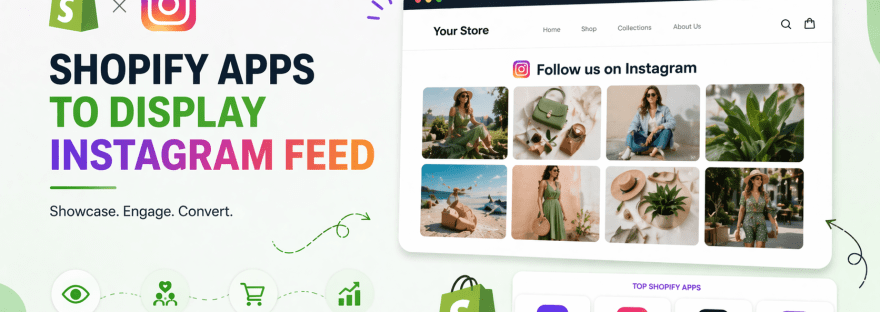
In this simple listicle blog, we’ll explore the top 8 Shopify apps to display Instagram feeds, starting with the best options.
Increase engagement: Visitors spend more time on your site
Boost conversions: Social proof influences buying decisions
Keep your website fresh: Automatically updated content
Improve brand visibility: Connect your social presence with your store
Best shopify Apps to Add Instagram Feed
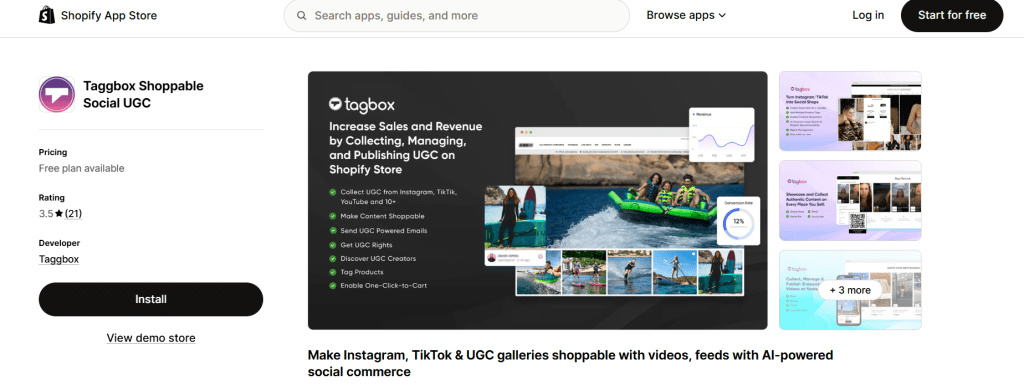
1. Taggbox
Taggbox is one of the most popular tools for adding Instagram feeds to Shopify stores. It works as a powerful instagram aggregator, allowing you to collect, curate, and display content easily.
Key Features:
Collect Instagram posts, reels, and videos
Multiple layout options like grid and carousel
Content moderation to filter posts
Custom design and branding options
Easy Shopify integration
Why Choose Taggbox?
Taggbox is ideal for businesses that want a professional and visually appealing Instagram feed. It also helps in showcasing user-generated content, which builds trust and improves conversions.
2. Tagembed
Tagembed is another great tool to display Instagram feeds on Shopify. It is beginner-friendly and offers a smooth setup process.
Key Features:
No coding required
Responsive Instagram feed layouts
Real-time content updates
Customization options
Fast loading speed
Why Choose Tagembed?
Tagembed is perfect for small businesses and beginners who want a simple yet effective solution to embed Instagram content on their website.
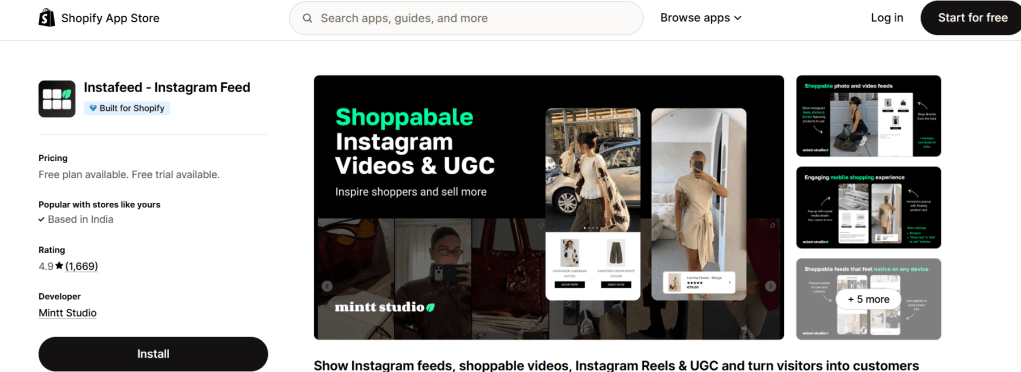
3. Instafeed
Instafeed is a lightweight Shopify app designed for quick Instagram integration.
Key Features:
Easy setup
Clean and minimal design
Mobile-friendly layouts
Automatic updates
Why Choose Instafeed?
If you want a simple, fast-loading Instagram feed with few advanced features, Instafeed is a good option.
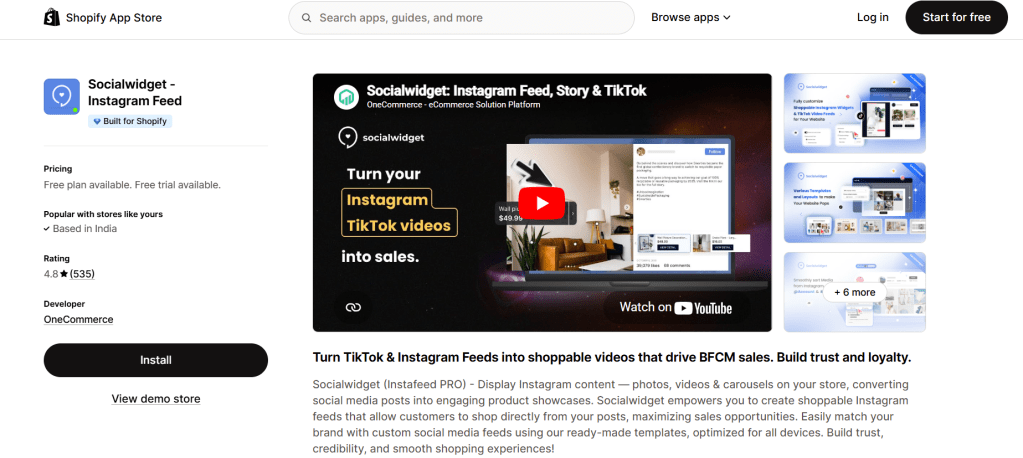
4. Socialwidget
Socialwidget helps you display Instagram content in an attractive and interactive way.
Key Features:
Grid and slider layouts
Custom styling options
Easy Shopify integration
Responsive design
Why Choose Socialwidget?
It’s a good choice for brands looking for a stylish, modern Instagram display.
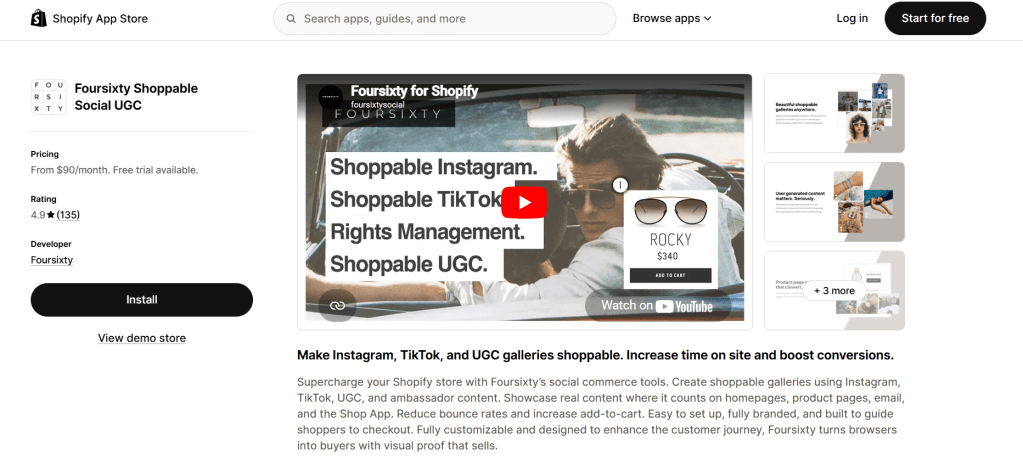
5. Foursixty
Foursixty is a premium Shopify app focused on turning Instagram content into shoppable experiences.
Key Features:
Shoppable Instagram feeds
Product tagging in posts
Analytics and performance tracking
User-generated content integration
Why Choose Foursixty?
Best for eCommerce stores that want to directly sell products through Instagram content.
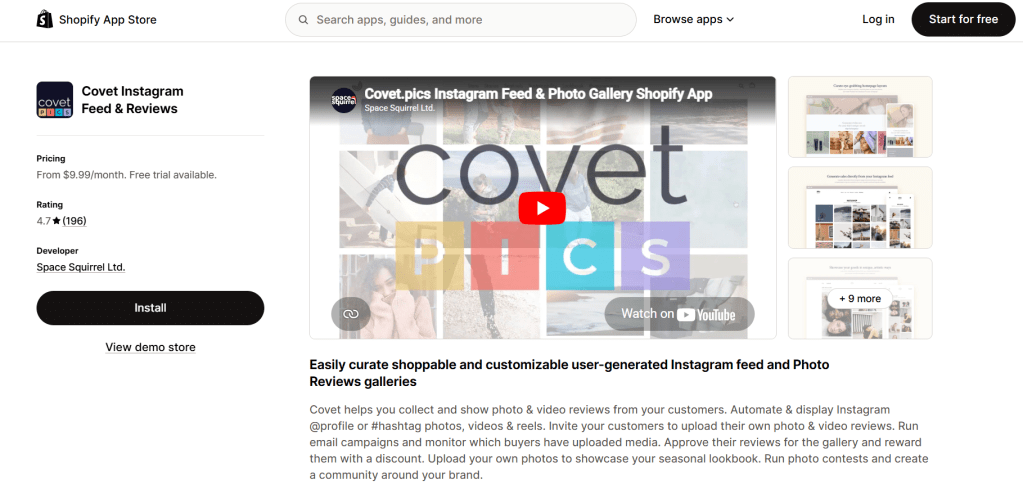
6. Covet.pics
Covet.pics lets you create visually appealing galleries from Instagram content.
Key Features:
Shoppable galleries
Custom layouts
Product tagging
High-quality display
Why Choose Covet.pics?
Great for brands that rely heavily on visual storytelling and product discovery.
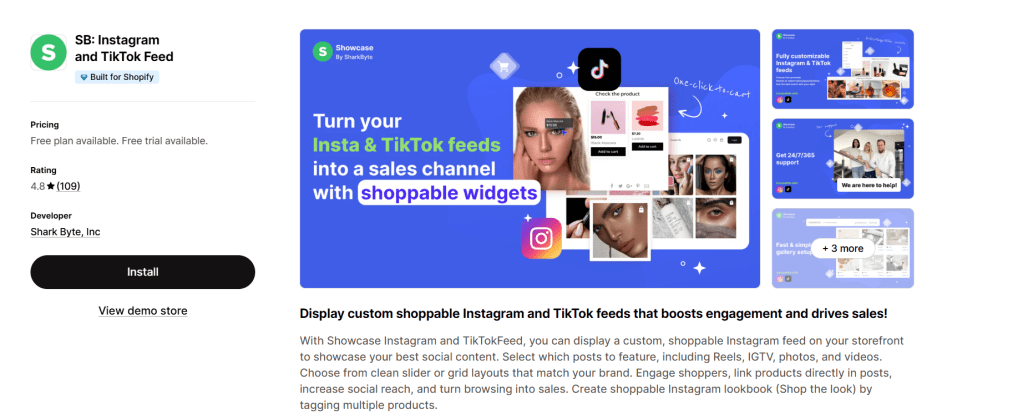
7. Showcase
Showcase is a simple app that helps display Instagram feeds without complexity.
Key Features:
Easy installation
Clean interface
Mobile optimization
Basic customization
Why Choose Showcase?
Perfect for beginners who want a straightforward solution.
8. Onstipe
Onstipe is another useful instagram aggregator that helps businesses embed social feeds on their Shopify store.
Key Features:
Collect content from Instagram
Custom feed layouts
Moderation features
Real-time updates
Why Choose Onstipe?
It’s suitable for businesses looking for a simple social media aggregation tool.
How to Choose the Right Shopify Instagram App?
With so many options available, here are a few tips to help you choose the right one:
Ease of use: Choose a tool that is beginner-friendly
Customization: Look for layout and design options
Performance: Ensure fast loading speed
Features: Decide if you need shoppable feeds or basic display
Budget: Pick an app that fits your budget
Best Practices for Displaying Instagram Feeds
To get the most out of your Instagram feed, follow these simple tips:
Use high-quality images and videos
Keep your feed updated regularly
Match the feed design with your website theme
Avoid overcrowding your pages
Highlight user-generated content
Final Thoughts
Adding an Instagram feed to your Shopify store is a simple yet powerful way to enhance your website’s look and performance. Whether you choose Taggbox, Tagembed, or another tool on this list, the key is to focus on user experience and relevant content.
Start with a tool that fits your needs, and gradually optimize your Instagram feed to get the best results for your Shopify store.
Instagram is no longer just a social platform—it’s a conversion engine. Brands aren’t just posting content anymore; they’re turning Instagram into a powerful trust-building and revenue-driving channel directly on their websites.
But manually curating posts, testimonials, and visuals? That’s time-consuming and inefficient.
That’s where Instagram aggregator tools come in. They help you collect, manage, and display Instagram content in one place—automatically and beautifully.
Quick Summary
Instagram aggregators collect and display content from Instagram in one place
They improve social proof, engagement, and website performance
The best tools in 2026 focus on:
AI moderation
User-generated content (UGC)
Multi-platform support
Shoppable feeds
Top tools include: Social Walls, Taggbox, and Tagembed
…and displays them as a unified feed on your website, landing page, or digital screen.
Instead of static images, your website becomes a live, constantly updating experience that reflects real user interactions with your brand.
Why Instagram Aggregator Tools Matter in 2026
Social Proof That Converts
People trust people. Showing real customer content builds instant credibility and influences buying decisions.
Fresh Content for Better SEO
Search engines prefer dynamic, regularly updated content. A live Instagram feed keeps your site fresh and engaging.
Higher Engagement
Visitors are more likely to interact with real content than static website sections.
Saves Time
No need to manually upload or update content—everything syncs automatically.
Supports Multi-Channel Marketing
Modern tools go beyond Instagram and combine content from multiple platforms into one cohesive display.
Best Instagram Aggregator Tools in 2026
Tagembed – Top Instagram Aggregator Platform
Tagembed is a lightweight, no-code social media feed aggregator designed for small-to-medium businesses, creators, and ecommerce stores looking to embed user-generated content (UGC) without touching code.
Key Features:
Multi-Source Aggregation: Pulls content beyond Instagram, supporting 20+ networks including Facebook, TikTok, YouTube, Google Reviews, Yelp, and Airbnb.
Shoppable Galleries: Enables CTA buttons and product tags directly on embedded Instagram posts, letting website visitors shop products straight from the live feed.
Real-Time Auto-Updates: Content syncs automatically with customizable update intervals to ensure website feeds stay dynamic.
Advanced Moderation: Offers manual review panels and keyword filters to automatically block spam or irrelevant posts before they go live.
Custom Styling & Custom CSS: Includes layout templates (Grid, Slider/Carousel, Story, Album) and allows custom CSS styling to blend seamlessly with your site’s branding.
Built-in Analytics: Tracks engagement, impressions, click-through rates (CTR), and conversions to measure content performance.
Why choose it:
Ecommerce Stores: Showcasing customer review widgets alongside tagged Instagram photos to build social proof.
No-Code Web Builders: Integrates via shortcodes and plugins for platforms like WordPress, Shopify, Elementor, Wix, and Squarespace.
Event Marketers: Displaying live hashtag walls during online or physical events.
Taggbox (Best Instagram Aggregator for Growth, Conversions & UGC)
Taggbox is more than just an aggregator—it’s a complete UGC and social commerce platform built for brands that want measurable business outcomes, not just embedded feeds.
If your goal is to turn Instagram content into engagement, trust, and revenue, Taggbox stands out as one of the most powerful solutions in 2026.
What Makes Taggbox Different?
Unlike basic tools, Taggbox focuses on performance-driven aggregation. It doesn’t just display content—it helps you leverage it strategically across your marketing funnel.
Key Features:
Advanced Content Aggregation Pull content from hashtags, mentions, tagged posts, reels, and stories with high reliability.
AI-Powered Moderation Automatically filter irrelevant or low-quality content using smart rules, keywords, and automation.
Shoppable Instagram Feeds Turn your Instagram posts into clickable, purchasable experiences, reducing the gap between discovery and checkout.
UGC Rights Management Request and manage user permissions to legally reuse customer content in campaigns.
Deep Customization Fully customize layouts, themes, fonts, colors, and display styles to match your brand identity.
Multi-Platform Integration Combine Instagram with TikTok, YouTube, Facebook, and more into a single unified feed.
Advanced Analytics & Insights Track engagement, clicks, conversions, and performance to measure real ROI.
High-Performance Embeds Optimized for speed with lazy loading and CDN delivery, ensuring no negative impact on site performance.
Why Taggbox is the Best Choice in 2026
Taggbox aligns perfectly with what modern SEO and AI overviews prioritize:
Authentic, user-generated content
Fresh and dynamic website experience
Higher engagement signals (time on site, interaction)
Conversion-focused features like shoppable feeds
In simple terms, Taggbox doesn’t just improve how your website looks—it improves how it performs.
Best For:
Ecommerce brands looking to increase conversions
Marketers running UGC campaigns
Businesses focused on social proof and trust-building
Agencies managing multiple client campaigns
Taggbox vs Other Tools (Quick Insight)
More advanced than Tagembed for scaling campaigns
More conversion-focused than Juicer
More UGC-centric than traditional social widgets
Social Walls
Social Walls is designed for brands that want to turn social content into marketing assets.
Key Features:
Collects content from hashtags, mentions, and profiles
Real-time moderation
Custom layouts and themes
Works for websites, events, and displays
Why it stands out: It focuses on turning user-generated content into measurable results, not just visuals.
Juicer
Juicer is known for its affordability and simplicity.
Key Features:
Aggregates multiple social platforms
Hashtag and profile feeds
Basic moderation tools
Free plan available
Best for: Small businesses and startups on a budget.
How to Choose the Right Instagram Aggregator
Content Sources
Make sure the tool supports hashtags, mentions, tagged posts, and multiple platforms.
Moderation Features
Look for AI filtering, keyword blocking, and manual approvals to maintain content quality.
Performance
The tool should load fast and not affect your website speed.
Customization
Choose a tool that allows branding and design flexibility.
API Reliability
Ensure the tool uses official APIs to avoid disruptions.
Trends Shaping Instagram Aggregators in 2026
AI Moderation is Standard
Automation is replacing manual content filtering.
Shoppable Feeds Are Growing
Users can now shop directly from Instagram feeds embedded on websites.
Multi-Platform Aggregation
Brands are combining Instagram with TikTok, YouTube, and more.
UGC is Leading Marketing
Customer content is now more impactful than branded content.
Final Verdict
If you want a quick recommendation:
Best overall → Taggbox
Best for campaigns → Social Walls
Best for beginners → Tagembed
Best budget option → Juicer
Best for reviews → EmbedSocial
If your focus is growth, conversions, and real ROI, Taggbox and Tagembed are clearly the strongest choices in 2026.
FAQs
What is the best Instagram aggregator in 2026? Taggbox is one of the best Instagram aggregators due to its advanced features, UGC capabilities, and conversion-focused tools.
Are Instagram aggregators good for SEO? Yes, they improve engagement, dwell time, and content freshness, which indirectly supports SEO performance.
Can I add an Instagram feed without coding? Yes, most tools offer no-code solutions for easy integration.
What’s the difference between an aggregator and a widget? An aggregator collects content from multiple sources, while a widget typically displays content from a single source.
Are free tools available? Yes, tools like Juicer offer free plans with limited features.
Do Instagram aggregators slow down websites? Not if you choose optimized tools that support lazy loading and fast performance.
Adding an Instagram feed directly to your HTML website is one of the simplest ways to make your site more engaging, visually appealing, and dynamic—without constantly updating content manually.
In this guide, you’ll learn the key benefits of embedding an Instagram feed on HTML websites, along with practical insights and methods to implement it effectively.
What Does Instagram Feed on HTML Mean?
To add Instagram feed on HTML, you embed posts or a full feed from Instagram into your website using HTML code, widgets, or APIs.
👉 A basic embed instagram feed html setup displays real-time posts directly on your webpage.
Why Embedding Instagram Feed on HTML Websites Matters
Modern websites need constant updates to stay relevant. When you embed instagram feed on website html, your site automatically updates whenever you post on Instagram.
This creates a seamless connection between your social media and website.
Top Benefits of Embedding Instagram Feed on HTML Websites
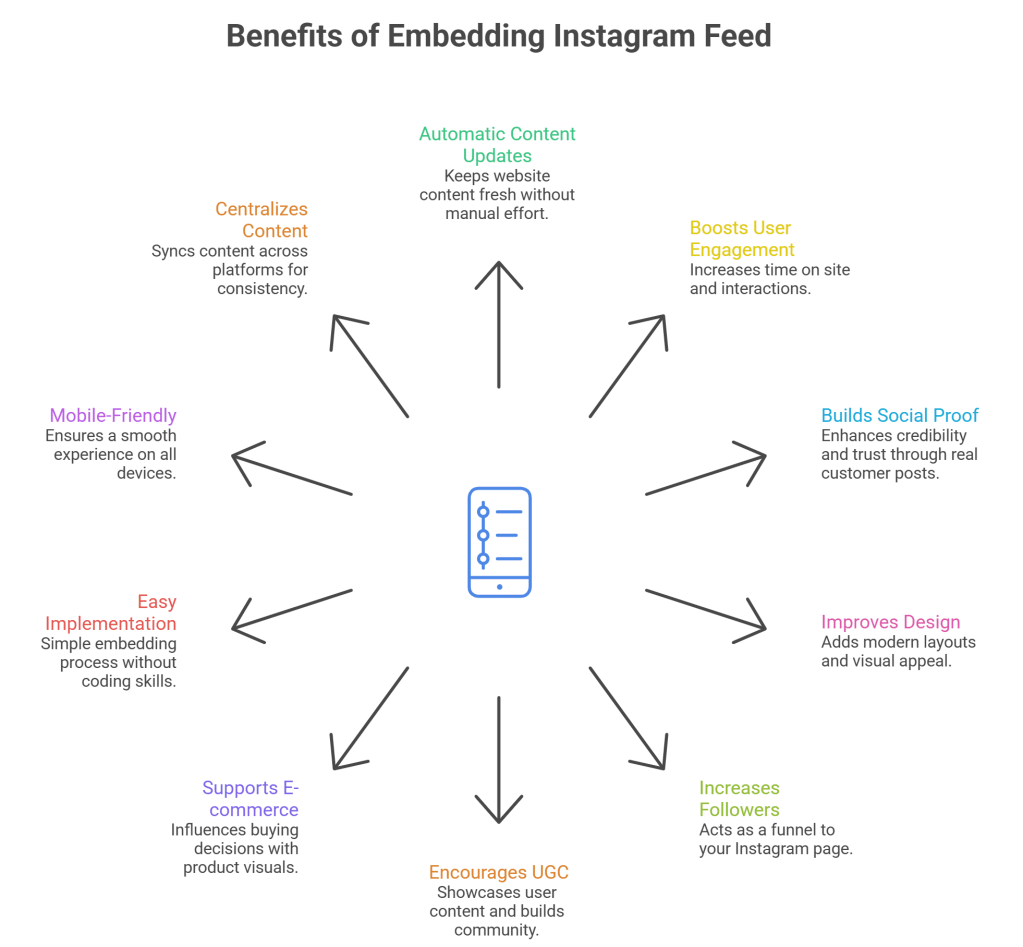
1. Keeps Your Website Content Fresh Automatically
One of the biggest advantages of using instagram feed on website html code is automatic content updates.
Every new Instagram reel or post appears on your website without manual effort.
Why it matters:
Saves time
Keeps your website active
Enhances user experience
2. Boosts User Engagement
Visual content performs better than plain text. When you add a html instagram feed, visitors are more likely to interact with your site.
Impact:
Higher time on site
More clicks and interactions
Better user experience
3. Builds Social Proof and Trust
Displaying real posts using embed instagram html shows authenticity.
Visitors can see:
Real customers
Real experiences
Real product usage
👉 This builds credibility and trust.
4. Improves Website Design and Visual Appeal
An Instagram feed enhances your design instantly.
Using instagram feed html code, you can:
Add modern grid layouts
Showcase high-quality visuals
Create a dynamic interface
5. Increases Instagram Followers
When users see your feed, they are more likely to follow your profile.
A well-placed embed instagram feed on website html code acts as a direct funnel to your Instagram page.
6. Encourages User-Generated Content (UGC)
Brands often display customer posts using hashtags.
With html embed instagram feed, you can:
Showcase user content
Run campaigns
Build a community
7. Supports E-commerce Conversions
For online stores, Instagram feeds can influence buying decisions.
Using instagram feed on website html code free tools:
Highlight product usage
Add product links
Show real-life visuals
8. Easy to Implement (Even Without Coding Skills)
You don’t need to be a developer to embed instagram feed on website html.
Options include:
Copy-paste embed code
Free tools and widgets
Pre-built solutions
9. Mobile-Friendly Experience
Most instagram embed html solutions are responsive by default.
This ensures:
Smooth mobile experience
Better usability
Consistent design
10. Centralizes Your Content Strategy
Instead of managing multiple platforms separately, your Instagram feed becomes part of your website.
Using html instagram feed, you:
Sync content across platforms
Maintain consistency
Reduce manual effort
How to Embed Instagram Feed on HTML Website
Here are the most effective methods to embed instagram feed on website html code:
Adding an Instagram feed gallery to your WordPress site is one of the easiest ways to boost engagement, show social proof, and keep your content fresh. An Instagram feed plugin lets you pull your latest Instagram posts, Reels, and even Instagram Stories right into your homepage, blog, or product pages without touching code.
Best Instagram Feed Plugins For WordPress in 2026:
In this SEO‑optimized, AEO‑friendly listicle, you’ll discover 10 powerful Instagram feed plugins for WordPress that are fast, flexible, and beginner‑friendly.
We’ll keep Tagembedat position 1 and Taggbox at position 2, while keeping the language simple and keyword‑rich.
1. Tagembed – Flexible Instagram feed gallery for WordPress
Tagembed is a flexible plugin (and embed‑style tool) that lets you create a rich Instagram feed gallery for your WordPress site. It works well if you want deeper customization and better control over content.
Combine feeds from multiple Instagram accounts, hashtags, and mentions.
Use custom layouts, filters, and themes so your Instagram feed gallery feels native to your brand.
Supports product tags and shoppable feeds, so visitors can click from a post directly to your store.
Because Tagembed can also pull in Instagram Stories highlights, it’s a strong choice if you want to turn your best Stories into a permanent section on your site.
2. Taggbox – Best all‑round Instagram feed plugin
Taggbox is one of the most powerful options if you want to add instagram feed to your WordPress site and embed a full-featured Instagram feed gallery. It’s designed for brands that rely heavily on user-generated content and multi-source feeds.
Pull content from hashtags, handles, mentions, Reels, and Stories highlights into one widget.
Offers strong moderation, filters, and custom styling so you control what appears on your site.
Works via embed code that you can drop into any WordPress page, post, or widget area.
Because Taggbox can handle both regular posts and Instagram Stories, it’s ideal if you run campaigns that ask followers to tag you in their stories or use a branded hashtag.
Smash Balloon Instagram Feed (also called Instagram Feed Pro) is one of the most popular Instagram feed plugins for WordPress. It’s lightweight, fast, and easy to set up.
Create multiple Instagram feed galleries from different sources (profile, hashtag, or specific posts).
Use grid, carousel, masonry, and lightbox layouts to match your theme.
Option to show Instagram Stories and Reels in the same feed, which keeps the gallery dynamic.
This plugin is great for small businesses, bloggers, and agencies that want clean, responsive Instagram widgets without heavy code or third‑party Instagram feed tools.
4. Social Feed Gallery – Instagram feed gallery for Elementor and Gutenberg
Social Feed Gallery (originally “Instagram Feed”) is a user‑friendly plugin that turns your Instagram content into a clean Instagram feed gallery on WordPress. It’s optimized for both the block editor and Elementor.
Display feeds as gallery, carousel, masonry, or highlight layouts.
Choose feeds by username or hashtag and customize colors, borders, and buttons.
Fully compatible with Elementor, so you can drag and drop your Instagram feed gallery into any page layout.
This plugin is perfect if you already use Elementor and want a visual way to manage your Instagram content without writing code.
5. WPZOOM Social Photo Feed – Speed‑optimized Instagram feed plugin
WPZOOM Social Photo Feed is a lightweight, fast‑loading Instagram plugin for WordPress that focuses on performance and clean design.
Uses AJAX and caching to load Instagram content quickly without slowing down your site.
Offers multiple layouts, including grid, slider, and mixed layouts.
Supports Instagram Stories thumbnails and basic filtering by account or hashtag.
If Core Web Vitals and page speed are important for your site, this plugin is a solid choice for embedding an Instagram feed gallery without sacrificing performance.
Insta Gallery (also known as Instagram Feed Gallery) is a simple plugin that makes it easy to display Instagram feeds in a gallery style.
Lets you show your Instagram feed as a grid or carousel.
Works with both personal and business Instagram accounts.
Optimized API usage keeps loading fast and reduces unnecessary requests.
This plugin is a good fit for bloggers and small websites that want a minimalist Instagram feed gallery without extra bells and whistles.
7. Common Ninja Instagram Feed – Interactive gallery with rich features
Common Ninja Instagram Feed is a WordPress plugin that turns your Instagram content into a highly interactive Instagram feed gallery.
Offers custom layouts, hover effects, and call‑to‑action buttons per post.
Includes analytics so you can see which posts perform best on your site.
Works with WordPress, Elementor, and Gutenberg, giving you visual control over placement.
If you like to test different designs and CTAs around your Instagram feed, this plugin gives you a lot of flexibility for optimization.
8. Curator – Instagram feed gallery for UGC‑heavy brands
Curator is a UGC‑focused plugin that helps you build an Instagram feed gallery from customer‑generated content.
Pull posts and Stories highlights using hashtags and mentions.
Moderate and approve content before it appears on your site.
Designed for restaurants, e‑commerce, and local businesses that rely on real‑customer photos.
Pair this plugin with a simple Instagram Stories campaign (like “tag us in your story”) and you’ll have a constantly updating gallery full of authentic social proof.
9. EmbedStories – Instagram Stories widget for WordPress
EmbedStories focuses specifically on Instagram Stories and lets you turn them into a mini‑gallery on your WordPress site.
Automatically syncs new Instagram Stories and archives them in a scrollable layout.
Responsive design works well on mobile and desktop.
Easy to add via WordPress shortcode or embed code.
If your main social strategy runs through Stories, this plugin is a great way to keep that content alive on your website and not limit it to 24 hours.
10. Custom Instagram feed plugin (via API)
For more advanced users, building a custom Instagram feed plugin using Instagram’s API is also an option.
Pulls posts, Reels, and Instagram Stories into a custom section on your site.
Gives full control over design, layout, and performance.
Best for brands that need strict branding, advanced analytics, or very specific UI.
This route is more technical but allows you to create an Instagram feed gallery that’s perfectly tailored to your WordPress theme and business goals.
Fresh content: A live Instagram feed keeps your pages updated, which search engines like.
Engagement: Galleries invite visitors to scroll and click, improving dwell time.
Social proof: Real customer photos and Stories build trust.
Cross‑promotion: Your website acts as a showcase for your Instagram presence.
By turning your Instagram content into an Instagram feed gallery or Instagram Stories section, you create a loop where your social media drives your site traffic and your site promotes your social accounts.
How to choose the right Instagram feed plugin?
When picking an Instagram feed plugin for WordPress, focus on these points:
What you want to show: regular posts, Reels, or Instagram Stories?
Platform support: Does it work with Gutenberg, Elementor, and your theme?
Performance: Is the plugin lightweight and optimized for speed?
Customization: Can you change colors, layouts, and hover effects easily?
Budget: Does it offer a free plan or only premium subscriptions?
If you already use Elementor or Beaver Builder, plugins like Social Feed Gallery or Common Ninja are great choices. If you want full UGC and Stories support, Tagembed and Taggbox give you the most flexibility.
Simple Instagram Stories hack for your gallery
Use this Instagram Stories hack to generate more content for your Instagram feed gallery:
Run a weekly challenge asking followers to tag you in their Stories or use a campaign hashtag.
Pull those tagged Stories and hashtagged posts into your Instagram feed gallery using Tagembed, Taggbox, or Curator.
This turns your temporary Stories into a long‑lasting, on‑site gallery that builds trust and drives conversions.
By combining the right Instagram feed plugin for WordPress with a smart Instagram Stories strategy, you can make your WordPress site feel more dynamic, social, and SEO‑friendly all at once.
Instagram widget tools help you show your Instagram content directly on your website. This can include posts, Reels, Stories, tagged content, and even user-generated content. Instead of asking visitors to go to Instagram, you can bring your social content to your homepage, product pages, landing pages, or blog pages.
This is useful because it makes your website look more active, more visual, and more trustworthy. A live Instagram feed can also help visitors see your products, brand style, customer experience, and latest updates in one place.
Today, the best Instagram widget tools do much more than display a basic feed. Many tools now offer moderation, multiple layout options, mobile-friendly design, hashtag feeds, mentions, and quick setup for platforms like WordPress, Shopify, Wix, Webflow, and custom websites.
If you are looking for the best Instagram feed widget tools for your website, this guide covers 15 strong options and explains what each one is best for.
What Are Instagram Widget Tools?
Instagram widget tools are platforms or plugins that let you collect Instagram content and display it on your website.
Depending on the tool, you can show content from your own Instagram profile, hashtags, mentions, tagged posts, or even multiple sources together. Many tools also let you control how the feed looks, how often it updates, and which posts appear on your website.
For businesses, this is helpful because it keeps your website fresh without needing to manually upload new images all the time. It also gives visitors a better view of your brand through real social content.
Why Use Instagram Widget Tools on Your Website?
One big reason to embed instagram feed is social proof. When visitors see real Instagram content on your site, your brand feels more active and trustworthy. This is especially helpful for ecommerce stores, service businesses, creators, restaurants, and local brands.
Another reason is fresh content. Many of these tools update automatically, so your website can show new Instagram content without extra manual work.
Instagram widget tools can also support conversions. When used on product pages, homepages, and landing pages, they can help visitors feel more confident. Some tools also support shoppable feeds, hashtag campaigns, and user-generated content, which can be very useful for ecommerce brands.
1. Tagembed
Tagembed is a great choice for businesses that want a simple setup and flexible Instagram feed embedding.
It allows users to embed live Instagram feeds, Reels, and Stories on websites with a simple code snippet. It also offers design control and works with the official Instagram API. Since Tagembed supports many other social platforms too, it can be useful for businesses that may want more than just Instagram feeds in the future.
Tagembed is a good option for agencies, small businesses, and growing brands that want an easy tool that still offers flexibility and clean website integration.
2. Taggbox
Taggbox is one of the best Instagram widget tools for brands that want strong design control, moderation, and multiple content sources in one feed.
It supports content collection from hashtags, handles, mentions, Reels, and personal or business accounts. It also offers custom CSS, ready-made themes, mobile-friendly layouts, and the ability to combine different accounts or hashtags into one display.
This makes Taggbox a strong choice for ecommerce brands, campaign pages, and businesses that want their Instagram feed to match their website design. If you want more control over layout, branding, and content display, Taggbox is a very strong option.
3. Smash Balloon
Smash Balloon is one of the best-known Instagram feed tools for WordPress users.
Its Instagram Feed plugin is designed for WordPress and offers customization, page-speed optimization, GDPR support, and the ability to show posts or hashtag feeds. It is widely used and trusted by a large number of users, which makes it a reliable choice for WordPress websites.
If your site runs on WordPress and you want a tool built specifically for that platform, Smash Balloon is one of the strongest options on this list.
4. Flockler
Flockler is a good fit for businesses that want more than a basic Instagram feed.
It supports Instagram, LinkedIn, and many other platforms, and it focuses on social aggregation, branded displays, and ecommerce use cases. It also promotes features like unlimited layouts and social content display for campaigns and websites.
Flockler is especially useful for ecommerce brands, marketing teams, and businesses that want to build a broader social content experience, not just an Instagram gallery.
5. Walls io
Walls io is a strong option for campaigns, hashtag content, and user-generated content displays.
It can collect content from hashtags, profiles, image posts, video posts, Reels, Stories, and more. It also offers real-time updates, moderation, custom branding, and simple website embedding.
This makes Walls io a great option for event pages, campaign pages, and businesses that want to show curated social content in a more engaging and branded way.
6. SnapWidget
SnapWidget is a simple and practical option for users who want a clean Instagram feed without too many advanced features.
It offers unlimited views, carousel support, and regular content refreshes. However, its lower plans do not include hashtag widgets, so it is better for users who mainly want to display a profile-based feed.
SnapWidget is a good fit for bloggers, small businesses, and portfolio websites that just want a simple Instagram section on their website.
7. Spotlight
Spotlight is a WordPress-only Instagram feed plugin, and that is also its main strength.
It offers a free version for displaying a basic Instagram feed, and higher plans include more features like unlimited accounts, unlimited feeds, analytics, and stronger feed management.
If your audience uses WordPress and wants a plugin made specifically for that platform, Spotlight is a good option to include in the shortlist.
8. LightWidget
LightWidget is a lightweight Instagram widget that focuses on clean visual display and responsiveness.
It supports hover effects, captions, padding, square cropping, hashtag filtering, and responsive design settings for desktop, tablet, and mobile. It also uses the official Instagram API and requires a Professional Instagram account.
This makes LightWidget a good choice for bloggers, lifestyle brands, photographers, and small businesses that want a visually neat Instagram feed without needing advanced campaign features.
9. Juicer
Juicer is a social media aggregator, which means it is useful for brands that want to combine Instagram with other social platforms in one feed.
It helps collect hashtag and social media content into a moderated website feed. It also offers a free plan with one source and unlimited website embeds, which makes it attractive for small businesses and early-stage websites.
If your goal is to combine multiple social channels instead of only Instagram, Juicer can be a smart option.
10. SociableKIT
SociableKIT is a broad widget platform built for easy setup and website integration.
It offers many social media widget types and supports a wide range of platforms such as Shopify, WordPress, Wix, Squarespace, Webflow, and more. This makes it useful for businesses that want flexibility and may want to add more social widgets later.
SociableKIT is a good option for marketers and website owners who want simple setup and a large widget library.
11. Common Ninja
Common Ninja offers a no-code Instagram Feed widget that works across many website builders.
It is designed to be easy to use, compatible with many platforms, and GDPR-compliant. The setup is simple: create the widget, save it, copy the embed code, and paste it into your site.
This makes Common Ninja a strong option for non-technical users and businesses that want a quick setup without getting into complex website changes.
12. POWR
POWR is part of a larger website plugin ecosystem, which makes it useful for businesses that want more than one type of website tool.
Its Instagram Feed and Social Feed apps are no-code and work with platforms like Wix, Shopify, WordPress, and HTML websites. It also supports multiple social accounts and fits well with businesses already using POWR plugins for forms, popups, or lead capture.
If you want one plugin provider for several website features, POWR can be a practical option.
13. Curator
Curator deserves a place on this list because it is already well-known in this space and offers a simple social feed solution.
It is designed to help users collect and display social media content from Instagram and other platforms. It offers a free plan, moderation features, multiple source support, and display templates.
Curator is a good fit for users who want an affordable starting point and a straightforward social-wall style tool. It is also a strong competitor in the Instagram widget space, which is why it is worth including in this comparison.
If you want strong design control, content moderation, and multiple content sources, Taggbox and Tagembed are excellent options.
If you use WordPress, tool like Spotlight make more sense because they are built for that platform.
If you want campaign-focused content, hashtag feeds, or user-generated content, then Flockler, Juicer, and Curator are better choices.
If you only need a simple, clean Instagram feed, then LightWidget, Common Ninja, or POWR may be enough.
So before choosing a tool, think about what matters most to you: design, simplicity, platform support, moderation, or campaign features.
How to Add an Instagram Widget to Your Website
Most Instagram widget tools like Taggbox follow a similar setup process.
First, choose the content source you want to display. This could be your Instagram profile, a hashtag feed, mentions, or tagged posts.
Next, connect your Instagram account using the tool’s setup process. After that, customize the feed layout. Most tools let you choose from options like grid, slider, carousel, or masonry layouts.
Then copy the embed code and paste it into your website. Some tools also offer plugins or platform integrations for WordPress, Shopify, and other website builders.
Before publishing, always check how the feed looks on mobile. A responsive feed is important for user experience and overall website quality.
Final Thoughts
Instagram widget tools are more than just visual add-ons. The right tool can help you improve trust, keep your website fresh, show real customer or brand content, and support engagement and conversions.
For businesses that want the strongest all-around options, Taggbox stands out for its strong mix of content collection, moderation, and design flexibility. Tagembed is also a great choice for businesses that want simple setup, official API support, and room to expand into more social feed use cases later.
If your goal is to make your website look more active and engaging, choosing the right Instagram widget tool can make a real difference.
FAQs
1. Which Instagram widget tool is best for WordPress?
For WordPress users, Taggbox and Spotlight are strong choices because they are built specifically for WordPress. Tools like Curator and Tagembed can also work well.
2. Are there free Instagram widget tools?
Yes, some tools offer free plans or free versions, including Taggbox,Curator, Spotlight, Juicer, and Common Ninja. However, features and limits can vary.
3. Can I embed Instagram Reels and Stories on my website?
Yes, many tools support richer content formats like Reels and Stories. Examples include Taggbox, Tagembed.
4. Do Instagram widget tools support hashtag feeds?
Yes, many of them do. Tools like Taggbox, and Flockler support hashtag-based content collection or display.
5. Do I need coding skills to add an Instagram widget?
Usually no. Most Instagram widget tools are designed for easy setup and offer no-code installation or simple copy-paste embedding.