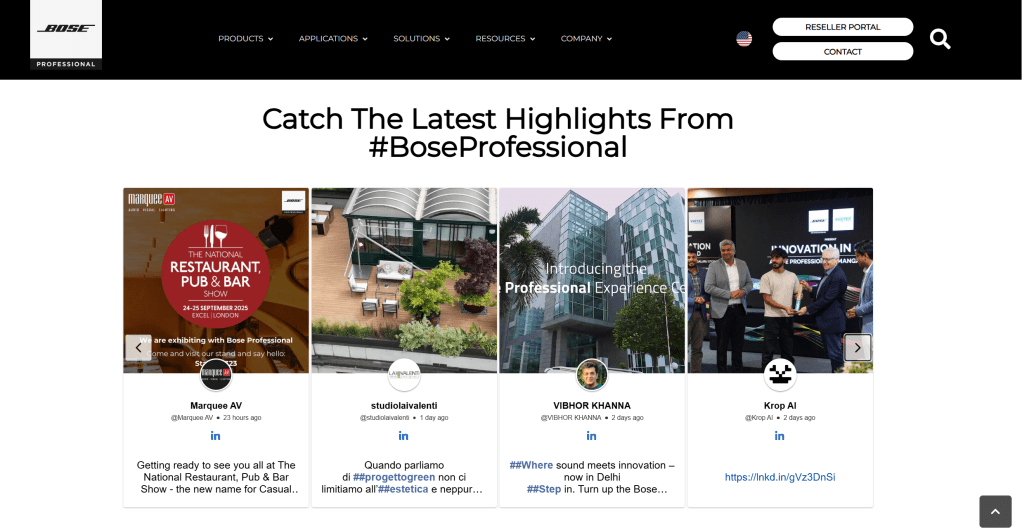
Instagram Aggregator
instagram

Best Instagram Aggregator Tools in 2026

Instagram is no longer just a social platform—it’s a conversion engine. Brands aren’t just posting content anymore; they’re turning Instagram into a powerful trust-building and revenue-driving channel directly on their websites.

But manually curating posts, testimonials, and visuals? That’s time-consuming and inefficient.

That’s where Instagram aggregator tools come in. They help you collect, manage, and display Instagram content in one place—automatically and beautifully.

Quick Summary

  • Instagram aggregators collect and display content from Instagram in one place
  • They improve social proof, engagement, and website performance
  • The best tools in 2026 focus on:
    • AI moderation
    • User-generated content (UGC)
    • Multi-platform support
    • Shoppable feeds
  • Top tools include: Social Walls, Taggbox, and Tagembed

What is an Instagram Aggregator?

An Instagram aggregator is a tool that pulls content from:

  • Instagram hashtags
  • Mentions
  • Tagged posts
  • Business profiles

…and displays them as a unified feed on your website, landing page, or digital screen.

Instead of static images, your website becomes a live, constantly updating experience that reflects real user interactions with your brand.

Why Instagram Aggregator Tools Matter in 2026

Social Proof That Converts

People trust people. Showing real customer content builds instant credibility and influences buying decisions.

Fresh Content for Better SEO

Search engines prefer dynamic, regularly updated content. A live Instagram feed keeps your site fresh and engaging.

Higher Engagement

Visitors are more likely to interact with real content than static website sections.

Saves Time

No need to manually upload or update content—everything syncs automatically.

Supports Multi-Channel Marketing

Modern tools go beyond Instagram and combine content from multiple platforms into one cohesive display.

Best Instagram Aggregator Tools in 2026

Taggbox (Best Instagram Aggregator for Growth, Conversions & UGC)

Instagram Aggregator

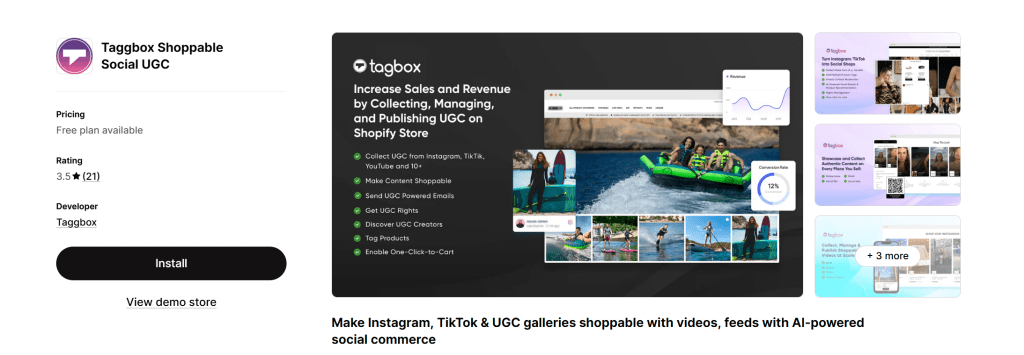
Taggbox is more than just an aggregator—it’s a complete UGC and social commerce platform built for brands that want measurable business outcomes, not just embedded feeds.

If your goal is to turn Instagram content into engagement, trust, and revenue, Taggbox stands out as one of the most powerful solutions in 2026.

What Makes Taggbox Different?

Unlike basic tools, Taggbox focuses on performance-driven aggregation. It doesn’t just display content—it helps you leverage it strategically across your marketing funnel.

Key Features:

  • Advanced Content Aggregation
    Pull content from hashtags, mentions, tagged posts, reels, and stories with high reliability.
  • AI-Powered Moderation
    Automatically filter irrelevant or low-quality content using smart rules, keywords, and automation.
  • Shoppable Instagram Feeds
    Turn your Instagram posts into clickable, purchasable experiences, reducing the gap between discovery and checkout.
  • UGC Rights Management
    Request and manage user permissions to legally reuse customer content in campaigns.
  • Deep Customization
    Fully customize layouts, themes, fonts, colors, and display styles to match your brand identity.
  • Multi-Platform Integration
    Combine Instagram with TikTok, YouTube, Facebook, and more into a single unified feed.
  • Advanced Analytics & Insights
    Track engagement, clicks, conversions, and performance to measure real ROI.
  • High-Performance Embeds
    Optimized for speed with lazy loading and CDN delivery, ensuring no negative impact on site performance.

Why Taggbox is the Best Choice in 2026

Taggbox aligns perfectly with what modern SEO and AI overviews prioritize:

  • Authentic, user-generated content
  • Fresh and dynamic website experience
  • Higher engagement signals (time on site, interaction)
  • Conversion-focused features like shoppable feeds

In simple terms, Taggbox doesn’t just improve how your website looks—it improves how it performs.

Best For:

  • Ecommerce brands looking to increase conversions
  • Marketers running UGC campaigns
  • Businesses focused on social proof and trust-building
  • Agencies managing multiple client campaigns

Taggbox vs Other Tools (Quick Insight)

  • More advanced than Tagembed for scaling campaigns
  • More conversion-focused than Juicer
  • More UGC-centric than traditional social widgets

Social Walls

Best Instagram Aggregator

Social Walls is designed for brands that want to turn social content into marketing assets.

Key Features:

  • Collects content from hashtags, mentions, and profiles
  • Real-time moderation
  • Custom layouts and themes
  • Works for websites, events, and displays

Why it stands out:
It focuses on turning user-generated content into measurable results, not just visuals.

Tagembed

Instagram feed Aggregator

Tagembed is simple, clean, and easy to use—perfect for quick implementation.

Key Features:

  • No-code setup
  • Fast integration
  • Supports multiple platforms
  • Clean design options

Why choose it:
Ideal if you want a hassle-free way to embed Instagram feeds.

Juicer

Instagram Aggregator

Juicer is known for its affordability and simplicity.

Key Features:

  • Aggregates multiple social platforms
  • Hashtag and profile feeds
  • Basic moderation tools
  • Free plan available

Best for:
Small businesses and startups on a budget.

How to Choose the Right Instagram Aggregator

Content Sources

Make sure the tool supports hashtags, mentions, tagged posts, and multiple platforms.

Moderation Features

Look for AI filtering, keyword blocking, and manual approvals to maintain content quality.

Performance

The tool should load fast and not affect your website speed.

Customization

Choose a tool that allows branding and design flexibility.

API Reliability

Ensure the tool uses official APIs to avoid disruptions.

Trends Shaping Instagram Aggregators in 2026

AI Moderation is Standard

Automation is replacing manual content filtering.

Shoppable Feeds Are Growing

Users can now shop directly from Instagram feeds embedded on websites.

Multi-Platform Aggregation

Brands are combining Instagram with TikTok, YouTube, and more.

UGC is Leading Marketing

Customer content is now more impactful than branded content.

Final Verdict

If you want a quick recommendation:

  • Best overall → Taggbox
  • Best for campaigns → Social Walls
  • Best for beginners → Tagembed
  • Best budget option → Juicer
  • Best for reviews → EmbedSocial

If your focus is growth, conversions, and real ROI, Taggbox is clearly the strongest choice in 2026.

FAQs

What is the best Instagram aggregator in 2026?
Taggbox is one of the best Instagram aggregators due to its advanced features, UGC capabilities, and conversion-focused tools.

Are Instagram aggregators good for SEO?
Yes, they improve engagement, dwell time, and content freshness, which indirectly supports SEO performance.

Can I add an Instagram feed without coding?
Yes, most tools offer no-code solutions for easy integration.

What’s the difference between an aggregator and a widget?
An aggregator collects content from multiple sources, while a widget typically displays content from a single source.

Are free tools available?
Yes, tools like Juicer offer free plans with limited features.

Do Instagram aggregators slow down websites?
Not if you choose optimized tools that support lazy loading and fast performance.

Instagram Widget for HTML
instagram, Website

Benefits of Embedding Instagram Feed on HTML Websites

Adding an Instagram feed directly to your HTML website is one of the simplest ways to make your site more engaging, visually appealing, and dynamic—without constantly updating content manually.

In this guide, you’ll learn the key benefits of embedding an Instagram feed on HTML websites, along with practical insights and methods to implement it effectively.

What Does Instagram Feed on HTML Mean?

To add Instagram feed on HTML, you embed posts or a full feed from Instagram into your website using HTML code, widgets, or APIs.

This can be done using:

  • Native Instagram embed HTML
  • Third-party tools
  • Custom instagram feed html code
  • An instagram widget for html for easy integration

👉 A basic embed instagram feed html setup displays real-time posts directly on your webpage.

Why Embedding Instagram Feed on HTML Websites Matters

Modern websites need constant updates to stay relevant. When you embed instagram feed on website html, your site automatically updates whenever you post on Instagram.

This creates a seamless connection between your social media and website.

Top Benefits of Embedding Instagram Feed on HTML Websites

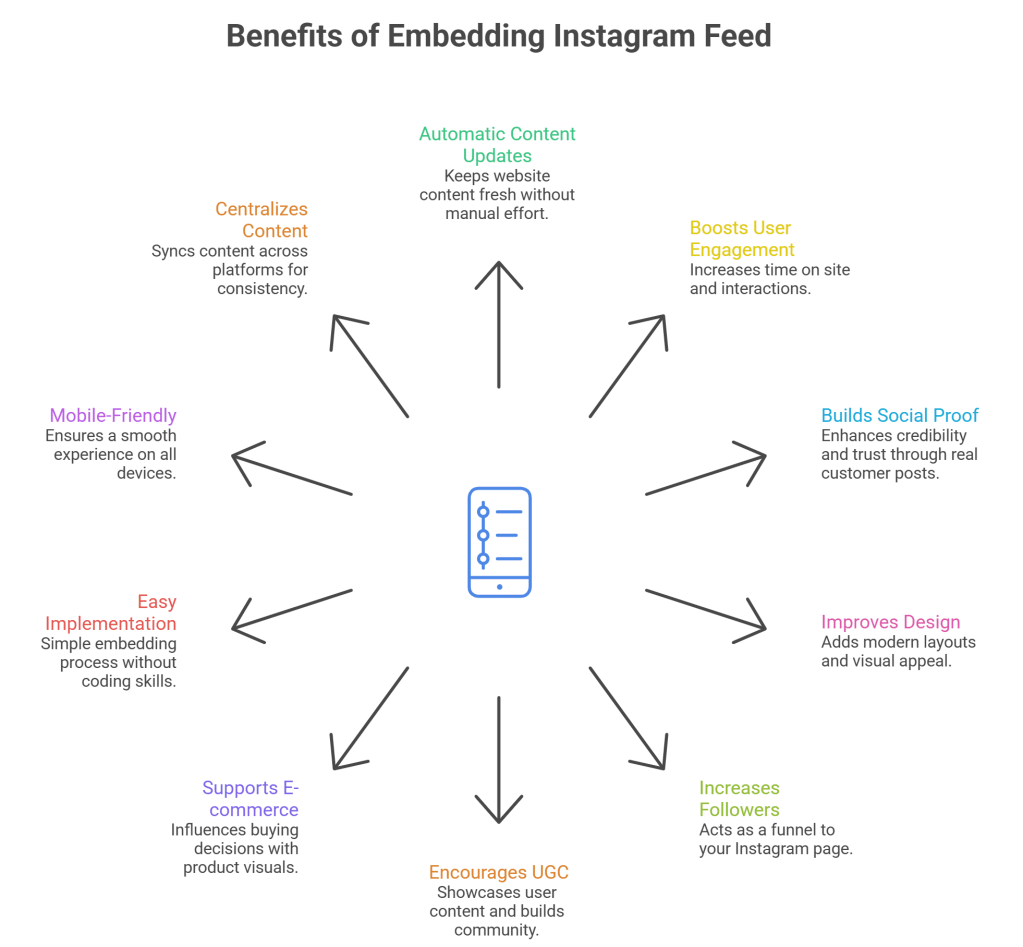
1. Keeps Your Website Content Fresh Automatically

One of the biggest advantages of using instagram feed on website html code is automatic content updates.

Every new Instagram reel or post appears on your website without manual effort.

Why it matters:

  • Saves time
  • Keeps your website active
  • Enhances user experience

2. Boosts User Engagement

Visual content performs better than plain text. When you add a html instagram feed, visitors are more likely to interact with your site.

Impact:

  • Higher time on site
  • More clicks and interactions
  • Better user experience

3. Builds Social Proof and Trust

Displaying real posts using embed instagram html shows authenticity.

Visitors can see:

  • Real customers
  • Real experiences
  • Real product usage

👉 This builds credibility and trust.

4. Improves Website Design and Visual Appeal

An Instagram feed enhances your design instantly.

Using instagram feed html code, you can:

  • Add modern grid layouts
  • Showcase high-quality visuals
  • Create a dynamic interface

5. Increases Instagram Followers

When users see your feed, they are more likely to follow your profile.

A well-placed embed instagram feed on website html code acts as a direct funnel to your Instagram page.

6. Encourages User-Generated Content (UGC)

Brands often display customer posts using hashtags.

With html embed instagram feed, you can:

  • Showcase user content
  • Run campaigns
  • Build a community

7. Supports E-commerce Conversions

For online stores, Instagram feeds can influence buying decisions.

Using instagram feed on website html code free tools:

  • Highlight product usage
  • Add product links
  • Show real-life visuals

8. Easy to Implement (Even Without Coding Skills)

You don’t need to be a developer to embed instagram feed on website html.

Options include:

  • Copy-paste embed code
  • Free tools and widgets
  • Pre-built solutions

9. Mobile-Friendly Experience

Most instagram embed html solutions are responsive by default.

This ensures:

  • Smooth mobile experience
  • Better usability
  • Consistent design

10. Centralizes Your Content Strategy

Instead of managing multiple platforms separately, your Instagram feed becomes part of your website.

Using html instagram feed, you:

  • Sync content across platforms
  • Maintain consistency
  • Reduce manual effort

How to Embed Instagram Feed on HTML Website

Here are the most effective methods to embed instagram feed on website html code:

Method 1: Official Instagram Embed

  1. Open any Instagram post
  2. Click on the three dots (menu)
  3. Select “Embed”
  4. Copy the instagram embed html code
  5. Paste it into your HTML file

Method 2: Using Taggbox (Recommended)

Taggbox is a popular tool to create customizable Instagram feeds for HTML websites.

Steps to embed using Taggbox:

  1. Go to Taggbox and sign up/login
  2. Select Instagram as your source
  3. Connect your Instagram account
  4. Choose feed type (profile, hashtag, mentions)
  5. Customize your widget design (layout, colors, themes)
  6. Click on “Publish”
  7. Select Embed on Website (HTML)
  8. Copy the generated embed instagram feed on website html code
  9. Paste the code into your HTML page

Why use Taggbox:

  • No coding required
  • Highly customizable
  • Fast and responsive widgets

Method 3: Custom HTML + API (Advanced)

For developers:

  • Use Instagram Graph API
  • Fetch posts dynamically
  • Build a fully customized instagram feed html code

Best Practices for Embedding Instagram Feed

To get the best results when you add instagram feed on html, follow these:

✅ Optimize Loading Speed

Avoid heavy scripts that slow your site.

✅ Keep Layout Clean

Use structured grids or sliders.

✅ Limit Number of Posts

6–9 posts is ideal.

✅ Make Feed Clickable

Link posts to Instagram or product pages.

✅ Ensure Mobile Responsiveness

Always test across devices.

Common Mistakes to Avoid

  • ❌ Embedding too many posts
  • ❌ Using slow-loading widgets
  • ❌ Ignoring mobile optimization
  • ❌ Not linking back to Instagram
  • ❌ Poor visual consistency

Final Thoughts

Embedding an Instagram feed is one of the easiest ways to upgrade your HTML website without constant manual updates.

By using the right instagram feed html code, you can:

  • Improve engagement
  • Build trust
  • Enhance design
  • Grow your social presence

If you’re planning to add instagram feed on html, this simple integration can deliver long-term value with minimal effort.

FAQs

How do I add Instagram feed on HTML website?

You can use Instagram’s embed feature, third-party tools, or APIs to insert feed code into your HTML.

Is there free Instagram feed HTML code available?

Yes, many tools provide instagram feed on website html code free that you can copy and paste.

What is the easiest way to embed Instagram feed in HTML?

The easiest way is using Instagram’s official embed option or a widget tool.

Can I customize Instagram feed in HTML?

Yes, using tools or APIs, you can fully customize layout and design.

Instagram Widget Tools
instagram

15 Best Instagram Widget Tools for Websites in 2026

Instagram widget tools help you show your Instagram content directly on your website. This can include posts, Reels, Stories, tagged content, and even user-generated content. Instead of asking visitors to go to Instagram, you can bring your social content to your homepage, product pages, landing pages, or blog pages.

This is useful because it makes your website look more active, more visual, and more trustworthy. A live Instagram feed can also help visitors see your products, brand style, customer experience, and latest updates in one place.

Today, the best Instagram widget tools do much more than display a basic feed. Many tools now offer moderation, multiple layout options, mobile-friendly design, hashtag feeds, mentions, and quick setup for platforms like WordPress, Shopify, Wix, Webflow, and custom websites.

If you are looking for the best Instagram widget tools for your website, this guide covers 15 strong options and explains what each one is best for.

What Are Instagram Widget Tools?

Instagram widget tools are platforms or plugins that let you collect Instagram content and display it on your website.

Depending on the tool, you can show content from your own Instagram profile, hashtags, mentions, tagged posts, or even multiple sources together. Many tools also let you control how the feed looks, how often it updates, and which posts appear on your website.

For businesses, this is helpful because it keeps your website fresh without needing to manually upload new images all the time. It also gives visitors a better view of your brand through real social content.

Why Use Instagram Widget Tools on Your Website?

One big reason to embed instagram feed is social proof. When visitors see real Instagram content on your site, your brand feels more active and trustworthy. This is especially helpful for ecommerce stores, service businesses, creators, restaurants, and local brands.

Another reason is fresh content. Many of these tools update automatically, so your website can show new Instagram content without extra manual work.

Instagram widget tools can also support conversions. When used on product pages, homepages, and landing pages, they can help visitors feel more confident. Some tools also support shoppable feeds, hashtag campaigns, and user-generated content, which can be very useful for ecommerce brands.

1. Taggbox

Best Instagram Widget Tool

Taggbox is one of the best Instagram widget tools for brands that want strong design control, moderation, and multiple content sources in one feed.

It supports content collection from hashtags, handles, mentions, Reels, and personal or business accounts. It also offers custom CSS, ready-made themes, mobile-friendly layouts, and the ability to combine different accounts or hashtags into one display.

This makes Taggbox a strong choice for ecommerce brands, campaign pages, and businesses that want their Instagram feed to match their website design. If you want more control over layout, branding, and content display, Taggbox is a very strong option.

2. Tagembed

Instagram Widget Tool

Tagembed is a great choice for businesses that want a simple setup and flexible Instagram feed embedding.

It allows users to embed live Instagram feeds, Reels, and Stories on websites with a simple code snippet. It also offers design control and works with the official Instagram API. Since Tagembed supports many other social platforms too, it can be useful for businesses that may want more than just Instagram feeds in the future.

Tagembed is a good option for agencies, small businesses, and growing brands that want an easy tool that still offers flexibility and clean website integration.

3. Smash Balloon

Smash Balloon

Smash Balloon is one of the best-known Instagram feed tools for WordPress users.

Its Instagram Feed plugin is designed for WordPress and offers customization, page-speed optimization, GDPR support, and the ability to show posts or hashtag feeds. It is widely used and trusted by a large number of users, which makes it a reliable choice for WordPress websites.

If your site runs on WordPress and you want a tool built specifically for that platform, Smash Balloon is one of the strongest options on this list.

4. Flockler

Flockler

Flockler is a good fit for businesses that want more than a basic Instagram feed.

It supports Instagram, LinkedIn, and many other platforms, and it focuses on social aggregation, branded displays, and ecommerce use cases. It also promotes features like unlimited layouts and social content display for campaigns and websites.

Flockler is especially useful for ecommerce brands, marketing teams, and businesses that want to build a broader social content experience, not just an Instagram gallery.

5. Walls io

walls

Walls io is a strong option for campaigns, hashtag content, and user-generated content displays.

It can collect content from hashtags, profiles, image posts, video posts, Reels, Stories, and more. It also offers real-time updates, moderation, custom branding, and simple website embedding.

This makes Walls io a great option for event pages, campaign pages, and businesses that want to show curated social content in a more engaging and branded way.

6. SnapWidget

SnapWidget

SnapWidget is a simple and practical option for users who want a clean Instagram feed without too many advanced features.

It offers unlimited views, carousel support, and regular content refreshes. However, its lower plans do not include hashtag widgets, so it is better for users who mainly want to display a profile-based feed.

SnapWidget is a good fit for bloggers, small businesses, and portfolio websites that just want a simple Instagram section on their website.

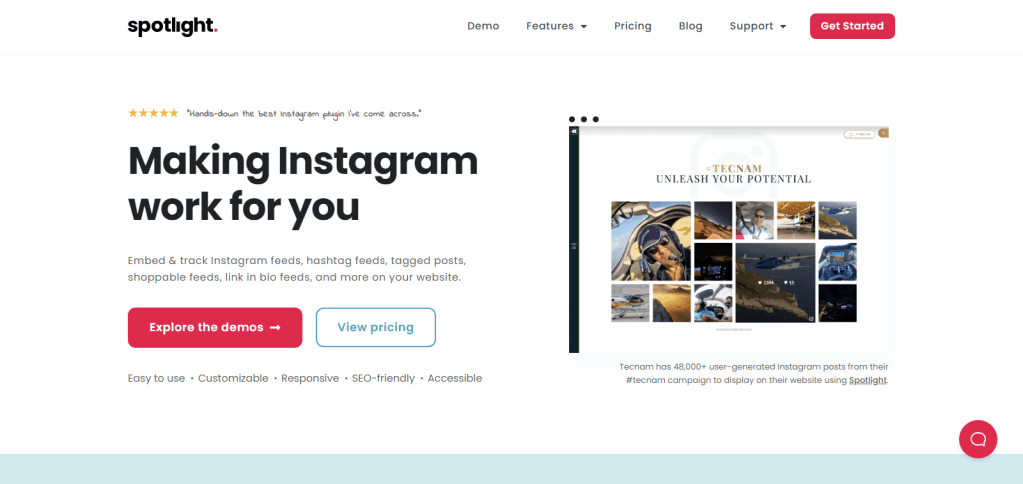
7. Spotlight

Spotlight

Spotlight is a WordPress-only Instagram feed plugin, and that is also its main strength.

It offers a free version for displaying a basic Instagram feed, and higher plans include more features like unlimited accounts, unlimited feeds, analytics, and stronger feed management.

If your audience uses WordPress and wants a plugin made specifically for that platform, Spotlight is a good option to include in the shortlist.

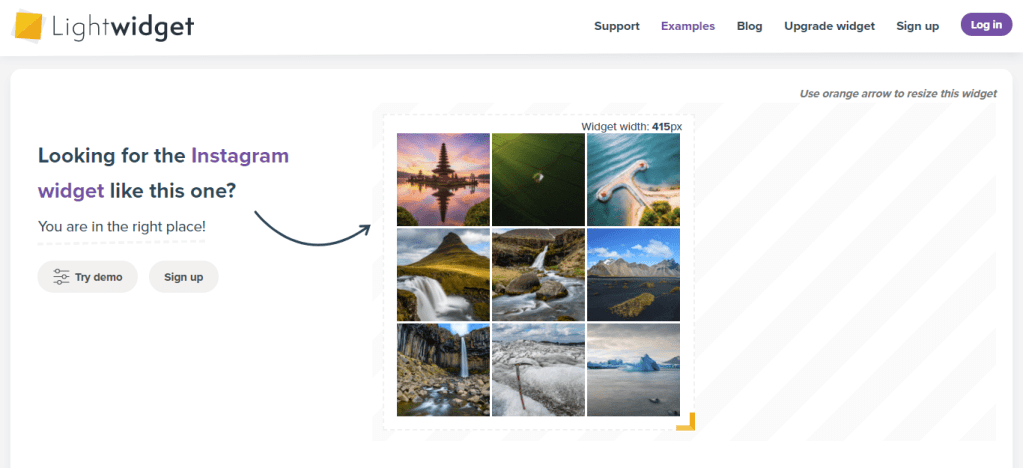
8. LightWidget

LightWidget

LightWidget is a lightweight Instagram widget that focuses on clean visual display and responsiveness.

It supports hover effects, captions, padding, square cropping, hashtag filtering, and responsive design settings for desktop, tablet, and mobile. It also uses the official Instagram API and requires a Professional Instagram account.

This makes LightWidget a good choice for bloggers, lifestyle brands, photographers, and small businesses that want a visually neat Instagram feed without needing advanced campaign features.

9. Juicer

Juicer

Juicer is a social media aggregator, which means it is useful for brands that want to combine Instagram with other social platforms in one feed.

It helps collect hashtag and social media content into a moderated website feed. It also offers a free plan with one source and unlimited website embeds, which makes it attractive for small businesses and early-stage websites.

If your goal is to combine multiple social channels instead of only Instagram, Juicer can be a smart option.

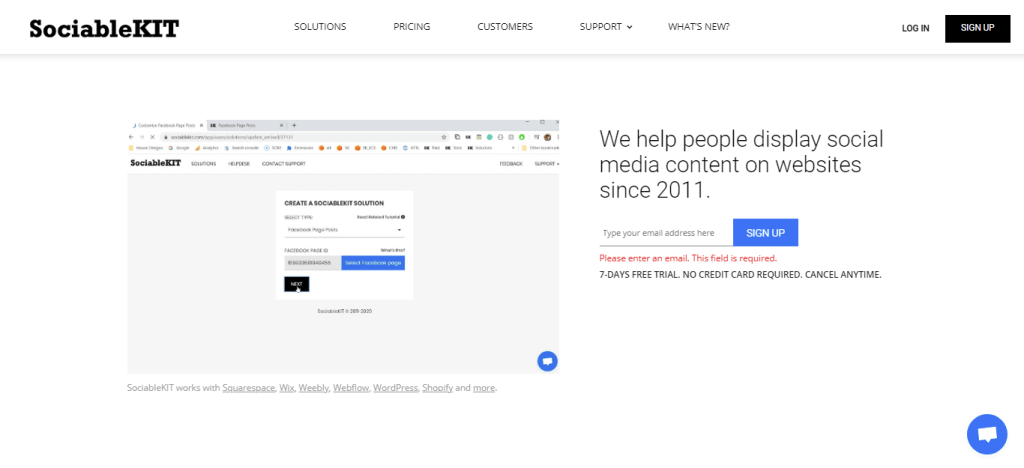
10. SociableKIT

SociableKIT

SociableKIT is a broad widget platform built for easy setup and website integration.

It offers many social media widget types and supports a wide range of platforms such as Shopify, WordPress, Wix, Squarespace, Webflow, and more. This makes it useful for businesses that want flexibility and may want to add more social widgets later.

SociableKIT is a good option for marketers and website owners who want simple setup and a large widget library.

11. Common Ninja

Common Ninja

Common Ninja offers a no-code Instagram Feed widget that works across many website builders.

It is designed to be easy to use, compatible with many platforms, and GDPR-compliant. The setup is simple: create the widget, save it, copy the embed code, and paste it into your site.

This makes Common Ninja a strong option for non-technical users and businesses that want a quick setup without getting into complex website changes.

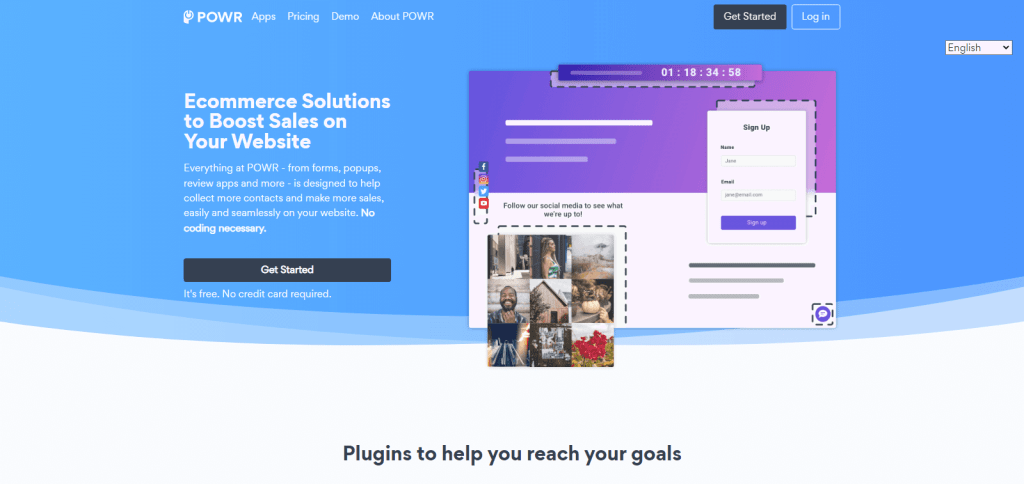
12. POWR

POWR is part of a larger website plugin ecosystem, which makes it useful for businesses that want more than one type of website tool.

Its Instagram Feed and Social Feed apps are no-code and work with platforms like Wix, Shopify, WordPress, and HTML websites. It also supports multiple social accounts and fits well with businesses already using POWR plugins for forms, popups, or lead capture.

If you want one plugin provider for several website features, POWR can be a practical option.

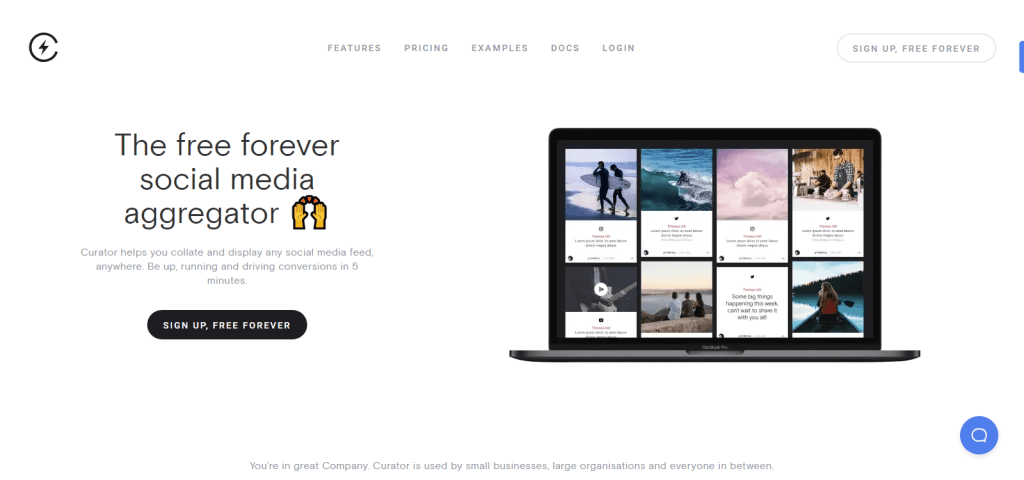
13. Curator

Curator

Curator deserves a place on this list because it is already well-known in this space and offers a simple social feed solution.

It is designed to help users collect and display social media content from Instagram and other platforms. It offers a free plan, moderation features, multiple source support, and display templates.

Curator is a good fit for users who want an affordable starting point and a straightforward social-wall style tool. It is also a strong competitor in the Instagram widget space, which is why it is worth including in this comparison.

How to Choose the Right Instagram Widget Tool?

The best Instagram widget tool depends on your website goals.

If you want strong design control, content moderation, and multiple content sources, Taggbox and Tagembed are excellent options.

If you use WordPress, tool like Spotlight make more sense because they are built for that platform.

If you want campaign-focused content, hashtag feeds, or user-generated content, then Flockler, Juicer, and Curator are better choices.

If you only need a simple, clean Instagram feed, then LightWidget, Common Ninja, or POWR may be enough.

So before choosing a tool, think about what matters most to you: design, simplicity, platform support, moderation, or campaign features.

How to Add an Instagram Widget to Your Website

Add an Instagram Widget to Your Website

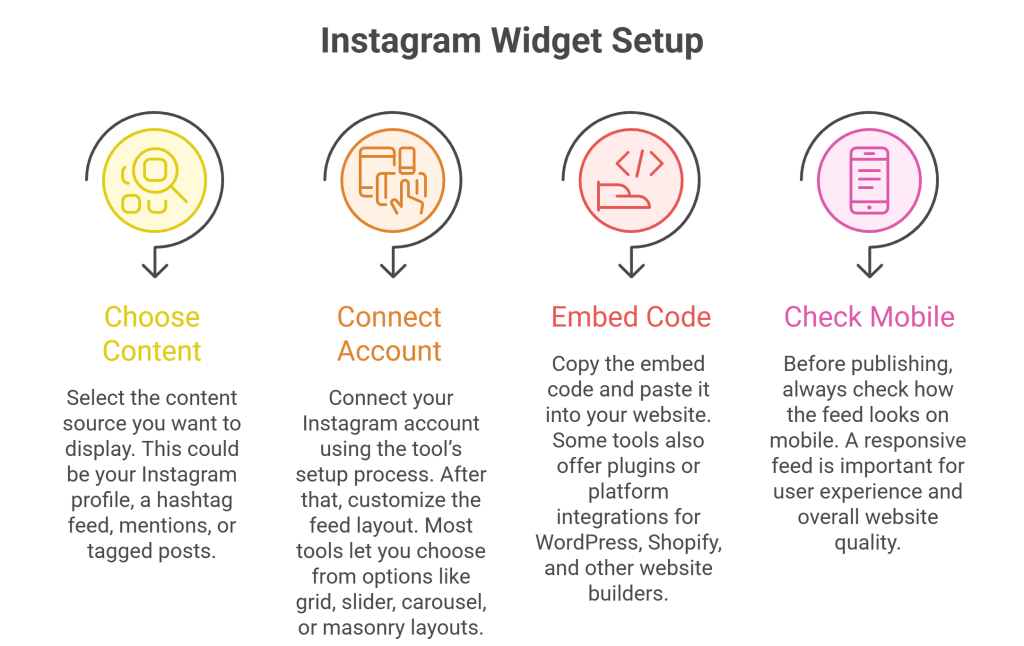
Most Instagram widget tools like Taggbox follow a similar setup process.

First, choose the content source you want to display. This could be your Instagram profile, a hashtag feed, mentions, or tagged posts.

Next, connect your Instagram account using the tool’s setup process. After that, customize the feed layout. Most tools let you choose from options like grid, slider, carousel, or masonry layouts.

Then copy the embed code and paste it into your website. Some tools also offer plugins or platform integrations for WordPress, Shopify, and other website builders.

Before publishing, always check how the feed looks on mobile. A responsive feed is important for user experience and overall website quality.

Final Thoughts

Instagram widget tools are more than just visual add-ons. The right tool can help you improve trust, keep your website fresh, show real customer or brand content, and support engagement and conversions.

For businesses that want the strongest all-around options, Taggbox stands out for its strong mix of content collection, moderation, and design flexibility. Tagembed is also a great choice for businesses that want simple setup, official API support, and room to expand into more social feed use cases later.

If your goal is to make your website look more active and engaging, choosing the right Instagram widget tool can make a real difference.

FAQs

1. Which Instagram widget tool is best for WordPress?

For WordPress users, Taggbox and Spotlight are strong choices because they are built specifically for WordPress. Tools like Curator and Tagembed can also work well.

2. Are there free Instagram widget tools?

Yes, some tools offer free plans or free versions, including Taggbox, Curator, Spotlight, Juicer, and Common Ninja. However, features and limits can vary.

3. Can I embed Instagram Reels and Stories on my website?

Yes, many tools support richer content formats like Reels and Stories. Examples include Taggbox, Tagembed.

4. Do Instagram widget tools support hashtag feeds?

Yes, many of them do. Tools like Taggbox, and Flockler support hashtag-based content collection or display.

5. Do I need coding skills to add an Instagram widget?

Usually no. Most Instagram widget tools are designed for easy setup and offer no-code installation or simple copy-paste embedding.

Benefits of Social Media Aggregator
AI Social Media, Social Media Marketing

Top 15 Social Media Aggregator Benefits for Modern Brands

If you’re researching the benefits of social media aggregator tools, you’re likely asking one question:

Is a social media aggregator really worth it for my brand?

Short answer: Yes — if you care about engagement, trust, and conversions.

Long answer? Let’s break it down properly.

What Is a Social Media Aggregator?

A social media aggregator is a tool that collects content from multiple social media platforms (like Instagram, Facebook, LinkedIn, YouTube, TikTok, or X) and displays it in one unified feed — typically on a website, landing page, event screen, or digital display.

In simple terms:

A social media aggregator pulls your social content into one place so your website becomes your central content hub.

This is why brands increasingly search for social media aggregator benefits — because it bridges the gap between social engagement and website conversions.

Why Are Brands Investing in Social Media Aggregators?

Modern customers:

  • Discover on social media
  • Validate on websites
  • Decide based on social proof

Without aggregation, that journey feels disconnected.

With aggregation, your brand story becomes seamless.

Now let’s look at the top 15 social media aggregator benefits in detail.

Top 15 Social Media Aggregator Benefits

1. Turns Social Proof Into Visible Trust

One of the biggest benefits of social media aggregator tools is instant social proof.

Instead of telling visitors how great your brand is, you show:

  • Customer photos
  • Tagged posts
  • Real testimonials
  • Community engagement

This visual validation increases trust — and trust drives conversions.

2. Increases Website Engagement Time

Websites with dynamic content perform better.

When visitors see:

  • Live social feeds
  • Auto-updating content
  • Interactive posts

They scroll longer.

Increased session time and reduced bounce rate are strong engagement signals that support SEO performance.

3. Improves Conversion Rates on Product Pages

Displaying aggregated user-generated content on product pages:

  • Reduces buying hesitation
  • Reinforces product credibility
  • Shows real-life usage

Many brands report stronger add-to-cart behavior when authentic content supports product descriptions.

This is one of the most practical social media aggregator benefits for eCommerce brands.

4. Centralizes Multi-Platform Content

Brands post across:

  • Instagram
  • Facebook
  • LinkedIn
  • TikTok
  • YouTube
  • X (Twitter)

But customers don’t follow all platforms.

A social media aggregator brings everything into one consistent feed — ensuring no content gets lost.

5. Boosts User-Generated Content (UGC) Visibility

UGC performs better than branded content in many industries.

A social media aggregator:

  • Collects hashtag content
  • Allows moderation
  • Displays approved posts
  • Turns customers into brand ambassadors

Instead of UGC disappearing in hashtags, it becomes a strategic asset.

6. Keeps Your Website Fresh Automatically

Search engines prefer updated content.

With an automated social feed:

  • Your website updates in real-time
  • Pages stay dynamic
  • Content remains current

This reduces manual updates and supports long-term SEO health.

7. Enhances Brand Credibility

Modern consumers can detect over-polished marketing.

Raw, authentic social content adds realism.

Seeing real people interact with your brand builds credibility faster than any banner headline.

8. Drives Higher Campaign Participation

Running a hashtag campaign?

When people know their posts may appear on:

  • Your website
  • Event screens
  • Campaign landing pages

They’re more likely to participate.

One of the underrated benefits of social media aggregator tools is increasing campaign engagement volume.

9. Creates High-Impact Event Experiences

For conferences and exhibitions, social walls powered by aggregation:

  • Encourage live participation
  • Increase hashtag usage
  • Create excitement
  • Build community energy

It transforms passive attendees into active contributors.

10. Supports Stronger SEO Signals

While social feeds themselves aren’t direct ranking factors, they contribute indirectly through:

  • Higher engagement time
  • Increased internal page exploration
  • Improved user experience
  • Lower bounce rate

All of these help strengthen organic performance.

11. Saves Time for Marketing Teams

Manually downloading and embedding social content is inefficient.

A social media aggregator automates:

  • Content collection
  • Filtering
  • Publishing

This reduces operational effort and improves workflow efficiency.

12. Enables Smart Content Moderation

Brands maintain control with:

  • Post approval filters
  • Keyword blocking
  • Profanity filtering
  • Manual moderation

This ensures brand safety while leveraging community content.

13. Strengthens Community Loyalty

When customers see their posts featured:

  • They feel acknowledged
  • They engage more
  • They advocate for your brand

Recognition builds loyalty.

Loyalty builds retention.

14. Provides Performance Insights

Advanced aggregators offer analytics such as:

  • Click tracking
  • Engagement metrics
  • Top-performing posts
  • Interaction data

This helps refine your content strategy based on real behavior.

15. Reduces Dependence on Social Media Algorithms

Social platforms control reach.

Your website is owned by the media.

By embedding aggregated feeds into your website, you bring social engagement into a controlled environment — reducing reliance on unpredictable algorithm changes.

Summary: Why Benefits of Social Media Aggregator Matter

Here’s the quick recap:

The top social media aggregator benefits include:

  • Increased trust
  • Higher website engagement
  • Better conversion rates
  • Stronger community building
  • Improved campaign performance
  • Automated content management
  • Enhanced brand credibility

For modern brands, aggregation is no longer just about displaying posts.

It’s about transforming social engagement into measurable business growth.

Frequently Asked Questions

What are the main benefits of a social media aggregator?

The main benefits of social media aggregator tools include improved social proof, higher website engagement, better conversion rates, automated content updates, and stronger brand credibility.

How does a social media aggregator improve SEO?

It improves SEO indirectly by increasing time on site, reducing bounce rates, and keeping website content dynamic — all of which support better user experience signals.

Are social media aggregators useful for eCommerce brands?

Yes. eCommerce brands use social media aggregators to showcase user-generated content on product pages, which increases buyer confidence and improves conversion rates.

Do social media aggregators help with events?

Absolutely. They power live social walls that increase attendee participation and enhance event engagement.

Final Thoughts

The digital landscape is crowded.

Attention is fragmented.

Trust is fragile.

The brands that win are the ones that connect social proof with owned media.

That’s the real power behind social media aggregator benefits.

Social Media Marketing

Social Media Marketing That Actually Build Trust Before the Click

Social media marketing isn’t about posting daily anymore. It’s about earning attention in feeds that are overcrowded, skeptical, and scroll-happy.

People don’t open Instagram, LinkedIn, or TikTok to see ads.
They open them to feel entertained, informed, inspired, or understood.

Brands that get this right don’t “market.”
They blend into culture — and that’s where real growth happens.

What Social Media Marketing Really Means in 2026

Social media marketing is the art of using social platforms to:

  • Build trust before asking for a sale
  • Create familiarity at scale
  • Turn customers into content creators
  • Shorten buying decisions through social proof

It’s not just about likes and impressions.
It’s about influence over decisions.

When done right, social media becomes the first touchpoint, not the last.

Why Social Media Marketing Works So Well

Social Media Marketing

Traditional ads interrupt.
Social media marketing invites.

Here’s why it consistently outperforms other channels:

1. People Trust People, Not Brands

User-generated content, creator reviews, comments, and shares feel real because they are real.

2. Discovery Happens Naturally

Your brand shows up while users are already exploring — not when they’re trying to avoid ads.

3. Engagement Signals Credibility

A post with real comments and saves immediately feels more trustworthy than a polished landing page.

Social media doesn’t convince people instantly — it warms them up.

Platforms Matter, But Strategy Matters More

Posting the same content everywhere is the fastest way to get ignored.

Each platform has a different mindset:

Instagram & TikTok

  • Emotion-driven
  • Visual-first
  • Short attention span
  • High impact storytelling

LinkedIn

  • Value-driven
  • Opinion-led
  • Authority building
  • B2B trust creation

Facebook & X (Twitter)

  • Community conversations
  • Brand updates
  • Retargeting strength

Winning brands don’t ask “Where should we post?”
They ask “What story belongs on this platform?”

Content That Actually Works on Social Media

Forget “posting consistently” — post intentionally.

High-performing social media content usually falls into these buckets:

  • Behind-the-scenes (process, people, mistakes)
  • Educational bite-sized insights
  • Customer stories & testimonials
  • Creator-style videos (not ads)
  • Opinions that spark conversation

The goal isn’t perfection.
The goal is relatability.

If your content feels like an ad, people scroll.
If it feels like a person, people stop.

Social Proof: The Silent Sales Machine

This is where most brands miss a huge opportunity.

Your best-performing content is often created by your audience, not your team.

Think about:

  • Customer reviews
  • Tagged posts
  • Reels using your product
  • Creator shoutouts

Instead of letting that content disappear into feeds, smart brands embed social media feed sections on their websites to bring real-time trust directly into their buying journey.

One glance at real customer content can do what long sales copy can’t.

Measuring Social Media Success (Beyond Likes)

Vanity metrics feel good, but they don’t pay bills.

Track what actually matters:

  • Saves & shares (intent signals)
  • Profile visits
  • Website clicks
  • Assisted conversions
  • Comment quality (not quantity)

Social media marketing success is rarely instant.
It compounds — quietly — until it doesn’t.

Common Social Media Marketing Mistakes Brands Still Make

Even experienced teams slip here:

  • Posting only promotional content
  • Ignoring comments and DMs
  • Chasing trends without brand fit
  • Over-polishing content
  • Treating social media as a one-way channel

Social media is not a billboard.
It’s a conversation.

Final Thoughts: Social Media Is Your Brand’s Personality

Your website explains what you sell.
Your social media shows who you are.

The brands winning today don’t sound corporate.
They sound human.
They show up consistently, imperfectly, and honestly.

And that’s exactly why people trust them.