
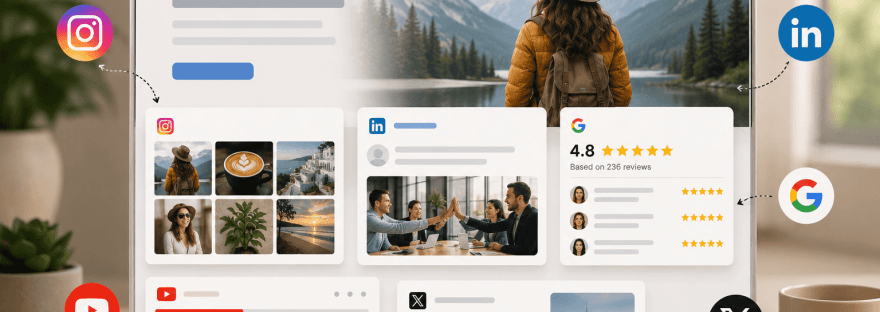
Your website is often the first place potential customers interact with your brand. While a clean design and compelling copy are important, visitors also want evidence that your business is active, trustworthy, and engaging. That’s where social media widgets make a real difference.
Instead of asking users to leave your website and visit your social media profiles, widgets bring your latest content directly onto your pages. Whether it’s an Instagram gallery showcasing customer photos, a LinkedIn feed highlighting company achievements, or a YouTube playlist demonstrating your products, social media widgets add freshness and credibility to your website without requiring constant manual updates.
However, simply embedding every social platform isn’t the best approach. Each platform serves a different purpose, and the effectiveness of a widget depends largely on where you place it. An Instagram feed that performs well on a fashion brand’s homepage may not deliver the same value on a B2B software company’s pricing page.
In this guide, we’ll explore practical social media widget examples, explain where each type of feed works best, and share tips to help you create a website that feels dynamic, trustworthy, and engaging.
Why Social Media Widgets Matter
Today’s customers rarely rely on a website alone before making a decision. They browse social media to see how active a brand is, read customer experiences, and evaluate whether a company feels authentic.
Embedding social media content into your website bridges this gap. Instead of sending visitors elsewhere, you bring that social proof directly to them.
There are several benefits to doing this:
- Your website stays fresh with automatically updated content.
- Visitors spend more time exploring interactive elements.
- Customer-generated content builds trust more effectively than traditional marketing copy.
- Recent posts demonstrate that your business is active and responsive.
- Social feeds encourage visitors to follow your brand across multiple platforms.
Most importantly, social media widgets make your website feel alive. Static websites can quickly appear outdated, whereas live feeds create the impression of an active business that regularly interacts with its audience.
Choosing the Right Feed Starts with Your Goal
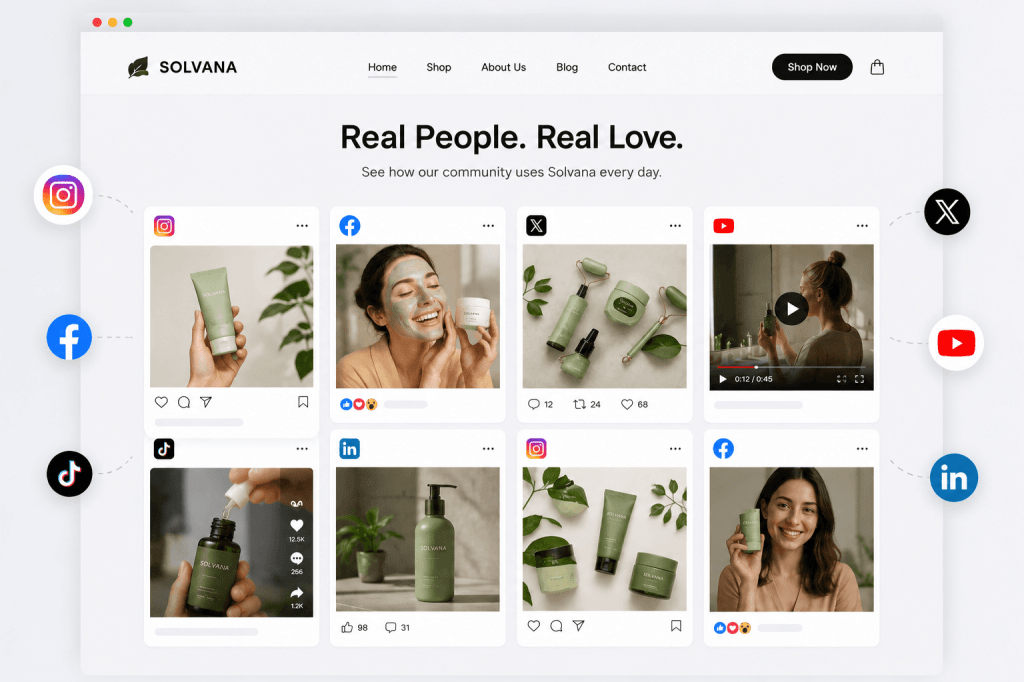
Before selecting a social media widget, ask yourself one simple question: What do I want visitors to do on this page?
Different pages have different objectives. A homepage is designed to make a strong first impression, while a careers page should showcase company culture. Product pages need to inspire confidence, whereas blogs aim to educate.
When the widget supports the purpose of the page, it feels natural rather than distracting.
Instead of treating social feeds as decorative elements, think of them as content that reinforces your marketing message.
Instagram Feed Widget: Perfect for Visual Storytelling
Instagram remains one of the most popular platforms for showcasing visual content. For brands that rely on aesthetics, creativity, or lifestyle marketing, an Instagram feed can instantly enhance the appearance of a website.
Fashion retailers often display customer photos wearing their products, restaurants highlight their latest dishes, travel companies feature destination photography, and beauty brands showcase tutorials and influencer collaborations.
An Instagram widget works particularly well on:
- Homepages
- Product pages
- Gallery sections
- About Us pages
For example, an online clothing store can display recent customer photos tagged with a branded hashtag. Visitors don’t just see professionally staged product images—they see real people using the products, which adds authenticity and encourages purchasing decisions.
The key is to feature high-quality, relevant posts rather than every image from your account.
LinkedIn Feed Widget: Building Professional Credibility
Not every website needs colourful visuals. For B2B companies, professional services, agencies, and technology firms, credibility matters more than aesthetics.
A LinkedIn feed allows businesses to showcase company announcements, employee achievements, hiring updates, industry insights, awards, and thought leadership.
Visitors researching your business can immediately see that your company is active within its industry.
LinkedIn widgets are particularly effective on:
- About pages
- Careers pages
- Company overview pages
- Investor relations sections
A software company, for instance, might display posts about product launches, conference participation, customer success stories, and employee recognition. This reinforces expertise without requiring visitors to leave the website.
Facebook Feed Widget: Keeping Communities Connected
Although many brands now focus heavily on Instagram or TikTok, Facebook continues to play an important role for local businesses, educational institutions, nonprofits, healthcare providers, and community organisations.
Facebook widgets are ideal for sharing:
- Upcoming events
- Community announcements
- Reviews
- Local updates
- Business news
For businesses that regularly organise workshops, fundraisers, or local events, displaying these updates on the homepage or events page helps visitors stay informed without manually updating website content.
Rather than acting as a promotional tool, a Facebook feed often serves as an information hub for existing customers and community members.
YouTube Widget: Educating Visitors Through Video
Some products and services are easier to explain through video than text.
Embedding a YouTube feed gives visitors access to tutorials, demonstrations, webinars, interviews, customer stories, or educational content without interrupting their browsing experience.
Businesses commonly place YouTube widgets on:
- Product pages
- Resource centres
- Help documentation
- Blog articles
- Learning hubs
Imagine a SaaS company introducing a new feature. Instead of writing lengthy instructions, it can display a short tutorial video directly beneath the feature description, allowing users to learn visually.
Video content also tends to increase time spent on a website, which can improve overall user engagement.
TikTok Feed Widget: Showcasing Authentic Brand Personality
TikTok has changed how brands connect with audiences. Short-form videos often feel more genuine than polished advertisements, making them particularly effective for lifestyle brands and consumer products.
A TikTok widget can showcase:
- Behind-the-scenes content
- Product demonstrations
- Customer reactions
- Trending campaigns
- Creator collaborations
These widgets work best on campaign landing pages, ecommerce homepages, or promotional pages where creativity and entertainment play a larger role in influencing purchase decisions.
The emphasis should always remain on authentic content rather than purely promotional videos.
X (Twitter) Feed Widget: Delivering Real-Time Updates
Some industries rely on timely communication more than visual storytelling.
Technology companies, financial institutions, media organisations, sports brands, and event organisers often use X to share announcements as they happen.
Embedding an X feed can keep visitors informed about:
- Product launches
- Industry news
- Live event updates
- Service announcements
- Company statements
For businesses where information changes rapidly, a live feed ensures visitors always see the latest updates without requiring constant edits to the website.
Where Should You Place Social Media Widgets?
Placement has a significant impact on performance. Even the best content loses value if it appears on the wrong page.
Homepage
The homepage is usually the first impression visitors have of your business.
A carefully selected social media widget can immediately communicate that your brand is active and trusted. An Instagram gallery, customer-generated content, or recent LinkedIn updates often work well here because they introduce visitors to your brand personality.
Avoid filling the homepage with multiple feeds. One well-designed widget is usually more effective than several competing for attention.
Product Pages
Visitors on product pages are closer to making a purchase.
This is the ideal place to display customer photos, product demonstrations, or short social videos that show products being used in real life.
Authentic customer content often answers questions that polished product photography cannot.
About Us Page
People visiting the About page want to understand who you are.
Instead of relying solely on company history, display content that reflects your workplace culture, community involvement, employee achievements, or company milestones.
LinkedIn updates and selected Instagram posts usually perform particularly well here.
Careers Page
Recruitment pages should help candidates imagine themselves working within your organisation.
Employee celebrations, office events, volunteering initiatives, and workplace culture videos provide valuable insight into daily life at your company.
LinkedIn remains the strongest platform for this purpose.
Blog Pages
Educational articles can become even more engaging when supported by relevant social content.
For example, an article discussing digital marketing trends could include a YouTube tutorial or an embedded LinkedIn post from an industry expert.
The embedded content should enhance the article rather than distract from it.
Footer
Many websites include simple social icons in the footer, but a compact widget can sometimes provide additional value.
A small Instagram strip or recent LinkedIn post can reinforce your social presence without overwhelming visitors.
Keep footer widgets lightweight to maintain page speed.
Best Practices for Using Social Media Widgets
Successful implementation is about balance.
Choose platforms your audience actively uses rather than embedding every available feed. A luxury hotel benefits far more from Instagram photography than from an X timeline, while a cybersecurity company is likely to gain more value from LinkedIn.
Consistency is equally important. Your widget should blend naturally with your website’s typography, colours, and layout rather than appearing like an unrelated element.
Website performance should also remain a priority. Too many embedded feeds can slow loading times, especially on mobile devices. Using responsive widgets and enabling lazy loading helps maintain a smooth user experience.
Finally, curate your content. Automatic doesn’t always mean appropriate. Regularly review which posts appear on your website to ensure they align with your current campaigns and brand messaging.
Common Mistakes to Avoid
One of the biggest mistakes businesses make is assuming more widgets equal greater engagement.
Displaying feeds from Instagram, Facebook, LinkedIn, TikTok, YouTube, Pinterest, Google reviews and X on a single page creates unnecessary distractions and often confuses visitors.
Another common issue is neglecting mobile optimisation. Since a significant percentage of users browse websites on smartphones, oversized widgets can negatively affect both SEO benefits and loading speed.
Businesses also forget that outdated content reflects poorly on their brand. If your most recent embedded post is several months old, visitors may assume your business is inactive.
Finally, avoid placing widgets where they interrupt the user’s journey. Every element on a page should support the visitor’s objective, not compete with it.
How to Decide Which Widget Is Right for You
There isn’t a single “best” social media widget. The right choice depends on your audience, industry, and business goals.
If your products rely on visual appeal, Instagram and TikTok are strong choices. If you’re focused on professional credibility, LinkedIn is more suitable. Educational businesses benefit from YouTube tutorials, while organisations that regularly communicate updates may find Facebook or X more valuable.
Instead of asking which platform is most popular, consider which one consistently produces the type of content your customers actually want to see.
When your website and social media work together strategically, visitors enjoy a smoother, more engaging experience that builds confidence in your brand.
Final Thoughts
Social media widgets are much more than decorative website elements. When used thoughtfully, they become an extension of your brand story, bringing fresh content, customer experiences, and real-time updates directly into your website.
The most effective websites don’t try to showcase every social platform. Instead, they select feeds that align with each page’s purpose and enhance the visitor’s journey. A well-placed Instagram gallery can inspire shoppers, a LinkedIn feed can strengthen credibility, and a YouTube playlist can simplify complex products or services.
As you evaluate your own website, focus on quality over quantity. Choose widgets that provide genuine value, keep them visually consistent with your design, and place them where they naturally support user intent. Done well, social media widgets can increase engagement, reinforce trust, and help turn casual visitors into loyal customers.


1 thought on “Social Media Widget Examples: Which Feed to Use & Where on Website”