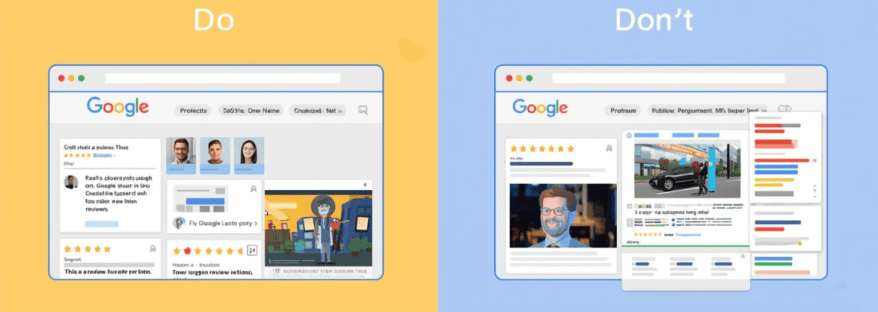
do's and dont's of adding google reviews
Reviews

The Do’s and Don’ts of Showcasing Google Reviews on Your Website

Today, customer reviews are one of the most effective ways to build trust, credibility, and social proof for your business. Google Reviews, in particular, influence potential customers before they buy a product, visit a store, or use a service.

When displayed correctly on your website, Google Reviews can boost engagement, improve your reputation, and increase conversions. However, mistakes in presenting them can make your site look unprofessional or spammy.

In this guide, we’ll cover the key do’s and don’ts for showcasing Google Reviews, along with practical tips to make your review section trustworthy and attractive.

Why Google Reviews Matter for Your Website?

Google Reviews are more than just star ratings—they are social proof that helps your visitors trust your business. Here’s why they matter:

  • Build Trust and Credibility: Genuine customer experiences give your business authenticity.
  • Improve Conversions: Displaying positive feedback can encourage potential customers to take action.
  • Boost SEO: Fresh user-generated content, like reviews, can help with search rankings, especially for local SEO.
  • Enhance Customer Engagement: Reviews can spark interest and interaction when highlighted creatively.

With the right approach, Google Reviews can act as both a marketing tool and a proof of quality for your products or services.


The Do’s of Showcasing Google Reviews

1. Do Display Recent Reviews

Highlighting the latest reviews ensures your site looks active and up-to-date. Visitors are more likely to trust recent feedback than reviews from years ago.

2. Do Use Widgets or Plugins

Use a Google Reviews widget or plugin to display reviews automatically. Tools like Taggbox, Elfsight, or Tagembed allow you to showcase reviews in attractive layouts without manually updating them.

3. Do Feature Reviews Strategically

Place reviews on pages where they matter most:

  • Homepage
  • Product or service pages
  • Pricing pages
  • Contact page or landing pages

Strategic placement ensures maximum visibility and impact.

4. Do Include Reviewer Details

Include the reviewer’s name, profile picture, rating, and date. It makes the reviews look authentic and builds trust with your audience.

5. Do Highlight Different Types of Reviews

Show a mix of reviews that cover different aspects: product quality, customer service, delivery speed, or overall experience. This gives a comprehensive view of your business.

6. Do Respond to Reviews Publicly

Responding to reviews shows that you care about customer feedback. A polite acknowledgment or solution increases credibility and encourages more reviews.

7. Do Keep the Design Clean and Consistent

Ensure the review section matches your website’s overall design. Avoid clutter or using too many different fonts and colors. A clean, consistent layout improves readability.


The Don’ts of Showcasing Google Reviews

1. Don’t Fake Reviews

Never create fake reviews to boost ratings. Google has strict policies against fake reviews, and visitors can usually tell when reviews aren’t genuine. This can damage your reputation and even lead to penalties.

2. Don’t Display Only 5-Star Reviews

Showing only perfect reviews may appear suspicious. A few balanced reviews, including constructive criticism, make your feedback section authentic and believable.

3. Don’t Overload the Page with Reviews

While it’s good to show multiple reviews, too many reviews can overwhelm visitors. Use a carousel, slider, or limit the number of reviews displayed per page for a cleaner look.

4. Don’t Ignore Negative Reviews

Negative reviews provide an opportunity to demonstrate professionalism. Ignoring them or deleting them can hurt your credibility. Respond politely and offer solutions instead.

5. Don’t Use Reviews Without Permission

If you’re quoting reviews from sources outside of Google, make sure you have permission or that it complies with copyright rules. Always credit the reviewer.

6. Don’t Forget Mobile Optimization

Many visitors will view your site on mobile devices. If your review section isn’t mobile-friendly, it may break the layout or be hard to read. Always test reviews on different screen sizes.

7. Don’t Place Reviews in Hard-to-Find Areas

Reviews should be visible and easy to find. Placing them at the bottom of the site without any prominence may reduce their impact. Use clear headings or sections like “What Our Customers Say.”


Tips for Effective Google Reviews Integration

To make your Google Reviews section more effective:

  1. Use Interactive Widgets – Carousels, sliders, or grids make reviews engaging.
  2. Filter High-Impact Reviews – Highlight reviews that cover key selling points or reflect your strengths.
  3. Combine with Other Social Proof – Include testimonials, case studies, or user-generated content alongside Google Reviews.
  4. Encourage New Reviews – Make it easy for customers to leave reviews on Google. You can provide links in emails or thank-you pages.
  5. Monitor Review Metrics – Track engagement with your reviews section: clicks, scrolls, and impressions to optimize layout and content.

Tools to Display Google Reviews

Some reliable tools to help showcase Google Reviews on your website include:

  • Taggbox – Collects reviews and allows customizable widgets.
  • Elfsight – Offers responsive and visually appealing review display options.
  • Tagembed – Integrates Google Reviews with website and social feeds.
  • WidgetPack – Simple solution to display reviews with minimal setup.

These tools save time, ensure automatic updates, and give your site a professional look.


Final Thoughts

Google Reviews are more than just ratings—they’re a powerful marketing tool. When showcased properly, they can improve trust, boost conversions, and enhance your online reputation.

Remember the do’s: use widgets, display recent reviews, respond publicly, keep the design clean, and highlight reviewer details.

Avoid the don’ts: don’t fake reviews, ignore negative feedback, overload the page, or neglect mobile optimization.

By following these best practices, your website can leverage Google Reviews as authentic social proof that drives engagement, builds trust, and grows your business.

Start today, and turn your customer feedback into a powerful marketing asset!

promote facebook page
Digital Marketing, facebook, facebook widget

How to Effectively Promote Your Facebook Page and Go Viral

Facebook remains one of the most powerful platforms for businesses, creators, and influencers seeking to connect with their audiences. With billions of active users worldwide, it provides an ideal space to share content, engage fans, and grow your brand. However, simply having a Facebook page isn’t enough. To succeed, you need actionable strategies to promote your Facebook page, make your content resonate, and maximize reach.

In this blog, we’ll explore practical tips, tools, and best practices to help you grow your audience, and use Facebook hashtags effectively.


Why Promoting Your Facebook Page Matters?

Many businesses underestimate the importance of actively promoting their Facebook page. A few posts here and there won’t build a loyal audience. Promotion is essential because it:

  • Builds Brand Awareness: The more people see your page, the more recognizable your brand becomes.
  • Encourages Engagement: Active promotion leads to more likes, shares, and comments.
  • Drives Traffic to Your Website: Facebook posts can guide followers to your blog, product pages, or landing pages.
  • Generates Leads and Sales: A well-promoted page can convert followers into paying customers.

Promotion doesn’t just grow numbers—it builds trust and authority in your niche.

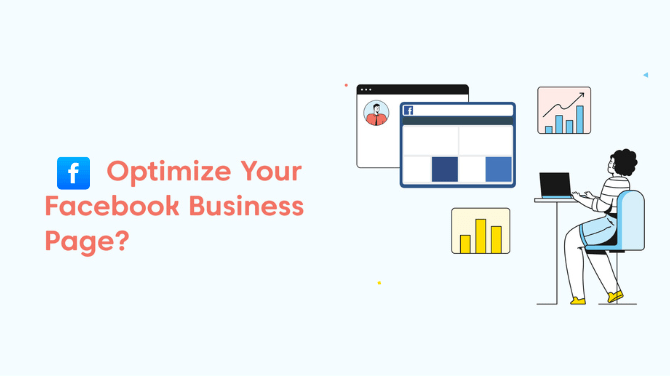
Optimize Your Page for Maximum Impact

Before you start promoting, ensure your page is optimized for both users and search engines. A well-optimized page increases the likelihood that new visitors will hit the “Like” button.

  1. Complete Your Profile: Add a professional profile picture, cover photo, and business details.
  2. Craft a Clear About Section: Include your description, website link, and contact info.
  3. Use a Branded URL: A clean URL, such as facebook.com/yourbrand, is easy to remember.
  4. Enable Call-to-Action Buttons: Options like “Shop Now,” “Sign Up,” or “Contact Us” guide visitors effectively.

Once your page is fully optimized, you’re ready to attract followers and grow engagement.

Smart Ways to Promote Your Facebook Page

1. Cross-Promote on Other Channels

Sharing your Facebook page on your website, blog, email newsletters, and other social media accounts helps reach existing audiences who may not know you’re on Facebook. Cross-promotion is an easy, cost-effective way to increase visibility.

2. Collaborate with Influencers

Partnering with influencers in your niche can boost exposure. Influencers can share your content, tag your page, and help posts go viral on Facebook. The key is to collaborate with influencers whose followers match your target audience.

3. Use Facebook Ads Strategically

Paid promotion can accelerate growth. With Facebook Ads, you can:

  • Target specific demographics, locations, and interests.
  • Boost high-performing posts to reach more people.
  • Encourage page likes, website visits, or event responses.

Even a small ad budget can lead to significant growth when applied thoughtfully.

4. Engage Your Audience

Actively engage with followers by responding to comments, asking questions, and running polls. Interaction not only strengthens relationships but also boosts the visibility of your posts in others’ Facebook feed.

Optimize Your Facebook Feed for Engagement

Your Facebook feed is where followers interact with your content. To make the most of it:

1. Post Consistently

A consistent posting schedule keeps your audience engaged and expecting new content. Use a content calendar to plan posts in advance.

2. Mix Content Types

Different types of content resonate differently with your audience:

  • Text posts for quick updates
  • Images for visual appeal
  • Videos for storytelling
  • Polls or quizzes for engagement
  • Live sessions for real-time interaction

Videos and live sessions, in particular, are more likely to go viral on Facebook because of their higher engagement rates.

3. Tell Stories

Stories are memorable and relatable. Share behind-the-scenes content, customer testimonials, or team experiences to create an emotional connection with your audience.

4. Monitor Metrics

Track likes, shares, comments, and reach to identify what content works best. Adjust your strategy based on these insights to improve engagement.

Harness the Power of Facebook Hashtags

Facebook hashtags help categorize your content and make it discoverable by people who aren’t following your page.

  • Use hashtags relevant to your niche, like #MarketingTips or #HealthyLiving.
  • Combine popular hashtags with more specific ones to reach a targeted audience.
  • Limit your hashtags to 2–5 per post for optimal engagement—too many can look spammy.

When used strategically, hashtags increase visibility and can contribute to making your content go viral on Facebook.

Additional Tips to Boost Reach

  1. Host Giveaways and Contests: Encourage followers to like, comment, and share your posts for a chance to win.
  2. Feature User-Generated Content: Share content created by your fans to build community and trust.
  3. Post at Optimal Times: Analyze your audience insights to determine when followers are most active.
  4. Use Eye-Catching Visuals: Bright, high-quality images and videos attract more attention in the Facebook feed.
  5. Encourage Shares: Craft content that is informative, entertaining, or inspirational to encourage followers to share it with friends.

How to Measure the Success of Your Facebook Promotion

Tracking your efforts is key to improving your strategy. Focus on these metrics:

  • Page Likes and Follower Growth: Measures overall audience growth.
  • Engagement Rate: Includes likes, comments, and shares.
  • Reach and Impressions: Shows how many people saw your posts.
  • Click-Through Rate (CTR): Tracks clicks to your website or landing pages.

Regularly reviewing analytics allows you to refine your content, posting schedule, and promotional efforts.


Conclusion

Promoting your Facebook page effectively requires a mix of strategy, consistency, and creativity. By optimizing your page, leveraging your Facebook feed, using Facebook hashtags, and engaging your audience, you can increase visibility, build trust, and encourage interactions. When done right, these efforts can help your content go viral on Facebook, attracting new followers and growing your brand’s online presence.

Remember, the goal is not just to get likes but to foster a community of engaged, loyal followers who contribute to your brand’s long-term success. Start applying these strategies today and watch your Facebook page grow.

best-linkedin-widget-tools-.jpg
linkedin

Top 10 Best LinkedIn Widget Tools for Website Owners

With regards to the digital world in which we live today, it is now imperative for companies, entrepreneurs, and content creators to engage in professional networking and branding on LinkedIn. Integrating the LinkedIn Widget Tools into their websites enables users to showcase LinkedIn content, increase engagement, and strengthen credibility. These widgets allow website owners to effortlessly connect their professional presence with their online audience. This article discusses some of the best LinkedIn Widget Tools available for site owners.

Key Features to Look for in LinkedIn Widget Tools

According to many specialists for perfect choice of LinkedIn Widget Tools, it should be having important features: 

  • Easy Integration-Easy to mediate integration widgets need less coding knowledge. 
  • Customization-Ability to change the style, layout, and other features so that it matches the overall website. 
  • Mobile Responsiveness – Ensures a seamless experience across different devices.
  • Engagement-Action such as like, follow, and share LinkedIn content from the site. 
  • Analytics and Measure Performance: Understands what users do with the widget.

Top 10 LinkedIn Widget Tools for Website Owners

Find out the top 10 LinkedIn widget tools that you can use to easily embed LinkedIn features on your website and boost engagement.

1. Tagembed

Tagembed is another excellent LinkedIn Widget Tool that helps website owners display LinkedIn content effectively. It offers:

  • Real-time LinkedIn feed updates.
  • Highly customizable designs.
  • Multi-platform support along with LinkedIn integration.

2. Elfsight 

Elfsight offers a powerful LinkedIn Widget Tool that helps website owners showcase LinkedIn feeds, company pages, and profiles with ease. Features include:

  • Customizable display settings.
  • No coding required.
  • Auto-updating LinkedIn content.

3. Common Ninja 

Common Ninja provides a feature-rich LinkedIn Widget Tool designed for website owners looking to improve engagement. Key features include:

  • Stylish and customizable designs.
  • Easy embedding process.
  • Works across various website platforms.

4. Tagbox

Taggbox is a social media aggregator that offers a LinkedIn-specific widget. This LinkedIn Widget Tool allows website owners to display LinkedIn content dynamically. Features include:

  • Moderation tools for content control.
  • Real-time content updates.
  • Seamless integration with various CMS platforms.

5. EmbedSocial

EmbedSocial is a popular platform that provides a LinkedIn Widget Tool for website owners who want to showcase LinkedIn posts and interactions. Features include:

  • Automatically updates LinkedIn content on websites.
  • Customization options for branding.

  • Interactive and engaging design elements.

6. Flockle 

Flockler offers a social media aggregation tool that allows embedding LinkedIn content on websites. This LinkedIn Widget Tool helps in enhancing engagement through:

  • Displaying LinkedIn posts, articles, and videos.
  • Mobile-friendly designs.
  • Various layout options for better customization.

7. Juicer 

Juicer’s LinkedIn Widget Tool aggregates LinkedIn content and displays it on websites, making it an excellent choice for businesses and content creators. Features include:

  • Ability to pull LinkedIn posts into a social feed.
  • Customizable themes and layouts.
  • Integration with multiple social media platforms.

8. SociableKIT 

SociableKIT offers a dedicated LinkedIn Widget Tool that makes embedding LinkedIn company page posts effortless. Features include:

  • No coding required.
  • Customizable display options.
  • Smooth integration with various website builders.

9. Walls.io

Walls.io is a social wall platform that allows website owners to integrate LinkedIn content seamlessly. This LinkedIn Widget Tool offers:

  • Real-time content updates from LinkedIn.
  • Supports multiple social media sources.
  • Easy setup and customization.

10. Powr

Powr provides an easy-to-use LinkedIn Widget Tool that allows website owners to display LinkedIn posts, articles, and company updates. Features include:

  • Simple drag-and-drop functionality.
  • Multiple layout and display options.
  • Works with various website platforms.

How to Choose the Right LinkedIn Widget Tools for Your Website

Selecting the best LinkedIn Widget Tools for your website depends on several factors:

  • Budget – Free vs. premium widget options.
  • Ease of Use – No-code vs. coding-required widgets.
  • Website Compatibility – Ensure the widget works with your CMS (WordPress, Shopify, etc.).
  • Customization – Consider whether you need advanced styling and layout options.
  • Engagement Needs – If you require interactive features like likes and shares, choose accordingly.

Conclusion

Integrating LinkedIn Widget Tools into a website is a great way to enhance engagement, showcase professional credibility, and increase brand visibility. From LinkedIn’s official plugins to third-party solutions like Elfsight, Tagbox, and Tagembed, website owners have numerous options to choose from. By selecting the right LinkedIn Widget Tools, businesses and professionals can strengthen their LinkedIn presence and drive more interactions directly from their websites.

social media Facebook aggregator
facebook

Facebook Aggregators Explained: A Beginner’s Guide

For businesses, marketers, and content creators, Facebook content management can be very taxing. social media Facebook aggregator free simplify this process. By pooling posts, comments, and analytics from several sources, these aggregator tools allow one to save time, efficiently manage content, and elevate engagement strategies. If one is looking to increase Facebook Page followers, probe audience interactions, or monitor trends, Facebook aggregators can change the game.

What Are Facebook Aggregators?

A Facebook aggregators is a tool that facilitates the collection and organization of Facebook content from various pages, groups, or profiles. Rather than manually searching multiple sources, an aggregator collects all relevant content into a single dashboard. This would be useful for businesses monitoring brand mentions, content creators in search of ideas for Facebook posts, or marketers analyzing trends.

Some aggregators might even allow the automation of content curation, allowing the easy sharing of trending posts to keep the audience engaged. This is vital for anyone trying to increase followers on their Facebook page through consistent posts.

How Do Facebook Aggregators Work?

API connections are the modus operandi of most Facebook Aggregators to extract data from Facebook pages, groups, or user interactions. These tools search across the platform for keywords, hashtags, or specific pieces of user-generated content and display the collected information in an easy-to-read format. 

For example, a Facebook aggregator can provide insights into Facebook Hashtag Tracking by collecting and analyzing posts that relate to a brand, product, or issue for which hashtag engagement is being tracked. Such data helps with the identification of trending subjects that can be preparing to counter-program with the content strategy.

Benefits of Using Facebook Aggregators

1. Save Time and Effort

Page after page and group after group can be converted to a Facebook Aggregator into hours spent manually checking and cross-forming them all. It is flexible enough for social media managers who would want to schedule post timings while also needing a way to see how people would be engaging.
2. Discover Fresh Content Ideas

Ideas for Facebook posts can be hard to come by; however, those ideas are made easier with aggregators by showing trending topics, viral posts, and user-generated content that pertain to your niche. So your content will usually remain relevant and interactive.

3. Boost Engagement with Data-Driven Insights

Likewise, plenty of engagement is really important in developing a Facebook page. The Facebook Aggregators provide great insights for you to optimize content performance. Is there any engagement from the users through likes, comments, or shares? Then trial and error will help you figure out what types of posts your audience likes. you can join trending conversations and gain visibility. So with that in mind, you can create content that attracts more eyeballs and keeps your followers engaged.

4. Improve Page Engagement

When you know the kind of content that resonates with your audience, it is possible to use it for more likes, shares, and comments for your post. This will lead to better engagement while following the Facebook Page organically.

5. Embed Facebook Content on Your Website

You can have Facebook widgets from some aggregators for displaying Facebook feeds, reviews, posts, etc., on your website in real time, thus increasing audience engagement and prompting visitors to interact with your brand on Facebook.

6. Monitor Brand Reputation with Facebook Reviews

Aggregators are also keeping an eye on the Facebook reviews, thus helping businesses quickly respond to feedback from customers. The positive reviews can be showcased on websites, while one should be proactive to address any negative customer feedback.

Popular Facebook Aggregators to Consider

Some of the best-known aggregators help in creating a streamlined content management and engagement strategy.

  1. Tagbox– A social media aggregator for embedding live Facebook feeds on websites.
  2. Hootsuite– Enables you to schedule, track engagement, and monitor mentions for your posts.
  3. Sprout Social– Has in-depth analytics and hashtag tracking.
  4. Feed Them Social– This is a plugin that allows you to embed Facebook feeds, posts, and videos on your site.
  5. Tagembed– Gathers Facebook posts as a live feed displayed on websites. 

These instruments have made the content aggregation easy but feature-rich like embedding Facebook Reels, tracking hashtags, and showing real-time social proof using Facebook reviews.

How to Choose the Right Facebook Aggregator

When selecting a aggregator, consider the following factors:

1. Features and Functionality

Consider features like Facebook Hashtag Monitoring, Post Scheduling, Analytics, and Facebook Widgets for integration into Websites. Ensure the software fits your exact needs.

2. Ease of Use

A good aggregator should have an intuitive interface that simplifies material management. Beginners should choose the possibility of a user -friendly equipment with a minimum setup.

3. Pricing and Scalability

If you’re a small business or content creator, start with a free plan before investing in a premium tool. Ensure the aggregator can scale with your growing needs.

4. Integration with Other Platforms

Some aggregators support multiple social media platforms, allowing you to manage Facebook alongside Instagram, Twitter, and LinkedIn in one place.

Potential Challenges and Limitations

While Facebook Aggregators offer numerous benefits, they also come with some challenges:

  • Data Accuracy Issues – Some tools may not update in real-time, leading to outdated content displays.
  • Privacy and Compliance Concerns – Facebook’s API restrictions may limit data collection, affecting certain features.
  • Dependence on Third-Party Tools – Relying too much on aggregators can be risky if a tool discontinues service or changes its pricing structure.

Despite these challenges, the right aggregator can be an invaluable tool for content curation, engagement, and analytics.

Conclusion

In today’s fast-paced digital world, aggregators are essential for businesses, marketers, and content creators looking to streamline their social media strategy. From Facebook Hashtag Tracking to embedding Facebook Reels on websites, these tools provide valuable insights and automation that can help increase Facebook Page followers and improve engagement.

By choosing the right aggregator, you can simplify content management, track audience interactions, and enhance your online presence. Whether you’re monitoring Facebook reviews or looking for fresh Facebook post ideas, aggregators offer the perfect solution to optimize your strategy. Start exploring the best tools today and take your Facebook game to the next level!

Track Twitter Mentions
Social Media Marketing, Technology

Track Twitter Mentions: Strategies to Boost Customer Engagement

Social media platforms like Twitter have made it easy for businesses to keep their audience connected, create brand awareness, and add value to existing customers in this digital age. Twitter boasts over 396 million users from around the globe and serves as the perfect platform for businesses to engage their customers in real-time conversation while following trends by paying attention to customer needs. One of the best ways to engage with Twitter in a business marketing strategy would be tracking Twitter mentions. Knowing what people are saying about your brand will give you valuable insight into how to increase customer satisfaction and engagement within your business.

In this article, we will examine the importance of tracking mentions on Twitter, ways to discover new strategies for enhancing customer engagement, and tools that can keep you up to date with all Twitter activity.

Why Track Twitter Mentions?

One of the most integral aspects that make a successful social media strategy is tracking Twitter mentions. It fulfills the need to react when someone mentions the brand, as it will help you to get in touch with a customer, resolve his problem, or even thank them for following your work. These are a few reasons why tracking Twitter mentions would best serve your business:

  • Real-Time Feedback: Twitter is a fast-paced platform that provides real-time conversations. Tracking Twitter mentions lets you discover what customers have to say about your brand, products, or services. This allows you to quickly resolve issues and thus improve customer experience.
  • Build Relationships: Engaging users who mention your brand goes a long way in building a solid bond. Compliment, complaints, or question-answering indicates that you hold their input in high regard and that you want to serve them excellently.
  • Monitor Brand Reputation: Twitter mentions help you monitor a brand’s reputation. Amplify positive mentions and rectify negative ones before they escalate.
  • Identify Influencers: By tracking mentions on Twitter, you can identify influencers or advocates of the brand who are talking about your business. Collaborating with them will reach a large audience, increasing your credibility.
  • Stay Ahead of Trends: Twitter trends normally reflect what is happening across the world. Keeping an eye on mentions keeps you in the loop on what’s trending and allows you to shape your content strategy accordingly.

Strategies to Boost Customer Engagement by Tracking Twitter Mentions

Measuring Twitter mentions is the basis on which to develop strategies for encouraging customer engagement. Here are some ways to engage your customers more productively:

1. Respond Soon Enough to Mentions

In such instances, the wittiest response must be applied to the customer who is in touch on social media in an online tweet. No matter what the context is: a question, a complaint, or a compliment, simply acknowledging the mention shows that you’re really listening and that you care about your customers. Get Twitter marketing tools and set alerts for mentions so that you’ll never miss a moment of opportunity to engage.

2. Personalize Your Responses 

Internet communication has now become robotic, and it isn’t very kind of them. But at least make an effort to reply personally to a specific customer’s concern or comment. That small effort could make a huge difference in keeping someone with your company, especially in encouraging and developing trust and loyalty.

3. Capitalize on Twitter Trends

You will always be up to date with Twitter trends that very much relate to your audience. If the brand were to be discussed in relation to something currently trending, then it would be wise to take part in that serendipity to create high visibility for your brand and a sense of community between users.

4. Engage Twitter Hashtag Analysis Tools 

Hashtags increase the reach of your tweets significantly. First and foremost, let Twitter hashtag analytics help you examine popular hashtags in your industry so that you can include them in your content as well. This will help you track such mentions specific to particular campaigns or topics.

5. Use Influence Engagement

Usually, influencers get the brand that they’ve worked out when their talk includes your brand in their Tweet’s mentions page. Engage with that mention by hitting a like, retweeting, or replying back on their Tweet. This strengthens your influence relationship with that star and ensures that your brand is exposed to that star’s following.

6. Hold Polls and Surveys on Twitter

Such events encourage one’s audience to participate by making a poll or survey that inclines to the brand. Remember to tag the users by mentioning or thanking them for helping out with this. This can incite many interactions over the content. 

7. Display the User-Generated Content 

When a customer has talked positively about your brand, think of retweeting or sharing what they have tweeted. This will also display appreciation while enticing the others to mention your brand with the hopes of being able to feature as well.

8. Observe Your Competitors

Monitoring Twitter mentions is not only your brand but also your competitors. Analyze how they interact with the public and find relevant areas in which you can improve your strategy.

9. Optimize for the Twitter Algorithm

Understand the Twitter algorithm and maximize engagement by creating tweets focused on accumulating likes, retweets, and replies. Mention tracking is useful in identifying what types of topics your audience is really going to resonate most.

10. Find Organic Ways to Increase Your Twitter Followers

Increase your Twitter follower count organically by engaging personally with the naive user who mentions your name. When readers discover that you will respond quickly and carefully, they might end up following your account and engaging with your offerings.

Tools For Monitor Twitter Mentions

To carry out an efficient mention of Twitter, you will need the right tools. Here are some of the widely used ones:

  1. Twitter Analytics

Built inside Twitter, this analytics tool relays certain insights about mentions, impressions, and other engagement metrics. It is more of a general entry point for tracking mentions and knowing your audience. 

  1. Taggbox

Taggbox is an online marketing tool pairing and displaying social media posts and mentions from users, making it easy to track and curate. Taggbox is the best platform for any business to monitor mentions, hashtags, and keywords in real-time.

  1. Tagembed

Another fabulous tool for monitoring and displaying Twitter mentions is Tagembed. It assists businesses in collecting, curating, and embedding social media content, including Twitter mentions, onto websites or digital platforms.

  1. Hootsuite

Hootsuite is a complete social media management tool that lets you track mentions, schedule tweets, and monitor several accounts while all online.

  1. Sprout Social

 Sprout Social has great advanced features for tracking mentions and analyzing engagement as well as managing customer relationships.

  1. Brandwatch

Brandwatch really is a powerful tool to monitor your brand mentions across various social media channels including the all-important Twitter. But it also provides sentiment analysis on how people feel about your product. 

  1. TweetDeck

It is a free tool on Twitter that allows users to create columns for mentions, hashtags, and keywords in real-time. 

  1. Mention

Mention is a social listening tool that tracks brand mentions on Twitter and other channels. It also uses analytics to measure social media performance. 

  1. Keyhole

Keyhole is a Twitter hashtag analytics tool that helps you track hashtags, mentions, and engagement metrics, which is particularly useful for tracking campaign progress.

Best Practices to Track Your Twitter Mentions

Follow these best practices to maximize your Twitter mention-tracking efforts:

Set Up Alerts: Leverage tools to establish alerts for brand mentions so that you never miss the opportunity to engage.

Sentiment Analysis: It is worth analyzing the sentiment surrounding mentions so that positive mentions can be amplified and negative ones addressed quickly.

Engagement Regularity is how you build potent relationships with your audience. Make a habit of responding to mentions on a daily basis.

Track Campaign Metrics: A Twitter marketing kit allows you to track mentions related to specific campaigns, gauging the success of ongoing efforts and making data-backed decisions.

Keep Pace with Twitter Features Updates: Twitter is blessed with regular updates to its platform through new Twitter features. Keep up with them to be able to use them for your engagement improvement.

Conclusion

Tracking Twitter mentions is perhaps the best strategy you will ever command for customer engagement as well as for building an impressive online presence. Quick responsiveness, personal touch during response, and using tools such as Twitter hashtag analytics tools, Twitter marketing tools create meaningfully connected customers.

Twitter is much more than a platform for broadcast messages; it is a place for conversations. Follow this up by tracking Twitter mentions and engaging with that audience, and you’ll already be well on your way to converting casual mentions into loyal customers and brand advocates.
So start tracking Twitter mentions today because you’ll see your customer engagement increase as a result! Be it boosting Twitter followers, matching up Twitter trends, or optimizing for the Twitter algorithm, it can do all of these things for you.

Facebook Page Followers
facebook

The Ultimate Guide to Increase Facebook Page Followers

With the digital revolution of our current era, social media is key to brand creation and audience building. Amongst all the social media platforms available, Facebook continues to be a giant with billions of active accounts. Nevertheless, increasing your base on Facebook isn’t simply having a page; it’s having the ongoing determination to discover how to gain increased Facebook page followers. More followers equal greater engagement, better credibility, and more business prospects. In this guide, we will lead you through time-tested methods to increase Facebook page followers naturally as well as by paid means.

Top tips increase Facebook Page Followers

Increase your Facebook Page followers with these top 12 tips for engagement and growth

1. Knowledge of Facebook’s Algorithm

First, let us know how the algorithm of Facebook works. Facebook gives priority to content based on:

  • Engagement (likes, shares, comments)
  • Relevance and quality of posts
  • Consistency and timing of posting

If your posts attract more interaction, Facebook will present them to a larger audience. Thus, high-quality and interactive content is crucial.

2. Optimize Your Facebook Page for Maximum Reach

An optimized page is the stepping stone for increased Facebook page follower growth. Make sure your page has:

  • A quality profile and cover photo
  • An interesting “About” section with key information
  • Keywords for improved searchability
  • Clean contact details and CTA buttons

An optimized page will not only assist you in promoting Facebook pages efficiently but also create a powerful first impression among potential followers.

3. Produce High-Quality, Engaging Content

Content is the monarch of social media. To increase Facebook page followers, you need to post useful and engaging content regularly, including:

  • Eye-catching images and graphics
  • Short and interesting videos
  • Live streams for real-time interaction
  • Polls and quizzes to encourage engagement

Using Facebook Hashtag strategically can also boost your content’s reach, making it more discoverable to a wider audience. The more interesting and well-optimized your content, the higher the chances of increasing Facebook page visibility and getting users to follow your page.

4. Use Facebook Groups & Communities

Facebook Groups are a great method to increase  Facebook page followers. Tactics include:

  • Participating in and joining groups related to your niche
  • Sharing useful information rather than direct promotions
  • Building your own Facebook group for community building

An efficient group can assist you in interacting with prospective followers on a more personal level and improve Facebook page interaction through valuable discussions.

5. Host Contests & Giveaways

Having contests or giveaways is an infallible method to increase Facebook page followers. Best practices are as follows:

  • Inviting users to like, share, and tag friends to participate
  • Providing niche-related prizes
  • Having clear and equitable contest rules

Contests not only enhance Facebook page engagement but also boost brand loyalty and exposure. Additionally, encouraging participants to leave a Facebook review about their experience can further strengthen credibility and attract more potential followers.

6. Utilize Facebook Ads Wisely

Facebook advertising can greatly contribute to increase Facebook page followers. Successful ad tactics involve:

  • Targeting specific groups
  • Utilizing interactive ad formats such as video and carousel ads
  • Optimizing the budget for maximum ROI

A carefully planned Facebook ad campaign can effectively promote Facebook page growth and draw quality followers.

7. Work with Influencers and Other Pages

Working with influencers and related Facebook pages can give your follower base a huge boost. Consider:

  • Collaborating with influencers in your niche
  • Cross-promoting with other Facebook pages
  • Hosting joint live sessions or giveaways

A simple shoutout or shared post from a popular influencer can really boost Facebook page followers.

8. Encourage Engagement and User-Generated Content

Engaging a facebook page is an important factor in increase Facebook page followers. Successful strategies include:

  • Asking thought-provoking questions
  • Running interactive polls

Encouraging user-generated content (UGC) such as testimonials and photos

Featuring user content creates a sense of community and encourages more participation.

9. Post at Optimal Times and Stay Consistent

Posting at optimal times can help increase Facebook page followers. Best practices include:

  • Analyzing Facebook Insights for peak activity times
  • Creating a content calendar for consistency
  • Maintaining a steady posting schedule with engaging Facebook post ideas

Consistently sharing well-planned Facebook post ideas will boost your page’s credibility and keep your brand on top of your followers’ minds.

10. Leverage Facebook Live and Stories

embedding Facebook reel and Stories are excellent features to interact with your audience. Consider:

  • Using Facebook Live for Q&A sessions and product launches
  • Sharing behind-the-scenes content through Stories
  • Posting limited-time offers and exclusive updates

These features keep the audience engaged and increase Facebook page engagement.

11. Engage With Your Audience Proactively

Engagement is a two-way process. In order to boost Facebook page followers, you ought to:

  • Answer comments and messages in a timely manner
  • Show appreciation for shares and mentions
  • Start conversations with followers

A strong relationship with your audience generates loyalty and fuels Facebook page reach.

12. Track and Update Your Strategy Ongoing

Keeping track of how you’re performing is important in order to drive long-term growth. Utilize Facebook Insights to:

  • Measure post engagement and reach
  • Determine content that will resonate with your audience
  • Make adjustments to strategy for improved outcomes

A data-driven approach ensures your efforts effectively increase Facebook page followers over time.

Conclusion

Building a Facebook page involves strategic planning, compelling content, and ongoing audience interaction. By optimizing your page, taking advantage of Facebook’s features, and employing organic and paid tactics, you can effectively grow Facebook page followers. Through contests, collaborations, or targeted advertising, there are many methods to increase Facebook page engagement and drive Facebook page growth. Be consistent, try various strategies, and see your followers build steadily over time.

Embed Facebook Photo albums (1)
embed facebook

The Ultimate Guide to Embedding Facebook Photo Albums for Businesses

Visual content is an essential part of engaging audiences and building brand awareness in the modern world of digital marketing. Among the most successful methods of sharing your brand’s events, products, or customers’ experiences is through photo albums on your website. Facebook photo albums embedded on websites enable businesses to present new and stimulating content without having to regularly manually update.

In this guide, we’ll explore why integrating Facebook photo albums is beneficial, different methods to integrate them, and best practices to ensure seamless performance on your website.

Why Businesses Should Embed Facebook Photo Albums ?

Embedding Facebook photo albums on your website offers several advantages:

  1. Increased Engagement: Visual content attracts more visitors and encourages interaction. Photo albums enhance this effect. By using a Facebook widget, you can seamlessly display engaging albums on your website.
  2. Social Proof: Showcasing customer photographs and reviews engenders trust and confidence. Fencing in Facebook photo albums by a Facebook widget ensures easy inclusion of authentic user experiences.
  3. SEO Perks: Updating content can drive better search rankings. Embedding Facebook photo albums by a Facebook widget keeps your website fresh-looking and updated.
  4. Saves Time: No effort is needed to hand-upload images onto your site—a Facebook widget enables auto-synchronization of albums, simplifying content handling.
  5. Cross-Platform Promotion: Drives traffic between your website and Facebook page, increasing visibility. Facebook photo albums by a Facebook widget enhance brand exposure.

Different Methods to Embed Facebook Photo Albums

There are multiple ways to embed Facebook photo albums on your website, depending on your technical expertise and customization needs.

Method 1: Using Facebook’s Built-in Embed Feature

Facebook also has an embedded option that can be used to easily show a photo album on your site. Here’s how:

  1. Open up your Facebook Page and go to the photo album you wish to embed.
  2. Click on the album and look for the Embed Post or Get Link option.
  3. Copy the embed code provided.
  4. Insert the code on your website’s HTML where you’d like the album to be shown.

This technique is a simple method of adding Facebook albums without needing extra tools.

Method 2: With a WordPress Plugin

For WordPress blog administrators facebook plugins offer an easy means of embedding Facebook photo albums with further options for customizing. Here’s how:

  1. Install a plugin such as Smash Balloon Social Photo Feed or Facebook Feed by 10Web.
  2. Link your Facebook Page to the plugin by submitting your API credentials.
  3. Personalize the display settings, i.e., layout, album choice, and auto-updating.
  4. Embed the album using a shortcode or widget on your preferred webpage.

Facebook photo albums through a plugin provides more flexibility and automation for content refresh.

Method 3: Advanced Integration via Facebook API

Businesses that require more control and flexibility have custom integration provided by Facebook Graph API. Steps are:

  1. Sign up for a Facebook Developer account.
  2. Develop an app and get API access credentials.
  3. Use the API to retrieve photo album information and present it dynamically on your website.
  4. Add custom CSS and JavaScript for more styling and functionality.

This advanced method of Facebook photo albums is best for companies with technical capabilities to produce a smooth integration.

Selecting the Best Approach for Your Company

  1. For small businesses: Embedding is a straightforward and useful feature of Facebook for Facebook photo albums.
  2. For WordPress users: Plugins offer automation and control without coding, simplifying Facebook photo albums.
  3. For technical businesses: Graph API of Facebook provides full management of the functionality and display of Facebook photo albums, allowing deeper integration with features like Facebook review aggregation for enhanced credibility.

Best Practices for Displaying Embedded Facebook Photo Albums

  1. Choose High-Quality Albums: Use images that represent your brand’s highlights. Facebook photo albums must display your most eye-catching content.
  2. Optimize Placement: Place albums on homepages, product pages, or testimonial pages to drive the greatest possible impact from Facebook photo albums.
  3. Make it Mobile Responsive: Embed photo albums using responsive design so that embedding photo albums will appear fantastic on all devices.
  4. Regularly Update Albums: Make your content current by adding fresh images or refreshing albums when embedding Facebook photo albums.
  5. Encourage User Engagement: Invite customers to share and tag themselves in pictures included in your embedded Facebook photo albums, making it a powerful tool for e-commerce driving conversions through authentic social proof.

Troubleshooting Common Issues

Facebook Embed Not Displaying: Verify privacy settings and the album being public prior to Facebook photo albums.

  1. Plugin Conflicts: Deactivate conflicting plugins and update your WordPress theme to facilitate seamless embedding of Facebook photo albums.
  2. Slow Loading Times: Optimize images and employ caching plugins to enhance site speed when embedding Facebook photo albums.

Utilizing Embedded Facebook Albums for Marketing & Engagement

  1. Display Customer Testimonials: Utilize albums to showcase positive customer experiences by embedding Facebook photo albums as part of your Facebook marketing strategy.
  2. Promote Events and Behind-the-Scenes Content: Engage with visitors by sharing exclusive images through embedded Facebook photo albums, enhancing your Facebook marketing efforts.
  3. Encourage User-Generated Content: Boost Facebook marketing by creating campaigns that encourage customers to upload their own photos to Facebook photo albums, increasing engagement.
  4. Track Performance: Monitor the success of your Facebook marketing strategy by analyzing the performance of embedded Facebook photo albums through Facebook Insights and Google Analytics.

Conclusion

Embedding Facebook photo albums on your site is a compelling method for increasing engagement, establishing credibility, and simplifying content management. Whether you opt for Facebook’s native embed code, a WordPress plugin, or API integration, the solution ultimately relies on the needs of your business and the level of technical sophistication. Utilizing best practices and social proof, you can build a striking and dynamic presence that continues to attract visitors time and again.

Begin adding your Facebook photo albums today and maximize your website’s impact!

Engaging Facebook Post Ideas for Business
Social Media Marketing

Engaging Facebook Post Ideas for Business

Facebook is the most effective medium for companies to reach out, establish connections, and get involved with their customers. Yet posting content isn’t sufficient—companies must prepare effective, engaging, and interactive content to become memorable. In this guide, numerous Facebook post ideas for business have been detailed in order to attain maximum exposure, interaction, and customer involvement.

Knowing What Engages a Facebook Post

The Facebook algorithm favors content that generates interactions, including comments, shares, and reactions. In order to produce engaging posts, companies must aim to offer value, authenticity, and interactivity. Customizing content based on audience interests and behaviors guarantees increased engagement and assists in building long-term relationships with followers.

Engaging Facebook Post Ideas For Every Business

a. Educational & Informative Facebook Post Ideas for Business

Individuals look to social media for information and insights. Producing informative posts makes your business a thought leader.

  • How-To Guides & Tutorials – Post step-by-step guides on matters pertaining to your business. Example: A beauty company can upload a tutorial on how to get a perfect makeup look.
  • Industry News & Updates – Keep the followers updated about related trends, regulatory updates, or new developments in your industry.
  • Quick Tips & Hacks – Offer bite-sized, actionable tips that can assist your audience in their everyday lives. Example: A digital marketing agency offering SEO tips.

b. Interactive & Engaging Facebook Post Ideas for Engagement

Get your audience to engage and interact with your posts directly.

  • Polls & Surveys – Seek opinions on products, services, or industry trends. Example: A restaurant can ask followers to vote for their favorite dish.
  • Q&A Sessions – Organize live or comment-based Q&A sessions where your followers can pose questions regarding your business or niche.
  • Quizzes & Challenges – Organize entertaining quizzes or social media challenges to make your audience participate. Example: A fitness brand introducing a 7-day workout challenge.

c. User-Generated Content & Social Proof Facebook Post Ideas for Small Business

Emphasizing customer content establishes credibility and community, which small businesses need to expand their audience and trust. Leveraging tools like a Facebook Widget can further enhance visibility by showcasing real-time interactions on your website.

  • Customer Testimonials & Reviews – Publish positive feedback with images to boost credibility, and consider embedding a Facebook Widget on your site to display recent reviews.
  • Feature Customer Stories – Highlight actual customers using your products or services. Example: A fashion brand showcasing a customer’s outfit styling.
  • Community Engagement Posts – Invite followers to share their experiences using your hashtag or mentioning your business, and use a Facebook Widget to display these interactions for added social proof.

d. Behind-the-Scenes & Company Culture Facebook Post Ideas for Business

Sharing a little behind-the-scenes action humanizes your brand and strengthens your Facebook Marketing strategy by creating more intimate connections with your audience.

  • Meet the Team – Introduce employees with brief bios and interesting facts to add a personal touch to your Facebook Marketing efforts.
  • Workplace Moments – Post pictures or videos of office gatherings, team-building sessions, or typical workdays to showcase your company culture.
  • Product Development Sneak Peeks – Offer teasers for upcoming products or services to generate anticipation and keep your audience engaged.

e. Promotional & Sales-Driven Facebook Post Ideas for Small Business

Although promotional material shouldn’t dominate your feed, it plays a crucial role in driving sales, especially for small businesses looking to boost revenue. Staying updated with the latest Facebook Updates can also help refine your strategy for maximum reach and engagement.

  • Exclusive Facebook Deals – Provide exclusive discounts or one-time offers for followers.
  • New Product Announcements – Post updates on product releases or service upgrades, ensuring they align with recent Facebook Updates to maximize visibility.
  • Contests & Giveaways – Organize giveaways that require followers to like, comment, or share to participate, leveraging new Facebook Updates to enhance engagement.

f. Fun & Trend-Based Facebook Post Ideas to Engage

Individuals enjoy having fun and shareable material. Adding personality to your posts drives reach and engagement.

  • Memes & Humor – Post relatable memes or funny material applicable to your niche.
  • Seasonal & Holiday-Themed Posts – Commemorate special days with themed material.
  • Trending Topics & Challenges – Take advantage of viral trends, challenges, or breaking news to remain timely.

Best Practices for Creating High-Engagement Facebook Posts

To get the most out of your Facebook posts, use these best practices:

  • Use Eye-Catching Visuals – Good photos and videos boost engagement.
  • Keep Captions Concise & Engaging – Keep text short and interesting while strategically incorporating a relevant Facebook Hashtags to increase discoverability.
  • Optimize Posting Times – Post at times when your audience is most active.
  • Encourage Interaction – Use powerful CTAs to elicit likes, comments, and shares.

Measuring Success & Adapting Your Facebook Post Strategy

Monitoring performance aids in enhancing your content strategy and boosting engagement. Incorporating Facebook Reviews into your analysis can provide valuable insights into customer sentiment and brand perception.

  • Measure Engagement Metrics – Monitor likes, shares, and comments using Facebook Insights, and consider tracking Facebook Reviews to understand audience feedback.
  • Testing Different Facebook Post Ideas for Engagement Using A/B – Experiment with various formats to determine what resonates most, including posts that highlight positive Facebook Reviews for added credibility.
  • Data-Driven Strategy Refining – Modify your content strategy based on audience reactions, analytics, and insights gathered from Facebook Reviews to improve engagement.

Conclusion

Developing good Facebook post ideas for business means combining useful, interactive, and visually engaging content. By utilizing these Facebook post ideas for engagement, companies are able to have a stronger relationship with their users, increase brand awareness, and eventually generate more conversions. When it comes to Facebook post ideas for small business, consistency and creativity are crucial—begin trying out today and see what performs best with your audience!

500 YouTube Subscribers
Social Media Marketing, Technology

Get Your First 500 YouTube Subscribers Like This

Building a very budding YouTube channel can feel like fighting an uphill battle when you are trying so hard to create the first 500 YouTube subscribers. But with the right strategies, consistency, and a bit of creativity, hitting that mark is indeed doable. In this article, we will take you through actionable steps to help you gain your first 500 YouTube subscribers and set the base for future growth. These tips will be helpful whether you find yourself as a beginner or someone still struggling to grow; they are time-tested methods toward success.

Why 500 YouTube Subscribers Matter

Before we dive into the strategies, let us analyze this 500-subscriber-your-in milestone. While it may seem trivial when more than one million subscribers are a mere doorsill, it counts for new creators because it indicates that the content you are putting out has found an audience, and it energizes you to continue. Plus, one now qualifies for the application to the YouTube Partner Program once other requirements are met-which can then help earn income for the channel. 

Identify Your Niche and Target Audience

By the first step, you are well on the course to your first 500 subscribers. Identify your niche and take into account your target viewers. An indiscriminate array of content leaves no direction for followers, making it all the more difficult to sign up and stay subscribed.

Defining Your Niche:

  • Discover Your Passion: You have to be passionate about something before it can become a niche topic.
  • Research It’s Drawing Demand: Use tools like Google Trends or YouTube’s search bar to search for popular niches.
  • Analyze Competitors: It helps to see which successful channels are doing well in your niche to see what works fine.

And Why This Matters

A defined niche helps to greatly focus the type of content generated toward a select audience, increasing your chances of immediately attracting the first 500 YouTube subscribers.

2. Produce Quality Content

The Contents Have to Be Captivating. The videos need to be interesting as well as informative and should be great in appearance to have subscribers.

Great Content Creation Tips

  • Equipment Investing: Good video quality, of course, can be achieved when you are armed with a simple, yet effective camera, microphone, and lighting. You don’t have to even break your wallet to get them.
  • Plan Your Videos: This helps you stick with a script or outline so that your audience will get something valuable at the end of it. 
  • Thumbnails and Titles: Eloquently composed, eye-catching thumbnails and very catchy titles are equally important to be clicked. 

Example:

 Let’s say your niche is fitness; you can shoot videos such as “10-Minute Home Workout for Beginners” or “Belly Fat Loss in 30 Days”. These topics are very specific, actionable, and will most probably attract viewers. 

3. Video Optimization for SEO 

Search engine optimization is not just for websites; YouTube SEO very much requires it as well. A higher ranking means that the YouTube video can be found very readily by your potential first 500 YouTube subscribers since it would add to the convenience of them finding you. 

How to Optimize Your Videos: 

  • Use Keywords: Add relevant key phrases in the title, description, and tags. 
  • Write Detailed Descriptions: Clearly describe your video and also link your socials or website. 
  • Add Captions: Captions improve accessibility and facilitate YouTube’s understanding of the content of the video. 

Useful tools: 

TubeBuddy: A browser extension for keyword research and optimization. 

VidIQ: It helps with the performance of videos and brings forward suggestions related to SEO.

4. Consistency is Key

Besides the quality and care given to content, consistency is an important factor in making your channel grow. Regular uploads keep your audience engaged and tell YouTube that your channel is working.

How to Stay Consistent:

Make a Content Calendar: Plan what you’re going to shoot and avoid last-minute hustles.

Schedule it: Once a week, twice a month – make it a point to stick to that upload schedule.

Batch Record: Save time and record multiple videos in one day.

According to: 

Consistency builds trust with the audience and makes it possible for them will get the first 500 YouTube subscribers.

5. Promote Your Videos Outside of YouTube

You wouldn’t want to restrict your promotional activities to just your YouTube channel. You can also promote your shorts/videos on social media to reach more audiences and gain your first 500 subscribers on YouTube.

These Platforms Should Be Used for Promotion:

  • Instagram: Short clips and behind-the-scenes content.
  • Twitter: Interesting tweets and links to your videos.
  • Facebook: Join relevant groups on Facebook and share your video for better engagement.

Tips for Promotion: 

  • Interact with Your Audience: React to comments and messages, and engage with people for visibility.
  • Collaborate with Others: Do a collaboration video with your partners for cross-promotion.

6. Stay in Touch with Your Audience 

Engagement is a two-way street; the more you interact with people, the more you can convince them to subscribe and keep watching. 

Ways to Engage Viewers: 

  • Reply to Comments: Reply to comments on your videos so that your audience knows you are appreciating them. 
  • Ask for Feedback: Encourage them to tell what they think about your content and what impressed them the most. 
  • Live Stream: Do live streaming once or twice in a month to get better reach. 

The Importance: 

Those involved share your content more, and they will help you reach your first 500 subscribers on YouTube.

7. Collaborate with Others

Collaborations with other YouTube creators can expose your channel to a new audience and give you a better chance of gaining subscribers.

Ways to Find Collaboration Opportunities:

  • Contact Creators: Reach out to other creators whose content resembles yours and have similar subscriber counts.
  • Participate in Online Communities: Join online forums or groups on Facebook where creators come on board.
  • Value: Give the concept of collaboration in mutually beneficial ways.

Example:

If you are a cooking channel, collaborate with a fitness creator for a healthy recipe video.

8. Include Calls to Action (CTAs)

Sometimes all it needs is a simple reminder for viewers to subscribe. Place CTAs within your videos to nudge them into action.

How to Adapt CTAs:

  • Verbal Reminders: Encourage viewers to subscribe at the start, in the middle, and at the end of your videos.
  • Visuals: Use subscribe buttons or annotations included within the videos.
  • Something in Return: Give something back, a free guide, or even a shoutout for subscribing.

Why This Is Important:

CTAs can increase a subscription rate significantly and help you achieve your first 500 YouTube subscribers.

9. Analyze and Adjust

Finally, perform continuous analysis on your channel’s performance determine what is working and what is not, and use the resulting data to narrow down your processes and grow much faster.

Metrics to Analyze: 

  • Watch time denotes the engagement of your videos.
  • Click-Through Rate (CTR): It shows how catchy your thumbnails and titles are.
  • Subscriber Growth: How fast you are growing subscribers.

Tools to Use: 

YouTube Studio: It offers an in-depth analysis of how your channel performs. 

Google Analytics: Source of traffic and behavioral tracking.

Bonus Tips to Get Your First 500 YouTube Subscribers

More useful options for getting subscribers will be highlighted here:

  1. Make A Channel Trailer: This is a short, engaging video that introduces new visitors to your channel.
  1. Do A Contest/Giveaway: Encourage viewers to subscribe for a chance to win something. 
  1. Get Trendy: Making content based on trending topics will help you attract more views.

Conclusion: The Time Is Now to Grow

The journey of getting 500 subscribers on YouTube may feel arduous, but employing the right strategies makes it plausible. Sit down, define your niche, create quality content, do your SEO work, engage with your audiences, and you’ll find yourself hitting the first 500 subscribers soon enough. Be consistent and flexible. Experiment, learn, and improve.

So, what are you waiting for? Start working on these tips now and see for yourself how fast your channel will grow. Your first 500 YouTube subscribers are ready to meet you!

Boost Twitter followers
Technology

Boost Your Twitter Followers: Tips & Tricks for Rapid Growth

Getting more Twitter followers is one way to maximize reach and engagement, whether you are an entrepreneur, an influencer, or an actual business owner. In this guide, we take a look at a few interesting ways to help boost Twitter followers organically and efficiently.

1. Optimize Your Twitter Profile

Twitter profiles can act more as first impressions, and they play a huge role in attracting followers. With that, here are a few good optimization tips you should consider:

  • Choose a clear profile picture that is a high-quality logo or a picture taken of yourself professionally. 
  • Write an engaging bio that underscores your credibility and what you are interested in.
  • Include a link to your website or an important landing page.
  • Download a cover image that shows your brand or personality in a high-resolution way.

Having a well-optimized profile makes you look credible, encourages users to follow you right away, and is especially important when using Twitter for business purposes to grow brand awareness. 

2. Post Quality & Engaging Content

Nothing is as great as content in increasing Twitter followers. Therefore, keep your audience engaged with valuable and shareable content such as:

  • Controversial tweets 
  • Updates and news from your industry 
  • Helpful tips and tricks 
  • Quotes that uplift their spirits 
  • Behind-the-scenes content 
  • Interactive polls and questions 

Be consistent! Get on a posting schedule to keep your current followers occupied while attracting new ones. Do make use of Twitter marketing techniques like schedule posts and automation tools in order to maintain uninterrupted content flow.

3. Twitter Features

Twitter is growing its feature set to optimize account engagement and follower growth. Therefore:

  • Twitter Spaces: Hold live audio discussions to engage the audience. 
  • Polls: Generate engagement by asking funny or insightful questions.
  • Threads: Create long discussions by linking tweets together.
  • Fleets (if available): Post 24-hour updates to appear relevant.

Using these Twitter features can make the content more attractive and keep the followers from detaching. Knowing Twitter trends can give an upper hand in formulating a strategy to attract new types of followers.

4. Audience Engagement

Engagement is a two-way process; hence the best way to boost more Twitter followers is to engage consistently with your audience. 

  • Reply to comments and mentions.
  • Retweet and engage with relevant tweets.
  • Trending conversations.
  • DM users for networking.

The more you engage, the better the chances of gaining visibility and new followers. This engagement will substantially aid in your Twitter marketing while also creating incredible relationships with your audience. 

5. Exploit Twitter Trends

Knowing the Twitter trends puts you in a much stronger position to enter conversations and sell to a broader audience. Here is more about getting all you can from trends:

  • Check “Trending” each day.
  • Participate in trending hashtags to the extent appropriate.
  • Create content reflecting trending topics that fit into your niche.

Keeping track of Twitter trends will help brand yourself as a relevant and active account, drawing in even more followers. Especially, companies could leverage trending conversations to enhance their Twitter for business engagement.

6. Strategically Use Hashtags

Hashtags make content easier for users to find externally, beyond one’s immediate networks. Here are the best practices for using hashtags:

  • Add 2-3 relevant hashtags to each tweet.
  • Combine popular and niche hashtags.
  • Don’t bog a tweet down with too many hashtags.

An intelligent hashtag strategy will help you engage more and boost Twitter followers organically on Twitter.

7. Collaborate with Influencers

Partnering with influencers could widen the reach and draw in those new followers. Here’s how:

  • Engage with influencers with comments and retweets.
  • Propose collaborations or shout-outs.
  • Participate in Twitter chats organized by industry leaders.

The collaboration will widen the opportunity for you to be seen and provide that added assurance to the new follower. Businesses can opt to execute such a strategy within their Twitter promotion campaign for growth.

8. Optimize your timing

The timing of your post can greatly affect engagement. Studies show that peak tweeting hours are:

  • Morning (8 AM-10 AM): When people check Twitter before work.
  • Afternoon (12 PM-3 PM): Lunchtime scrolling hours.
  • Evening (6 PM-9 PM): Relaxation after work.

Increased chances of exposure for your content, making it visible for following and sharing, eventually increasing posting when the actual audience is online. A must-do for the commercial entity on Twitter to maximize engagement.

9. Run Contests & Giveaways

People simply adore free stuff! Conducting contests and giveaways can put rocket fuel to your activity on Twitter. Follow these steps:

  • Pick a prize that will excite your audience.
  • Let them follow you and retweet the gossip for a chance to win! 
  • Partner with other brands or influencers to extend their reach.

This is sure to stir up quite a bit of attention and bring in an audience to the profile. This could be one way for businesses to extend their brand marketing campaigns. 

10. Cross-promote on Other Platforms

Social media profiles on Facebook, Instagram, LinkedIn, or YouTube can be harnessed to advertise the Twitter page on those platforms as well. Some methods include:

  • Placing your Twitter handle in your email signature.
  • Sharing tweets on Instagram stories.
  • Embedding tweets in blogs.
  • Asking your present audience to follow you on Twitter.

Cross-promotion can yield exponentially better results for boosting Twitter followers since you’re driving people on other platforms to your Twitter page.

11. Grow Your Business on Twitter

If you’re a business brand, Twitter is the ideal place out there for marketing it and getting followers. Here is how:

  • Deliver industry-related tips and insights alongside case studies.
  • Announcements of product launches and updates.
  • Provide direct Twitter support via DMs.
  • Engage with customers via personalized answers.

Twitter for business not only fortifies the brand but also attracts a loyal follower base.

12. Analyze Your Analytics and Adjust Accordingly

The act of tracking your activities is important for knowing what works and what does not. Use Twitter Analytics and Twitter algorithms to keep the following under observation:

  • Engagement rate
  • Follower growth
  • Best tweets
  • Audience demographics

Once you have your insights based on these metrics, you can adjust your strategy to boost your Twitter follower base with maximum efficiency. From an organizational perspective, these insights allow one to fine-tune one ís Twitter marketing for maximum traction. 

Conclusion 

Getting a massive audience on Twitter takes consistency, engagement, and a strategic mindset. Optimization, implementation of Twitter undertakings, participation in Twitter trends, and Twitter for business will help boost Twitter followers with more efficacy and create a hefty footprint on social media. Implement these tips today to see continuous growth in your Twitter followers!

Facebook Hashtag Tracking
Digital Marketing

How to Use Facebook Hashtag Tracking & Analytics for Growth

In the dynamic universe of social media, hashtags are much more than just a hot word or phrase attached to the post. Hashtags are powerful ways to extend reach, build communities, and encourage engagement. Though Facebook is still one of the most utilized social media platforms, learning how to take advantage of tracking and analytics on Facebook hashtags is an important ingredient toward growth that businesses, influencers, and marketers cannot afford to ignore in their quest for relevance. Utilizing Facebook hashtag tracking tools can help you monitor the performance of your hashtags and refine your strategy for maximum impact.

In this post, we shall be looking at some of the basic elements of tracking Facebook hashtags and how to put them into good use to extend your reach on the platform, including best ways to ensure you get optimum value from your hashtag strategy.

What is Tracking Facebook Hashtags?

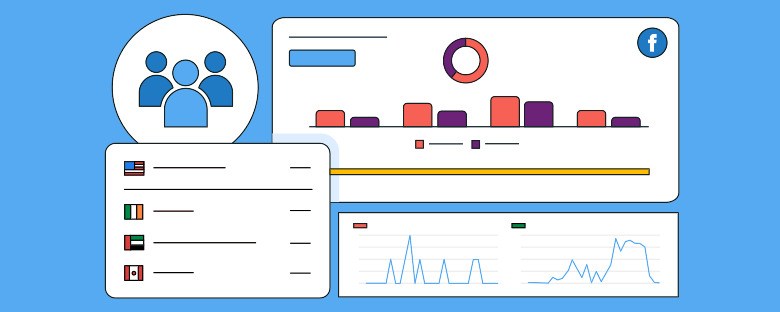
Basically, Facebook hashtag tracking is the monitoring and analysis of the performance of hashtags that one uses within his or her posts. In other words, with the tracking of specific hashtags’ performance, you get to know how different hashtags perform to increase engagement, reach, and understand audience behavior. It is a way to measure the success of your hashtag campaigns and make strategic changes for optimized growth. To effectively track these metrics, you can use various Facebook hashtag tracking tools that provide in-depth insights and analytics, helping you make data-driven decisions to refine your strategy.

They basically work to aid in categorization of posts; such that while it makes discovering certain content items, it suits only those interests in similar subject matter. As critical as hashtag utilization is for posts, ignoring to track or follow up properly how well that is working usually can be adverse. 

Why Facebook Hashtags Matter for Growth

Facebook Hashtags are more than just a way to organize content; if used strategically, they can amplify your visibility and foster deeper engagement. Facebook hashtag tracking plays a crucial role in achieving this. 

Here’s how:
Greater Visibility: Hashtags help your posts reach a broader audience beyond just your followers. By choosing relevant and trending hashtags, and utilizing Facebook hashtag tracking to measure their performance, your content can show up in the feeds of users who may not yet follow your page but are interested in similar topics.

Brand Awareness: Brands and influencers are able to establish their brand identities with the use of hashtags. Consistent use of a branded hashtag will help make content unique and traceable, further rooting their presence in their niches.

Setting Up Facebook Hashtag Tracking

Before you start tracking hashtags on Facebook, it’s time to create the right foundations. Here’s how you do it:

1. Choose the Right Hashtags

The first step in effective Facebook hashtag tracking is the right selection of hashtags. Hashtags need to be relevant to your content, industry, and target audience. Using highly popular hashtags is tempting, but it could mean that your content will get lost in the sea of posts. Instead, try using a mix of hashtags that resonate with your niche, and keep in mind any Facebook update that might affect how hashtags are used or displayed on the platform. By staying updated with platform changes, you can fine-tune your hashtag strategy to maximize impact.

Broad Hashtags: Popular hashtags like #marketing or #fashion can help you reach a wide audience.

Niche Hashtags: Precise, niche hashtags, for example, #digitalmarketingtips or #sustainablefashion, will get you in front of a better-targeted audience.

Branded Hashtags: Create unique branded hashtags for your brand or campaigns. Examples are #MyBrandGrowth. It helps you measure the buzz around specific initiatives.

2. Utilize Hashtag Tracking Tools

By now, you’ve chosen your Facebook hashtags for tracking; now it’s time to monitor their performance. While Facebook Insights provides some basic analytics for posts, the best metrics may be accessed through third-party tracking tools. Among the best tools for tracking Facebook hashtags are those that offer detailed insights into reach, engagement, and audience demographics. These tools can help you track how well your hashtags are performing, especially in terms of Driving conversions. By analyzing these metrics, you can refine your strategy to ensure that your hashtags not only increase visibility but also contribute to your business goals, such as website visits or sales.

Facebook Insights: This tool gives post-level data on reach, engagement, and reactions. You can see how posts with specific hashtags are performing.

Hootsuite: A great, easy-to-use social media management platform; it’s very effective for keeping tabs on hashtag performance across many platforms, including Facebook.

Sprout Social: It’s a tool with all-rounded analytics about hashtags-from engagement metrics to audience insights.

Brandwatch: This is a very powerful tracking and analytics tool for hashtag performance, combined with sentiment analysis and competitor benchmarking.

3. Set Clear Tracking Goals

Before you get started with tracking, define what success means to you. Do you want more engagement, follower growth, or better brand awareness? By using Facebook hashtag tracking, you can identify which hashtags are driving the results you’re aiming for. By clearly outlining your KPIs, you can focus your efforts on the metrics that matter most, ensuring your hashtag strategy is aligned with your growth objectives.

Key Facebook Hashtag Analytics to Monitor

Once your hashtags are in use, the next step is tracking and analyzing the data. Below are some of the critical metrics to monitor when using Facebook hashtag tracking:

1. Engagement Metrics

Engagement is one of the most critical indicators of hashtag performance. This includes:

  • Likes: The number of likes your posts with particular hashtags receive.
  • Comments: The volume and quality of comments can indicate how interesting your content is.
  • Shares: When users share your post, it signals strong engagement and can significantly extend the reach of your content.

Facebook hashtag tracking enables you to monitor these engagement metrics, allowing you to identify which hashtags drive the most interaction. By analyzing this data, you can tailor your hashtag strategy to maximize engagement and optimize your content for better results.

2. Reach and Impressions

Reach refers to the number of users who viewed your post; impressions are the total views your post received. Hashtags allow your content to reach audiences much larger than that of your followers. Facebook hashtag tracking helps you measure both reach and impressions, showing how well your posts are being viewed. By analyzing these metrics, you can decipher how effective your hashtags are in introducing your content to new users, expanding your visibility beyond your immediate audience. This can be a powerful tool when you want to Promote a Facebook page, as it helps increase exposure to potential followers who may not have discovered your page otherwise.

3. Follower Growth

Hashtags that consistently deliver engagement can drive more followers. If a hashtag is performing really well, then users may be more likely to follow your page for even more content related to the hashtag. Facebook hashtag tracking allows you to monitor follower growth alongside your hashtag campaigns, helping you determine which hashtags contribute to audience expansion. This can be a strategic way to Increase your business gradually, as a steady growth in followers can lead to increased brand awareness, more engagement, and, ultimately, more conversions over time.

4. Conversion Tracking

 For businesses, Facebook hashtag tracking should include monitoring conversions, such as website visits, sign-ups, or sales driven by hashtags. Many analytics tools allow you to track how hashtag-driven traffic converts into business outcomes, providing real insights into the return on investment (ROI) of your hashtag strategy. By measuring conversions, you can evaluate the true impact of your hashtags on your bottom line and make informed decisions to optimize your strategy.

Best Practices for Tracking & Growing Your Facebook Hashtags

Tracking hashtags is half the battle; using the insights you obtain from Facebook hashtag tracking analytics will help you work toward growth. Here are a few best practices for maximizing your results:

1. Optimize Your  Content Strategy

Analyze your content created based on performance inspired by hashtag performance. Imagine that after evaluating the hashtag performances, one appeared to get many likes. Hence, go into creating more about it. Vice versa, reassess underperforming hashtags by considering substituting them with relevant ones to see if this change will align your audience better with your hashtags.

2. Observe the Popular Hashtags

With Facebook hashtag tracking, you can monitor trending hashtags and incorporate them into your strategy in real time. Trending hashtags have a higher possibility of reaching a wider audience, especially if they are relevant to your industry. By tracking these trends, you can ensure your content stays relevant and aligns with the right trending topics, allowing you to engage with a broader audience and increase visibility. Additionally, monitoring the performance of these trending hashtags can also help you understand the impact of Facebook reviews, as positive reviews can contribute to the success of certain hashtags and campaigns.

3. Test and Refine

Try different hashtags and measure their performance. That is, create posts that are similar in nature, but their differences will be represented in their various hashtags. This way, you can find out which of them your audience responds to best. Do this often to keep your hashtag game on point.

4. Engage with Hashtag Communities

Don’t just track hashtags-use them. Join conversations around popular hashtags with commenting on posts, sharing content, and responding to users. Building relationships within the communities provided by hashtags will increase visibility of your brand and drive users to engage with your posts.

Conclusion:

Facebook hashtag tracking is one of the most critical growth hacks you can use. By selecting the right hashtags, understanding their performance through tracking, and adjusting your strategy accordingly, you can gain more visibility and reach a broader audience for growth.

As Facebook remains a vital social media platform for businesses and marketers, the time you invest in Facebook hashtag tracking and analytics will help you stay ahead of the competition and make your presence more engaging on the platform. Begin tracking, analyzing, and refining your strategy to unlock the full potential of Facebook hashtags today, and watch your growth unfold.

Metrics from Facebook Widgets
Digital Marketing, facebook widget

Analyzing Engagement Metrics from Facebook Widgets

In today’s digital world, social media has become a cornerstone of online engagement and interaction. Facebook, one of the most widely used platforms, offers various tools to integrate social sharing and engagement features directly on websites or applications. One such tool is the Free Facebook widget. These widgets, which include features like the Like button, Share button, and embedded posts, allow users to interact with content without leaving a webpage. For businesses and content creators, understanding and analyzing the engagement metrics tied to these widgets is essential to optimize digital strategies and improve user experience. This article explores how to analyze engagement metrics from Facebook widgets, providing insights on the types of metrics to track, tools to use, and methods of analysis.

Understanding Facebook Widgets
A Facebook widget is a small piece of code that can be embedded into a website or app to display a variety of Facebook-based content or allow interaction with Facebook directly on the webpage. Facebook offers several types of widgets, including:

  • Like Button: This allows users to express approval of content, signaling interest or alignment with a particular post, page, or item.
  • Share Button: Users can share content directly to their Facebook profile, spreading the word and increasing the reach of a piece of content.
  • Comment Plugin: Enables users to leave comments on articles or products, fostering interaction and discussion.
  • Embedded Posts: Displays public Facebook posts directly on the website, providing a seamless integration between external content and the site.
  • Page Plugin: Displays a preview of a Facebook page, including the number of likes and posts, allowing visitors to engage directly with the page from the website.

Each widget serves a specific purpose and plays a unique role in user interaction. To better understand the effectiveness of these widgets and how users are engaging with them, businesses can utilize Facebook review tools to track and analyze engagement metrics, providing valuable insights into how well these widgets are performing.

Key Engagement Metrics to Track
When analyzing Facebook widgets, there are several key metrics that provide valuable insights into how users are interacting with the content. These metrics give a comprehensive view of widget performance and help businesses understand their audience’s preferences, ultimately contributing to business growth.

  1. Likes and Reactions
    The Like and Reactions buttons are among the most visible and commonly used widgets on Facebook. They allow users to quickly express their feelings toward a post with a simple click. Analyzing the number of likes and reactions provides insight into the popularity of the content.

    Metrics to track include:
  • Total number of likes/reactions on a page or post.
  • The distribution of different reactions (love, haha, wow, sad, angry) to gauge the emotional response from users.
  • The correlation between the number of likes/reactions and other forms of engagement, such as shares and comments.

Understanding these metrics can help businesses refine their content strategy, enhance engagement, and drive business growth by aligning their offerings with what resonates most with their audience. By analyzing these reactions, businesses can better understand what content resonates most with their audience.

2. Comments

The Comment Plugin enables users to engage in conversations around a piece of content, providing valuable qualitative feedback. The number of comments can be a direct indicator of how engaging or thought-provoking a post is. Additionally, businesses can analyze the tone and content of comments to assess sentiment and gain deeper insights into user feedback. This highlights the importance of a Facebook page as a platform for fostering meaningful interactions with customers and potential clients.
Metrics to track include:

  • The total number of comments on a post or page.
  • The average length of comments and the sentiment (positive, neutral, or negative).
  • Trends in the types of questions or discussions users are starting in the comment section.

Tracking comment volume and sentiment helps businesses measure not only engagement but also the quality of interaction, emphasizing the importance of a Facebook page as a tool for understanding customer needs and enhancing relationships.

.3. Shares

One of the most significant indicators of content engagement on social media is how often it is shared. When users share content using the Share button, they are effectively endorsing it and spreading it to their own network, extending its reach exponentially. Analyzing shares helps businesses understand the viral potential of their content and highlights an effective way to promote a Facebook page by encouraging users to share content with their network.
Metrics to track include:

  • Total number of shares over a specific period.
  • The platforms or locations where content is being shared (Facebook, Messenger, etc.).
  • Identifying top influencers or users who share content most frequently.

Understanding sharing patterns helps businesses identify what content has the highest potential for viral distribution, making it a powerful tool to promote a Facebook page and increase visibility.

4. Click-Through Rate (CTR)

Another vital metric to track is the Click-Through Rate (CTR). This metric measures how often users click on links or call-to-action buttons embedded in the widgets. The CTR helps businesses gauge how effectively their content is converting visitors into deeper engagement, whether through visiting a website, signing up for a newsletter, or making a purchase. Tracking this metric is crucial for driving conversions and optimizing content strategies to achieve business goals.
Metrics to track include:

  • Number of clicks generated by Facebook widgets.
  • Conversion rate of users who clicked on the widget versus those who did not.
  • Bounce rate of users who clicked through but left the page quickly.

A high CTR signals effective content and well-placed calls to action, playing a key role in driving conversions and enhancing the overall user experience.

5. Impressions and Reach

Impressions and Reach are foundational metrics for understanding the visibility of a piece of content. Impressions refer to how many times a post or widget was displayed on users’ screens, while reach refers to the number of unique users who saw it. By closely monitoring these metrics, businesses can gain insights to improve Facebook updating marketing strategies and enhance their content’s visibility.
Metrics to track include:

  • Total impressions generated by Facebook widgets.
  • Total reach, including both organic and paid reach.
  • Analysis of engagement relative to reach to understand the effectiveness of content distribution.

Monitoring impressions and reach helps businesses understand their content’s visibility and identify opportunities to enhance its exposure, which is essential for Facebook updating marketing efforts aimed at staying relevant and engaging the right audience.

6. Time on Widget

Tracking how long users engage with a widget is another useful metric. Time on widget can provide insights into user interest and content engagement. If users interact with a widget for a long time, it suggests they find the content or the post intriguing.

Metrics to track include:

  • Average duration users spend interacting with a Facebook widget.
  • The impact of time spent on widgets in relation to other forms of engagement (comments, shares, likes).

By analyzing this metric, businesses can optimize content to increase interaction duration.

Tools for Tracking Engagement Metrics

To effectively analyze Facebook widget engagement, it’s essential to use the right tools. These tools help businesses track, interpret, and act on data gathered from Facebook widgets.

  1. Facebook Insights: Facebook provides native analytics for pages and posts, allowing businesses to track engagement metrics such as likes, comments, shares, and overall reach.
  2. Google Analytics: Google Analytics offers powerful tracking capabilities, enabling businesses to track widget interactions and their impact on website traffic, conversion rates, and user behavior.
  3. Third-Party Tools: Tools like Hootsuite, Socialbakers, and Sprout Social provide advanced social media tracking features, including detailed reports on Facebook widget performance and audience sentiment.
  4. Facebook Analytics: Facebook’s own analytics tool provides deep insights into cross-platform engagement, helping businesses understand how widgets perform across different devices and platforms.

Methods of Analyzing the Data

Once you’ve gathered the necessary data, the next step is to analyze it effectively. There are several methods to interpret Facebook widget engagement metrics.

Quantitative Analysis

This approach involves numerical analysis of engagement data. You can calculate key performance indicators such as:

  • Engagement Rate: Divide total interactions (likes, shares, comments) by the total number of impressions or reach.
  • Conversion Rate: Measure how many users took a desired action after interacting with a widget (e.g., purchasing a product or signing up for a newsletter).

Qualitative Analysis

In addition to the numbers, analyzing the quality of engagement is important. Reviewing comments and shares provides context to the metrics. Sentiment analysis can help gauge user feelings, whether positive, neutral, or negative.

Time-Based Analysis

By comparing engagement across different time periods, businesses can identify patterns or trends. Analyzing peak times of interaction helps optimize when to post content for maximum engagement.

Best Practices for Enhancing Engagement with Facebook Widgets

  • To increase engagement with Facebook widgets, businesses should implement several best practices:
  • Optimize Widget Placement: Ensure widgets, such as the option to embed Facebook feed on your website, are placed prominently in areas where users are most likely to engage.
  • Encourage Interaction: Use clear calls-to-action to prompt users to like, share, or comment on posts, especially when engaging with the embedded Facebook feed.
  • Appealing Content: Make sure the content linked to the widget, including the embedded Facebook feed, is visually appealing, relevant, and valuable to the audience.
  • Mobile Optimization: Ensure that the widgets, including the embedded Facebook feed, are fully responsive and easy to interact with on mobile devices, providing an optimal experience across all platforms.

Conclusion

Analyzing engagement metrics from Facebook widgets, such as likes, shares, comments, CTR, and time on widget, is a crucial part of understanding user interaction and optimizing content strategy. One effective way to enhance engagement is by embedding Facebook reviews on your website. By tracking the metrics related to these reviews, businesses can gain valuable insights into what resonates with their audience. Using the right tools to analyze this data effectively can help refine social media strategies, improve content engagement, and build trust with potential customers. As Facebook widgets, including embedded reviews on websites, continue to play an essential role in online interaction, businesses that embrace data-driven analysis will have a significant edge in creating more engaging and effective content.

Linkedin for real estate
Social Media Marketing

The Power of LinkedIn for Real Estate: Strategies for Growth

In today’s digital age, social networking platforms are important in professional marketing and networking. Among them, LinkedIn for real estate is a vital tool for property developers, real estate agents, and brokers to establish connections, obtain leads, and acquire authority in the business. With over 900 million professionals on LinkedIn, it has a vast potential for real estate business growth.

In this article, we will analyze the most helpful means to use LinkedIn for real estate, enabling professionals to leverage their presence to the fullest, connect with potential clients, and establish credibility for their brand.

Why LinkedIn for Real Estate?

As opposed to other social media networking platforms, LinkedIn is a platform designed specifically for professionals. It is a perfect location for real estate agents to connect with prospective sellers, buyers, and industry specialists. Here’s why LinkedIn for real estate is a game-changer:

Professional Audience: LinkedIn attracts business professionals, executives, and decision-makers, increasing the potential for high-value client connections.

Credibility and Trust: An optimized LinkedIn profile establishes you as a reputation industry expert.

Lead Generation: With strategic use, LinkedIn creates high-quality leads naturally.

SEO Benefits: Search engine-optimized LinkedIn profiles rank high on search engine results, increasing online visibility.

Optimizing Your LinkedIn Profile for Real Estate Success

Your LinkedIn profile is your virtual business card. To leverage LinkedIn for real estate marketing to the fullest, use these optimization strategies:

1. Create a Catchy Headline

Your headline must be brief and express your expertise. Instead of “Real Estate Agent,” try:

 “Helping Home Buyers & Sellers Find Their Dream Property | Real Estate Expert | Market Strategist”

2. Have a Professional Profile and Cover Photo

Your profile picture must be professional and of high quality. A clean-looking cover photo with your brand or a tagline builds credibility.

3. Create an Engaging About Section

Your abstract should reflect your experience, expertise, and value. Example:

“With more than 10 years of experience in real estate, I offer expertise in navigating clients through the process of selling and purchasing houses. Whether you are a first-time buyer or an investor, I offer strategic advice to make informed decisions. Let’s connect!”

4. Highlight Experience and Success

  • Mention your work experience, notable transactions, and achievements.
  • Use bullet points for easy reading.

5. Use Keywords in Your Profile

Optimizing your profile with keywords like LinkedIn for real estate, “real estate marketing,” and “property investment” makes you discoverable.

Building Your Real Estate Network on LinkedIn

Networking is the key to success in real estate. Here’s how to build your network efficiently:

1. Network with Industry Players

Send personalized connection requests to potential clients, real estate investors, mortgage brokers, and property developers.

2. Join Real Estate Groups

Join LinkedIn groups that discuss real estate. This makes you discoverable and allows you to provide valuable insights.

3. Engage with Connections

Like, comment, and share industry-related posts regularly. Engagement makes you credible and keeps you on your network’s radar.

4. Use LinkedIn Events

Join webinars, virtual meetups, and industry conferences to build your network and cement your presence.

Content Strategies to Boost Engagement

Content marketing is the key to effectively leveraging LinkedIn for real estate. Use these LinkedIn strategies to increase engagement:

1. Share Market Insights and Updates

Post regular insights on real estate trends, property market analysis, and investment opportunities to position yourself as a thought leader.

2. Publish Client Success Stories

Sharing testimonials and case studies creates trust and credibility among potential clients.

3. Post Video Content

Videos with property listings, market advice, and client testimonials receive more engagement than text posts.

4. Develop Polls and Q&A Sessions

Engage users actively by developing real estate polls and responding to questions from potential buyers and sellers.

5. Write LinkedIn Articles

In-depth content on LinkedIn establishes expertise. Articles such as “How to Buy Your First Home” or “Top Mistakes to Avoid When Selling” engage potential clients.

Utilizing LinkedIn Ads for Lead Generation in Real Estate

While organic growth is important, LinkedIn Ads can boost your efforts. Here is how to utilize paid strategies with effectiveness:

1. Utilize Sponsored Content

Promote effective posts, listings, or blog posts to increase reach.

2. Run Lead Gen Ads

LinkedIn’s lead generation forms allow you to capture contact information directly from potential clients.

3. Target the Right Crowd

Utilize LinkedIn’s advanced targeting features to reach out to professionals interested in investing in real estate.

4. A/B Test Ads

Experiment with various ad creatives and messages to determine high-performing campaigns.

Measuring Success and Optimal Performance

Monitoring your performance is important to optimize your efforts on LinkedIn in real estate. Utilize these metrics to measure success:

1. LinkedIn Analytics

Monitor profile views, post views, and growth in connections on LinkedIn analytics and observe what delivers.

2. Engagement Rate

High engagement of your posts is a sign of high audience engagement. Adjust content strategy accordingly.

3. Lead Conversion Rate

Monitor how many LinkedIn leads are converted into real clients and optimize your messaging for improved conversion.

4. Referral Traffic to Your Site

Utilize Google Analytics to monitor LinkedIn-driven traffic to your real estate site and optimize content accordingly.

Conclusion

LinkedIn for real estate is a tool that can be leveraged to assist realtors, brokers, and property developers to grow their network, generate leads, and build their authority brand. Through the effective optimization of your profile, creation of relevant connections, and distribution of useful content, you are in a position to leverage LinkedIn to grow your real estate business efficiently.

Using the tips from this book, real estate agents can leverage LinkedIn to its full potential and get ahead of the competition in the continuously expanding competitive landscape. Begin using these techniques today and let your business flourish!

Facebook Hashtags
Digital Marketing, Social Media Marketing

Facebook Hashtags: A Complete Guide to Boost Engagement

Hashtags have become one of the most effective tools for boosting engagement on social media platforms, and Facebook is no exception. While hashtags have been used for years on Instagram and Twitter, their power on Facebook is often overlooked. In fact, when used correctly, Best Hashtags on Facebook can increase your reach, connect you with a broader audience, and drive higher engagement.
Additionally, integrating a Responsive Facebook widget into your website can help display your Facebook content directly, making it easier for visitors to engage with your posts and discover relevant hashtags. This complete guide will help you understand how to use hashtags on Facebook to maximize engagement, grow your audience, and take your social media marketing strategy to the next level.

Why Hashtags Matter on Facebook

Hashtags are more than just a trend; they are a key component in organizing and categorizing content. On Facebook, hashtags provide several important benefits:

  • Increase Visibility: Hashtags categorize your posts, making them more discoverable by a wider audience beyond your followers.
  • Join Conversations: By using popular or trending hashtags, you can join ongoing conversations and stay relevant in real-time discussions.
  • Target Specific Audiences: Using niche or industry-specific hashtags ensures your content reaches the right audience who cares about what you’re sharing.
  • Encourage User Engagement: Hashtags can inspire your audience to interact with your posts, whether through likes, comments, or shares.
  • Improve Brand Awareness: Consistent use of branded hashtags can help build a community and establish your brand’s identity on Facebook.

With over 2.8 billion monthly active users, Facebook is a powerful platform for marketing—and using hashtags the right way can be a game-changer. Additionally, keeping up with the latest Facebook update can help you leverage new features and improve the effectiveness of your hashtag strategy, ensuring you stay ahead of the curve.


How to Use Hashtags Effectively on Facebook

Now that you know why hashtags matter, let’s dive into how to use them effectively. To help you maximize engagement, we’ll break down the strategies and tips for using hashtags on Facebook.

1. Research Your Hashtags

Before using hashtags, you need to know which ones are trending or relevant to your content. Use Facebook’s search bar to explore hashtags in your industry, or try tools like Hashtagify or RiteTag for more advanced research.

  • Trending Hashtags: Look for hashtags that are currently trending on Facebook to join popular conversations. Keep an eye on Facebook’s trending topics and current events.
  • Niche Hashtags: Specific to your industry, these hashtags help target a more focused audience (e.g., #digitalmarketing, #smallbusiness).
  • Branded Hashtags: Create custom hashtags unique to your business or campaign. This can help build your brand and encourage users to share content under that hashtag.

Additionally, integrating a Facebook widget on your ecommerce website allows you to showcase live posts using your hashtags, encouraging more users to interact with your content and stay engaged with your brand in real-time.

2. Use a Mix of Hashtags

It’s not enough to rely solely on popular or broad hashtags. A balanced mix of hashtags will ensure you reach both a wide audience and a targeted group. Here’s a breakdown:

  • General Hashtags: Broad terms like #marketing or #business have a large reach, but competition is high.
  • Niche Hashtags: Use more specific hashtags that relate directly to your content or industry (e.g., #socialmediastrategy, #SEO).
  • Branded Hashtags: As mentioned earlier, branded hashtags are unique to your company or campaign and can foster a sense of community around your brand (e.g., #YourBrandName).

By strategically using a mix of hashtags, you can not only increase engagement but also promote a Facebook page more effectively. Branded and niche hashtags will help you target the right audience, increasing the likelihood of attracting followers who are genuinely interested in your content.

3. Limit the Number of Hashtags

On Facebook, less is more. While platforms like Instagram encourage up to 30 hashtags per post, Facebook’s algorithm doesn’t favor excessive hashtag use. Stick to 3-5 relevant hashtags for optimal engagement. Too many hashtags can make your post look spammy and dilute your message.

4. Hashtags in Post Text vs. Comments

There are two places where you can add hashtags: in your post text or in the comments.

  • In Post Text: Including hashtags directly in your post makes them an integral part of your message. Just be sure not to overcrowd your caption.
  • In Comments: If you don’t want your hashtags to disrupt your post, you can place them in the first comment. This allows your post to stay visually clean while still benefiting from hashtag discoverability.

5. Be Specific and Relevant

When choosing hashtags, always ensure they are directly relevant to your content. Specific hashtags that are closely aligned with the post’s subject will help you reach an audience that’s genuinely interested. Using generic or unrelated hashtags may reduce engagement and frustrate users. Additionally, if you embed Facebook feed on your website, make sure the hashtags you use are consistent with the content displayed. This creates a seamless experience for users, encouraging them to interact with your posts both on Facebook and your website.

6. Monitor Hashtag Performance

Just like any other marketing tactic, you need to track how your hashtags are performing. Facebook Insights can provide valuable data on post engagement. Monitor which hashtags are generating the most interaction and optimize your future posts accordingly.


Top 10 Hashtags to Boost Engagement on Facebook

To get you started, here’s a list of the top 10 hashtags you can use to increase engagement on Facebook:

1. #SocialMediaMarketing

Perfect for marketers looking to increase their reach, #SocialMediaMarketing is one of the most popular hashtags on Facebook. Use it when sharing tips, case studies, or strategies related to social media platforms.

2. #FacebookMarketing

As Facebook’s own marketing platform, this hashtag is ideal for posts discussing Facebook ads, organic growth tactics, or Facebook’s latest updates. It’s a great way to position yourself as an expert in Facebook marketing.

3. #ContentMarketing

Content is king in digital marketing, and #ContentMarketing is the go-to hashtag for sharing tips, articles, and strategies around content creation, SEO, and storytelling.

4. #DigitalMarketing

Digital marketing covers a wide range of strategies, from SEO to email marketing. Using this hashtag helps you connect with a broader audience interested in online marketing. Additionally, by integrating a social media aggregator into your website, you can pull in content from various platforms, including Facebook, to create a cohesive digital marketing experience. This can further expand your reach and engagement, making your marketing efforts even more effective.

5. #Branding

Use #Branding to post about your company’s identity, logo, or messaging. This is an excellent hashtag for businesses looking to build their brand and create a consistent voice on social media.

6. #Entrepreneurship

If you’re targeting entrepreneurs or small business owners, #Entrepreneurship is a powerful hashtag. It’s often used by business owners, freelancers, and innovators sharing their entrepreneurial journeys.

7. #SmallBusiness

Supporting small businesses is key for Facebook’s community-driven atmosphere. #SmallBusiness connects you with other entrepreneurs and potential customers who are invested in supporting local businesses. Additionally, by displaying a social media feed on your website, you can showcase your Facebook content and updates in real-time, creating more opportunities for engagement with your small business community and attracting customers interested in your products or services.

8. #InfluencerMarketing

As influencer marketing continues to grow, this hashtag remains a powerful tool. Use #InfluencerMarketing to share content related to influencer partnerships, success stories, or best practices.

9. #LeadGeneration

For businesses focused on acquiring leads, #LeadGeneration is essential. Use this hashtag to discuss strategies for converting your Facebook followers into potential customers.

10. #GrowthHacking

Growth hacking focuses on rapid experimentation to achieve scalable growth. Use this hashtag to share tips, strategies, and case studies that will help businesses grow quickly and efficiently.


Common Mistakes to Avoid with Facebook Hashtags

While hashtags can significantly boost engagement, using them incorrectly can have the opposite effect. Here are a few common mistakes to avoid:

1. Overloading Posts with Hashtags

Using too many hashtags can overwhelm your audience and make your post look spammy. Stick to 3-5 relevant hashtags for the best results.

2. Using Irrelevant Hashtags

Hashtags should always be relevant to the content you’re sharing. Using irrelevant hashtags can confuse your audience and decrease engagement.

3. Ignoring Hashtag Trends

Hashtags change over time, and what worked a year ago might not work today. Keep an eye on trending hashtags and incorporate them into your posts when appropriate.

4. Forgetting to Monitor Hashtag Performance

Just because you’re using hashtags doesn’t mean they’re working. Regularly check your post performance and adjust your strategy based on the data.


Conclusion

Hashtags are a powerful tool for boosting engagement and visibility on Facebook. By using the right hashtags strategically, you can increase your reach, connect with your target audience, and drive higher interaction with your content. Additionally, encouraging users to leave a Facebook review can further amplify your reach. Positive reviews paired with relevant hashtags can attract more attention, increase trust, and create a sense of community around your brand.

Follow the strategies outlined in this guide to maximize the potential of your hashtags. From research and selection to monitoring performance, implementing these best practices will help you make the most of hashtags on Facebook and improve your overall social media marketing efforts.

By regularly engaging with your audience through hashtags and refining your approach based on data, you’ll be well on your way to mastering the art of Facebook marketing.

Real Estate Facebook Marketing
Social Media Marketing

11 Real Estate Facebook Marketing Strategies That Actually Work

In today’s digital age, Facebook is not only a platform for social interaction but also a powerful tool for real estate marketing. With billions of active users, it offers immense potential for real estate professionals to connect with potential buyers, sellers, and investors. However, like any marketing strategy, success depends on how well you harness its features. In this article, we’ll explore 11 effective real estate Facebook marketing strategies that can boost your business and help you build a solid online presence.

1. Create a Business Page and Optimize It

Business Page and Optimize

Before diving into any marketing strategies, the foundation of your real estate business on Facebook should be a well-optimized business page. Ensure your profile is complete with your logo, cover photo, and relevant business details, including contact information, hours of operation, and a compelling description of your services.

Facebook’s business pages also allow you to feature listings and reviews. Adding these can significantly improve your credibility and attract attention. Make sure to keep the page updated with fresh content regularly, highlighting your expertise and recent listings.

2. Leverage Facebook Ads for Targeted Marketing

Facebook’s advertising platform is a goldmine for real estate professionals. With Facebook Ads, you can create highly targeted campaigns based on demographics, location, interests, and behaviors. For real estate, location targeting is especially important. You can also embed Facebook Reels to further engage your audience with dynamic, short-form content that showcases properties or provides valuable real estate tips.

You can run ads promoting specific properties or create campaigns designed to generate leads, such as “Get a Free Home Valuation.” Additionally, you can experiment with different ad types, such as carousel ads to display multiple listings or video ads to showcase a property tour. By embedding Facebook Reels into your campaign, you give potential buyers a quick, visually appealing way to interact with your listings.

Make sure to set a clear call-to-action (CTA) like “Contact Us,” “Learn More,” or “Sign Up,” depending on your campaign goal.

3. Post Engaging Visual Content

 Post Engaging Visual Content

Leveraging Facebook updates can significantly enhance your real estate marketing efforts. Since real estate is a highly visual industry, Facebook is an ideal platform to showcase properties through high-quality images and videos. Regularly post pictures of homes, commercial properties, or even virtual tours to attract potential buyers. Use professional photos that highlight a property’s best features, from spacious living rooms to breathtaking views.

Video content is especially powerful on Facebook, so consider sharing 3D walkthroughs or virtual tours of properties. By leveraging Facebook updates in this way, you can increase engagement and offer an immersive experience to your audience. Incorporating storytelling in your posts, such as sharing the journey of a homebuyer or the history behind a property, will further elevate your content and make it resonate with viewers.

4. Run Facebook Live Virtual Open Houses

Live streaming is one of the most powerful tools on Facebook for real estate marketing, and it’s even more effective when you promote a Facebook page to reach a wider audience. Hosting a Facebook Live open house lets you virtually tour properties for interested buyers in real-time, attracting potential buyers who may not be able to visit the property in person.

By promoting a Facebook page ahead of time, you can generate buzz and build anticipation for your live event. During the live broadcast, engage with your audience by answering questions in real-time. Be prepared to show off the property’s features and encourage viewers to comment or message for more details. This strategy helps increase visibility, creating more opportunities for sales and boosting your business.

5. Share Client Testimonials and Success Stories

Social proof is a huge driver of trust, and nothing works better than happy clients sharing their positive experiences. Posting testimonials from satisfied buyers or sellers, along with before-and-after photos or videos, is a great way to showcase this. These testimonials can also include success stories of challenging deals that you managed to close.

 By sharing such content on your Facebook page, you highlight your expertise and build trust with potential clients. Additionally, asking clients for permission to share photos or videos of them in their new homes humanizes your brand, making you more relatable. This highlights the importance of a Facebook page as a tool for building connections and engaging with your audience in a meaningful way.

6. Create a Facebook Group for Local Real Estate Discussions

Facebook Group for Local Real Estate

A Facebook Group centered around your local market is an excellent way to build a community and position yourself as a real estate expert in your area. You can create a group for buyers, sellers, or anyone interested in real estate facebook ads in your region. It’s important to actively participate in the group by sharing valuable content, answering questions, and offering insights.

By doing this, you not only provide useful information to your audience, but you also build a loyal community that sees you as a go-to real estate professional. Additionally, groups often have higher engagement rates than business pages, so you’re more likely to connect with potential clients.

7. Host Contests or Giveaways

Contests or giveaways are a fun and engaging way to attract attention to your real estate business. For example, you could run a contest where the winner gets a free consultation or a gift card to a local business. Make sure to use relevant hashtags, tag your location, and promote your giveaway with a Facebook plugin to boost its reach. The plugin can help streamline the process of entering the contest and make it easier for participants to engage directly on Facebook.

Contests also provide an opportunity to grow your followers and expand your audience. Encourage participants to like your page, share your posts, or tag friends in exchange for an entry. This increases visibility and helps you tap into new networks.

8. Run Lead Generation Campaigns

Facebook’s lead generation tools allow you to collect contact information from prospective buyers or sellers directly through the platform. These ads are pre-populated with the user’s contact details, making the process easy for them and increasing your chances of conversion. You can enhance the credibility of your lead generation ads by incorporating social proof, such as an embed Facebook review from satisfied clients. This adds trust and authenticity, making potential leads more likely to engage with your offer.

You can create ads targeting potential clients who have shown interest in home buying or selling and offer them free consultations, property listings, or market reports in exchange for their email or phone number. Once you have this contact information, you can follow up with targeted email campaigns, further leveraging the positive impact of your embedded Facebook reviews to increase conversions.

9. Share Local Market Insights and Tips

Position yourself as an industry expert by sharing valuable local market information with your Facebook followers. Share market trends, pricing data, and predictions about the future of the local real estate market. Offering tips for homebuyers or sellers can also build trust and showcase your expertise.

For example, posts about “How to Get Your Home Ready for Sale” or “Understanding Current Mortgage Rates” can be highly beneficial. You could also offer advice on neighborhoods, schools, and other local amenities, helping potential clients feel more informed and confident in their decision-making.

10. Utilize Facebook Messenger for Instant Communication

Facebook Messenger for Instant Communication

One of the most effective ways to connect with potential clients is through Facebook Messenger. By enabling the Messenger feature on your business page, you can respond instantly to inquiries, schedule showings, or answer questions about properties. You can even set up automated replies for common questions to ensure timely responses, which enhances the customer experience.

Consider integrating a chatbot into your Messenger system to answer basic queries automatically or provide property recommendations based on the user’s preferences.

11. Retarget Website Visitors with Facebook Ads

Retargeting is a powerful strategy for converting website visitors who haven’t yet taken action. By installing the Facebook Pixel on your website, you can track users who visited certain pages (e.g., a specific property listing) and then show them targeted Facebook ads reminding them of the property or offering more information.

This type of ad is personalized and highly effective, as it targets people who have already shown interest in your services. Retargeting keeps your listings and services top-of-mind, increasing the likelihood of conversion.

Conclusion

Facebook marketing is a dynamic and cost-effective way to grow your real estate business. By implementing these 11 strategies—creating an optimized business page, running targeted ads, sharing valuable content, and using features like Facebook Groups and Messenger—you can connect with a broader audience, engage potential clients, and ultimately close more deals. The key to success on Facebook is consistency, creativity, and leveraging all the available tools to connect with your audience on a personal level. Stay active, stay engaged, and watch your real estate business thrive.

Twitter Marketing
Social Media Marketing

Why Twitter for Business Marketing Is Crucial for Your Brand Growth

In the rapidity of the modern Dijinal World, the cornerstone of social media and commercial methods. During this conference, Twitter for Business Marketing has been identified as the necessary tool for all big companies. With over 450 million use

This article examines why Twitter is important to work trade and how the use of its power can make a significance dramatically grow.

1. Massive Audience Reach

Twitter’s User Assembly makes it a powerful platform to expand your Brand Visibility. Centers can use these many audiences and target the users based on their entertainment, population growth, and behavior. With the right path, Brands can reach potential buyers around the world and build a strong Internet.

How to Get Twi’s Reach:

  • Use the continued survival of materials to add to the right conversation.
  • Run Twitter business marketing ads to reach a specific audience.
  • We are fascinating twists to give you the opportunity to divide its treasury and expand into your hands.

2. Real-time communication.

One of Twitter’s unique selling points is its ability to facilitate real-time communication. Unlike other platforms, Twitter thrives on instantaneous, making it ideal for live updates, announcements, and instant interaction with your audience.

Benefits of real-time communication:

  • Communicate with customers with direct responses and feedback.
  • Promptly address customer inquiries and complaints to build trust.
  • Use Twitter polls and Q&A sessions to gather feedback and preferences from customers.

By being proactive and responsive, brands can build a reputation for being customer-centric.

3. Brand authority and trust.

Twitter offers professionals the best platform for Twitter business marketing to showcase their skills and build authority in their niche. By sharing valuable insights, industry stories, and thought leadership stories, companies can engage with trusted sources of information.

Tips for creating a license:

  • Share original blog posts, infographics, and case studies.
  • Retweet and connect with business leaders and influencers.
  • Participate in Twitter chats related to your niche to demonstrate your knowledge.

A strong Twitter presence not only builds credibility but helps attract followers who are genuinely interested in your offerings.

4. High-scale and target audience.

The interactive nature of Twitter makes it a great platform for Twitter marketing for business. Whether through likes, retweets, or comments, brands can communicate meaningfully with their audience.

Participation strategies:

  • Upload engaging content such as photos, GIFs, and videos.
  • Use CTAs (call-to-actions) to encourage clicks and conversions.
  • Guest contests, giveaways, or challenges to participate.
  • Content is not only engaging, but it also helps build loyalty.

5. Distribution of enhanced features.

Twitter acts as a driving force for your physical marketing efforts. You can sell cars on your own website as well as other crime items and other crime information on your website.

How to excel in distribution:

  • Tweets should be decided from time to time to share the content of evergreen content from time to time.
  • Pinwell important tweets in your profile for maximum invisibility.
  • Use the survey to announce the best time to target target segments.

The more your products are, the more likely it is that you will attract new signs.

6. Hashtags good use to do

Twitter trends and hashtags are as big as Twitter’s invention feature. They help with musical resources and easily find their topics of interest. For business, the gateway to relationships is the great Hashtags.

Best customs for Hashtags:

  • Use a mix of commercial and ala-specific hashtags.
  • Create great hashtags to promote campaigns, users, and products.
  • avoid tweets with the most hashtags; 2-3 related

Hashtag groups encourage copper groups that can contribute their experience with your products so you can create a biological baj around you.

7. Cost-Influencing Advertising

Twitter advertising agencies provide spending impact to promote their products and services. The crime can be picked from the trend of Techovar chasing their target and budget.

Benefits of Twitter Advertising:

  • A more marked campaign based on democracy, interest, and action.
  • The wage equation is a value equation.
  • Options, statistics, or trends are also options that should be enhanced.

Investing in Twitter marketing tools can help build your courage, attract your followers, break the bank, and help drive website traffic.

8. search through Twitter search

Twitter Analytics is a terrorist treasure trove that helps to understand the industry more. It provides search tweet performance, demographic followers, and partnerships with heroic organizations.

How to use Twitter analytics:

  • Introduce tweets with a high-quality display and make it happen.
  • Most analyze the analysis for the construction of the individual items.
  • See how the campaign worked for Roi’s adaptation.

The basic marketing activities are great ones that will maximize your Twitter’s effective vocal marketing.

9. Relationship to outcome

There are plenty of engineers on Twitter who can boost your courage. They can be taped to their follower base by being influential and can be trusted by the organization.

How to collaborate with influencers :

  • Identify influencers for those who are connected to your target market.
  • Let them engage with content before proposing their cooperation.
  • Create the content to promote yours or use tweets.

On Twitter, influencer marketing can increase your attention and credibility.

10. To stand up to you naturally

Twitter is often the birthplace of trends and breaking news. From a platform, companies can stand at the forefront of industry trends and, as such, can be affected by the most vocal initiatives.

The remedy for genetic-scientists:

  • Trending Hashtags and searches.
  • Use TweetDeck or Hootsuite tools for monitoring trends.
  • Please join the trend and share your copper standards.

It is sure to be active and worth going to the top of your branch

11. The advancement of the buying religion

Twitter is a way to reach customers or to share with customers. It not only does not only deal with excellent services through twenty but also your determination to be content. Many entrepreneurs use Twitter marketing for business to reach more audiences.

Counsel on the buyers:

  • Answer the words immediately and directly present messages.
  • Use a voice but a friendly manner in your answers.
  • deal publicly with murmuring but it can lead them privately to touch them.

The unique religion of the customers leads to their honesty and goodness.

Conclusion

Twitter is not a choice for business trade; It is important for Brands to grow in digital times. From literal time to strengthening the production of materials to advertise uses it by using the unique use of the platform and proper use-set to improve stuff, it creates a reasonable relationship, and it makes longevity long-term healthy relationships.

Benefits of Embedding Facebook Reels
Uncategorized

Top Benefits of Embedding Facebook Reels on Your Website in 2025

As we move into 2025, the importance of short-form video content continues to grow across social media platforms. Facebook Reels, a feature designed to rival TikTok and Instagram Reels, has become one of the most powerful tools for marketers, influencers, and businesses aiming to connect with their audiences. However, many brands are still unsure of how to maximize the potential of Facebook Reels. One strategy that is gaining significant traction is embed Facebook Reels directly on websites.

In this article, we will explore the top benefits of embedding Facebook Reels on your website in 2025, and why it’s a smart move for enhancing user engagement, improving SEO, and boosting your overall online presence.

Why Facebook Reels Are More Important Than Ever in 2025

Before diving into the benefits of embedding Facebook Reels, it’s important to understand why they matter in 2025. Facebook continues to evolve, with an increasing emphasis on short-form, shareable video content that appeals to younger audiences. The rise of platforms like TikTok has shown the power of short videos in engaging users, and Facebook is leaning into this format to stay competitive.

Facebook Reels are:

  • Short and Engaging: Typically lasting 15 to 60 seconds, these videos capture attention quickly and are designed for easy consumption.
  • Algorithm-Favored: Facebook prioritizes Reels in the algorithm, meaning they appear more frequently in users’ feeds, increasing organic reach.
  • Versatile: Reels can be used for a variety of purposes—from showcasing products to providing educational content and behind-the-scenes glimpses of your brand.

Now that we understand the importance of Facebook Reels, let’s explore how embedding them on your website can benefit your business.

Top Benefits of Embedding Facebook Reels on Your Website in 2025

1. Enhanced User Engagement with Facebook Widgets

One of the most significant benefits of embedding Facebook Reels on your website is increased user engagement. Short-form video content is incredibly engaging, and users are more likely to interact with videos than static images or text alone. By embedding Facebook Reels on your website, you provide visitors with dynamic content that encourages them to stay longer on your site and engage with the content. This is where Facebook widgets come in, allowing you to integrate multiple elements like Reels, reviews, or comments, all in one place.

Benefits of Increased Engagement:

  • Higher Interaction Rates: Visitors are more likely to comment, like, or share the Reels, especially when they resonate with the content.
  • More Time Spent on Site: Videos naturally encourage users to stay longer on your page, increasing their interaction with other content across your site.
  • Interactive Features: Facebook’s built-in features, like comment sections and reaction buttons, help drive Conversions directly on your website.

2. Improved SEO and Search Engine Visibility with Facebook Reviews

Search engine optimization (SEO) is essential for driving organic traffic to your website. Google’s algorithm takes user engagement and on-site activity into account when ranking pages, and videos can improve these metrics significantly. When you embed Facebook Reels, you encourage more interaction and longer dwell time, both of which can boost your search engine rankings. Additionally, integrating Facebook reviews alongside your Reels can enhance your credibility and provide more content that can positively influence your SEO.

How Embedding Reels Improves SEO:

  • Increased Dwell Time: The more time users spend on your site interacting with videos, the lower your bounce rate, a key metric for SEO.
  • Better Ranking Signals: Higher engagement rates and user interaction with video content provide positive ranking signals to search engines.
  • More Shareable Content: Reels are designed to be shared, and when visitors share your Reels across their social media platforms, it generates backlinks and additional traffic to your site.

3. Boosted Social Media Presence and the Importance of Facebook Page

Embedding Facebook Reels on your website can have a positive ripple effect on your social media presence. Reels are highly shareable, and when visitors see them on your website, they are more likely to engage with the content on Facebook. This engagement can lead to more followers, greater reach, and increased social proof. Additionally, embedding Facebook Reels directly ties visitors back to the importance of your Facebook page, encouraging them to connect with your brand on a deeper level.

Benefits for Your Social Media Strategy:

  • Cross-Promotion: Website visitors who engage with your Reels are more likely to follow your Facebook page and share the content.
  • Social Proof: High engagement on your Reels can lead to more visibility in the Facebook algorithm, making your content appear to even more users.
  • Brand Awareness: Reels, when embedded, serve as a gateway to your social media profiles, making it easier for users to discover your brand on Facebook.

4. Increased Website Conversion Rates with Facebook Plugin Integration

When used effectively, embedding Facebook Reels can drive conversions by encouraging visitors to take action. Whether your goal is to increase product purchases, sign-ups, or downloads, Reels can be a powerful tool to promote your offerings in a visually engaging way. You can embed product demos, tutorials, or customer testimonials through Reels, making your content more persuasive. Adding a Facebook plugin that integrates Reels with product pages can make this process even smoother.

Ways Facebook Reels Drive Conversions:

  • Product Demonstrations: Show how your product works or highlight its unique features, which can help potential customers make purchasing decisions.
  • Call-to-Action (CTA): You can add CTAs directly in the description or within the Reel itself, encouraging viewers to take specific actions like signing up or making a purchase.
  • Boosting Trust and Credibility: Seeing real people or real-life applications of your product can help visitors feel more confident in their decision to buy.

5. Mobile-Friendly Content for Increased Accessibility

As more users browse websites on mobile devices, mobile optimization becomes increasingly important. Facebook Reels are inherently designed for mobile consumption, making them an ideal content format for today’s users. By embedding Reels, you ensure your website provides a seamless, mobile-friendly experience that aligns with current user expectations. This mobile-first approach can also work seamlessly with Facebook widgets like reviews, making it easier for users to access everything on one screen.

Mobile Optimization Benefits:

  • Adaptable Format: Reels are already formatted to fit mobile screens, ensuring a smooth viewing experience without the need for further adjustments.
  • Increased Mobile Engagement: Short-form videos are ideal for mobile devices because they are quick to watch and easy to share, ensuring greater engagement across your audience’s preferred device.
  • Faster Load Times: Embedding Facebook Reels is a lightweight way to include video content on your site without the large file sizes associated with self-hosted videos.

6. Cost-Effective Content Strategy by Repurposing Facebook Reviews

Creating high-quality video content can be costly and time-consuming. However, embedding Facebook Reels allows you to leverage content you’ve already created without needing additional resources. This makes it a cost-effective strategy for businesses with limited marketing budgets, enabling you to increase your business gradually by utilizing the content you’ve already produced. Additionally, Facebook reviews provide a constant flow of fresh content that helps repurpose social proof without needing to create new material, further supporting sustainable growth.

Cost-Effective Benefits:

  • Repurposing Content: If you’ve already created Reels for your social media, embedding them on your website saves you time and money while maximizing the value of the content.
  • No Need for Expensive Production: With Facebook Reels, you don’t need to invest in expensive video equipment or editing. The platform provides a built-in tool to create and share videos that look professional with minimal effort.
  • Increased ROI: By embedding content from your existing social media channels, you can drive more traffic and engagement without the need for costly production efforts.

7. Real-Time Content Updates to Stay Relevant

One of the unique advantages of embedding Facebook Reels is that they are live, real-time content updates. As Facebook Reels can be updated frequently with new videos, embedding them ensures your website always has fresh, up-to-date content without requiring constant manual updates. This is especially useful when you want to embed Facebook reviews that are updated automatically as your audience leaves new feedback.

Benefits of Real-Time Updates:

  • Consistent Fresh Content: With the ability to regularly update Reels, you’re ensuring that visitors always see something new when they visit your site.
  • Easy Maintenance: Because Reels are pulled directly from Facebook, there’s no need to upload new content manually every time you want to refresh your site.

8. Increased Brand Visibility and Awareness with Facebook Plugin

Embedding Facebook Reels on your website helps to increase your brand’s visibility. The format is inherently shareable, and when users engage with your Reels, they are more likely to share them on their own social media, spreading your brand message to new audiences. Additionally, a Facebook plugin on your website can further enhance visibility by integrating features like reviews and content sharing, giving users more ways to engage with your brand.

Visibility Benefits:

  • Organic Reach: The more your Reels are shared, the greater the organic reach for your brand.
  • Viral Potential: Reels are designed to be engaging and easily shareable, giving your content the potential to go viral across multiple platforms.
  • Multi-Platform Exposure: Your Reels can be shared not only on Facebook but also on other platforms like Instagram, expanding your brand’s digital footprint.

Conclusion

Embedding Facebook Reels on your website in 2025 offers a myriad of benefits, from boosting user engagement and improving SEO to increasing brand visibility and conversions. As short-form video continues to dominate social media, using Reels as part of your website strategy will not only enhance user experience but also help you stay ahead of the competition.

By embedding Facebook Reels, you’re providing fresh, interactive content that resonates with your audience while also maximizing the impact of your existing social media efforts. Embrace this powerful tool today and watch your online presence thrive in 2025 and beyond.

Digital Marketing, facebook widget, Reviews, Social Media Marketing, Technology

Leveraging Facebook Updates to Promote Your Brand More Effectively

Facebook remains one of the most powerful platforms for digital marketing. However, like all social media networks, it evolves constantly, rolling out updates that impact how content is displayed, how users interact, and how businesses market their products or services. As a marketer, staying on top of Facebook updates marketing is crucial for your brand’s success.

In this article, we’ll explore why these updates matter, how they can impact your marketing efforts, and how to leverage them for better results. Plus, we’ll cover some essential strategies and tools to stay ahead of the game.

1. The Importance of Facebook Updates for Marketers

Facebook’s algorithm and tools are in a constant state of flux. These updates can affect everything from post reach to ad targeting, user engagement, and more. As a marketer, you need to be aware of these changes to ensure you’re using the platform effectively.

Here’s why Facebook updates matter:

  • Changes in Reach: Facebook periodically changes how it distributes organic content. What worked yesterday might not work today, so it’s essential to stay updated.
  • Ad Targeting: The platform regularly tweaks its ad algorithms, which can directly affect the performance of your campaigns.
  • New Features: Facebook often introduces new tools or features that could make a significant impact on your marketing strategy.

By keeping track of Essential Facebook Updates Marketers should know about, you can adapt quickly and stay relevant in an ever-changing digital landscape.

2. Driving Conversion Through Facebook Updates

One of the most important reasons to keep up with Facebook updates marketing is to drive conversions effectively. Facebook’s algorithm changes often focus on enhancing the user experience, which in turn impacts how businesses reach their target audience.

Here’s how the updates can help increase conversions:

  • Improved Ad Targeting: Updates to Facebook’s targeting options (e.g., lookalike audiences or advanced demographic filters) allow marketers to deliver ads to the right people at the right time.
  • Enhanced Mobile Experience: As mobile browsing continues to dominate, Facebook updates frequently improve its mobile app, making it easier for potential customers to make purchases or engage with content.
  • Better Call-to-Action Buttons: With updated call-to-action (CTA) options like “Shop Now,” “Learn More,” and “Book Now,” Facebook makes it easier for users to take the next step after engaging with your content.

These changes are designed to enhance the user experience and, by extension, drive conversion rates higher. Staying up to date on Facebook’s updates ensures that your brand can capitalize on these new features.

3. Social Proof and Its Impact on Marketing

Social proof is one of the most powerful tools in modern marketing. Facebook’s updates often enhance how social proof is displayed, allowing your brand to build credibility and trust with potential customers.

How can you leverage social proof with Facebook updates?

  • Customer Reviews: Facebook regularly updates how reviews are displayed, giving brands more visibility when users leave positive feedback. This social validation can help you gain new customers by showcasing positive experiences from real users.
  • User-Generated Content: With each update, Facebook improves the way user-generated content is shared and promoted. Encourage customers to share their experiences on Facebook and tag your brand, creating organic endorsements that work as powerful testimonials.

By incorporating social proof into your marketing strategy, you can build credibility and inspire trust with potential customers. Facebook updates can help you do this more effectively.

4. Promoting Your Facebook Page: Strategies and Updates

Facebook’s updates often focus on helping businesses promote their pages and increase engagement with followers. But staying ahead of these updates is key to maximizing the effectiveness of your promotion efforts.

Here’s how recent updates have affected promoting your Facebook page:

  • Page Visibility: Facebook has tweaked its algorithm to prioritize more engaging and authentic content. Pages that post high-quality, engaging content tend to be prioritized over those that focus on self-promotion or clickbait.
  • Increased Interaction with Followers: Updates often enhance how businesses can interact with their followers, from responding to comments to sending personalized messages. These features allow businesses to build stronger relationships with their audience.
  • Facebook Groups Integration: Facebook has made it easier for brands to integrate their business pages with Facebook Groups. By creating a community around your brand, you can increase loyalty and organically promote your page.

Staying on top of these updates ensures that you can use Facebook’s full range of promotional tools to boost your brand visibility and grow your follower base.

5. Boosting Your Brand’s Reputation with a Facebook Review Widget

One feature that can significantly improve your marketing strategy is the Facebook widget. With frequent updates to how businesses can display reviews, it’s easier than ever to showcase social proof directly on your website.

Why should you consider adding a Facebook review widget to your website?

  • Instant Trust: Customer reviews build instant credibility. When visitors see positive feedback about your brand, they’re more likely to trust you and convert.
  • Seamless Integration: The Facebook review widget can be easily embedded Facebook feed on your website, allowing you to display the most recent and relevant reviews directly on your homepage or product pages.
  • Increased Engagement: Encouraging customers to leave reviews on Facebook and then showcasing them on your site can increase engagement both on Facebook and your website.

With Facebook regularly updating how reviews are displayed and interacted with, now is the perfect time to integrate a Facebook review widget into your website to improve customer trust and drive more conversions.

6. How to Embed Facebook Reviews on Your Website

Facebook has also improved how businesses can embed Facebook reviews on their websites. If you’re looking for a simple yet powerful way to show off positive customer feedback, embedding Facebook reviews directly into your site is a great option. Using tools like Tagbox, you can easily integrate and display Facebook reviews, creating a seamless and dynamic experience for visitors.

Here’s how embedding Facebook reviews can benefit your business:

  • Improved User Experience: Directly embedding reviews into your product or service pages provides immediate feedback to visitors, which helps them make quicker purchasing decisions.
  • Authenticity: Facebook reviews are perceived as more authentic and trustworthy because they come from real users on a widely recognized platform.
  • More Traffic to Your Facebook Page: By embedding reviews, you encourage visitors to engage with your Facebook page, which can increase traffic and foster a stronger relationship with your audience.

With Facebook making it easier to embed reviews directly from the platform, and with tools like Tagbox helping you integrate them effortlessly, this is an excellent way to leverage the power of social proof and increase engagement with both your website and your Facebook page.

7. Essential Facebook Updates Marketers Should Know

To stay ahead of the competition, it’s important for marketers to keep track of essential Facebook updates. These updates can impact everything from how content is shown to how your ads perform.

Here are some of the most important recent updates for marketers to know:

  • Algorithm Changes: Facebook’s algorithm updates have a significant impact on organic reach. Marketers need to adapt their content strategies to align with the latest algorithm preferences.
  • New Ad Formats: Facebook regularly introduces new ad formats, including Stories Ads and interactive video ads. Staying on top of these changes will help marketers craft more effective ad campaigns.
  • Enhanced Targeting Options: As Facebook gathers more data on user behavior, marketers are gaining access to more advanced targeting features, such as improved lookalike audiences and predictive analytics.

By keeping an eye on essential Facebook updates marketers should be aware of, you can ensure your strategy stays competitive and effective.

Conclusion

Facebook updates are crucial for staying relevant and effective in your marketing strategy. From driving conversion and leveraging social proof to promoting your Facebook page and integrating features like a Facebook review widget or embed Facebook review options, these changes present opportunities for businesses to engage with their audiences in more meaningful ways.

By keeping up with the latest essential Facebook updates marketers need to know, you can ensure your brand thrives in the ever-changing world of social media marketing. Adapt, experiment, and use these updates to your advantage – your brand’s success depends on it.

Digital Marketing, facebook widget, Social Media Marketing, Technology

Facebook Widgets for E-Commerce: Driving Conversions

Facebook is a powerhouse platform for e-commerce businesses looking to drive traffic, increase engagement, and ultimately boost conversions. With over 2.8 billion active users globally, it offers vast opportunities for small businesses to connect with potential customers. One of the most effective ways to harness Facebook’s potential is by integrating Facebook widgets into your e-commerce website.

In this article, we’ll explore how Facebook widgets can help promote a Facebook presence, increase engagement, and ultimately drive more conversions for your e-commerce business.

What Are Facebook Widgets?

Before diving into the details of how Facebook widgets can help increase conversions, let’s define what they are. Facebook widgets are small interactive elements that can be added to your website. These widgets typically allow your site visitors to interact with Facebook features, such as liking a page, sharing content, or leaving a comment.

Common Facebook widgets include:

  • Like button: Allows visitors to like a specific product or your business’s Facebook page.
  • Share button: Enables easy sharing of content from your website to Facebook.
  • Comment plugin: Lets users leave comments on products or content directly through their Facebook accounts.
  • Facebook Messenger: Provides live chat functionality with customers through Facebook Messenger.
  • Facebook Feed: Displays recent posts from your Facebook page directly on your site.

Benefits of Facebook Widgets for E-Commerce Websites

Integrating Facebook widgets into your e-commerce site can provide numerous benefits. Here are the top advantages:

  1. Promote a Facebook Presence
    • Adding Facebook widgets to your site encourages visitors to follow and engage with your business on Facebook. This helps build a stronger presence on social media and keep your customers connected.
  2. Increase Engagement
    • Facebook widgets make it easy for visitors to interact with your content, whether by liking, sharing, or commenting. This increases user engagement, which in turn can lead to more interactions and conversions.
  3. Improve Social Proof
    • Widgets like the Facebook Like and Share buttons can act as powerful social proof. When users see that others have liked or shared your product, they are more likely to trust your business and make a purchase.
  4. Enhance User Experience
    • Facebook widgets improve the overall user experience by offering seamless integration with Facebook features. This means your visitors can engage without leaving your site, resulting in a more fluid shopping experience.
  5. Increase Traffic
    • Sharing products or content directly to Facebook can help drive additional traffic to your e-commerce site. It helps expand your reach beyond your website’s visitors and into your followers’ networks.

Key Facebook Widgets to Drive Conversions

Now that we know why Facebook widgets are important, let’s dive into the specific widgets you should consider integrating into your e-commerce website to maximize conversions.

1. Facebook Like Button

The Facebook Like button is one of the most popular and recognizable Facebook widgets. This simple tool allows users to show support for your products or content, which can encourage more visitors to make a purchase.

How it helps drive conversions:

  • Builds Trust: A “like” indicates that others approve of a product, making it more likely that visitors will trust your brand and convert.
  • Encourages Social Proof: The more likes your products receive, the more social proof you gather. This can influence potential customers to make a purchase.

2. Facebook Share Button

The Share button allows visitors to share content from your website, such as product pages or blog posts, to their Facebook profiles. This widget can increase the visibility of your products and bring in new customers.

How it helps drive conversions:

Increases Reach: When users share your product with their network, they are exposing your business to a wider audience. This could lead to more potential customers and higher conversion rates. Additionally, when users embed Facebook reviews on your site, they bring positive social proof, which can further enhance credibility and attract new customers.

Promotes Word-of-Mouth Marketing: Social shares are an effective form of word-of-mouth marketing, which has a significant impact on consumer decisions. Embedding Facebook reviews also contributes to this by showcasing authentic customer experiences, influencing potential buyers to make confident purchasing decisions.

3. Facebook Comment Plugin

The Facebook Comment plugin lets users comment on your product pages using their Facebook accounts. Comments can create a conversation around your products and help foster a community around your brand.

How it helps drive conversions:

  • Facilitates Social Proof: When users leave comments or reviews on your product pages, it builds trust for future customers.
  • Encourages Interaction: Comments give your customers an opportunity to ask questions and engage directly with your brand. Responding to these interactions helps build relationships, which can increase conversions.

4. Facebook Messenger Chat Plugin

The Facebook Messenger chat plugin allows your website visitors to communicate directly with your business via Facebook Messenger. This real-time communication is a great way to answer questions and address concerns that may be preventing a customer from completing their purchase.

How it helps drive conversions:

  • Instant Support: Providing immediate responses to customer questions or concerns can increase the likelihood of a successful sale.
  • Builds Relationships: Direct communication with potential customers helps build trust and can make them more comfortable completing a transaction.

5. Facebook Page Feed

The Facebook Page Feed widget lets you display your latest Facebook posts on your website. It helps keep your website content fresh and encourages visitors to follow you on Facebook for updates.

How it helps drive conversions:

  • Showcases New Products: You can promote new products, special offers, or sales directly on your website.
  • Encourages Social Following: By displaying your social media activity on your website, visitors are more likely to follow you on Facebook, leading to long-term engagement and potential future purchases.

6. Facebook Reviews Plugin

Customer reviews are a powerful tool in driving e-commerce conversions. The Facebook Reviews plugin allows you to display user reviews from your Facebook page directly on your website. Additionally, by integrating a Facebook feed, you can showcase real-time updates and interactions from your Facebook page, further enhancing social proof and engagement. This combination of reviews and live feed can help build trust and encourage visitors to convert into customers.

How it helps drive conversions:

  • Social Proof: Positive reviews from real customers build trust and make it easier for potential buyers to make purchasing decisions.
  • Encourages User-Generated Content: When customers see that their reviews could be showcased on your website, they may be more likely to leave feedback, which can improve future conversions.

    Read also: Key Benefits of Adding Social Media Feeds on Websites!

How to Integrate Facebook Widgets into Your E-Commerce Website

Integrating Facebook widgets into your e-commerce website is relatively simple and can be done in a few steps. Here’s how:

Step 1: Sign Up for a Facebook Developer Account

To integrate Facebook widgets into your site, you’ll need a Facebook Developer account. Visit the Facebook Developers site and create an account if you don’t already have one.

Step 2: Choose the Widget You Want to Add

Navigate to the Facebook for Developers page and choose the widget you want to add to your website. Facebook offers various tools and resources to customize widgets, from Like buttons to Messenger plugins.

Step 3: Customize Your Widget

Once you’ve selected a widget, customize it according to your needs. This can include choosing colors, size, layout, and other settings to match your website’s design.

Step 4: Copy the Code

After customizing your widget, Facebook will provide you with a piece of HTML code that you need to embed Facebook feed into your website.

Step 5: Paste the Code into Your Website

Paste the code into the appropriate section of your website’s HTML. This is typically done within the source code of the page where you want the widget to appear.

Step 6: Test and Optimize

Once the widget is installed, test it to ensure it’s working properly. Monitor how your audience is interacting with the widget, and optimize it based on engagement and conversion data.

Best Practices for Using Facebook Widgets to Drive Conversions

To get the most out of Facebook widgets, keep these best practices in mind:

1. Place Widgets Where They’re Easy to Find

Ensure that your widgets are placed in visible and strategic locations on your website, such as product pages, checkout pages, or blog posts. This increases the chances that your visitors will interact with them.

2. Make Widgets Mobile-Friendly

Since many Facebook users access the platform via mobile devices, ensure that the widgets are optimized for mobile. Facebook provides mobile-friendly versions of most widgets to ensure a seamless user experience.

3. A/B Test Widget Placement and Design

Try testing different widget placements and designs to see which ones result in the highest engagement and conversion rates. A/B testing can help you find the best combination for your e-commerce business.

4. Use Widgets in Combination

Combine multiple Facebook widgets on your site for maximum impact. For example, use the Like and Share buttons together to encourage social sharing and increase the visibility of your products.

5. Encourage Customers to Leave Reviews

Prompt customers to leave reviews on your Facebook page by offering incentives or making it easy for them to do so. Displaying these reviews on your website can greatly influence potential buyers.

Read Also: Top 5 Social Media Feed Plugins for WordPress Website

Conclusion

Incorporating Facebook widgets into your e-commerce website is a powerful strategy to drive conversions, engage visitors, and increase your brand’s visibility. These widgets not only encourage social interaction but also help build trust with your audience through social proof, reviews, and direct communication. By promoting a Facebook presence on your site and increasing reach and engagement through interactive features, you can create a seamless experience that boosts conversions and ultimately grows your small business.

So, whether you’re just starting out or looking for ways to optimize your existing e-commerce site, Facebook widgets are a simple yet effective way to take your business to the next level.

Uncategorized

How to Use Google Reviews Automation to Create Social Proof

In the age of digital marketing, customer feedback plays a crucial role in influencing purchase decisions. Google reviews are among the most impactful forms of feedback that businesses can leverage to establish their online reputation and grow their brand. However, managing Google reviews can be time-consuming, especially if you’re relying on manual methods. This is where Google Reviews Automation comes into play.

By automating the process of collecting and displaying Google reviews, you can significantly enhance your brand’s reputation, establish social proof, and ultimately drive more conversions. In this article, we will explore how you can use Google Reviews Automation to create social proof for your business. Let’s dive in!

What is Social Proof and Why Does It Matter?

Social proof refers to the psychological phenomenon where people are more likely to trust and follow the actions of others, especially in situations of uncertainty. In the context of your business, social proof comes in the form of customer reviews, testimonials, ratings, and experiences shared by others.

Here’s why social proof matters for your brand:

  1. Builds Trust: Positive reviews act as a third-party endorsement, reassuring potential customers that your products or services are reliable and of high quality.
  2. Boosts Conversions: Customers are more likely to purchase from a business that has numerous positive reviews. The more social proof you have, the higher your chances of converting visitors into buyers.
  3. Increases Brand Authority: A business with a strong collection of positive reviews and testimonials is seen as an authority in its field, gaining the trust of potential clients.

Now that we understand the importance of social proof, let’s explore how Google Reviews Automation can help you create and amplify it for your business.

“Turn Customer Feedback Into Sales! Try Tagbox’s Google Review Widget Now.”

How Google Reviews Automation Works

Google Reviews Automation allows businesses to streamline the process of collecting, managing, and displaying customer reviews directly on their website or other marketing channels. With automated systems, you can encourage customers to leave reviews, monitor new feedback, and automatically showcase reviews that build credibility.

1. Automate the Request for Reviews

One of the most effective ways to build social proof through Google Reviews is by encouraging your satisfied customers to leave reviews. However, asking for reviews manually can be tedious, especially if you have a large customer base. That’s where automation comes in.

With Google Reviews Automation, you can:

  • Send Automated Review Requests: Set up automated emails or text messages to customers after a purchase or service experience, prompting them to leave a Google review.
  • Customize the Timing: Choose when to send review requests, whether it’s immediately after a transaction or a few days later to ensure a better response rate.
  • Personalize the Message: Personalization increases the likelihood that customers will follow through with leaving a review. Automated messages can be tailored with the customer’s name and specific details about their experience.

Example:

Using a tool like Tagembed, you can set up a sequence of automated emails with a request for feedback. These emails can contain direct links to your Google review page, making it easier for customers to leave reviews without navigating through multiple steps.

2. Leverage Positive Reviews as Social Proof

Once you’ve gathered reviews, the next step is to put them to work. Google Reviews Automation doesn’t just help you collect reviews, it also enables you to display them strategically across your website and marketing materials.

Here’s how to leverage positive reviews as social proof:

  • Display Reviews on Your Website: Use a Google Review to display your reviews directly on your site. This is a great way to showcase your social proof in real time and increase trust among potential customers. A Tagembed Google review widget can pull reviews directly from your Google business profile and display them seamlessly.
  • Highlight Reviews in Marketing Materials: Use snippets of positive reviews in your email campaigns, social media posts, and advertisements. Featuring customer testimonials prominently can influence the decision-making process of potential clients.

Tip:

Use review data to create compelling case studies or success stories that illustrate how your product or service has made a positive impact. This builds even stronger social proof and shows prospective customers that others have achieved great results.

Read Also:- 12 Proven Ways to Increase Google Restaurant Reviews | Ultimate Guide

3. Automate the Monitoring of Reviews

Another critical aspect of creating social proof is responding to reviews quickly. Google’s algorithm favors businesses that engage with their customers, and responding to both positive and negative feedback is a great way to build credibility.

With Google Reviews Automation, you can:

  • Get Instant Notifications: Automate alerts whenever a new review is posted on your Google Business Profile. This allows you to quickly respond to customers, whether it’s to thank them for a positive review or address concerns in a negative one.
  • Respond Promptly and Professionally: Timely responses to reviews signal that you care about your customers’ opinions. An automated system can help you stay on top of new reviews and prevent any negative feedback from going unnoticed.

4. Encourage Ongoing Engagement

Even after receiving an initial review, it’s important to continuously engage with your customer base to maintain and grow your social proof.

Here’s how you can do this:

  • Send Follow-Up Requests: After a customer leaves a review, automate a follow-up email thanking them for their feedback and encouraging them to share their experience on social media.
  • Ask for Feedback Regularly: Set up automated requests for reviews at periodic intervals, ensuring a steady stream of fresh social proof.

Automating follow-ups and engagement ensures that your business keeps collecting positive reviews, which, in turn, keeps building your brand’s social proof.

5. Use Google Reviews Automation to Strengthen SEO

In addition to creating social proof, Google reviews can also boost your SEO. The more reviews your business accumulates, the higher your chances of ranking higher in search engine results pages (SERPs). Google’s algorithm factors in the volume, recency, and quality of reviews when determining a business’s search ranking.

Google Reviews Automation contributes to SEO by:

  • Increasing the Quantity of Reviews: Automating the review process helps gather more feedback without requiring manual effort, leading to a higher volume of reviews.
  • Improving Freshness: Regularly collecting reviews ensures that you have a continuous stream of recent feedback, which is important for SEO rankings.
  • Boosting Local SEO: Reviews also play a critical role in local SEO, improving your visibility for location-based searches. Automating reviews can help ensure you maintain a steady stream of positive feedback on your Google business profile.

6. Streamline Review Display with a Google Review Widget

One of the easiest ways to showcase your social proof in real-time is by using a Google Review Widget. These widgets automatically display Google reviews on your website, social media profiles, and other marketing channels. With a widget, you don’t have to worry about updating testimonials manually or missing a review.

  • Benefits of a Google Review Widget:
    • Automatic Updates: As soon as a new review is posted, it’s displayed on your website, ensuring your reviews are always up-to-date.
    • Customizable Design: You can adjust the design of the widget to match your website’s branding, ensuring a seamless integration.
    • Boost Trust: Displaying real-time reviews directly on your website builds immediate trust with visitors.

Tagembed’s Google Review Widget makes this process seamless by pulling live reviews directly from your Google My Business account and displaying them without requiring manual input.

7. Analyze Your Reviews to Improve Customer Experience

Using Google Reviews Automation can also help you analyze your reviews and customer feedback more effectively. By automating the review collection and display process, you can gain valuable insights into what customers love about your brand and where you may need to improve.

  • Identify Patterns in Customer Feedback: Use analytics tools to look for recurring themes in reviews. Are customers praising your customer service? Are they mentioning specific products or features they love?
  • Address Negative Feedback: Automating review collection ensures you are always aware of any negative feedback. Responding to concerns promptly demonstrates your commitment to improving the customer experience.

Conclusion: Automating Social Proof with Google Reviews

Google Reviews Automation is a powerful tool for creating social proof that builds trust, drives conversions, and enhances your brand’s reputation. By automating the collection, display, and management of reviews, you can ensure a continuous flow of authentic feedback that reassures potential customers.

With tools like Tagembed and a Google Review Widget, you can effortlessly display your reviews across multiple platforms and make them an integral part of your marketing strategy.

By using automation, you not only save time but also improve your SEO rankings, strengthen customer loyalty, and increase sales. So why wait? Start automating your Google reviews today, and watch your social proof grow!