Digital Marketing, Reviews, Social Media Marketing, Technology

5 Strategies to Get More Google Reviews Fast

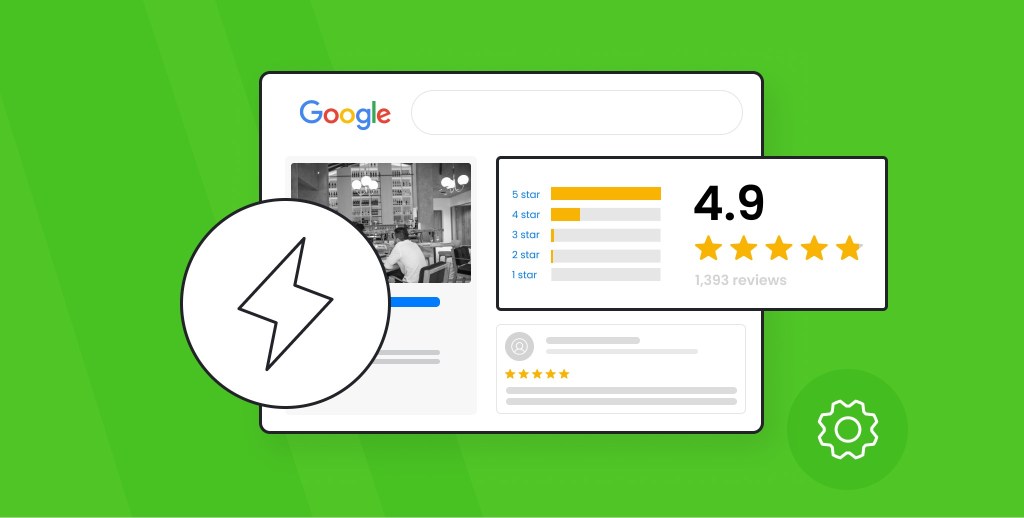
Google reviews have become a cornerstone of digital marketing and brand reputation. They provide social proof, improve SEO, and help attract more customers to your business. However, acquiring Google reviews doesn’t always happen organically. To effectively boost your Google reviews, you’ll need a strategy in place.

In this article, we will discuss 5 strategies to get more Google reviews fast, along with tools such as Google review widgets and Google review plugins that can make this process even easier. Whether you’re a small business owner or a marketer looking to enhance your online presence, these tips will help you build a solid reputation quickly.

1. Ask Customers Directly for Google Reviews

One of the simplest and most effective ways to get more Google reviews is to ask your customers directly. Sometimes, customers are willing to leave a review but just need a gentle nudge or reminder. Asking for a review at the right moment can increase the likelihood of them following through.

How to ask for reviews:

  • Timing: Ask for a review shortly after the transaction when customers are still feeling positive about your product or service. For example, after delivering a product, completing a service, or following up on a positive interaction.
  • Be Clear: Politely ask them to leave a review on Google. You can make it easy by providing a direct link to your Google My Business (GMB) page.
  • Personalize the Request: A personal, friendly approach can help. Thank your customers for their business and let them know that their feedback is important to you.

Tools to help:

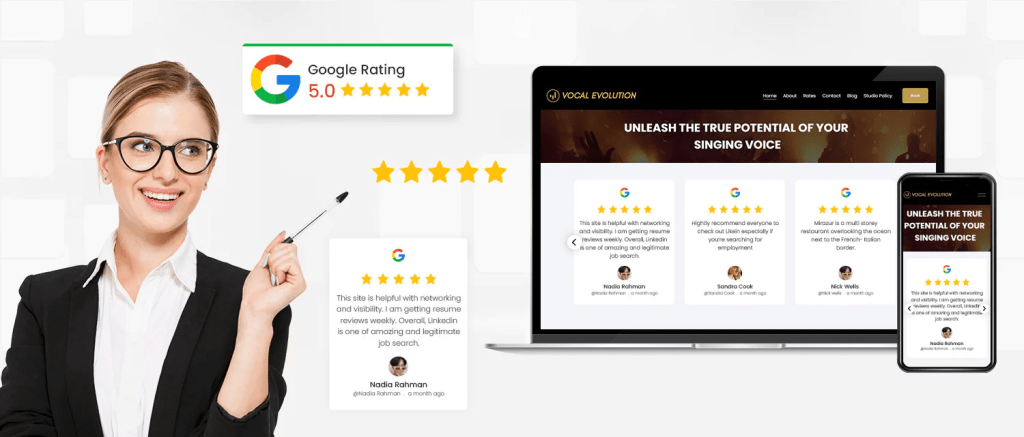
  • Google Review Widget: You can use a Google review widget on your website to make it easy for customers to leave reviews directly. A review widget prominently displays recent reviews and provides an easy way for visitors to leave their own.

By asking directly and making the process simple, you’ll significantly boost the number of reviews you receive.

2. Make It Easy to Leave a Google Review

While asking customers directly is important, you also need to make it easy for them to leave a review. The less effort required from your customers, the more likely they will be to take the time to write a review. This is where technology can really help.

How to simplify the process:

  • Provide Direct Links: Create a direct link to your Google My Business (GMB) review page. You can generate a review link from your GMB dashboard or use services that create a short, shareable link.
  • Send Follow-up Emails: After the transaction or interaction, send customers a thank-you email with a direct link to leave a review. Include clear instructions on how to leave a review.
  • Use QR Codes: If you have a physical store or location, consider using a QR code that leads directly to your review page. Display it on receipts, brochures, or your storefront.

Tools to help:

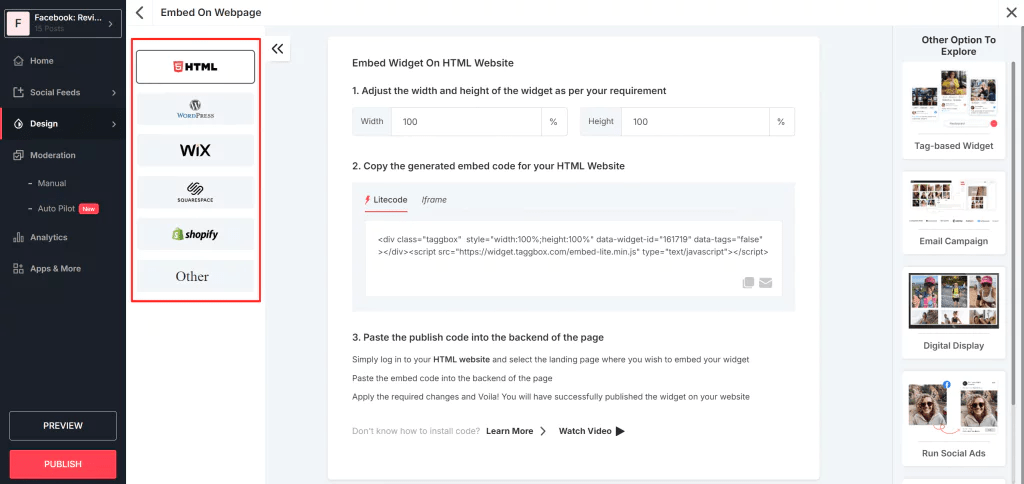
  • Embed Google Review: You can embed Google reviews directly on your website to showcase your existing reviews and encourage new customers to leave their own. An embed Google review feature not only increases visibility but also creates a sense of trust and transparency.

The easier you make it for customers to leave feedback, the more reviews you’ll get. Simplifying the review process will ensure a quicker and more efficient flow of reviews.

3. Leverage Social Media to Ask for Reviews

Social media is an excellent channel for reaching out to your audience and asking for Google reviews. If you already have a following on Facebook, Instagram, or Twitter, use these platforms to ask your customers to leave reviews on Google.

How to leverage social media:

  • Create a Call-to-Action Post: Write a post asking your followers to leave a review on Google. Make sure to include the direct review link, and offer a friendly reminder about how much their feedback matters.
  • Pin the Review Post: Pin the post to the top of your social media page so it gets maximum exposure. You can also make the post more engaging by offering an incentive, like a discount or freebie, for those who leave a review.
  • Share Customer Testimonials: Sharing positive testimonials on your social media channels can motivate others to leave their own reviews.

Tools to help:

  • Google Review Plugin: If you use a content management system (CMS) like WordPress, consider installing a Google review plugin to display your Google reviews directly on your site. This keeps your reviews front and center and makes it easier for customers to engage with them.

When customers see others leaving positive reviews, they’re more likely to do the same. Use social proof to your advantage by sharing your best reviews across your social media platforms.

4. Offer Incentives for Reviews (Without Violating Google’s Guidelines)

Offering incentives for reviews can be a great motivator for customers to leave feedback. However, it’s important to note that Google’s guidelines strictly prohibit offering incentives in exchange for positive reviews. Incentives should be used as a general thank-you gesture, not as a reward for a specific rating. This approach helps build social proof, as authentic, unbiased reviews from satisfied customers are far more valuable in boosting your brand’s credibility and trust.

How to incentivize reviews:

  • Provide a Discount or Special Offer: Offer a small discount or a promotional offer on future purchases for those who leave a review. You could also offer an entry into a giveaway for a chance to win a prize.
  • Reward Customers for Their Time: Show appreciation for the time your customers spend leaving feedback. A simple thank-you note or acknowledgment can go a long way.

Tools to help:

  • Google Review Widget: A Google review widget can help you collect and display reviews from customers who have taken part in your incentive program. This will encourage other customers to leave their reviews and enhance your business’s online presence.

When used correctly, incentives can create a positive experience for customers while boosting the number of reviews you receive. Just make sure to avoid anything that could be construed as “buying” reviews.

5. Respond to Reviews to Encourage More Feedback

Engagement doesn’t stop once you get a review. In fact, responding to reviews — both positive and negative — can create an even stronger connection with your customers and encourage others to leave their feedback.

Why responding to reviews matters:

  • It Shows You Care: When customers see that you are actively engaging with your reviewers, it shows that you value their feedback and are committed to improving your service.
  • Encourages New Reviews: By responding to reviews, you demonstrate that you are attentive to customer input. This can prompt other satisfied customers to leave their own reviews.
  • Resolve Issues: Responding to negative reviews with professionalism and a solution-oriented approach can turn a negative experience into a positive one and help prevent a PR crisis.

Tools to help:

  • Embed Google Review: To make your review responses even more visible, you can embed Google reviews on your website. This showcases not only the feedback but also how you interact with your customers. A positive review interaction creates trust and encourages more feedback from future customers.

By engaging with your customers through responses, you can show that you care about their feedback and make your business seem more approachable and human.

Conclusion

Getting more Google reviews quickly is essential for building trust, improving your online presence, and attracting more customers. By following these five strategies, you can make the process easier for both you and your customers, leading to a steady flow of positive feedback.

Key Takeaways:

  • Ask directly and politely: Engage with customers at the right moment and request reviews through direct links.
  • Simplify the process: Use tools like Google review widgets and embed Google review features to make leaving reviews as easy as possible.
  • Leverage social media: Reach out to your followers and share your existing reviews on your social channels.
  • Offer incentives: Provide a small incentive to encourage customers to leave a review, while adhering to Google’s guidelines.
  • Respond to reviews: Actively engage with reviewers to show appreciation and foster trust.

By making Google reviews a priority in your digital strategy and leveraging tools like Google review plugins and Google review widgets, you can accelerate the growth of your online reputation. The more reviews you collect, the more likely you are to increase your brand’s visibility, customer loyalty, and ultimately, sales.

Digital Marketing, facebook widget, Reviews, Social Media Marketing, Technology

Leveraging Facebook Updates to Promote Your Brand More Effectively

Facebook remains one of the most powerful platforms for digital marketing. However, like all social media networks, it evolves constantly, rolling out updates that impact how content is displayed, how users interact, and how businesses market their products or services. As a marketer, staying on top of Facebook updates marketing is crucial for your brand’s success.

In this article, we’ll explore why these updates matter, how they can impact your marketing efforts, and how to leverage them for better results. Plus, we’ll cover some essential strategies and tools to stay ahead of the game.

1. The Importance of Facebook Updates for Marketers

Facebook’s algorithm and tools are in a constant state of flux. These updates can affect everything from post reach to ad targeting, user engagement, and more. As a marketer, you need to be aware of these changes to ensure you’re using the platform effectively.

Here’s why Facebook updates matter:

  • Changes in Reach: Facebook periodically changes how it distributes organic content. What worked yesterday might not work today, so it’s essential to stay updated.
  • Ad Targeting: The platform regularly tweaks its ad algorithms, which can directly affect the performance of your campaigns.
  • New Features: Facebook often introduces new tools or features that could make a significant impact on your marketing strategy.

By keeping track of Essential Facebook Updates Marketers should know about, you can adapt quickly and stay relevant in an ever-changing digital landscape.

2. Driving Conversion Through Facebook Updates

One of the most important reasons to keep up with Facebook updates marketing is to drive conversions effectively. Facebook’s algorithm changes often focus on enhancing the user experience, which in turn impacts how businesses reach their target audience.

Here’s how the updates can help increase conversions:

  • Improved Ad Targeting: Updates to Facebook’s targeting options (e.g., lookalike audiences or advanced demographic filters) allow marketers to deliver ads to the right people at the right time.
  • Enhanced Mobile Experience: As mobile browsing continues to dominate, Facebook updates frequently improve its mobile app, making it easier for potential customers to make purchases or engage with content.
  • Better Call-to-Action Buttons: With updated call-to-action (CTA) options like “Shop Now,” “Learn More,” and “Book Now,” Facebook makes it easier for users to take the next step after engaging with your content.

These changes are designed to enhance the user experience and, by extension, drive conversion rates higher. Staying up to date on Facebook’s updates ensures that your brand can capitalize on these new features.

3. Social Proof and Its Impact on Marketing

Social proof is one of the most powerful tools in modern marketing. Facebook’s updates often enhance how social proof is displayed, allowing your brand to build credibility and trust with potential customers.

How can you leverage social proof with Facebook updates?

  • Customer Reviews: Facebook regularly updates how reviews are displayed, giving brands more visibility when users leave positive feedback. This social validation can help you gain new customers by showcasing positive experiences from real users.
  • User-Generated Content: With each update, Facebook improves the way user-generated content is shared and promoted. Encourage customers to share their experiences on Facebook and tag your brand, creating organic endorsements that work as powerful testimonials.

By incorporating social proof into your marketing strategy, you can build credibility and inspire trust with potential customers. Facebook updates can help you do this more effectively.

4. Promoting Your Facebook Page: Strategies and Updates

Facebook’s updates often focus on helping businesses promote their pages and increase engagement with followers. But staying ahead of these updates is key to maximizing the effectiveness of your promotion efforts.

Here’s how recent updates have affected promoting your Facebook page:

  • Page Visibility: Facebook has tweaked its algorithm to prioritize more engaging and authentic content. Pages that post high-quality, engaging content tend to be prioritized over those that focus on self-promotion or clickbait.
  • Increased Interaction with Followers: Updates often enhance how businesses can interact with their followers, from responding to comments to sending personalized messages. These features allow businesses to build stronger relationships with their audience.
  • Facebook Groups Integration: Facebook has made it easier for brands to integrate their business pages with Facebook Groups. By creating a community around your brand, you can increase loyalty and organically promote your page.

Staying on top of these updates ensures that you can use Facebook’s full range of promotional tools to boost your brand visibility and grow your follower base.

5. Boosting Your Brand’s Reputation with a Facebook Review Widget

One feature that can significantly improve your marketing strategy is the Facebook widget. With frequent updates to how businesses can display reviews, it’s easier than ever to showcase social proof directly on your website.

Why should you consider adding a Facebook review widget to your website?

  • Instant Trust: Customer reviews build instant credibility. When visitors see positive feedback about your brand, they’re more likely to trust you and convert.
  • Seamless Integration: The Facebook review widget can be easily embedded Facebook feed on your website, allowing you to display the most recent and relevant reviews directly on your homepage or product pages.
  • Increased Engagement: Encouraging customers to leave reviews on Facebook and then showcasing them on your site can increase engagement both on Facebook and your website.

With Facebook regularly updating how reviews are displayed and interacted with, now is the perfect time to integrate a Facebook review widget into your website to improve customer trust and drive more conversions.

6. How to Embed Facebook Reviews on Your Website

Facebook has also improved how businesses can embed Facebook reviews on their websites. If you’re looking for a simple yet powerful way to show off positive customer feedback, embedding Facebook reviews directly into your site is a great option. Using tools like Tagbox, you can easily integrate and display Facebook reviews, creating a seamless and dynamic experience for visitors.

Here’s how embedding Facebook reviews can benefit your business:

  • Improved User Experience: Directly embedding reviews into your product or service pages provides immediate feedback to visitors, which helps them make quicker purchasing decisions.
  • Authenticity: Facebook reviews are perceived as more authentic and trustworthy because they come from real users on a widely recognized platform.
  • More Traffic to Your Facebook Page: By embedding reviews, you encourage visitors to engage with your Facebook page, which can increase traffic and foster a stronger relationship with your audience.

With Facebook making it easier to embed reviews directly from the platform, and with tools like Tagbox helping you integrate them effortlessly, this is an excellent way to leverage the power of social proof and increase engagement with both your website and your Facebook page.

7. Essential Facebook Updates Marketers Should Know

To stay ahead of the competition, it’s important for marketers to keep track of essential Facebook updates. These updates can impact everything from how content is shown to how your ads perform.

Here are some of the most important recent updates for marketers to know:

  • Algorithm Changes: Facebook’s algorithm updates have a significant impact on organic reach. Marketers need to adapt their content strategies to align with the latest algorithm preferences.
  • New Ad Formats: Facebook regularly introduces new ad formats, including Stories Ads and interactive video ads. Staying on top of these changes will help marketers craft more effective ad campaigns.
  • Enhanced Targeting Options: As Facebook gathers more data on user behavior, marketers are gaining access to more advanced targeting features, such as improved lookalike audiences and predictive analytics.

By keeping an eye on essential Facebook updates marketers should be aware of, you can ensure your strategy stays competitive and effective.

Conclusion

Facebook updates are crucial for staying relevant and effective in your marketing strategy. From driving conversion and leveraging social proof to promoting your Facebook page and integrating features like a Facebook review widget or embed Facebook review options, these changes present opportunities for businesses to engage with their audiences in more meaningful ways.

By keeping up with the latest essential Facebook updates marketers need to know, you can ensure your brand thrives in the ever-changing world of social media marketing. Adapt, experiment, and use these updates to your advantage – your brand’s success depends on it.

Uncategorized

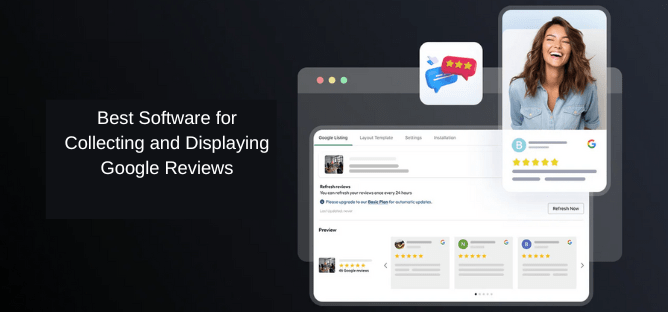
The Best Software for Collecting and Displaying Google Reviews

In the world of e-commerce, online reviews have become one of the most crucial factors influencing consumer behavior. Google reviews, in particular, carry significant weight in building trust and credibility for businesses. By displaying Google reviews on your website, you can effectively showcase customer satisfaction, boost your brand’s credibility, and ultimately drive conversions. However, collecting and displaying Google reviews manually can be time-consuming and difficult to manage. Fortunately, there are various software tools available to streamline this process. In this article, we will explore the best software options for collecting and displaying Google reviews and discuss why integrating these tools can benefit your business.

Why Google Reviews Matter for Your Business

Before diving into the software tools, it’s essential to understand the significance of Google reviews for your business:

  • Building Trust: Google reviews act as social proof, showing potential customers that others have had positive experiences with your business. Positive reviews can help build trust and establish credibility.
  • Improving SEO: Google considers reviews as part of its ranking algorithm. Businesses with more positive reviews are likely to rank higher in local search results, which can result in increased website traffic and more conversions.
  • Customer Decisions: A study by BrightLocal found that 79% of consumers trust online reviews as much as personal recommendations. As a result, displaying Google reviews can significantly influence purchasing decisions.

Best Software for Collecting and Displaying Google Reviews

Now that we understand the importance of Google reviews, let’s explore the best software for collecting and displaying them on your website. Using the right tools will help you showcase reviews effectively and automate the process to save time and resources.

1. Google Review Widget

Google review widget is one of the most efficient ways to display your Google reviews directly on your website. This tool pulls customer reviews from your Google My Business listing and shows them on your site in a clean and easy-to-read format. Here are the key benefits of using a Google review widget:

  • Instant Display: Customers can immediately view your reviews as soon as they visit your website, which increases the chances of conversion.
  • Customizable Design: Most Google review widgets are customizable, allowing you to tailor the appearance to match your website’s design and branding.
  • Easy Integration: Adding a Google review widget to your website is simple and doesn’t require advanced technical skills.

The Google review widget ensures that positive feedback from customers is prominently displayed, making your website more credible and trustworthy.

2. Google Review Automation

Google review automation tools take the hassle out of collecting reviews. Instead of manually requesting reviews from your customers, automation tools allow you to set up automated emails, SMS, or other messaging options to request reviews from your customers at the right time. Here’s why it’s valuable:

  • Time-Saving: You don’t have to worry about sending review requests manually, freeing up your time for other business tasks.
  • Higher Review Volume: Automation ensures that more customers receive review requests, leading to a higher volume of reviews.
  • Consistent Follow-Ups: Automated reminders can be set up to follow up with customers who haven’t left a review yet, increasing your chances of getting valuable feedback.

By automating the review collection process, businesses can gather more customer feedback with minimal effort.

3. Embed Google Reviews

Another great way to showcase customer feedback is to embed Google reviews directly on your website. When you embed Google reviews, you place them directly within your content, allowing customers to see the reviews without leaving your site. This integration can be highly effective for a few reasons:

  • Improved User Experience: Visitors to your site can instantly read reviews, which keeps them engaged without navigating to external platforms.
  • Increased Conversions: Positive reviews can encourage potential customers to take action, whether that’s making a purchase, signing up for a service, or reaching out for more information.
  • Better Trust Signals: Embedding reviews from a trusted source like Google adds credibility to your business and increases trust with potential customers.

By embedding Google reviews, you make it easy for site visitors to engage with the reviews without distractions, potentially increasing conversion rates.

4. Google Review Plugin

A Google review plugin is an excellent tool for businesses that want to integrate Google reviews seamlessly into their website. This plugin helps you collect and display reviews in an attractive, professional manner. Here’s why using a Google review plugin can be beneficial:

  • Easy Integration: Most plugins are designed for easy installation and integration, with little to no coding required.
  • Customizable Display Options: With a Google review plugin, you can choose how reviews are displayed, whether in a grid format, a slider, or a list. This flexibility allows you to match the display style with your website’s design.
  • Advanced Features: Some plugins come with additional features like review sorting, filtering by rating, or displaying reviews from multiple sources.

Using a Google review plugin gives you complete control over how reviews appear on your website, ensuring that they’re displayed in the most effective way possible.

5. Customer Review Widget

A customer review widget is a versatile tool that not only displays Google reviews but also integrates reviews from other platforms such as Yelp, Facebook, or Trustpilot. This can be especially helpful if your business has reviews across multiple sites. The benefits include:

  • Multi-Platform Integration: A customer review widget allows you to display reviews from various sources in one place, giving potential customers a comprehensive view of your reputation.
  • Social Proof: By displaying reviews from multiple platforms, you further enhance your business’s credibility and increase the chances of conversion.
  • Customization Options: Most review widgets are highly customizable, allowing you to match the design and layout with your website’s aesthetics.

A customer review widget enables you to consolidate all your reviews into one place, making it easier for customers to see the full picture of your business’s reputation.

6. Social Media Feed Plugin

A social media feed plugin can help you integrate your social media channels, including Facebook, Instagram, and Twitter, into your website. While this is often used to display posts and updates, you can also use it to showcase customer reviews shared on your social media accounts. This is beneficial for several reasons:

  • Real-Time Updates: Social media feed plugins update automatically, so you can display the most current reviews and customer feedback without any manual effort.
  • Increased Engagement: Visitors can interact with your social media posts directly from your website, encouraging them to follow your social media accounts and engage with your brand.
  • Streamlined Integration: A social media feed plugin allows you to display a cohesive and integrated social media presence, enhancing your online reputation.

Using a social media feed plugin not only helps you display reviews but also keeps your website dynamic by showing real-time customer engagement.

Best Practices for Collecting and Displaying Google Reviews

To maximize the effectiveness of these software tools, consider these best practices:

  1. Ask for Reviews at the Right Time
    Request reviews after customers have had a positive experience with your product or service. Timing is essential to getting higher-quality reviews.
  2. Encourage Honest Feedback
    Encourage customers to provide honest feedback, both positive and constructive. This helps build trust with potential customers and gives you valuable insights for improvement.
  3. Respond to Reviews
    Always take the time to respond to customer reviews, both positive and negative. This shows that you value customer feedback and are dedicated to improving your business.
  4. Highlight Positive Reviews
    Display positive reviews prominently on your website, especially on high-traffic pages such as product pages, landing pages, and your homepage. This maximizes their impact.
  5. Monitor and Moderate Reviews
    Regularly monitor the reviews displayed on your website to ensure they remain relevant and appropriate. Remove spammy or irrelevant reviews and ensure the reviews you show align with your brand’s values.

Conclusion

Displaying Google reviews on your website is one of the most effective ways to increase trust, boost your SEO, and drive conversions. By using the right software, such as a Google review widget, Google review automation, embed Google reviews, Google review plugin, and customer review widget, you can easily collect and display reviews while saving time and effort. Incorporating a social media feed plugin further enhances your online presence by showcasing real-time customer engagement.

By following best practices and utilizing these software tools, you can ensure that your Google reviews work to their full potential, helping you build credibility and ultimately drive more conversions for your business.

Digital Marketing, facebook widget, Social Media Marketing, Technology

Facebook Widgets for E-Commerce: Driving Conversions

Facebook is a powerhouse platform for e-commerce businesses looking to drive traffic, increase engagement, and ultimately boost conversions. With over 2.8 billion active users globally, it offers vast opportunities for small businesses to connect with potential customers. One of the most effective ways to harness Facebook’s potential is by integrating Facebook widgets into your e-commerce website.

In this article, we’ll explore how Facebook widgets can help promote a Facebook presence, increase engagement, and ultimately drive more conversions for your e-commerce business.

What Are Facebook Widgets?

Before diving into the details of how Facebook widgets can help increase conversions, let’s define what they are. Facebook widgets are small interactive elements that can be added to your website. These widgets typically allow your site visitors to interact with Facebook features, such as liking a page, sharing content, or leaving a comment.

Common Facebook widgets include:

  • Like button: Allows visitors to like a specific product or your business’s Facebook page.
  • Share button: Enables easy sharing of content from your website to Facebook.
  • Comment plugin: Lets users leave comments on products or content directly through their Facebook accounts.
  • Facebook Messenger: Provides live chat functionality with customers through Facebook Messenger.
  • Facebook Feed: Displays recent posts from your Facebook page directly on your site.

Benefits of Facebook Widgets for E-Commerce Websites

Integrating Facebook widgets into your e-commerce site can provide numerous benefits. Here are the top advantages:

  1. Promote a Facebook Presence
    • Adding Facebook widgets to your site encourages visitors to follow and engage with your business on Facebook. This helps build a stronger presence on social media and keep your customers connected.
  2. Increase Engagement
    • Facebook widgets make it easy for visitors to interact with your content, whether by liking, sharing, or commenting. This increases user engagement, which in turn can lead to more interactions and conversions.
  3. Improve Social Proof
    • Widgets like the Facebook Like and Share buttons can act as powerful social proof. When users see that others have liked or shared your product, they are more likely to trust your business and make a purchase.
  4. Enhance User Experience
    • Facebook widgets improve the overall user experience by offering seamless integration with Facebook features. This means your visitors can engage without leaving your site, resulting in a more fluid shopping experience.
  5. Increase Traffic
    • Sharing products or content directly to Facebook can help drive additional traffic to your e-commerce site. It helps expand your reach beyond your website’s visitors and into your followers’ networks.

Key Facebook Widgets to Drive Conversions

Now that we know why Facebook widgets are important, let’s dive into the specific widgets you should consider integrating into your e-commerce website to maximize conversions.

1. Facebook Like Button

The Facebook Like button is one of the most popular and recognizable Facebook widgets. This simple tool allows users to show support for your products or content, which can encourage more visitors to make a purchase.

How it helps drive conversions:

  • Builds Trust: A “like” indicates that others approve of a product, making it more likely that visitors will trust your brand and convert.
  • Encourages Social Proof: The more likes your products receive, the more social proof you gather. This can influence potential customers to make a purchase.

2. Facebook Share Button

The Share button allows visitors to share content from your website, such as product pages or blog posts, to their Facebook profiles. This widget can increase the visibility of your products and bring in new customers.

How it helps drive conversions:

Increases Reach: When users share your product with their network, they are exposing your business to a wider audience. This could lead to more potential customers and higher conversion rates. Additionally, when users embed Facebook reviews on your site, they bring positive social proof, which can further enhance credibility and attract new customers.

Promotes Word-of-Mouth Marketing: Social shares are an effective form of word-of-mouth marketing, which has a significant impact on consumer decisions. Embedding Facebook reviews also contributes to this by showcasing authentic customer experiences, influencing potential buyers to make confident purchasing decisions.

3. Facebook Comment Plugin

The Facebook Comment plugin lets users comment on your product pages using their Facebook accounts. Comments can create a conversation around your products and help foster a community around your brand.

How it helps drive conversions:

  • Facilitates Social Proof: When users leave comments or reviews on your product pages, it builds trust for future customers.
  • Encourages Interaction: Comments give your customers an opportunity to ask questions and engage directly with your brand. Responding to these interactions helps build relationships, which can increase conversions.

4. Facebook Messenger Chat Plugin

The Facebook Messenger chat plugin allows your website visitors to communicate directly with your business via Facebook Messenger. This real-time communication is a great way to answer questions and address concerns that may be preventing a customer from completing their purchase.

How it helps drive conversions:

  • Instant Support: Providing immediate responses to customer questions or concerns can increase the likelihood of a successful sale.
  • Builds Relationships: Direct communication with potential customers helps build trust and can make them more comfortable completing a transaction.

5. Facebook Page Feed

The Facebook Page Feed widget lets you display your latest Facebook posts on your website. It helps keep your website content fresh and encourages visitors to follow you on Facebook for updates.

How it helps drive conversions:

  • Showcases New Products: You can promote new products, special offers, or sales directly on your website.
  • Encourages Social Following: By displaying your social media activity on your website, visitors are more likely to follow you on Facebook, leading to long-term engagement and potential future purchases.

6. Facebook Reviews Plugin

Customer reviews are a powerful tool in driving e-commerce conversions. The Facebook Reviews plugin allows you to display user reviews from your Facebook page directly on your website. Additionally, by integrating a Facebook feed, you can showcase real-time updates and interactions from your Facebook page, further enhancing social proof and engagement. This combination of reviews and live feed can help build trust and encourage visitors to convert into customers.

How it helps drive conversions:

  • Social Proof: Positive reviews from real customers build trust and make it easier for potential buyers to make purchasing decisions.
  • Encourages User-Generated Content: When customers see that their reviews could be showcased on your website, they may be more likely to leave feedback, which can improve future conversions.

    Read also: Key Benefits of Adding Social Media Feeds on Websites!

How to Integrate Facebook Widgets into Your E-Commerce Website

Integrating Facebook widgets into your e-commerce website is relatively simple and can be done in a few steps. Here’s how:

Step 1: Sign Up for a Facebook Developer Account

To integrate Facebook widgets into your site, you’ll need a Facebook Developer account. Visit the Facebook Developers site and create an account if you don’t already have one.

Step 2: Choose the Widget You Want to Add

Navigate to the Facebook for Developers page and choose the widget you want to add to your website. Facebook offers various tools and resources to customize widgets, from Like buttons to Messenger plugins.

Step 3: Customize Your Widget

Once you’ve selected a widget, customize it according to your needs. This can include choosing colors, size, layout, and other settings to match your website’s design.

Step 4: Copy the Code

After customizing your widget, Facebook will provide you with a piece of HTML code that you need to embed Facebook feed into your website.

Step 5: Paste the Code into Your Website

Paste the code into the appropriate section of your website’s HTML. This is typically done within the source code of the page where you want the widget to appear.

Step 6: Test and Optimize

Once the widget is installed, test it to ensure it’s working properly. Monitor how your audience is interacting with the widget, and optimize it based on engagement and conversion data.

Best Practices for Using Facebook Widgets to Drive Conversions

To get the most out of Facebook widgets, keep these best practices in mind:

1. Place Widgets Where They’re Easy to Find

Ensure that your widgets are placed in visible and strategic locations on your website, such as product pages, checkout pages, or blog posts. This increases the chances that your visitors will interact with them.

2. Make Widgets Mobile-Friendly

Since many Facebook users access the platform via mobile devices, ensure that the widgets are optimized for mobile. Facebook provides mobile-friendly versions of most widgets to ensure a seamless user experience.

3. A/B Test Widget Placement and Design

Try testing different widget placements and designs to see which ones result in the highest engagement and conversion rates. A/B testing can help you find the best combination for your e-commerce business.

4. Use Widgets in Combination

Combine multiple Facebook widgets on your site for maximum impact. For example, use the Like and Share buttons together to encourage social sharing and increase the visibility of your products.

5. Encourage Customers to Leave Reviews

Prompt customers to leave reviews on your Facebook page by offering incentives or making it easy for them to do so. Displaying these reviews on your website can greatly influence potential buyers.

Read Also: Top 5 Social Media Feed Plugins for WordPress Website

Conclusion

Incorporating Facebook widgets into your e-commerce website is a powerful strategy to drive conversions, engage visitors, and increase your brand’s visibility. These widgets not only encourage social interaction but also help build trust with your audience through social proof, reviews, and direct communication. By promoting a Facebook presence on your site and increasing reach and engagement through interactive features, you can create a seamless experience that boosts conversions and ultimately grows your small business.

So, whether you’re just starting out or looking for ways to optimize your existing e-commerce site, Facebook widgets are a simple yet effective way to take your business to the next level.

Digital Marketing, Reviews, Technology

The Ultimate Guide to Google Reviews for Restaurants: Best Practices and Tips

In today’s digital world, online reviews are more important than ever, especially for restaurants. Among the various platforms where reviews are posted, Google reviews hold significant weight. They impact your google review restaurant’s visibility on Google, affect your search rankings, and influence potential customers’ decisions. This guide is designed to walk you through the best practices for obtaining and managing Google reviews to enhance your restaurant’s online presence and reputation.

Why Google Reviews Matter for Restaurants

Before diving into the strategies for increasing your Google reviews, let’s take a moment to understand why they matter:

  • Increased Online Visibility: Positive Google reviews improve your restaurant’s chances of appearing in local search results, making it easier for customers to find you.
  • Boosted Trust and Credibility: Customers trust online reviews almost as much as personal recommendations. Great reviews can persuade potential customers to choose your restaurant over competitors, leveraging social proof to demonstrate your quality and reliability.
  • Improved SEO Rankings: Google’s search algorithms favor businesses with higher-quality reviews, which can increase your restaurant’s rankings in local search results.
  • Higher Conversion Rates: Customers are more likely to visit your restaurant when they see positive feedback from other diners, leading to increased reservations and foot traffic. The positive social proof created by glowing reviews can significantly influence a potential customer’s decision to dine with you.

Now that you understand the importance of Google reviews, let’s explore the best practices for obtaining and managing them.

1. Create a Google My Business Profile

To get started with Google reviews, you need a Google My Business (GMB) profile. This free business profile is essential for any small business like a restaurant looking to boost its online presence.

Steps to set up your Google My Business profile:

  • Claim your business: Visit the Google My Business website and search for your restaurant. If it’s listed, claim ownership; if not, create a new listing.
  • Complete your profile: Fill in all the necessary details, such as your business name, address, phone number, hours of operation, and website link.
  • Add attractive photos: Upload high-quality images of your restaurant, food, and ambiance. Photos improve engagement and make your restaurant more appealing to potential customers.
  • Verify your business: Google will require you to verify your restaurant’s information via phone, email, or mail before your listing becomes active.

Once your profile is live, your restaurant will be ready to start collecting reviews from customers.

2. Ask Customers for Reviews (The Right Way)

One of the simplest yet most effective ways to garner Google reviews is by asking your customers directly. However, it’s important to approach this request in a way that doesn’t feel pushy or intrusive.

Best Practices for Asking for Reviews:

  • Timing is key: Ask for a review when customers are happiest—after a great meal or when they’ve expressed satisfaction with their dining experience.
  • Make it easy: Provide a direct link to your Google review page, either on your website or through a follow-up email. You can even add a Google review widget to your site, making it easier for customers to leave feedback with just a few clicks.
  • Personalize your request: Instead of a generic ask, personalize the message based on the customer’s dining experience. If they mentioned they loved the food or the service, remind them of that when requesting a review.
  • Leverage staff: Train your servers and front-of-house team to kindly request reviews at the end of the meal. It helps when employees are enthusiastic and genuinely care about customer feedback.

Example Request:

“We hope you enjoyed your meal! If you have a moment, we’d love for you to share your experience with others on Google. Here’s the link to leave a review: [Insert link]. Your feedback means the world to us!”

“Engage Your Visitors with Authentic Customer Reviews. Start Free with Tagbox!”

3. Use a Google Review Widget on Your Website

To make it as easy as possible for your customers to leave reviews, consider adding a Google review widget to your WordPress website. A Google review widget allows visitors to your website to read and leave reviews directly from your site, streamlining the review process and encouraging more participation.

How to Add a Google Review Widget to Your Website:

  1. Choose a widget provider: Many third-party tools like Tagembed offer Google review widgets that can easily be embedded into your website. These tools usually have customization options to match the look and feel of your website.
  2. Generate a widget: After selecting a provider, connect your Google My Business account to generate a widget that displays recent reviews.
  3. Embed the widget: Once the widget is created, you’ll receive a code that can be added to your WordPress website. Paste the code into your website’s HTML where you want the widget to appear, such as on your homepage or a dedicated reviews page.
  4. Customize the display: Customize the widget’s appearance to match your website’s design, including review ratings, number of reviews, and layout style.

Why Use a Google Review Widget?

  • Increases trust: Having live, up-to-date reviews displayed directly on your site shows prospective customers that you’re trustworthy and transparent.
  • Encourages customer reviews: When customer review visitors see the reviews already on your site, they may be more inclined to add their own feedback.
  • Convenience for customers: It’s easy for customers to leave a review when they don’t have to leave your website. The widget makes the process quick and simple.

4. Respond to Reviews (Positive and Negative)

Engaging with your customers by responding to their reviews—both positive and negative—is critical to maintaining a good relationship with your audience and showcasing excellent customer service.

Why Responding Matters:

  • It shows you care: Replying to reviews lets customers know that you value their feedback and care about their experience.
  • It builds relationships: Responding to reviews can turn a one-time diner into a loyal customer, especially when you address their concerns or thank them for their compliments.
  • It improves SEO: Google rewards businesses that actively engage with reviews, which can improve your local search rankings. Additionally, you can make it easier for customers to leave and view reviews by integrating a review plugin for WordPress website, streamlining the process and enhancing your interaction with customers.

How to Respond to Positive Reviews:

  • Express gratitude: Acknowledge the reviewer’s kind words and thank them for their feedback.
  • Be specific: Reference something specific they mentioned, such as a dish they loved, to make your response more personal.
  • Encourage them to return: Invite the customer back with an invitation to try new menu items or special offers.

Example Response:

“Thank you so much for the kind words! We’re thrilled to hear that you enjoyed the pasta. We’d love to have you back soon to try our new seasonal dessert menu. See you again soon!”

How to Respond to Negative Reviews:

  • Acknowledge the issue: Address the customer’s complaint in a polite and professional manner.
  • Apologize sincerely: Even if the issue was beyond your control, offer a genuine apology.
  • Offer a solution: If possible, suggest a remedy for the problem they encountered or invite them to contact you directly to discuss further.
  • Take it offline: If the issue is complex or sensitive, offer to resolve it privately via email or phone.

Example Response:

“We’re very sorry to hear that your experience wasn’t up to our usual standards. We take all feedback seriously and would love to make things right. Please contact us at [email] so we can address your concerns directly.”

5. Utilize a Marketing Tool to Automate Review Requests

If you’re finding it challenging to stay on top of review requests, consider using a marketing tool that automates the process. Many tools integrate with Google My Business and allow you to send automated email or SMS requests to customers after their visit.

Benefits of Using a Marketing Tool:

  • Saves time: Automation ensures that review requests are sent promptly without requiring manual follow-up.
  • Personalized requests: Many tools allow you to personalize the message based on customer data.
  • Track results: You can easily monitor how many requests were sent and how many reviews you’ve received.

Popular tools like ReviewPush and Trustpilot allow restaurants to create and manage review requests, helping you stay proactive and on top of the process.

6. Promote Positive Reviews on Social Media

Once you start accumulating positive Google reviews, don’t keep them to yourself. Share them on your social media channels to spread the word about your excellent reputation.

Tips for Sharing Reviews on Social Media:

  • Create visually appealing posts: Use eye-catching graphics to display the review along with the customer’s feedback.
  • Tag the customer (if possible): If the customer’s review is shared publicly on social media, tag them to make the post more personal.
  • Encourage others to leave reviews: Use your social media platforms to remind your audience to leave reviews after dining with you.

Example Post:

“We’re so grateful for our amazing customers! Check out this lovely review from [Customer Name]. If you’ve dined with us recently, we’d love to hear about your experience on Google!”

Conclusion

Google reviews are a powerful tool for increasing your restaurant’s visibility, building trust with customers, and improving your SEO rankings. By following these best practices, including setting up a Google My Business profile, asking customers for reviews the right way, responding to feedback, and utilizing marketing tools, you can create a strategy that encourages positive reviews and strengthens your restaurant’s reputation.

Implementing a Google review widget on your WordPress website makes it even easier for customers to leave feedback, while responding to reviews helps build lasting relationships with your clientele. Remember, the more active and engaged you are with your customers online, the greater the rewards for your restaurant.

Start following these strategies today and watch your Google reviews—and your restaurant’s success—grow.

Uncategorized

How to Use Google Reviews Automation to Create Social Proof

In the age of digital marketing, customer feedback plays a crucial role in influencing purchase decisions. Google reviews are among the most impactful forms of feedback that businesses can leverage to establish their online reputation and grow their brand. However, managing Google reviews can be time-consuming, especially if you’re relying on manual methods. This is where Google Reviews Automation comes into play.

By automating the process of collecting and displaying Google reviews, you can significantly enhance your brand’s reputation, establish social proof, and ultimately drive more conversions. In this article, we will explore how you can use Google Reviews Automation to create social proof for your business. Let’s dive in!

What is Social Proof and Why Does It Matter?

Social proof refers to the psychological phenomenon where people are more likely to trust and follow the actions of others, especially in situations of uncertainty. In the context of your business, social proof comes in the form of customer reviews, testimonials, ratings, and experiences shared by others.

Here’s why social proof matters for your brand:

  1. Builds Trust: Positive reviews act as a third-party endorsement, reassuring potential customers that your products or services are reliable and of high quality.
  2. Boosts Conversions: Customers are more likely to purchase from a business that has numerous positive reviews. The more social proof you have, the higher your chances of converting visitors into buyers.
  3. Increases Brand Authority: A business with a strong collection of positive reviews and testimonials is seen as an authority in its field, gaining the trust of potential clients.

Now that we understand the importance of social proof, let’s explore how Google Reviews Automation can help you create and amplify it for your business.

“Turn Customer Feedback Into Sales! Try Tagbox’s Google Review Widget Now.”

How Google Reviews Automation Works

Google Reviews Automation allows businesses to streamline the process of collecting, managing, and displaying customer reviews directly on their website or other marketing channels. With automated systems, you can encourage customers to leave reviews, monitor new feedback, and automatically showcase reviews that build credibility.

1. Automate the Request for Reviews

One of the most effective ways to build social proof through Google Reviews is by encouraging your satisfied customers to leave reviews. However, asking for reviews manually can be tedious, especially if you have a large customer base. That’s where automation comes in.

With Google Reviews Automation, you can:

  • Send Automated Review Requests: Set up automated emails or text messages to customers after a purchase or service experience, prompting them to leave a Google review.
  • Customize the Timing: Choose when to send review requests, whether it’s immediately after a transaction or a few days later to ensure a better response rate.
  • Personalize the Message: Personalization increases the likelihood that customers will follow through with leaving a review. Automated messages can be tailored with the customer’s name and specific details about their experience.

Example:

Using a tool like Tagembed, you can set up a sequence of automated emails with a request for feedback. These emails can contain direct links to your Google review page, making it easier for customers to leave reviews without navigating through multiple steps.

2. Leverage Positive Reviews as Social Proof

Once you’ve gathered reviews, the next step is to put them to work. Google Reviews Automation doesn’t just help you collect reviews, it also enables you to display them strategically across your website and marketing materials.

Here’s how to leverage positive reviews as social proof:

  • Display Reviews on Your Website: Use a Google Review to display your reviews directly on your site. This is a great way to showcase your social proof in real time and increase trust among potential customers. A Tagembed Google review widget can pull reviews directly from your Google business profile and display them seamlessly.
  • Highlight Reviews in Marketing Materials: Use snippets of positive reviews in your email campaigns, social media posts, and advertisements. Featuring customer testimonials prominently can influence the decision-making process of potential clients.

Tip:

Use review data to create compelling case studies or success stories that illustrate how your product or service has made a positive impact. This builds even stronger social proof and shows prospective customers that others have achieved great results.

Read Also:- 12 Proven Ways to Increase Google Restaurant Reviews | Ultimate Guide

3. Automate the Monitoring of Reviews

Another critical aspect of creating social proof is responding to reviews quickly. Google’s algorithm favors businesses that engage with their customers, and responding to both positive and negative feedback is a great way to build credibility.

With Google Reviews Automation, you can:

  • Get Instant Notifications: Automate alerts whenever a new review is posted on your Google Business Profile. This allows you to quickly respond to customers, whether it’s to thank them for a positive review or address concerns in a negative one.
  • Respond Promptly and Professionally: Timely responses to reviews signal that you care about your customers’ opinions. An automated system can help you stay on top of new reviews and prevent any negative feedback from going unnoticed.

4. Encourage Ongoing Engagement

Even after receiving an initial review, it’s important to continuously engage with your customer base to maintain and grow your social proof.

Here’s how you can do this:

  • Send Follow-Up Requests: After a customer leaves a review, automate a follow-up email thanking them for their feedback and encouraging them to share their experience on social media.
  • Ask for Feedback Regularly: Set up automated requests for reviews at periodic intervals, ensuring a steady stream of fresh social proof.

Automating follow-ups and engagement ensures that your business keeps collecting positive reviews, which, in turn, keeps building your brand’s social proof.

5. Use Google Reviews Automation to Strengthen SEO

In addition to creating social proof, Google reviews can also boost your SEO. The more reviews your business accumulates, the higher your chances of ranking higher in search engine results pages (SERPs). Google’s algorithm factors in the volume, recency, and quality of reviews when determining a business’s search ranking.

Google Reviews Automation contributes to SEO by:

  • Increasing the Quantity of Reviews: Automating the review process helps gather more feedback without requiring manual effort, leading to a higher volume of reviews.
  • Improving Freshness: Regularly collecting reviews ensures that you have a continuous stream of recent feedback, which is important for SEO rankings.
  • Boosting Local SEO: Reviews also play a critical role in local SEO, improving your visibility for location-based searches. Automating reviews can help ensure you maintain a steady stream of positive feedback on your Google business profile.

6. Streamline Review Display with a Google Review Widget

One of the easiest ways to showcase your social proof in real-time is by using a Google Review Widget. These widgets automatically display Google reviews on your website, social media profiles, and other marketing channels. With a widget, you don’t have to worry about updating testimonials manually or missing a review.

  • Benefits of a Google Review Widget:
    • Automatic Updates: As soon as a new review is posted, it’s displayed on your website, ensuring your reviews are always up-to-date.
    • Customizable Design: You can adjust the design of the widget to match your website’s branding, ensuring a seamless integration.
    • Boost Trust: Displaying real-time reviews directly on your website builds immediate trust with visitors.

Tagembed’s Google Review Widget makes this process seamless by pulling live reviews directly from your Google My Business account and displaying them without requiring manual input.

7. Analyze Your Reviews to Improve Customer Experience

Using Google Reviews Automation can also help you analyze your reviews and customer feedback more effectively. By automating the review collection and display process, you can gain valuable insights into what customers love about your brand and where you may need to improve.

  • Identify Patterns in Customer Feedback: Use analytics tools to look for recurring themes in reviews. Are customers praising your customer service? Are they mentioning specific products or features they love?
  • Address Negative Feedback: Automating review collection ensures you are always aware of any negative feedback. Responding to concerns promptly demonstrates your commitment to improving the customer experience.

Conclusion: Automating Social Proof with Google Reviews

Google Reviews Automation is a powerful tool for creating social proof that builds trust, drives conversions, and enhances your brand’s reputation. By automating the collection, display, and management of reviews, you can ensure a continuous flow of authentic feedback that reassures potential customers.

With tools like Tagembed and a Google Review Widget, you can effortlessly display your reviews across multiple platforms and make them an integral part of your marketing strategy.

By using automation, you not only save time but also improve your SEO rankings, strengthen customer loyalty, and increase sales. So why wait? Start automating your Google reviews today, and watch your social proof grow!

Uncategorized

Boost Your Business: Promote a Facebook Page for Free in 2025

Promoting a Facebook page for free:-

Promoting a Facebook page for free in 2025 is still one of the best ways to reach a wider audience, build your brand, and grow your business. While Facebook’s paid ads offer great targeting options, it’s entirely possible to create a thriving page and engage with your audience without spending a dime. In this guide, we’ll walk you through the best strategies to promote your Facebook page for free, including helpful tips like embedding your Facebook feed to maximize visibility.

Whether you’re a small business owner, content creator, or entrepreneur, this step-by-step approach will help you take full advantage of Facebook’s tools.

1. Optimize Your Facebook Page

Before diving into promotional strategies, make sure your Facebook page is set up for success. An optimized page will not only help you stand out but also make it easier for users to find and engage with your business.

  • Create an attention-grabbing profile and cover photo: Your profile picture and cover photo should represent your business, whether it’s a logo, product shot, or a unique design. Use high-quality images that reflect your brand.
  • Complete the ‘About’ section: Fill out all the necessary details, including your business description, location, contact info, and website link. An informative ‘About’ section builds trust and makes it easy for people to connect with you.
  • Add a Call to Action (CTA): Facebook lets you set up a CTA button (e.g., “Shop Now,” “Contact Us,” or “Sign Up”). This can encourage visitors to take the next step and engage with your business.

2. Post Engaging Content Regularly

Creating valuable and shareable content is one of the most effective ways to organically promote your Facebook page. Here’s how you can maximize the impact of your posts:

  • Post consistently: Aim to post regularly, whether it’s daily or a few times a week. Consistency keeps your brand top-of-mind for followers.
  • Mix up your content: Don’t rely solely on text updates. Use a mix of videos, images, infographics, and links. Experiment with live videos, which often receive higher engagement than standard posts.
  • Craft compelling captions: Your captions should encourage action. Ask questions, share personal stories, or share industry tips. Captivating captions prompt users to comment, like, or share, expanding your reach.
  • Embed Facebook feed on your website: For added exposure, consider embedding your Facebook feed on your website. This not only keeps your site dynamic but also encourages website visitors to follow your page.

3. Encourage Interaction and Build Engagement

The more people interact with your posts, the more Facebook will show your content to others. Fostering engagement can be done in many ways:

  • Ask questions: Get your audience involved by asking questions that spark conversations. For example, ask for opinions on a product or a recent trend.
  • Host giveaways and contests: These are great for boosting engagement. Encourage followers to tag friends, share your posts, or comment for a chance to win a prize.
  • Use Facebook Stories: Stories are a powerful way to engage users in real-time. Use polls, quizzes, or behind-the-scenes content to keep your followers interested.
  • Respond to comments: Make sure to reply to comments on your posts. Engaging with your audience shows that you care and helps build a loyal community.

4. Join Relevant Facebook Groups

Facebook Groups are a great way to network with people in your niche, share valuable content, and grow your audience organically. Here’s how to make the most of them:

  • Find and join relevant groups: Search for groups where your target audience is likely to hang out. These could be industry-specific groups, local business communities, or groups based on shared interests.
  • Add value, don’t just promote: Become an active participant in these groups. Share your expertise, help others with questions, and provide valuable insights. Avoid spamming the group with constant self-promotion; instead, focus on contributing meaningful content.
  • Share your page when appropriate: If a group allows self-promotion or has a dedicated day for sharing, use this opportunity to invite members to follow your Facebook page.

5. Collaborate with Other Pages and Influencers

Collaboration is one of the most effective ways to expand your reach on Facebook, especially when you partner with businesses or influencers who already have an established audience.

  • Partner with complementary businesses: Find businesses that share your target audience but aren’t direct competitors. You can collaborate on content, co-host events, or run joint promotions.
  • Collaborate with influencers: Micro-influencers are particularly effective for small businesses. Reach out to influencers whose followers would resonate with your brand and propose a mutually beneficial partnership.
  • Cross-promote on social media: Promote each other’s Facebook pages on your other social media accounts. You can share a post about your partnership or tag each other in relevant posts.

6. Host Facebook Live Events

Live video is one of the most engaging forms of content on Facebook, and it’s completely free to use. Facebook Live helps you connect with your audience in real-time, answer questions, and showcase your business or products.

  • Plan engaging live sessions: Consider hosting Q&A sessions, product demonstrations, or behind-the-scenes tours of your business. Encourage viewers to participate by asking questions or sharing their opinions.
  • Promote your live events in advance: Let your audience know when you’ll be going live, and remind them to tune in. This increases the chances of getting more viewers and engagement during the broadcast.
  • Save your live videos: After your live session, make sure to save and share the video on your Facebook feed for those who may have missed it.

7. Utilize Facebook’s Free Advertising Features

While Facebook ads are a paid option, you can still leverage some of the free advertising tools Facebook offers.

  • Pin important posts: Pinning a post to the top of your page ensures it’s the first thing new visitors see. This is a great way to highlight promotions, new products, or important updates.
  • Invite friends to like your page: Facebook allows you to invite your friends to like your business page. Don’t hesitate to ask your friends and family to help promote your page to their networks.
  • Encourage reviews and recommendations: Ask satisfied customers to leave reviews or recommendations on your page. Positive feedback serves as social proof and helps build trust with new potential followers.

8. Optimize Your Page for Local Search

If you’re a local business, making sure that your Facebook page appears in local search results can help you attract nearby customers.

  • Complete your address and business hours: Add your business location and operating hours to your page. This makes it easy for people to find you when they search for businesses in their area.
  • Use location tags in your posts: When sharing photos or content related to your physical location, use location tags. This can increase the chances of your page showing up in local searches.

9. Embed Your Facebook Feed on Your Website

To increase the visibility of your Facebook page, consider embedding your Facebook feed directly onto your website. This tactic does several things for your business:

  • Increases visibility: Visitors to your site will be able to see your latest Facebook posts, which encourages them to follow your page.
  • Promotes engagement: Displaying your Facebook feed on your website can lead to more interactions as people see your content and engage with it directly on Facebook.
  • Builds social proof: When people see that others are interacting with your posts, it adds credibility and trust to your brand.

10. Encourage User-Generated Content (UGC)

User-generated content (UGC) is a powerful form of social proof. It not only helps you promote your page organically, but it also strengthens the relationship with your audience.

  • Ask your followers to share their experiences: Encourage customers to post photos or videos of your products in use. Offer incentives like discounts or prizes to motivate them to participate.
  • Share UGC on your page: Reposting content created by your customers gives them recognition and shows that you value their support. Plus, it introduces your business to their audience.

Final Thoughts

Promoting a Facebook page for free in 2025 is entirely possible if you leverage the right strategies. From optimizing your page to embedding your Facebook feed on your website, these tactics will help you grow your audience and boost engagement without spending money on ads.

Stay consistent with your efforts, engage with your followers, and be proactive in finding opportunities for collaboration and networking. With patience and dedication, your Facebook page will become a powerful tool for growing your business and reaching new customers.

Social Media Marketing

YouTube Shorts Monetization: A Complete Guide to Unlocking Revenue

YouTube Shorts has arrived to disrupt the content space by offering a platform for short, snappy video clips that attract audiences within a few seconds. While the mini-clips entertain and connect audiences, they promise to bring money-making avenues for their creators as well. YouTube Shorts Monetization has brought these fast videos to strong flows of income, bringing creative people the opportunity of moneymaking too. Whether you’re a seasoned creator or a newcomer, understanding how to earn money with YouTube Shorts is crucial for success in this ever-evolving digital space.

Statistics And Insights on YouTube Shorts Monetization

Here are some statistics and insights on YouTube Shorts monetization for 2024:

1. Revenue Sharing Model

YouTube, as of 2023, launched a revenue-sharing model for Shorts. Revenue generated by ads displayed in the Shorts feed is pooled and shared among creators, proportional to their monetized Shorts views. Creators get 45% of the revenue share, and YouTube gets 55%.

2. Earning Potential

The average RPM of YouTube Shorts is between $0.05 and $0.07, less than traditional long-form videos but compensated by the potential for high view volumes.

3. Eligibility Requirements

  • Full monetization through the YouTube Partner Program (YPP) requires 1,000 subscribers and either 4,000 valid watch hours in the last 12 months or 10 million valid public Shorts views in the last 90 days.
  • A new extended YPP lets creators who have 500 subscribers and 3 million valid views of Shorts in the past 90 days monetize through activities such as super chat, fan funding, and product placements, but excludes ad revenue sharing.

4. Reach and Views

  • Shorts dramatically increase engagement and reach the most popular genres of entertainment and food & beverage, averaging millions of views per video.
  • Such influencers as Sydney Morgan and Mrwhosetheboss were using Shorts to reach a wider audience, with some generating millions in ad shares and sponsorships.

5. Marketing Value

Already 43% of U.S. ad buyers are using YouTube Shorts for paid advertising, so product discovery is a key aspect of this platform, particularly within the EMEA region.

How YouTube Shorts Monetization Works

YouTube Shorts Monetization is part of a larger push by YouTube to make monetizing for creators easier through monetizing for YouTube Shorts. Though long videos on YouTube earn revenue strictly through AdSense for Ads, the model on shorts is different. As far back as 2021, YouTube had its shorts $100 million pool named Shorts Fund that compensates frequently featured creators with original, relevant content aligned to all community guidelines and view thresholds.

This fund is not based on advertisements but as a reward for creativity and audience engagement.

Recently, YouTube added ads to the Shorts feed, thus expanding its monetization options for Shorts. With this new model, creators can earn a share of the revenue generated from those ads. Brand sponsorships and affiliate marketing opportunities, in addition to this new source of income, have made Shorts a viable option.

Six Better Ways To Monetize YouTube Shorts Quickly

Here are some of the points which help you to succeed on YouTube.

1. Building quality shorts

Quality is the first step to success on YouTube Shorts Monetization. The format is short and swift, so it must captivate attention within the first few seconds. It would be a high-definition video with interesting storylines or music or sound effects to grip an audience. Shorts are very relatable and humorous, and when the contents are aligned with trending topics or viral challenges, this can dramatically increase their appeal.

The creators should also keep their target audience in mind. For instance, when using YouTube Shorts for business purposes, your content will most likely be quick tutorials, product highlights, or tips on your industry. On the other hand, creators looking to entertain can experiment with skits, memes, or creative storytelling.

2. Engagement Is Key

Engagement is the lifeblood of YouTube Shorts Monetization. YouTube’s algorithm favors videos that encourage interaction, including likes, shares, comments, and subscriptions. The best way to achieve maximum engagement is through posing questions or even just issuing challenges. For instance, you can ask your viewers questions like, “What is the best productivity hack that you have learned lately?” or challenge them to try to recreate a scene from your video.

The calls to action would be made effective- use call-to-actions. Examples can be “like the video if you enjoy this.” or “Subscribe for even more tips regarding earning through the YouTube Shorts video.” Those engagements that are initiated through these calls to action create reactions from your audience, straight away. Visibility is better here.

3. Use YouTube Playlists

Although Shorts are individual pieces, they can be very effective when integrated into a larger content strategy. One of the best ways to do this is through a YouTube playlist. Playlists group similar content together for a seamless viewing experience that encourages audiences to binge-watch your videos. For instance, if you are a fitness creator, you can create a playlist titled “Quick Fitness Tips” that consists of your Shorts as well as longer workout tutorials.

Playlists also enhance your channel’s SEO. The more relevant keywords in the playlist title and description, such as “YouTube Shorts Monetization” or “Quick Fitness Tips,” the more likely it is that new viewers see your content.

4. Embedding Shorts for a Wider Reach

Another good strategy to increase the visibility of your Shorts is to extend that reach beyond YouTube. Putting the YouTube Shorts on your website or blog allows you to reuse your content to a wider audience. If you have a small business, you can put those YouTube Shorts about your products on the front page of your website. Not only will that engage more users on your website, but it also bounces traffic back to your YouTube channel.

The process of embedding YouTube Shorts is quite straightforward and mirrors how you embed longer YouTube videos. Adding your Shorts to your digital platforms creates a consistent presence across multiple touchpoints, increasing your chances of monetization through higher view counts and greater brand visibility.

5. Monetization Opportunity Beyond Advertisements

While ads and the Shorts Fund are among the largest revenue streams, there are several other monetization options. These include:

Brand Collaborations: Brands will come to you once your Shorts start getting popularity. You can make money for sponsored content by creatively showing a product or service in a 60-second video.

Affiliate marketing: You can include links on your videos that pay you commissions anytime those links are clicked and people purchase the goods through such links.

Merchandise sales: If you build an extremely strong personal brand, use it to sell your very own t-shirts, mugs, or digital products to the interested public.

6. Optimizing for the Algorithm

Understanding the YouTube algorithm is vital for maximizing the reach and monetization potential of your Shorts. The algorithm evaluates factors like viewer retention, engagement rates, and consistency. Posting regularly ensures that your content remains fresh and signals to YouTube that you’re an active creator worth promoting. Short-creating with engagement is also rewarded by the YouTube algorithm for keeping on the platform. And herein lies the magic of integrating Shorts into playlists-double effectiveness. You keep engagement within the viewer, and their watch time will satisfy yet another preference by the algorithm.

Why YouTube Shorts Monetization Matter to Small Businesses

The cheapest way of doing marketing for products and services in the market for any small business would be on Shorts. One can indicate new arrivals, give quick tips, or share customer testimonials about a product within a gigantic audience without significant investments, and embedding YouTube Shorts is further enhanced by this sense, making it a centralized element of your digital strategy.

Final Thoughts

YouTube shorts monetization has been an open road for the creator and commercial world of short-form content to translate into meaningful income. This will focus you on better production, crowd engagement, and embedding features and playlists, among many others. Be it the entertainment of information or selling, anything can be translated into creativity in the right balance with strategy. Start surfing for YouTube Shorts today, and let that creativity pave the way to financial success.

Social Media Marketing

Top 5 Benefits of Embedded LinkedIn Widgets for Small Businesses and Entrepreneurs

Social media forms the backbone of modern business practice, and one cannot even imagine a business without it, given its speed in a relatively fast-paced digital landscape. LinkedIn is one of the most powerful options for professional networking and B2B marketing for small businesses and entrepreneurs. With a LinkedIn widget embedded on your website, you can unlock more innovative ways to harness the power of this platform. Let’s dive into the top five benefits of embedding LinkedIn widgets for small businesses and entrepreneurs:.

1. Maximum Interest via Active Content

Engagement of website visitors is pertinent, and including LinkedIn feeds means that your content will never be stale or uninteresting. A LinkedIn widget will stream live and constantly update your site in real time, such as company posts, articles, and achievements. This dynamic content keeps visitors informed and intrigued, encouraging them to further explore the details.

For small businesses that have few resources, it may be challenging to regularly update website content. LinkedIn widgets remedy this by auto-updating with your latest posts. With this consistency, more time is spent on your site, which is a signal to search engines that your website has value—indirectly supporting SEO efforts.

Pro Tip: Use engaging posts with videos or infographics to attract even more clicks and shares, enhancing your overall LinkedIn marketing strategy.

2. Build Brand Authority and Credibility

Small businesses may find it challenging to gain trust in a saturated market. Adding LinkedIn feeds will provide your professional accomplishments, certifications, and current and potential partnerships as well as your thought-leadership material.

Active LinkedIn presence on your website from visitors will increase your credibility. Being able to share insightful industry updates or show participation in trending discussions showcases your knowledge in the specific subject field.

Personal branding is important for entrepreneurs. Showing off your professional profile or even showing your client testimonials on LinkedIn positions you as an authority, encouraging visitors to trust your brand.

Example: Consider a consulting startup that’s embedding its LinkedIn feed with posts about industry trends, client success stories, and accolades. This kind of content cements its reputation as a knowledgeable and reliable player in its niche.

3. Show Your Social Proof to Win Them Over

While social proof is a huge driver of decision-making, in B2B marketing particularly, the layman finds an element of validation that is necessary to choose a service or product. A LinkedIn widget will allow you to showcase recent positive reviews, endorsements, and recommendations from satisfied clients.

Add LinkedIn feeds on your small business website to show real-time comments, likes, and shares on your posts. These are forms of endorsement, and they prove that others trust and value your business.

Why It’s Important for Entrepreneurs: For solo entrepreneurs or smaller teams, LinkedIn widgets will come in very handy to include your testimonials and case studies. They form the crux of convincing potential clients or investors about your abilities.

Pro Tip: Pin the posts with the maximum engagement to your LinkedIn profile so your widget always shows your best-performing content.

4. Cost-Effective Marketing for Small Teams

Most startups and small businesses do not have a lot of room in the marketing budget. Adding LinkedIn widgets is an easy, cost-free way to enhance your web presence. It is not like paid advertisements or expensive redesigns; it’s free and easy to set up.

This fits perfectly with the savings-focused strategy for LinkedIn. Embedding a feed allows your social media to do work both on the platform and on your website by engaging audiences.

It also builds a seamless bridge between your website and your LinkedIn profile, where cross-platform interactions are promoted without extra effort or expense.

For B2B Marketing: A well-maintained LinkedIn feed can serve as an effective lead generation tool. Use industry-specific posts, solutions for pain points, or even an invitation for a webinar to attract qualified prospects.

5. Improve Networking Opportunities

Entrepreneurs and small businesses thrive on connections. Add a LinkedIn widget to your website that shows all your activities, inspiring the visitor to connect with you. It may lead to future partnerships collaborations or sales opportunities.

For firms working in B2B marketing, this is a golden opportunity. A LinkedIn feed added to your website enables visitors to view your posts and other insights, making them want to follow the profile or reach out directly.

Ways to Leverage This Advantage:

  • Provide a clear CTA that invites visitors to “Connect on LinkedIn” or to “Follow Us for More Information.”
  • Highlight networking events or collaborations that demonstrate industry engagement through the widget.

Example: A SaaS startup features its LinkedIn feed by including customer success stories and announced webinars, prompting website visitors to subscribe or connect.

How to Integrate LinkedIn Feeds on Your Website

The integration of a LinkedIn widget on your site is simple and impactful. Here’s how to do it:

  • Use a social media aggregation tool like Tagembed or Elfsight to create a LinkedIn widget.
  • Customize the widget to match your branding.
  • Generate the embed code.
  • Insert the code into your website’s HTML, usually within a content section or sidebar.

This process requires minimal technical knowledge, making it ideal for entrepreneurs and small teams without dedicated web developers.

Conclusion

For small businesses and entrepreneurs, incorporating LinkedIn feeds does more than add design flair; it’s a strategic move. From increased engagement to credibility and cost-effective executing of LinkedIn marketing, there are a myriad of benefits.

In the B2B marketing competition, standing out needs to be done. It is crucial to display your activity, drive engagement, and build trust with a product that will not strain your budget.

Start now and embed LinkedIn widgets on your website to get the full picture. Your audience is already on LinkedIn, make it easy for them to connect to you.