Real Estate Facebook Marketing
Social Media Marketing

11 Real Estate Facebook Marketing Strategies That Actually Work

In today’s digital age, Facebook is not only a platform for social interaction but also a powerful tool for real estate marketing. With billions of active users, it offers immense potential for real estate professionals to connect with potential buyers, sellers, and investors. However, like any marketing strategy, success depends on how well you harness its features. In this article, we’ll explore 11 effective real estate Facebook marketing strategies that can boost your business and help you build a solid online presence.

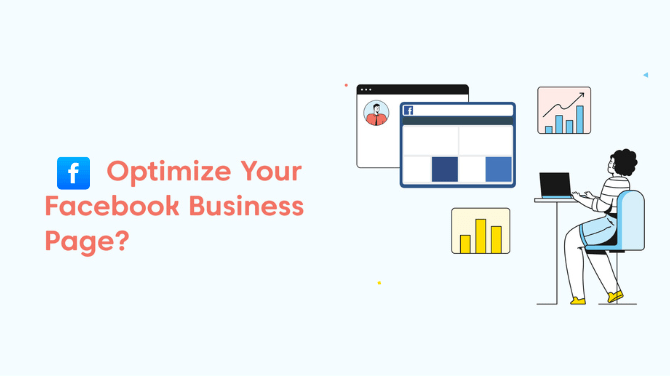
1. Create a Business Page and Optimize It
Business Page and Optimize

Before diving into any marketing strategies, the foundation of your real estate business on Facebook should be a well-optimized business page. Ensure your profile is complete with your logo, cover photo, and relevant business details, including contact information, hours of operation, and a compelling description of your services.

Facebook’s business pages also allow you to feature listings and reviews. Adding these can significantly improve your credibility and attract attention. Make sure to keep the page updated with fresh content regularly, highlighting your expertise and recent listings.

2. Leverage Facebook Ads for Targeted Marketing

Facebook’s advertising platform is a goldmine for real estate professionals. With Facebook Ads, you can create highly targeted campaigns based on demographics, location, interests, and behaviors. For real estate, location targeting is especially important. You can also embed Facebook Reels to further engage your audience with dynamic, short-form content that showcases properties or provides valuable real estate tips.

You can run ads promoting specific properties or create campaigns designed to generate leads, such as “Get a Free Home Valuation.” Additionally, you can experiment with different ad types, such as carousel ads to display multiple listings or video ads to showcase a property tour. By embedding Facebook Reels into your campaign, you give potential buyers a quick, visually appealing way to interact with your listings.

Make sure to set a clear call-to-action (CTA) like “Contact Us,” “Learn More,” or “Sign Up,” depending on your campaign goal.

3. Post Engaging Visual Content

 Post Engaging Visual Content

Leveraging Facebook updates can significantly enhance your real estate marketing efforts. Since real estate is a highly visual industry, Facebook is an ideal platform to showcase properties through high-quality images and videos. Regularly post pictures of homes, commercial properties, or even virtual tours to attract potential buyers. Use professional photos that highlight a property’s best features, from spacious living rooms to breathtaking views.

Video content is especially powerful on Facebook, so consider sharing 3D walkthroughs or virtual tours of properties. By leveraging Facebook updates in this way, you can increase engagement and offer an immersive experience to your audience. Incorporating storytelling in your posts, such as sharing the journey of a homebuyer or the history behind a property, will further elevate your content and make it resonate with viewers.

4. Run Facebook Live Virtual Open Houses

Live streaming is one of the most powerful tools on Facebook for real estate marketing, and it’s even more effective when you promote a Facebook page to reach a wider audience. Hosting a Facebook Live open house lets you virtually tour properties for interested buyers in real-time, attracting potential buyers who may not be able to visit the property in person.

By promoting a Facebook page ahead of time, you can generate buzz and build anticipation for your live event. During the live broadcast, engage with your audience by answering questions in real-time. Be prepared to show off the property’s features and encourage viewers to comment or message for more details. This strategy helps increase visibility, creating more opportunities for sales and boosting your business.

5. Share Client Testimonials and Success Stories

Social proof is a huge driver of trust, and nothing works better than happy clients sharing their positive experiences. Posting testimonials from satisfied buyers or sellers, along with before-and-after photos or videos, is a great way to showcase this. These testimonials can also include success stories of challenging deals that you managed to close.

 By sharing such content on your Facebook page, you highlight your expertise and build trust with potential clients. Additionally, asking clients for permission to share photos or videos of them in their new homes humanizes your brand, making you more relatable. This highlights the importance of a Facebook page as a tool for building connections and engaging with your audience in a meaningful way.

6. Create a Facebook Group for Local Real Estate Discussions

Facebook Group for Local Real Estate

A Facebook Group centered around your local market is an excellent way to build a community and position yourself as a real estate expert in your area. You can create a group for buyers, sellers, or anyone interested in real estate facebook ads in your region. It’s important to actively participate in the group by sharing valuable content, answering questions, and offering insights.

By doing this, you not only provide useful information to your audience, but you also build a loyal community that sees you as a go-to real estate professional. Additionally, groups often have higher engagement rates than business pages, so you’re more likely to connect with potential clients.

7. Host Contests or Giveaways

Contests or giveaways are a fun and engaging way to attract attention to your real estate business. For example, you could run a contest where the winner gets a free consultation or a gift card to a local business. Make sure to use relevant hashtags, tag your location, and promote your giveaway with a Facebook plugin to boost its reach. The plugin can help streamline the process of entering the contest and make it easier for participants to engage directly on Facebook.

Contests also provide an opportunity to grow your followers and expand your audience. Encourage participants to like your page, share your posts, or tag friends in exchange for an entry. This increases visibility and helps you tap into new networks.

8. Run Lead Generation Campaigns

Facebook’s lead generation tools allow you to collect contact information from prospective buyers or sellers directly through the platform. These ads are pre-populated with the user’s contact details, making the process easy for them and increasing your chances of conversion. You can enhance the credibility of your lead generation ads by incorporating social proof, such as an embed Facebook review from satisfied clients. This adds trust and authenticity, making potential leads more likely to engage with your offer.

You can create ads targeting potential clients who have shown interest in home buying or selling and offer them free consultations, property listings, or market reports in exchange for their email or phone number. Once you have this contact information, you can follow up with targeted email campaigns, further leveraging the positive impact of your embedded Facebook reviews to increase conversions.

9. Share Local Market Insights and Tips

Position yourself as an industry expert by sharing valuable local market information with your Facebook followers. Share market trends, pricing data, and predictions about the future of the local real estate market. Offering tips for homebuyers or sellers can also build trust and showcase your expertise.

For example, posts about “How to Get Your Home Ready for Sale” or “Understanding Current Mortgage Rates” can be highly beneficial. You could also offer advice on neighborhoods, schools, and other local amenities, helping potential clients feel more informed and confident in their decision-making.

10. Utilize Facebook Messenger for Instant Communication
Facebook Messenger for Instant Communication

One of the most effective ways to connect with potential clients is through Facebook Messenger. By enabling the Messenger feature on your business page, you can respond instantly to inquiries, schedule showings, or answer questions about properties. You can even set up automated replies for common questions to ensure timely responses, which enhances the customer experience.

Consider integrating a chatbot into your Messenger system to answer basic queries automatically or provide property recommendations based on the user’s preferences.

11. Retarget Website Visitors with Facebook Ads

Retargeting is a powerful strategy for converting website visitors who haven’t yet taken action. By installing the Facebook Pixel on your website, you can track users who visited certain pages (e.g., a specific property listing) and then show them targeted Facebook ads reminding them of the property or offering more information.

This type of ad is personalized and highly effective, as it targets people who have already shown interest in your services. Retargeting keeps your listings and services top-of-mind, increasing the likelihood of conversion.

Conclusion

Facebook marketing is a dynamic and cost-effective way to grow your real estate business. By implementing these 11 strategies—creating an optimized business page, running targeted ads, sharing valuable content, and using features like Facebook Groups and Messenger—you can connect with a broader audience, engage potential clients, and ultimately close more deals. The key to success on Facebook is consistency, creativity, and leveraging all the available tools to connect with your audience on a personal level. Stay active, stay engaged, and watch your real estate business thrive.


Twitter Marketing
Social Media Marketing

Why Twitter for Business Marketing Is Crucial for Your Brand Growth

In the rapidity of the modern Dijinal World, the cornerstone of social media and commercial methods. During this conference, Twitter for Business Marketing has been identified as the necessary tool for all big companies. With over 450 million use

This article examines why Twitter is important to work trade and how the use of its power can make a significance dramatically grow.

1. Massive Audience Reach

Twitter’s User Assembly makes it a powerful platform to expand your Brand Visibility. Centers can use these many audiences and target the users based on their entertainment, population growth, and behavior. With the right path, Brands can reach potential buyers around the world and build a strong Internet.

How to Get Twi’s Reach:

  • Use the continued survival of materials to add to the right conversation.
  • Run Twitter business marketing ads to reach a specific audience.
  • We are fascinating twists to give you the opportunity to divide its treasury and expand into your hands.

2. Real-time communication.

One of Twitter’s unique selling points is its ability to facilitate real-time communication. Unlike other platforms, Twitter thrives on instantaneous, making it ideal for live updates, announcements, and instant interaction with your audience.

Benefits of real-time communication:

  • Communicate with customers with direct responses and feedback.
  • Promptly address customer inquiries and complaints to build trust.
  • Use Twitter polls and Q&A sessions to gather feedback and preferences from customers.

By being proactive and responsive, brands can build a reputation for being customer-centric.

3. Brand authority and trust.

Twitter offers professionals the best platform for Twitter business marketing to showcase their skills and build authority in their niche. By sharing valuable insights, industry stories, and thought leadership stories, companies can engage with trusted sources of information.

Tips for creating a license:

  • Share original blog posts, infographics, and case studies.
  • Retweet and connect with business leaders and influencers.
  • Participate in Twitter chats related to your niche to demonstrate your knowledge.

A strong Twitter presence not only builds credibility but helps attract followers who are genuinely interested in your offerings.

4. High-scale and target audience.

The interactive nature of Twitter makes it a great platform for Twitter marketing for business. Whether through likes, retweets, or comments, brands can communicate meaningfully with their audience.

Participation strategies:

  • Upload engaging content such as photos, GIFs, and videos.
  • Use CTAs (call-to-actions) to encourage clicks and conversions.
  • Guest contests, giveaways, or challenges to participate.
  • Content is not only engaging, but it also helps build loyalty.

5. Distribution of enhanced features.

Twitter acts as a driving force for your physical marketing efforts. You can sell cars on your own website as well as other crime items and other crime information on your website.

How to excel in distribution:

  • Tweets should be decided from time to time to share the content of evergreen content from time to time.
  • Pinwell important tweets in your profile for maximum invisibility.
  • Use the survey to announce the best time to target target segments.

The more your products are, the more likely it is that you will attract new signs.

6. Hashtags good use to do

Twitter trends and hashtags are as big as Twitter’s invention feature. They help with musical resources and easily find their topics of interest. For business, the gateway to relationships is the great Hashtags.

Best customs for Hashtags:

  • Use a mix of commercial and ala-specific hashtags.
  • Create great hashtags to promote campaigns, users, and products.
  • avoid tweets with the most hashtags; 2-3 related

Hashtag groups encourage copper groups that can contribute their experience with your products so you can create a biological baj around you.

7. Cost-Influencing Advertising

Twitter advertising agencies provide spending impact to promote their products and services. The crime can be picked from the trend of Techovar chasing their target and budget.

Benefits of Twitter Advertising:

  • A more marked campaign based on democracy, interest, and action.
  • The wage equation is a value equation.
  • Options, statistics, or trends are also options that should be enhanced.

Investing in Twitter marketing tools can help build your courage, attract your followers, break the bank, and help drive website traffic.

8. search through Twitter search

Twitter Analytics is a terrorist treasure trove that helps to understand the industry more. It provides search tweet performance, demographic followers, and partnerships with heroic organizations.

How to use Twitter analytics:

  • Introduce tweets with a high-quality display and make it happen.
  • Most analyze the analysis for the construction of the individual items.
  • See how the campaign worked for Roi’s adaptation.

The basic marketing activities are great ones that will maximize your Twitter’s effective vocal marketing.

9. Relationship to outcome

There are plenty of engineers on Twitter who can boost your courage. They can be taped to their follower base by being influential and can be trusted by the organization.

How to collaborate with influencers :

  • Identify influencers for those who are connected to your target market.
  • Let them engage with content before proposing their cooperation.
  • Create the content to promote yours or use tweets.

On Twitter, influencer marketing can increase your attention and credibility.

10. To stand up to you naturally

Twitter is often the birthplace of trends and breaking news. From a platform, companies can stand at the forefront of industry trends and, as such, can be affected by the most vocal initiatives.

The remedy for genetic-scientists:

  • Trending Hashtags and searches.
  • Use TweetDeck or Hootsuite tools for monitoring trends.
  • Please join the trend and share your copper standards.

It is sure to be active and worth going to the top of your branch

11. The advancement of the buying religion

Twitter is a way to reach customers or to share with customers. It not only does not only deal with excellent services through twenty but also your determination to be content. Many entrepreneurs use Twitter marketing for business to reach more audiences.

Counsel on the buyers:

  • Answer the words immediately and directly present messages.
  • Use a voice but a friendly manner in your answers.
  • deal publicly with murmuring but it can lead them privately to touch them.

The unique religion of the customers leads to their honesty and goodness.

Conclusion

Twitter is not a choice for business trade; It is important for Brands to grow in digital times. From literal time to strengthening the production of materials to advertise uses it by using the unique use of the platform and proper use-set to improve stuff, it creates a reasonable relationship, and it makes longevity long-term healthy relationships.

Digital Marketing, Reviews, Social Media Marketing, Technology

5 Strategies to Get More Google Reviews Fast

Google reviews have become a cornerstone of digital marketing and brand reputation. They provide social proof, improve SEO, and help attract more customers to your business. However, acquiring Google reviews doesn’t always happen organically. To effectively boost your Google reviews, you’ll need a strategy in place.

In this article, we will discuss 5 strategies to get more Google reviews fast, along with tools such as Google review widgets and Google review plugins that can make this process even easier. Whether you’re a small business owner or a marketer looking to enhance your online presence, these tips will help you build a solid reputation quickly.

1. Ask Customers Directly for Google Reviews

One of the simplest and most effective ways to get more Google reviews is to ask your customers directly. Sometimes, customers are willing to leave a review but just need a gentle nudge or reminder. Asking for a review at the right moment can increase the likelihood of them following through.

How to ask for reviews:

  • Timing: Ask for a review shortly after the transaction when customers are still feeling positive about your product or service. For example, after delivering a product, completing a service, or following up on a positive interaction.
  • Be Clear: Politely ask them to leave a review on Google. You can make it easy by providing a direct link to your Google My Business (GMB) page.
  • Personalize the Request: A personal, friendly approach can help. Thank your customers for their business and let them know that their feedback is important to you.

Tools to help:

  • Google Review Widget: You can use a Google review widget on your website to make it easy for customers to leave reviews directly. A review widget prominently displays recent reviews and provides an easy way for visitors to leave their own.

By asking directly and making the process simple, you’ll significantly boost the number of reviews you receive.

2. Make It Easy to Leave a Google Review

While asking customers directly is important, you also need to make it easy for them to leave a review. The less effort required from your customers, the more likely they will be to take the time to write a review. This is where technology can really help.

How to simplify the process:

  • Provide Direct Links: Create a direct link to your Google My Business (GMB) review page. You can generate a review link from your GMB dashboard or use services that create a short, shareable link.
  • Send Follow-up Emails: After the transaction or interaction, send customers a thank-you email with a direct link to leave a review. Include clear instructions on how to leave a review.
  • Use QR Codes: If you have a physical store or location, consider using a QR code that leads directly to your review page. Display it on receipts, brochures, or your storefront.

Tools to help:

  • Embed Google Review: You can embed Google reviews directly on your website to showcase your existing reviews and encourage new customers to leave their own. An embed Google review feature not only increases visibility but also creates a sense of trust and transparency.

The easier you make it for customers to leave feedback, the more reviews you’ll get. Simplifying the review process will ensure a quicker and more efficient flow of reviews.

3. Leverage Social Media to Ask for Reviews

Social media is an excellent channel for reaching out to your audience and asking for Google reviews. If you already have a following on Facebook, Instagram, or Twitter, use these platforms to ask your customers to leave reviews on Google.

How to leverage social media:

  • Create a Call-to-Action Post: Write a post asking your followers to leave a review on Google. Make sure to include the direct review link, and offer a friendly reminder about how much their feedback matters.
  • Pin the Review Post: Pin the post to the top of your social media page so it gets maximum exposure. You can also make the post more engaging by offering an incentive, like a discount or freebie, for those who leave a review.
  • Share Customer Testimonials: Sharing positive testimonials on your social media channels can motivate others to leave their own reviews.

Tools to help:

  • Google Review Plugin: If you use a content management system (CMS) like WordPress, consider installing a Google review plugin to display your Google reviews directly on your site. This keeps your reviews front and center and makes it easier for customers to engage with them.

When customers see others leaving positive reviews, they’re more likely to do the same. Use social proof to your advantage by sharing your best reviews across your social media platforms.

4. Offer Incentives for Reviews (Without Violating Google’s Guidelines)

Offering incentives for reviews can be a great motivator for customers to leave feedback. However, it’s important to note that Google’s guidelines strictly prohibit offering incentives in exchange for positive reviews. Incentives should be used as a general thank-you gesture, not as a reward for a specific rating. This approach helps build social proof, as authentic, unbiased reviews from satisfied customers are far more valuable in boosting your brand’s credibility and trust.

How to incentivize reviews:

  • Provide a Discount or Special Offer: Offer a small discount or a promotional offer on future purchases for those who leave a review. You could also offer an entry into a giveaway for a chance to win a prize.
  • Reward Customers for Their Time: Show appreciation for the time your customers spend leaving feedback. A simple thank-you note or acknowledgment can go a long way.

Tools to help:

  • Google Review Widget: A Google review widget can help you collect and display reviews from customers who have taken part in your incentive program. This will encourage other customers to leave their reviews and enhance your business’s online presence.

When used correctly, incentives can create a positive experience for customers while boosting the number of reviews you receive. Just make sure to avoid anything that could be construed as “buying” reviews.

5. Respond to Reviews to Encourage More Feedback

Engagement doesn’t stop once you get a review. In fact, responding to reviews — both positive and negative — can create an even stronger connection with your customers and encourage others to leave their feedback.

Why responding to reviews matters:

  • It Shows You Care: When customers see that you are actively engaging with your reviewers, it shows that you value their feedback and are committed to improving your service.
  • Encourages New Reviews: By responding to reviews, you demonstrate that you are attentive to customer input. This can prompt other satisfied customers to leave their own reviews.
  • Resolve Issues: Responding to negative reviews with professionalism and a solution-oriented approach can turn a negative experience into a positive one and help prevent a PR crisis.

Tools to help:

  • Embed Google Review: To make your review responses even more visible, you can embed Google reviews on your website. This showcases not only the feedback but also how you interact with your customers. A positive review interaction creates trust and encourages more feedback from future customers.

By engaging with your customers through responses, you can show that you care about their feedback and make your business seem more approachable and human.

Conclusion

Getting more Google reviews quickly is essential for building trust, improving your online presence, and attracting more customers. By following these five strategies, you can make the process easier for both you and your customers, leading to a steady flow of positive feedback.

Key Takeaways:

  • Ask directly and politely: Engage with customers at the right moment and request reviews through direct links.
  • Simplify the process: Use tools like Google review widgets and embed Google review features to make leaving reviews as easy as possible.
  • Leverage social media: Reach out to your followers and share your existing reviews on your social channels.
  • Offer incentives: Provide a small incentive to encourage customers to leave a review, while adhering to Google’s guidelines.
  • Respond to reviews: Actively engage with reviewers to show appreciation and foster trust.

By making Google reviews a priority in your digital strategy and leveraging tools like Google review plugins and Google review widgets, you can accelerate the growth of your online reputation. The more reviews you collect, the more likely you are to increase your brand’s visibility, customer loyalty, and ultimately, sales.

Digital Marketing, facebook widget, Reviews, Social Media Marketing, Technology

Leveraging Facebook Updates to Promote Your Brand More Effectively

Facebook remains one of the most powerful platforms for digital marketing. However, like all social media networks, it evolves constantly, rolling out updates that impact how content is displayed, how users interact, and how businesses market their products or services. As a marketer, staying on top of Facebook updates marketing is crucial for your brand’s success.

In this article, we’ll explore why these updates matter, how they can impact your marketing efforts, and how to leverage them for better results. Plus, we’ll cover some essential strategies and tools to stay ahead of the game.

1. The Importance of Facebook Updates for Marketers

Facebook’s algorithm and tools are in a constant state of flux. These updates can affect everything from post reach to ad targeting, user engagement, and more. As a marketer, you need to be aware of these changes to ensure you’re using the platform effectively.

Here’s why Facebook updates matter:

  • Changes in Reach: Facebook periodically changes how it distributes organic content. What worked yesterday might not work today, so it’s essential to stay updated.
  • Ad Targeting: The platform regularly tweaks its ad algorithms, which can directly affect the performance of your campaigns.
  • New Features: Facebook often introduces new tools or features that could make a significant impact on your marketing strategy.

By keeping track of Essential Facebook Updates Marketers should know about, you can adapt quickly and stay relevant in an ever-changing digital landscape.

2. Driving Conversion Through Facebook Updates

One of the most important reasons to keep up with Facebook updates marketing is to drive conversions effectively. Facebook’s algorithm changes often focus on enhancing the user experience, which in turn impacts how businesses reach their target audience.

Here’s how the updates can help increase conversions:

  • Improved Ad Targeting: Updates to Facebook’s targeting options (e.g., lookalike audiences or advanced demographic filters) allow marketers to deliver ads to the right people at the right time.
  • Enhanced Mobile Experience: As mobile browsing continues to dominate, Facebook updates frequently improve its mobile app, making it easier for potential customers to make purchases or engage with content.
  • Better Call-to-Action Buttons: With updated call-to-action (CTA) options like “Shop Now,” “Learn More,” and “Book Now,” Facebook makes it easier for users to take the next step after engaging with your content.

These changes are designed to enhance the user experience and, by extension, drive conversion rates higher. Staying up to date on Facebook’s updates ensures that your brand can capitalize on these new features.

3. Social Proof and Its Impact on Marketing

Social proof is one of the most powerful tools in modern marketing. Facebook’s updates often enhance how social proof is displayed, allowing your brand to build credibility and trust with potential customers.

How can you leverage social proof with Facebook updates?

  • Customer Reviews: Facebook regularly updates how reviews are displayed, giving brands more visibility when users leave positive feedback. This social validation can help you gain new customers by showcasing positive experiences from real users.
  • User-Generated Content: With each update, Facebook improves the way user-generated content is shared and promoted. Encourage customers to share their experiences on Facebook and tag your brand, creating organic endorsements that work as powerful testimonials.

By incorporating social proof into your marketing strategy, you can build credibility and inspire trust with potential customers. Facebook updates can help you do this more effectively.

4. Promoting Your Facebook Page: Strategies and Updates

Facebook’s updates often focus on helping businesses promote their pages and increase engagement with followers. But staying ahead of these updates is key to maximizing the effectiveness of your promotion efforts.

Here’s how recent updates have affected promoting your Facebook page:

  • Page Visibility: Facebook has tweaked its algorithm to prioritize more engaging and authentic content. Pages that post high-quality, engaging content tend to be prioritized over those that focus on self-promotion or clickbait.
  • Increased Interaction with Followers: Updates often enhance how businesses can interact with their followers, from responding to comments to sending personalized messages. These features allow businesses to build stronger relationships with their audience.
  • Facebook Groups Integration: Facebook has made it easier for brands to integrate their business pages with Facebook Groups. By creating a community around your brand, you can increase loyalty and organically promote your page.

Staying on top of these updates ensures that you can use Facebook’s full range of promotional tools to boost your brand visibility and grow your follower base.

5. Boosting Your Brand’s Reputation with a Facebook Review Widget

One feature that can significantly improve your marketing strategy is the Facebook widget. With frequent updates to how businesses can display reviews, it’s easier than ever to showcase social proof directly on your website.

Why should you consider adding a Facebook review widget to your website?

  • Instant Trust: Customer reviews build instant credibility. When visitors see positive feedback about your brand, they’re more likely to trust you and convert.
  • Seamless Integration: The Facebook review widget can be easily embedded Facebook feed on your website, allowing you to display the most recent and relevant reviews directly on your homepage or product pages.
  • Increased Engagement: Encouraging customers to leave reviews on Facebook and then showcasing them on your site can increase engagement both on Facebook and your website.

With Facebook regularly updating how reviews are displayed and interacted with, now is the perfect time to integrate a Facebook review widget into your website to improve customer trust and drive more conversions.

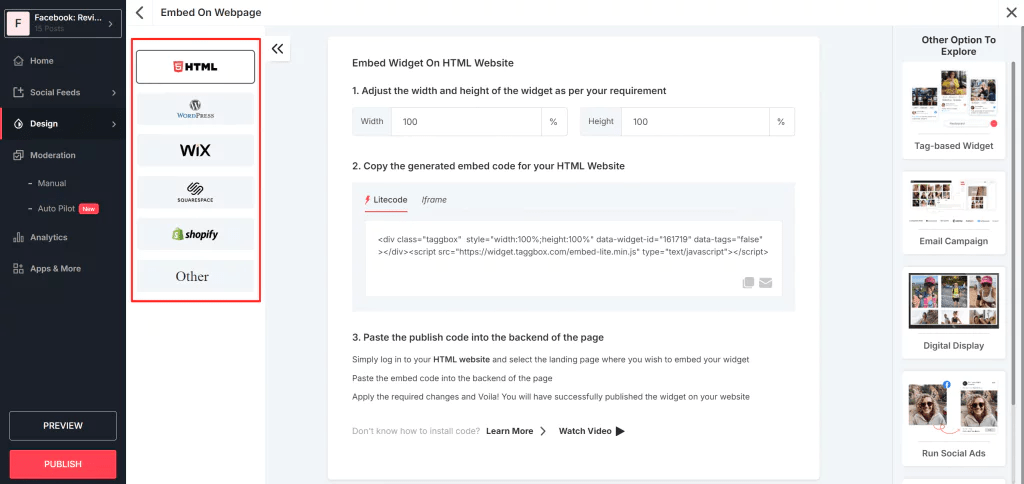
6. How to Embed Facebook Reviews on Your Website

Facebook has also improved how businesses can embed Facebook reviews on their websites. If you’re looking for a simple yet powerful way to show off positive customer feedback, embedding Facebook reviews directly into your site is a great option. Using tools like Tagbox, you can easily integrate and display Facebook reviews, creating a seamless and dynamic experience for visitors.

Here’s how embedding Facebook reviews can benefit your business:

  • Improved User Experience: Directly embedding reviews into your product or service pages provides immediate feedback to visitors, which helps them make quicker purchasing decisions.
  • Authenticity: Facebook reviews are perceived as more authentic and trustworthy because they come from real users on a widely recognized platform.
  • More Traffic to Your Facebook Page: By embedding reviews, you encourage visitors to engage with your Facebook page, which can increase traffic and foster a stronger relationship with your audience.

With Facebook making it easier to embed reviews directly from the platform, and with tools like Tagbox helping you integrate them effortlessly, this is an excellent way to leverage the power of social proof and increase engagement with both your website and your Facebook page.

7. Essential Facebook Updates Marketers Should Know

To stay ahead of the competition, it’s important for marketers to keep track of essential Facebook updates. These updates can impact everything from how content is shown to how your ads perform.

Here are some of the most important recent updates for marketers to know:

  • Algorithm Changes: Facebook’s algorithm updates have a significant impact on organic reach. Marketers need to adapt their content strategies to align with the latest algorithm preferences.
  • New Ad Formats: Facebook regularly introduces new ad formats, including Stories Ads and interactive video ads. Staying on top of these changes will help marketers craft more effective ad campaigns.
  • Enhanced Targeting Options: As Facebook gathers more data on user behavior, marketers are gaining access to more advanced targeting features, such as improved lookalike audiences and predictive analytics.

By keeping an eye on essential Facebook updates marketers should be aware of, you can ensure your strategy stays competitive and effective.

Conclusion

Facebook updates are crucial for staying relevant and effective in your marketing strategy. From driving conversion and leveraging social proof to promoting your Facebook page and integrating features like a Facebook review widget or embed Facebook review options, these changes present opportunities for businesses to engage with their audiences in more meaningful ways.

By keeping up with the latest essential Facebook updates marketers need to know, you can ensure your brand thrives in the ever-changing world of social media marketing. Adapt, experiment, and use these updates to your advantage – your brand’s success depends on it.

Digital Marketing, facebook widget, Social Media Marketing, Technology

Facebook Widgets for E-Commerce: Driving Conversions

Facebook is a powerhouse platform for e-commerce businesses looking to drive traffic, increase engagement, and ultimately boost conversions. With over 2.8 billion active users globally, it offers vast opportunities for small businesses to connect with potential customers. One of the most effective ways to harness Facebook’s potential is by integrating Facebook widgets into your e-commerce website.

In this article, we’ll explore how Facebook widgets can help promote a Facebook presence, increase engagement, and ultimately drive more conversions for your e-commerce business.

What Are Facebook Widgets?

Before diving into the details of how Facebook widgets can help increase conversions, let’s define what they are. Facebook widgets are small interactive elements that can be added to your website. These widgets typically allow your site visitors to interact with Facebook features, such as liking a page, sharing content, or leaving a comment.

Common Facebook widgets include:

  • Like button: Allows visitors to like a specific product or your business’s Facebook page.
  • Share button: Enables easy sharing of content from your website to Facebook.
  • Comment plugin: Lets users leave comments on products or content directly through their Facebook accounts.
  • Facebook Messenger: Provides live chat functionality with customers through Facebook Messenger.
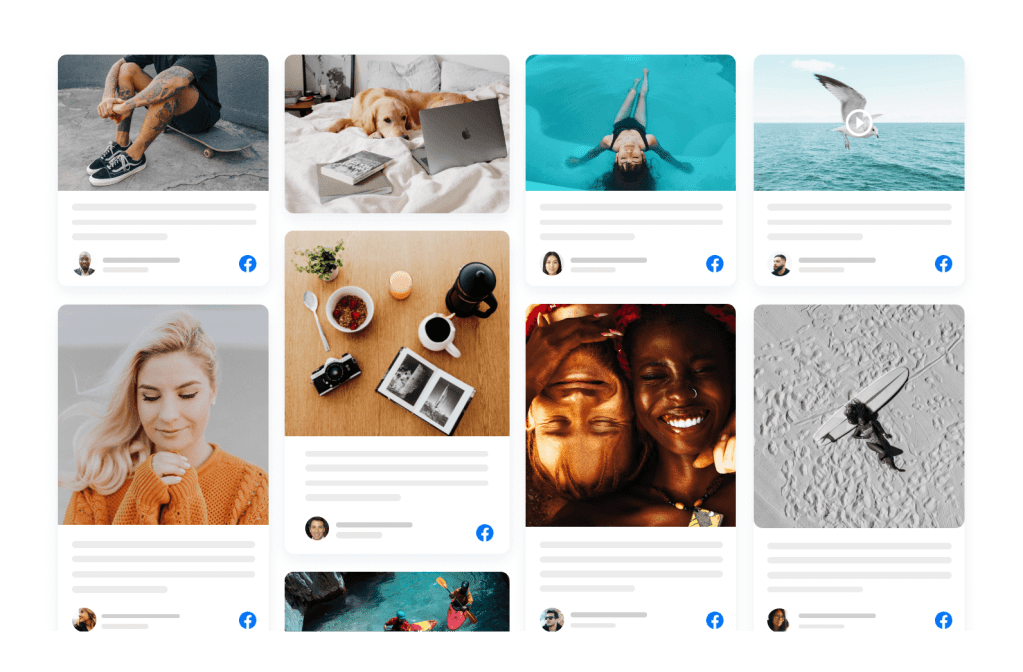
  • Facebook Feed: Displays recent posts from your Facebook page directly on your site.

Benefits of Facebook Widgets for E-Commerce Websites

Integrating Facebook widgets into your e-commerce site can provide numerous benefits. Here are the top advantages:

  1. Promote a Facebook Presence
    • Adding Facebook widgets to your site encourages visitors to follow and engage with your business on Facebook. This helps build a stronger presence on social media and keep your customers connected.
  2. Increase Engagement
    • Facebook widgets make it easy for visitors to interact with your content, whether by liking, sharing, or commenting. This increases user engagement, which in turn can lead to more interactions and conversions.
  3. Improve Social Proof
    • Widgets like the Facebook Like and Share buttons can act as powerful social proof. When users see that others have liked or shared your product, they are more likely to trust your business and make a purchase.
  4. Enhance User Experience
    • Facebook widgets improve the overall user experience by offering seamless integration with Facebook features. This means your visitors can engage without leaving your site, resulting in a more fluid shopping experience.
  5. Increase Traffic
    • Sharing products or content directly to Facebook can help drive additional traffic to your e-commerce site. It helps expand your reach beyond your website’s visitors and into your followers’ networks.

Key Facebook Widgets to Drive Conversions

Now that we know why Facebook widgets are important, let’s dive into the specific widgets you should consider integrating into your e-commerce website to maximize conversions.

1. Facebook Like Button

The Facebook Like button is one of the most popular and recognizable Facebook widgets. This simple tool allows users to show support for your products or content, which can encourage more visitors to make a purchase.

How it helps drive conversions:

  • Builds Trust: A “like” indicates that others approve of a product, making it more likely that visitors will trust your brand and convert.
  • Encourages Social Proof: The more likes your products receive, the more social proof you gather. This can influence potential customers to make a purchase.

2. Facebook Share Button

The Share button allows visitors to share content from your website, such as product pages or blog posts, to their Facebook profiles. This widget can increase the visibility of your products and bring in new customers.

How it helps drive conversions:

Increases Reach: When users share your product with their network, they are exposing your business to a wider audience. This could lead to more potential customers and higher conversion rates. Additionally, when users embed Facebook reviews on your site, they bring positive social proof, which can further enhance credibility and attract new customers.

Promotes Word-of-Mouth Marketing: Social shares are an effective form of word-of-mouth marketing, which has a significant impact on consumer decisions. Embedding Facebook reviews also contributes to this by showcasing authentic customer experiences, influencing potential buyers to make confident purchasing decisions.

3. Facebook Comment Plugin

The Facebook Comment plugin lets users comment on your product pages using their Facebook accounts. Comments can create a conversation around your products and help foster a community around your brand.

How it helps drive conversions:

  • Facilitates Social Proof: When users leave comments or reviews on your product pages, it builds trust for future customers.
  • Encourages Interaction: Comments give your customers an opportunity to ask questions and engage directly with your brand. Responding to these interactions helps build relationships, which can increase conversions.

4. Facebook Messenger Chat Plugin

The Facebook Messenger chat plugin allows your website visitors to communicate directly with your business via Facebook Messenger. This real-time communication is a great way to answer questions and address concerns that may be preventing a customer from completing their purchase.

How it helps drive conversions:

  • Instant Support: Providing immediate responses to customer questions or concerns can increase the likelihood of a successful sale.
  • Builds Relationships: Direct communication with potential customers helps build trust and can make them more comfortable completing a transaction.

5. Facebook Page Feed

The Facebook Page Feed widget lets you display your latest Facebook posts on your website. It helps keep your website content fresh and encourages visitors to follow you on Facebook for updates.

How it helps drive conversions:

  • Showcases New Products: You can promote new products, special offers, or sales directly on your website.
  • Encourages Social Following: By displaying your social media activity on your website, visitors are more likely to follow you on Facebook, leading to long-term engagement and potential future purchases.

6. Facebook Reviews Plugin

Customer reviews are a powerful tool in driving e-commerce conversions. The Facebook Reviews plugin allows you to display user reviews from your Facebook page directly on your website. Additionally, by integrating a Facebook feed, you can showcase real-time updates and interactions from your Facebook page, further enhancing social proof and engagement. This combination of reviews and live feed can help build trust and encourage visitors to convert into customers.

How it helps drive conversions:

  • Social Proof: Positive reviews from real customers build trust and make it easier for potential buyers to make purchasing decisions.
  • Encourages User-Generated Content: When customers see that their reviews could be showcased on your website, they may be more likely to leave feedback, which can improve future conversions.

    Read also: Key Benefits of Adding Social Media Feeds on Websites!

How to Integrate Facebook Widgets into Your E-Commerce Website

Integrating Facebook widgets into your e-commerce website is relatively simple and can be done in a few steps. Here’s how:

Step 1: Sign Up for a Facebook Developer Account

To integrate Facebook widgets into your site, you’ll need a Facebook Developer account. Visit the Facebook Developers site and create an account if you don’t already have one.

Step 2: Choose the Widget You Want to Add

Navigate to the Facebook for Developers page and choose the widget you want to add to your website. Facebook offers various tools and resources to customize widgets, from Like buttons to Messenger plugins.

Step 3: Customize Your Widget

Once you’ve selected a widget, customize it according to your needs. This can include choosing colors, size, layout, and other settings to match your website’s design.

Step 4: Copy the Code

After customizing your widget, Facebook will provide you with a piece of HTML code that you need to embed Facebook feed into your website.

Step 5: Paste the Code into Your Website

Paste the code into the appropriate section of your website’s HTML. This is typically done within the source code of the page where you want the widget to appear.

Step 6: Test and Optimize

Once the widget is installed, test it to ensure it’s working properly. Monitor how your audience is interacting with the widget, and optimize it based on engagement and conversion data.

Best Practices for Using Facebook Widgets to Drive Conversions

To get the most out of Facebook widgets, keep these best practices in mind:

1. Place Widgets Where They’re Easy to Find

Ensure that your widgets are placed in visible and strategic locations on your website, such as product pages, checkout pages, or blog posts. This increases the chances that your visitors will interact with them.

2. Make Widgets Mobile-Friendly

Since many Facebook users access the platform via mobile devices, ensure that the widgets are optimized for mobile. Facebook provides mobile-friendly versions of most widgets to ensure a seamless user experience.

3. A/B Test Widget Placement and Design

Try testing different widget placements and designs to see which ones result in the highest engagement and conversion rates. A/B testing can help you find the best combination for your e-commerce business.

4. Use Widgets in Combination

Combine multiple Facebook widgets on your site for maximum impact. For example, use the Like and Share buttons together to encourage social sharing and increase the visibility of your products.

5. Encourage Customers to Leave Reviews

Prompt customers to leave reviews on your Facebook page by offering incentives or making it easy for them to do so. Displaying these reviews on your website can greatly influence potential buyers.

Read Also: Top 5 Social Media Feed Plugins for WordPress Website

Conclusion

Incorporating Facebook widgets into your e-commerce website is a powerful strategy to drive conversions, engage visitors, and increase your brand’s visibility. These widgets not only encourage social interaction but also help build trust with your audience through social proof, reviews, and direct communication. By promoting a Facebook presence on your site and increasing reach and engagement through interactive features, you can create a seamless experience that boosts conversions and ultimately grows your small business.

So, whether you’re just starting out or looking for ways to optimize your existing e-commerce site, Facebook widgets are a simple yet effective way to take your business to the next level.

Social Media Marketing, Technology

Top Most Used Twitter Marketing Tools for 2025

Twitter remains a fantastic channel via which brands can reach and connect with their audience. With more than 368 million monthly active users by 2024, this is a real-time engagement hub coupled with visibility for brands. Studies showed that 93% of Twitter users are willing to buy from the SMBs that they follow. It is, therefore, a vital source of influence for making purchase decisions (source). This will carry 150% more engagement, besides being more effective, for your campaign strategy, and these updates will also indicate multi-media.

Proper tools will do the trick for your brand when new technologies and marketing strategies shape 2025. Here are the best Twitter marketing tools to help boost brand reach and increase engagement on Twitter. Let’s dive into the essentials to craft an impactful Twitter marketing strategy.

Why You Need Twitter Marketing Tools

Because of how fast things move on Twitter, marketers need tools that save them time in posting schedules, analyzing the performance of their posts, and engaging with their audience. These tools save time but also give insights to help improve marketing campaigns, setting you ahead in a competitive environment.

Use Twitter marketing tools and schedule your tweets to have an active presence.

  • Track audience engagement to boost Twitter engagement.
  • Use data analysis for effective decision-making.
  • Streamline mundane work for more productivity.

Top Twitter Marketing Tools for 2025

Here we have Mentioned the top 6 Twitter marketing tools that help businesses reach new heights

1. Hootsuite

Hootsuite is one of the most popular social media management tools in 2025. This tool allows the user to manage multiple accounts, schedule posts, and monitor performance metrics. With its intuitive interface and comprehensive analytics, Hootsuite is an excellent tool for any business.

Key Features:

  • Schedule posts across various networks.
  • Monitor Twitter engagement rate.
  • All-in-one place customer interaction management.

Why Use Hootsuite?

Hootsuite streamlines your workflow so that you have enough time to create interesting content.

2. Buffer

Buffer is another favorite in the list of Twitter marketing tools. It is recognized for its simplicity and effectiveness as it allows users to prepare and schedule posts, assess performance, and find ideal timing for tweets.

Main Features:

  • Easy scheduling system
  • Detailed post-performance reports
  • Connect with other marketing tools

Why Use Buffer?

Buffer helps your brand remain consistent and relevant by assisting you in planning content ahead of time.

3. Tagbox

Tagbox is a game-changer for showing off user-generated content (UGC). It helps brands curate and show off tweets, photos, and videos shared by their audience, helping build trust and authenticity.

Key Features:

  • Collect and display UGC on your website or campaigns.
  • Advanced moderation tools for curated content.
  • Analytics to measure UGC performance.

Why Choose Tagbox?

Leverage UGC to boost engagement on Twitter, community building, and more.

4. Sprout Social

Sprout Social is more than a scheduling tool. It offers complete social listening features, helping brands understand their audience better and tailor content to their needs.

Key Features:

  • Social listening for deeper audience insights.
  • Detailed analytics for Twitter engagement.
  • Collaboration tools for team efficiency.

Why Choose Sprout Social?

It would serve any wish if you wanted to comprehend your audience and improve engagements for it has all the tools needed.

5. TweetDeck

TweetDeck is a tool designed by Twitter as intended for power users, assisting marketers in managing many accounts on Twitter, tracing trends, and engaging in conversations with followers in real-time.

Key Features:

  • Monitoring of engagement in real time.
  • Customizable dashboard improves workflow.
  • It is free and accessible to everyone.

Why TweetDeck?

For budget brands, using TweetDeck helps to keep an affinity with your audience without the investment of expensive resources.

6. Canva

Canva is a great tool and not just a strictly social media tool but to craft beautiful visual material. Your tweets are going to work better if they contain images as well as video. Its software application enables easy graphing through drag-anddrop features, which include ready-to-use templates specifically optimized for social media channels and collaboration tools used to work on team projects.

Why Choose Canva?

Liven up your Twitter feed with eye-catching visuals made easy in Canva.

7. Twitter Analytics

Sometimes, it is the best tools the platform offers. Twitter Analytics is a free tool where you can get insights from your performance and track effectiveness in campaigns.

Key Features:

  • It provides detailed reports on your tweet performance.
  • Audience insight for targeted marketing.
  • Free of cost for all users on Twitter.

Why Twitter Analytics?

This goes for brands looking to cut a hole in their wallet to further optimise, because Twitter Analytics affords the necessary data to amend its strategies.

How to Put Your Twitter Marketing Tools in Perfect Use

For maximum value, follow these best practice:

  1. Set clear goals: You might want to achieve, increase in terms of brand awareness, and have a traffic or engagement growth.
  2. Analyze performance: Periodically or monitor by regularly reviewing your metrics – seeing that they work and what needs adjusting.
  3. Engage Consistently: Leverage tools like Sprout Social or Hootsuite to stay in touch with your audience by commenting and being conversational.
  4. Leverage UGC: Tools like Tagbox can be of extreme utility in helping tap the strength of user-generated content.

Future Trends in Twitter Marketing

As we venture deeper into the realm of 2025, one can expect the following trends to define Twitter marketing:

A). AI-Powered Tools: AI-based tools to create content and predict audience behavior shall dominate.

B). Video Content to Dominate: The engagement through short, active, and interesting videos shall supplant static content.

C). Engagement through Interactive Content: People will engage more in voting, threads, and direct live Twitter Spaces.

End

With the best tools for marketing on Twitter, it is easier to stay ahead in the competitive game in 2025. Small businesses, corporations, and many other forms of organizations can enhance their strategy through such tools with increased productivity, better engagement, and delivering important insights.

The right tools allow for an expanded reach for the brand, increasing engagement on Twitter, and staying on top of a constantly shifting digital landscape. Choose the tools that help you align with your brand’s goals and watch your Twitter presence soar.

Social Media Marketing

YouTube Shorts Monetization: A Complete Guide to Unlocking Revenue

YouTube Shorts has arrived to disrupt the content space by offering a platform for short, snappy video clips that attract audiences within a few seconds. While the mini-clips entertain and connect audiences, they promise to bring money-making avenues for their creators as well. YouTube Shorts Monetization has brought these fast videos to strong flows of income, bringing creative people the opportunity of moneymaking too. Whether you’re a seasoned creator or a newcomer, understanding how to earn money with YouTube Shorts is crucial for success in this ever-evolving digital space.

Statistics And Insights on YouTube Shorts Monetization

Here are some statistics and insights on YouTube Shorts monetization for 2024:

1. Revenue Sharing Model

YouTube, as of 2023, launched a revenue-sharing model for Shorts. Revenue generated by ads displayed in the Shorts feed is pooled and shared among creators, proportional to their monetized Shorts views. Creators get 45% of the revenue share, and YouTube gets 55%.

2. Earning Potential

The average RPM of YouTube Shorts is between $0.05 and $0.07, less than traditional long-form videos but compensated by the potential for high view volumes.

3. Eligibility Requirements

  • Full monetization through the YouTube Partner Program (YPP) requires 1,000 subscribers and either 4,000 valid watch hours in the last 12 months or 10 million valid public Shorts views in the last 90 days.
  • A new extended YPP lets creators who have 500 subscribers and 3 million valid views of Shorts in the past 90 days monetize through activities such as super chat, fan funding, and product placements, but excludes ad revenue sharing.

4. Reach and Views

  • Shorts dramatically increase engagement and reach the most popular genres of entertainment and food & beverage, averaging millions of views per video.
  • Such influencers as Sydney Morgan and Mrwhosetheboss were using Shorts to reach a wider audience, with some generating millions in ad shares and sponsorships.

5. Marketing Value

Already 43% of U.S. ad buyers are using YouTube Shorts for paid advertising, so product discovery is a key aspect of this platform, particularly within the EMEA region.

How YouTube Shorts Monetization Works

YouTube Shorts Monetization is part of a larger push by YouTube to make monetizing for creators easier through monetizing for YouTube Shorts. Though long videos on YouTube earn revenue strictly through AdSense for Ads, the model on shorts is different. As far back as 2021, YouTube had its shorts $100 million pool named Shorts Fund that compensates frequently featured creators with original, relevant content aligned to all community guidelines and view thresholds.

This fund is not based on advertisements but as a reward for creativity and audience engagement.

Recently, YouTube added ads to the Shorts feed, thus expanding its monetization options for Shorts. With this new model, creators can earn a share of the revenue generated from those ads. Brand sponsorships and affiliate marketing opportunities, in addition to this new source of income, have made Shorts a viable option.

Six Better Ways To Monetize YouTube Shorts Quickly

Here are some of the points which help you to succeed on YouTube.

1. Building quality shorts

Quality is the first step to success on YouTube Shorts Monetization. The format is short and swift, so it must captivate attention within the first few seconds. It would be a high-definition video with interesting storylines or music or sound effects to grip an audience. Shorts are very relatable and humorous, and when the contents are aligned with trending topics or viral challenges, this can dramatically increase their appeal.

The creators should also keep their target audience in mind. For instance, when using YouTube Shorts for business purposes, your content will most likely be quick tutorials, product highlights, or tips on your industry. On the other hand, creators looking to entertain can experiment with skits, memes, or creative storytelling.

2. Engagement Is Key

Engagement is the lifeblood of YouTube Shorts Monetization. YouTube’s algorithm favors videos that encourage interaction, including likes, shares, comments, and subscriptions. The best way to achieve maximum engagement is through posing questions or even just issuing challenges. For instance, you can ask your viewers questions like, “What is the best productivity hack that you have learned lately?” or challenge them to try to recreate a scene from your video.

The calls to action would be made effective- use call-to-actions. Examples can be “like the video if you enjoy this.” or “Subscribe for even more tips regarding earning through the YouTube Shorts video.” Those engagements that are initiated through these calls to action create reactions from your audience, straight away. Visibility is better here.

3. Use YouTube Playlists

Although Shorts are individual pieces, they can be very effective when integrated into a larger content strategy. One of the best ways to do this is through a YouTube playlist. Playlists group similar content together for a seamless viewing experience that encourages audiences to binge-watch your videos. For instance, if you are a fitness creator, you can create a playlist titled “Quick Fitness Tips” that consists of your Shorts as well as longer workout tutorials.

Playlists also enhance your channel’s SEO. The more relevant keywords in the playlist title and description, such as “YouTube Shorts Monetization” or “Quick Fitness Tips,” the more likely it is that new viewers see your content.

4. Embedding Shorts for a Wider Reach

Another good strategy to increase the visibility of your Shorts is to extend that reach beyond YouTube. Putting the YouTube Shorts on your website or blog allows you to reuse your content to a wider audience. If you have a small business, you can put those YouTube Shorts about your products on the front page of your website. Not only will that engage more users on your website, but it also bounces traffic back to your YouTube channel.

The process of embedding YouTube Shorts is quite straightforward and mirrors how you embed longer YouTube videos. Adding your Shorts to your digital platforms creates a consistent presence across multiple touchpoints, increasing your chances of monetization through higher view counts and greater brand visibility.

5. Monetization Opportunity Beyond Advertisements

While ads and the Shorts Fund are among the largest revenue streams, there are several other monetization options. These include:

Brand Collaborations: Brands will come to you once your Shorts start getting popularity. You can make money for sponsored content by creatively showing a product or service in a 60-second video.

Affiliate marketing: You can include links on your videos that pay you commissions anytime those links are clicked and people purchase the goods through such links.

Merchandise sales: If you build an extremely strong personal brand, use it to sell your very own t-shirts, mugs, or digital products to the interested public.

6. Optimizing for the Algorithm

Understanding the YouTube algorithm is vital for maximizing the reach and monetization potential of your Shorts. The algorithm evaluates factors like viewer retention, engagement rates, and consistency. Posting regularly ensures that your content remains fresh and signals to YouTube that you’re an active creator worth promoting. Short-creating with engagement is also rewarded by the YouTube algorithm for keeping on the platform. And herein lies the magic of integrating Shorts into playlists-double effectiveness. You keep engagement within the viewer, and their watch time will satisfy yet another preference by the algorithm.

Why YouTube Shorts Monetization Matter to Small Businesses

The cheapest way of doing marketing for products and services in the market for any small business would be on Shorts. One can indicate new arrivals, give quick tips, or share customer testimonials about a product within a gigantic audience without significant investments, and embedding YouTube Shorts is further enhanced by this sense, making it a centralized element of your digital strategy.

Final Thoughts

YouTube shorts monetization has been an open road for the creator and commercial world of short-form content to translate into meaningful income. This will focus you on better production, crowd engagement, and embedding features and playlists, among many others. Be it the entertainment of information or selling, anything can be translated into creativity in the right balance with strategy. Start surfing for YouTube Shorts today, and let that creativity pave the way to financial success.

Social Media Marketing

Top 5 Benefits of Embedded LinkedIn Widgets for Small Businesses and Entrepreneurs

Social media forms the backbone of modern business practice, and one cannot even imagine a business without it, given its speed in a relatively fast-paced digital landscape. LinkedIn is one of the most powerful options for professional networking and B2B marketing for small businesses and entrepreneurs. With a LinkedIn widget embedded on your website, you can unlock more innovative ways to harness the power of this platform. Let’s dive into the top five benefits of embedding LinkedIn widgets for small businesses and entrepreneurs:.

1. Maximum Interest via Active Content

Engagement of website visitors is pertinent, and including LinkedIn feeds means that your content will never be stale or uninteresting. A LinkedIn widget will stream live and constantly update your site in real time, such as company posts, articles, and achievements. This dynamic content keeps visitors informed and intrigued, encouraging them to further explore the details.

For small businesses that have few resources, it may be challenging to regularly update website content. LinkedIn widgets remedy this by auto-updating with your latest posts. With this consistency, more time is spent on your site, which is a signal to search engines that your website has value—indirectly supporting SEO efforts.

Pro Tip: Use engaging posts with videos or infographics to attract even more clicks and shares, enhancing your overall LinkedIn marketing strategy.

2. Build Brand Authority and Credibility

Small businesses may find it challenging to gain trust in a saturated market. Adding LinkedIn feeds will provide your professional accomplishments, certifications, and current and potential partnerships as well as your thought-leadership material.

Active LinkedIn presence on your website from visitors will increase your credibility. Being able to share insightful industry updates or show participation in trending discussions showcases your knowledge in the specific subject field.

Personal branding is important for entrepreneurs. Showing off your professional profile or even showing your client testimonials on LinkedIn positions you as an authority, encouraging visitors to trust your brand.

Example: Consider a consulting startup that’s embedding its LinkedIn feed with posts about industry trends, client success stories, and accolades. This kind of content cements its reputation as a knowledgeable and reliable player in its niche.

3. Show Your Social Proof to Win Them Over

While social proof is a huge driver of decision-making, in B2B marketing particularly, the layman finds an element of validation that is necessary to choose a service or product. A LinkedIn widget will allow you to showcase recent positive reviews, endorsements, and recommendations from satisfied clients.

Add LinkedIn feeds on your small business website to show real-time comments, likes, and shares on your posts. These are forms of endorsement, and they prove that others trust and value your business.

Why It’s Important for Entrepreneurs: For solo entrepreneurs or smaller teams, LinkedIn widgets will come in very handy to include your testimonials and case studies. They form the crux of convincing potential clients or investors about your abilities.

Pro Tip: Pin the posts with the maximum engagement to your LinkedIn profile so your widget always shows your best-performing content.

4. Cost-Effective Marketing for Small Teams

Most startups and small businesses do not have a lot of room in the marketing budget. Adding LinkedIn widgets is an easy, cost-free way to enhance your web presence. It is not like paid advertisements or expensive redesigns; it’s free and easy to set up.

This fits perfectly with the savings-focused strategy for LinkedIn. Embedding a feed allows your social media to do work both on the platform and on your website by engaging audiences.

It also builds a seamless bridge between your website and your LinkedIn profile, where cross-platform interactions are promoted without extra effort or expense.

For B2B Marketing: A well-maintained LinkedIn feed can serve as an effective lead generation tool. Use industry-specific posts, solutions for pain points, or even an invitation for a webinar to attract qualified prospects.

5. Improve Networking Opportunities

Entrepreneurs and small businesses thrive on connections. Add a LinkedIn widget to your website that shows all your activities, inspiring the visitor to connect with you. It may lead to future partnerships collaborations or sales opportunities.

For firms working in B2B marketing, this is a golden opportunity. A LinkedIn feed added to your website enables visitors to view your posts and other insights, making them want to follow the profile or reach out directly.

Ways to Leverage This Advantage:

  • Provide a clear CTA that invites visitors to “Connect on LinkedIn” or to “Follow Us for More Information.”
  • Highlight networking events or collaborations that demonstrate industry engagement through the widget.

Example: A SaaS startup features its LinkedIn feed by including customer success stories and announced webinars, prompting website visitors to subscribe or connect.

How to Integrate LinkedIn Feeds on Your Website

The integration of a LinkedIn widget on your site is simple and impactful. Here’s how to do it:

  • Use a social media aggregation tool like Tagembed or Elfsight to create a LinkedIn widget.
  • Customize the widget to match your branding.
  • Generate the embed code.
  • Insert the code into your website’s HTML, usually within a content section or sidebar.

This process requires minimal technical knowledge, making it ideal for entrepreneurs and small teams without dedicated web developers.

Conclusion

For small businesses and entrepreneurs, incorporating LinkedIn feeds does more than add design flair; it’s a strategic move. From increased engagement to credibility and cost-effective executing of LinkedIn marketing, there are a myriad of benefits.

In the B2B marketing competition, standing out needs to be done. It is crucial to display your activity, drive engagement, and build trust with a product that will not strain your budget.

Start now and embed LinkedIn widgets on your website to get the full picture. Your audience is already on LinkedIn, make it easy for them to connect to you.

Social Media Marketing

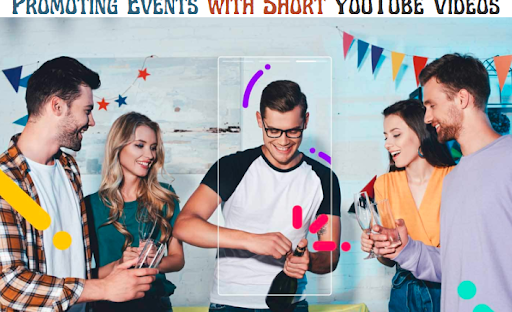
Promoting Events with Short YouTube Videos: How Embedding Short Videos Can Increase Traffic

In the ultra-modern, fast-paced virtual environment, event merchandising must be as dynamic and attractive as the event itself. One powerful tool revolutionizing casual advertising is YouTube Shorts fast-paced videos designed to engage and compel engagement. These bite-sized movies, which last only 60 seconds or much less, are not the best to create, but they are also extremely effective in generating buzz and delight.

If you’re trying to expand your casual merchandising, embedding YouTube Shorts on your website is a great strategy. In this text, we’ll explore how posting opportunity-related shorts can create buzz, increase traffic, and take your opportunity marketing to the next level.

 Why YouTube Shorts?

YouTube Shorts is quickly gaining a reputation for its seamless consumption format, which is perfect for busy audiences who crave short, enjoyable content. Unlike traditional longer films, Short Films allow you to provide brief glimpses of your event, giving attendees a glimpse of what to expect. The visible and attractive nature of Shorts is ideal for building excitement and interest, which could translate into better price tag sales and casual participation.

 1. Create Buzz with Engaging Event Previews

One of the easiest approaches to selling an event is to use a taste of what’s to come. You can embed YouTube Shorts that show short demos, behind-the-scenes footage or highlight exciting aspects of your event. For example:

  • Speaker/Artist Introductions: Create short films that introduce key audio systems, performers, or special guests. You can highlight what makes them tick and tease what content they’ll share at some point in the event.
  • Event Showcases: A short, energetic video showing the highlights of events, including photos of locations, venues, or key attractions, can get your target audience excited.
  • Countdown Videos: A countdown series where you post a brand new short video each day leading up to the event can build anticipation and keep event attendees top of mind.

These eye-catching visuals can be seamlessly embedded on your opportunity’s website, providing a fun and informative way to generate interest. 

 2. Embed short YouTube videos to increase website traffic

When you embed YouTube widget for shorts all at once on your event website, you create an interactive and dynamic user delight that can encourage website visitors to move immediately. Instead of just reading about the opportunity, ability attendees can see firsthand the energy and excitement that could drive them to register or buy tickets.

Embedding these videos all at once on your website is easy. YouTube provides a simple embed code that can be inserted into the HTML code of your website, allowing visitors to watch content without leaving your website online. Here are some effective approaches to embedding these movies:

  • Event Homepage: Showcase your most engaging short film at the top of the homepage or event landing page. The intention is to grab the traveler’s attention immediately.
  • Event Registration Pages: Put a shortcut on your registration or ticketing website to capture visitors who are close to registering but need that last push.
  • Blog Posts or Updates: Create blog content that highlights event information, news or updates, and insert relevant Shorts into these articles to support your message.

 3. Embed Your YouTube Channel For Permanent Engagement

In addition to embedding individual short videos, do not forget to embed the YouTube channel itself on your website. This strategy allows website visitors to discover all the content related to your event in one region. You can organize playlists that contain short films, trailers, interviews, promos, and other films.

When you embed YouTube channel content material for your website, you’re not just showcasing one video, you’re giving it a complete multimedia entertainment experience. Visitors can browse through a variety of videos related to your event, giving them a deeper understanding of what your event is all about. 

Embedding a YouTube channel also gives you a long-term promotional device. Even after the event is over, you can save your channel and use it to add post-event content, including highlights, talks, or interviews. This can help keep your audience engaged and eager to participate in fateful events.

 4. Add CTA to increase conversion

When embedding YouTube Shorts or your YouTube channel, it is important that they consist of clean calls to action (CTAs). Additionally, without a call to action, website visitors may experience the video but not take the next step, including signing up for your event.

Here are some ideas for calls to action to pair with short films:

  • Reserve your seat now: Encourage immediate movement by linking to your registration page.
  • Subscribe for more event updates: If you embed your YouTube channel, invite visitors to subscribe so they don’t miss important bulletins or updates.
  • Share with Friends: A simple call to action Share this video can help spread the word about your social media opportunity and growth visibility.

 5. Increase social engagement and sharing

Short YouTube videos are inherently shareable, and by embedding them on your website, you increase the shareability of your content on social platforms. You can also create a network feel by encouraging your target audience to share their thoughts or reactions in the comments section of short videos.

In addition, use these embedded movies in your social media posts, testimonials, or advertisements with direct hyperlinks again on your website for better facts or price tag purchases. By incorporating Shorts into your broader social media approach, you’ll create a seamless experience that encourages every engagement and movement.

 Final Thoughts

Embedding short YouTube videos on your event website is a very effective way to create buzz, engage your target audience, and drive traffic. By creating quick, exciting videos and embedding them on key pages of your website, you can increase interest in your opportunity and inspire visitors to take the next step – whether it’s signing up, sharing a video or subscribing to your YouTube channel for extra updates.

So start developing these attractive shorts, put them on your website, and watch your opportunity go from ordinary to great.

Social Media Marketing

Navigating LinkedIn Analytics: Unlocking the Secrets of Profile and Post-Performance

LinkedIn Analytics is a tool that allows users—individuals and businesses—to measure and evaluate the performance of their profiles, posts, and pages on the platform. It offers a range of metrics and insights that help you understand how well your content performs, who engages with it, and how you can optimize your LinkedIn strategy for better results.

Understanding and Using LinkedIn Analytics to Track the Performance of Your Profile and Posts:

About LinkedIn Analytics

LinkedIn analytics is a powerful tool that helps you understand how your profile and content are performing. Analyzing this data allows you to optimize your LinkedIn presence for better engagement, reach, and overall visibility. Here’s a breakdown of how to use LinkedIn analytics effectively:

1. Accessing LinkedIn Analytics

  • For Personal Profiles: Go to your profile page, and you’ll see a “Profile Views” section that shows the number of times your profile has been viewed. Click on “Who’s viewed your profile” to get more details.
  • For Company Pages: If you manage a LinkedIn company page, you can access analytics by selecting the “Analytics” tab in the page’s admin view. This will show data related to visitors, updates, and followers.

2. Key Metrics to Track Personal Profiles

  • Profile Views: This shows the number of times your profile has been viewed over a specific period. A higher number of views indicates that your profile is more visible in LinkedIn searches.
  • Post Views and Engagement: This metric indicates the number of views, likes, comments, and shares your posts have received. It helps you understand what type of content resonates most with your audience.
  • Search Appearances: Displays how often you have appeared in LinkedIn searches, along with details on the job titles and industries of the people who found you. This can help you refine your profile to align with your target audience.
  • Demographics of Viewers: This section shows who is viewing your profile, including their job title, location, and industry. It can help you determine if you’re attracting the right audience.

3. Key Metrics to Track for Company Pages

  • Visitor Analytics: Tracks the number of unique visitors to your page, along with demographic data such as job function, industry, and location. This helps you understand who is visiting your company page.
  • Follower Analytics: Shows the total number of followers, follower growth over time, and demographics. It also includes insights into how your followers found your page.
  • Content Performance (Updates): This provides data on your posts’ performance, including impressions, clicks, reactions, comments, shares, and engagement rates. It helps you understand which types of content perform best.

4. Interpreting LinkedIn Analytics Data

  • Identify Trends: Look for patterns in your data, such as which types of LinkedIn posts (e.g., articles, images, videos) get the most engagement or which days/times yield higher interaction rates.
  • Audience Insights: Use demographic data to assess whether you are reaching the right audience. If not, consider adjusting your content or targeting strategy.
  • Engagement Rate: Calculate the engagement rate (reactions + comments + shares/impressions) to measure the compellingness of your content. A higher engagement rate indicates that your content resonates well with your audience.

5. Using Analytics to Improve Performance

  • Optimize Content Strategy: Based on the data, create more content types that drive the most engagement. For example, if you notice that video posts perform better, prioritize creating more videos.
  • Refine Your Profile: Optimize your LinkedIn profile using insights from profile views and search appearances. Update your headline, summary, and experience sections with relevant keywords to appear in more searches.
  • Experiment with Posting Times and Frequency: Analyze when your audience is most active and adjust your posting schedule accordingly. Test different times and days to find the optimal posting schedule.
  • Engage with Your Audience: Respond to comments and engage with followers to build stronger connections and encourage more interaction on future posts.

6. Tools for Advanced Analytics

  • LinkedIn Premium Insights: LinkedIn Premium accounts offer more detailed insights into profile views and search appearances, including data from the past 90 days.
  • Third-Party Tools: Tools like Hootsuite, Buffer, or SocialPilot can provide additional analytics and scheduling capabilities, allowing you to manage your LinkedIn content more efficiently.

7. Regularly Review and Adjust

  • Review your analytics regularly (weekly or monthly) to stay updated on the latest LinkedIn trends and performance changes. Use these insights to adjust your content and engagement strategies using the LinkedIn widget tools.

By leveraging LinkedIn analytics, you can make data-driven decisions to improve your LinkedIn presence, expand your network, and more effectively achieve your personal or business objectives.

Why Use LinkedIn Analytics?

Why use LinkedIn Analytics
  • Optimize Content Strategy: By understanding which types of content perform best, you can tailor your future posts to better engage your audience.
  • Measure Growth and Engagement: This tool helps you track your profile or page growth, identify trends in engagement, and understand which content drives the most interactions.
  • Understand Your Audience: This tool provides insights into the demographics of your followers and visitors, enabling you to create more targeted and relevant content.
  • Improve Visibility: Analyzing search appearances and profile views can help you identify ways to increase your visibility on LinkedIn.
  • Refine Marketing Efforts: LinkedIn Analytics helps businesses refine their marketing strategies by showing which content types and campaigns resonate most with their target audience.

Accessing LinkedIn Analytics

  • For Personal Profiles: Click “Who’s Viewed Your Profile” or “Post Views” on your LinkedIn homepage or profile page.
  • For Company Pages, Click on the “Analytics” tab in the admin view of your company page. You’ll find options to explore visitor, follower, and content insights here.

LinkedIn Analytics is essential for anyone leveraging LinkedIn for personal branding, networking, marketing, or business growth. It provides valuable data to make informed decisions and improve performance on the platform.

Conclusion

LinkedIn Analytics is a powerful tool designed to help individuals and businesses measure and optimize their performance on LinkedIn. For personal profiles, it provides insights into metrics such as profile views, search appearances, post engagement (views, likes, comments, shares), and audience demographics, allowing users to gauge their visibility, understand their audience, and enhance their personal brand.

For company pages, LinkedIn Analytics offers a deeper dive into visitor metrics, follower growth, and content performance. This enables businesses to assess the effectiveness of their posts, better understand their audience, and refine their marketing strategies. Additionally, LinkedIn Analytics for ads tracks the performance of paid campaigns, providing data on clicks, impressions, conversions, and audience characteristics.

By leveraging LinkedIn Analytics, users can make data-driven decisions to improve their content strategy, increase engagement, and achieve their personal or business goals more effectively. Regularly reviewing and interpreting these metrics helps users optimize their presence, build stronger connections, and drive meaningful interactions on the platform.

Digital Marketing, Social Media Marketing

How To Twitter Feeds Can Help in Brand Promotion & Sales Generation?

Said to be a goldmine of user-generated content- ‘Twitter’ is one of the most engaging social media platforms displaying the most trustworthy & authentic form of content. Be it images or videos, every content you see on Twitter is termed as Twitter Feed.

These Twitter feeds are curated in such a vibrant manner that the users feel addicted to them and therefore get more engaged. Hence, brands use this as a good marketing strategy to embed Twitter feed on the website to upgrade their business and profits.

In this blog, we will not only discuss the benefits of Twitter posts but also will explain the steps of adding Twitter feeds to your website.

Unbelievable Benefits of Embedding Twitter Feeds For Your Business:

At present, Every online marketing strategy comes with great benefits that make marketers go gaga over them. Just like that, embedding a Twitter widget on the website has some mind-blowing benefits associated with it. So, scroll down to know those benefits!

#1 All Sort of Creative Twitter Content In One Place

As already mentioned above Twitter feeds can be fetched via hashtags, handles mentioned, advance feeds & bookmark feeds, therefore it becomes easier for brands to discover & gather all types of content according to their significance in one place.

#2 UGC + Social Proof

Embedding the user-generated content i.e. Twitter feed on your website not only increases the trust of your brand but also increases the authenticity of the content.

So, when the audience finds the most trustworthy content they start accepting your brand’s social presence.

#3 Make Products + Services Are Completely Visible

By embedding Twitter feeds on your website, you also make your brand’s products & services visible.

Your potential customers can simply find & purchase any of the products by getting redirected to the product page on Twitter.

#4 Boost Audience Engagement

Twitter feeds are basically user-generated content that triggers the emotions of the audience on a personal level.

If you can create a sense of involvement amongst the users, you can also be able to encourage audience interaction & engagement.

#5 Enhance Brand Awareness + Reach

Brands focus on spreading awareness about their products & services along with reaching a large audience.

You if integrate Twitter feeds (which appear to be interesting and attractive to the user) on your website, then you can also increase brand awareness and reach.

#6 Enhances Website Look + Feel

Before embedding the Twitter posts, you can customize and moderate them with the help of a good social media aggregator to make the feeds look more vibrant & appealing.

#7 Amplify Conversion + Increase Sales

Users are induced to stay on your website for longer when Twitter feeds are embedded in it.

When it happens, there are more chances that your site visitor will make a purchase and become your permanent loyal customer. This way you not only enhance conversions but also sales on your website.

5 Easy Steps To Embed Twitter Feed on Your Website By Using the Tagembed:

Here is an easy to follow 5 steps guide to creating and embedding a Twitter feed on any of the website CMS platforms without any technical support:

Step(A)Create a free account on the Tagembed widget and create a widget & rename it.

Step(B) – Now select any social media platform like Twitter and fetch feeds (With the suitable connection type)

Step(C) – Click on “Embed Widget” and select one of the website building platforms (like WordPress, Wix, Weebly, Webflow, Shopify, Squarespace etc.)

Step(D) – Curate and customize the feeds as per the requirements (like height, and width as per your requirement)

Step(E) – So finished now generate the embed code or paste this code at the backend of your website.

After finishing all 5 steps, you will be successful in adding Twitter feeds to your website.

Final Words

By embedding a Twitter feed on the website, you can improve the customer experience to the next level. In short, it helps you stay ahead of your competitors in the digital marketing sphere.

Digital Marketing, Social Media Marketing

Why YouTube Videos is Hottest Growth Right Now

In March 2021, YouTube released its new feature that allows users to post vertical videos with a duration of 60-second or less. And since then, it has gained significant traffic. According to the YouTube CEO, YouTube shorts racked up 3.5 billion views in a day during its beta testing in India.

One of the main reasons for such popularity and the vast number of views that we can estimate is: Average time spent on YouTube is 18 minutes, and with shorts that last for a maximum of 60 seconds, viewers can watch more videos.

Marketers wouldn’t miss out on using it as their marketing strategy as they have the hottest growth right now. Want to know why? 

Here is why:

Why YouTube Short Videos Have The Hottest Growth

#1 Videos get more exposure

In recent times, you would have noticed that whenever you log in to your social media account, your feed will show video content within a few seconds of scrolling. And this is because video content works better with most algorithms, and it captures viewers’ attention.

And that is why even Instagram, which started as a photo-sharing app, has more engagement on videos than other content types. 

So, it simply means people prefer videos over other content because videos are visually appealing, provide more details, and engage users. And all these factors add up to make YouTube videos one of the hottest growing content.

#2 Platforms boost new feature 

Every brand tends to promote its new product to encourage adoption. Adoption here means an act where people adapt to the product or service. The same goes for social media platforms as well.

Social media platforms promote their new feature to get used to it and adapt to the new feature. We witnessed that when Instagram launched Reels. And same we are witnessing with YouTube.

If you use YouTube on your mobile devices, you would have noticed the “Shorts” tab on the YouTube phone application. All are the measures to promote the new feature. 

So if you are thinking about posting a video using YouTube Shorts, then my friend, this is the right time. Think of engaging content and upload it on YouTube shorts without any second thought.

#3 Viewers prefer them

A recent study shows that views prefer video content (source) over articles, photos, posts, and podcasts. In short, people consume video content the most. And hence consumers expect that brands provide them video content explaining their business or product.

And as we know, video provides a more pursuable way to engage the audience. Showcase brand’s face or brand’s story humanizes your business and helps create a more profound and emotional connection with the viewer or consumer.

Moreover, videos have more shelf values, which means that video contents get more engagement and stick around longer. They are also rewatchable as people prefer rewatching the video they liked. 

And that is because video content typically generates more interaction and sharing, and people tend to save them for rewatching whenever they want. So these measures keep the videos longer in the ecosystem and hence get more traction.

#4 It appeals to Gen-Z

Gen-Z are much more connected to the internet compared to any other generation. Therefore their opinion matters the most. 

According to research, 71% of Gen-Z teens use their devices to watch videos online (source). And that adds as another factor for such popularity of videos contents, especially from YouTube. Moreover, these short videos require less attention. It means, even if people are in a hurry or want to spend less time on the internet, they still can watch the complete video.

#5 It can be used for cross-promotion marketing

In this digital age, people always share their content all across the platforms to capture more audiences and receive more views.

Short videos can be shared on different social media platforms as they have a perfect format to adjust on different platforms.

Similarly, you can even showcase videos on your websites using social media aggregator tools. These tools ease the process to embed YouTube Videos on WordPress or any website and help you to display content on your different website platforms. It not only promotes your videos but also enhances your website’s beauty. 

#6 Videos are a powerful sales tool

As per the saying, pictures say thousands of words, which might sound cliche, but it is true. Now imagine the videos. They might be worth a million words, which makes them one of the significant reasons why videos are such powerful tools. 

Through videos, you can explain your product better, and even viewers will be able to relate to it as they have social proof. Now talking about duration, shorts have a 60-seconds limit, which is enough for a brand to introduce their product. And as we mentioned earlier, people like to consume video content. So it is a win-win situation.

Summing It Up

Visual-based content has always been the critical ingredient for marketers to promote their brand and product. And the world witnessed modification, the visual content transformed. Staying with the recent trend, these short video formats are gaining a lot of popularity, which is why giants like Instagram and YouTube are trying to make complete use of them. As of now you know why these short videos are trending, we hope you will think about uploading some and providing your business a boost. 

Originally Published at: https://bit.ly/3pDc7pf

Digital Marketing, Social Media Marketing

Simple Ways To Add LinkedIn Posts To Your Website

If given a chance to explain social media as a physical atmosphere, we would like to explain LinkedIn as an office space. We keep everything professional there. In simple words, we can say LinkedIn provides great professional support. 

LinkedIn helps brands grow business connections, connect with industry experts, post job openings, hire managers or employees, and more. If we keep it short and simple, LinkedIn is the social media platform for business professionals.

It has such effect and usage that many businesses often opt to embed LinkedIn feed on website. It helps enhance the website’s visual appeal and brings a different dimension to it. 

Why Should You Embed LinkedIn Widget On Website

No one can deny that a good-looking website will attract more visitors than a dull or flat website. Hence, it is essential to have an attractive website; you can use images, videos, and more. Adding them can be a time-consuming process, or it might hamper the speed of your website. Therefore, we have a great solution: embed LinkedIn feed on a website. Of course, being a marketer, you need reasons or benefits for this process; hence, here are some of the advantages of this strategy that might convince you to use it.

  • Adds vibrancy to your website
  • Make your website informative
  • Creates awareness about your LinkedIn presence
  • Offers a simple way to post job openings on your website

Although the strategy has various benefits, we have handpicked some important ones that might convince you to add LinkedIn posts to your website.

So, if all seems satisfactory, the most important topic for this blog is the different ways to add LinkedIn posts to your website.

Manageable ways to add LinkedIn posts on the website

With the benefits and importance of this strategy, you are highly mistaken if you think this can be a tedious task. Various methods can achieve the task of adding LinkedIn posts to the website. But for your convenience and to save time, we list the three simplest ways to add LinkedIn posts to your website. These techniques are so simple that – Even if you don’t have coding skills or knowledge or belong to a non-technical background, you can still adopt these techniques.

#1 Social Media Aggregators

Social media aggregators are amazing tools that help users collect social feeds from various platforms. Then, users can curate and customize feeds before displaying them on the website. These tools provide a dedicated LinkedIn widget to help collect LinkedIn posts and display them on the website.

Using social media aggregators, all you need to do is collect the LinkedIn feed using the tool, generate the embedding code, and paste it on the backend of your website.

Besides easing the embedding process, the tool offers various features that greatly benefit this strategy. For example, social media aggregators allow you to customize the widget per your needs. You can change font size, style, background, and more and display your artistic side. Also, you have various themes and layouts to showcase LinkedIn posts. Here, you can choose the layout and theme that best suits your website’s style; the matching widget adds grace to your website and provides a professional look. All these measures help improve your website’s visual appeal and make it more impressive.

In addition, it provides a responsive widget that adjusts itself to any screen type. So, no matter what device your visitor uses, your widget’s charm remains the same. 

#2 WordPress Plugins

WordPress is one of the major website-building platforms. It eases the process and offers various plugins that add charm and functionality to the website. If you are using a WordPress website, you can use plugins that offer dedicated LinkedIn widgets. These widgets help you display LinkedIn posts on your website.

All you have to do is install these plugins, get the shortcode for LinkedIn posts, and paste it on the backend of your WordPress website. It offers functionality similar to social media aggregators, like the ability to customize the widget according to your choice.

#3 LinkedIn Embedding Code

If you don’t want to use any tool for your website, you have another option: LinkedIn feed embedding code. For each post, LinkedIn provides an embedding code you can copy and paste on the backend of your website to display to your visitors.

But keep in mind that this technique does not allow you to customize your widget or make the desired changes.

Conclusion

Upgrading the website visual is a smart Linkedin marketing technique. It helps to develop online recognition and helps in enhancing your brand’s reputation. No doubt images, posts, and videos add significant visual appeal to the website, but it might hamper its speed. And hence, embedding a LinkedIn feed on the website is easy, effective, and simple. So, what are you waiting for? Start embedding now and provide a different dimension to your website.

Digital Marketing, Social Media Marketing

The Only Shopify Facebook Feed App You Need

35% of the total populace, 2.8 billion individuals, sign in to Facebook consistently.

Generally similar level of the world’s 400 million dynamic sites show Facebook and other online media feeds.

In some cases, embedding a solitary Facebook post to a blog article is all you want, and Facebook has a helpful device for you to make the embed code. For the feed of your association’s most recent posts, the Facebook Page module is the most famous choice. The module is free and simple to add to most sites.

Be that as it may, the standard Facebook Page feed module accompanies a few drawbacks.

Above all else, you can’t change the standard module’s look and believe and match it to your image styles. The format is a solitary section stream that you can add to the sidebar yet it can’t assume control over the entire page width or, for instance, be a merry go round in the center of the page. Likewise, the tallness should be fixed, which makes a scrollable bar for the embedded FB feed on your site. Particularly with portable and tablet gadgets, scrollable components inside the page can turn into a bad dream for the site guest.

Furthermore, you can’t add other web-based media channels and make an arranged substance feed from numerous sources with the standard Facebook Page feed module. You are permitted to show each Page of the association in turn, and there is no help for client created content missions by the same token. Nowadays, showing social confirmation from your clients has become more significant, and social surveys assist you with standing apart from the opposition.

Third of all, you will not have the option to direct the feed and eliminate posts that are presently not applicable while utilizing FB’s Page module. At times, your association could distribute something pertinent for the Facebook crowd however maybe it isn’t something you might want to be the principal post displayed on the organization landing page.

Taking into account this multitude of impediments, how do brands and associations like Continental, Deutsche Bundesbank, and Harvard University embed Facebook feeds on their sites?

They utilize an social media aggregator tool or dedicated Shopify Facebook Feed App to assemble all their marked web-based media feeds and UGC from clients in a single spot. From that point, they then, at that point, make online media dividers, lattices, merry go rounds, and slideshows and show them on sites and other advanced channels.

Best Shopify Facebook Feed App to Embed Feeds on Shopify

Tagembed Shopify App is one of the best Shopify app that lets users to collect, curate, and embed social media feeds from 15+ social networks. You can simply download the app for free from here.

Add the app in your Shopify Store and proceed to add Facebook Feeds in the widget. Once the widget is ready with all of the customizations you can proceed to add them on your Shopify store.

It is simple to use the app:

  • Add App to your store.
  • Open the app and create a widget.
  • Select Facebook as your source to collect feeds
  • Customize the feed using different themes, banners, background and more.
  • Click Embed Widget button and select Shopify.
  • Choose your page, section, position and placement of the Facebook Feed
  • Finally, click Add to Pages button and you’re done.

Reload your website and Facebook Feeds will be live on your website.

Also Read – How to Add Instagram Widget on a Website

Conclusion

Hence, you can now easily embed Facebook Feed to Shopify website or other social media feeds on your website using the All-in-one Shopify App by Tagembed.

Digital Marketing, Social Media Marketing

Effective LinkedIn Marketing Strategies for 2024

Social media platforms are constantly evolving and making their market in the digital marketing space. While businesses are spoilt for choice when it comes to social media platforms for promotion, LinkedIn stands out as the perfect platform for companies and professionals.

Why do we say that? LinkedIn is an amazing platform that helps you grow your business circle. It allows you to connect with industry professionals, experts, and your competitors. Moreover, it also assists in hiring office employees or recruiting resources for running the business.

In totality, it is safe to say LinkedIn is made for businesses and professionals. So, if you haven’t yet used the platform for your business, you are missing out on many opportunities to boost your business’s reach and recognition.

If you have made up your mind about using it or are already using the platform, here are some innovative and practical tips that might help you capture a larger audience it.

LinkedIn marketing strategies to capture more audience

As social media platforms have transformed into an essential marketing element, it becomes highly important to have innovative ways to utilize them. For example, if used smartly, LinkedIn can significantly assist in capturing more audiences and achieving business goals. And here are some practical tips that might come in handy for you.

1. Optimise your LinkedIn profile

We cannot stress enough how important it is to have a well-made and optimized LinkedIn profile. This tip can be applied to any social media platform, as these profiles are your representative. People see your profile initially, and then they make all other efforts.

Here, we will be talking about LinkedIn profiles. Creating a LinkedIn profile is a brilliant marketing move, but optimizing the profile can modify this strategy. So here are some of the ways that you can:

Use your brand logo as your display picture. People often recognize brands from their respective logos, so it works as an identification for brands. So, while using your LinkedIn profile, use your brand logo. It has two significant advantages. Firstly, it authenticates the profile, which means people can differentiate between your original and fake profiles.

Secondly, as you attain more reach on the profile, you will be able to develop more brand recognition, and with the help of the logo, more people will be able to identify your brand.

Here’s another tip under this heading: When writing about your brand, make sure you provide all the details to the reader. On LinkedIn, you can mention your brand, employees’ strengths, and more. While explaining the brand, make sure that you mention how your products can make a difference to the user.

2. Post engaging content

There is no alternative to good content. Hence, while staying on any platform, make sure you utilize the facility by the platform. And post the content that suits the style of that platform. So, while talking about LinkedIn, LinkedIn is known for business professionals. Make sure that the content you post is formal and engaging.

For example, you can post about recent studies related to your industry. Or share your insight on an ongoing topic. It helps you draw users’ attention and adds engagement to your profile. Another way to utilize the platform is by posting the job opening, so you can use entertaining and creative ways to post job opening notices.

3. Embed LinkedIn feeds on the website

Posting content on any website is to gather as many views and attention as possible. And the smart of doing it by opting to embed LinkedIn feed on your website. With this technique, people unaware of your LinkedIn presence or who can’t find your LinkedIn profile will view your content.

Viewers/website visitors can follow you there, which might help strengthen your LinkedIn presence.

Another aspect of this strategy is that, on the one hand, it promotes your LinkedIn profile and helps you get more views. At the same time, it improves the visual appeal of your website, as people often determine the quality and reputation of a brand based on its website.

Hence, it is important to have an appealing website. This improves the website and strengthens the LinkedIn presence—it is like hitting two birds with one stone.

There are various methods to obtain this strategy. We recommend using social media aggregators to simplify the embedding process and provide various features that add great significance to this strategy.

Also Read – Best Ways To Embed Facebook Reviews On Website

Key takeaways

Using social media for marketing is bright, but using each platform to its potential needs strategy. LinkedIn is an effective and efficient platform known as a professional and formal platform, so it is essential to apply some innovative strategies to benefit from it. Above mentioned tips are some innovative ways to capture the audience and enhance the brand’s reach.

Originally Published at: https://bit.ly/3GKnW2S

Digital Marketing, Social Media Marketing

Best Ways To Embed Facebook Reviews On Website

In the past few years, we witnessed a sudden rise in the popularity of social media platforms. During this growth, many platforms were introduced and have successfully established themselves. However, even in this tough competition, Facebook still stands as the king of social media platforms. 

Being one of the oldest platforms in the social media landscape, it still holds relevance and popularity. And that is simply because of regular upgrades by the platform. In addition, with such a huge user base, Facebook holds a great impact in the market and reviews provided by the users can make or break a brand.

Reviews over Facebook are very important for a business. It helps the brand with great visibility and increases brand awareness. You can embed Facebook reviews on your website, it is a smart strategy for gathering more audience and enhancing brand recognition.

What are Facebook Reviews?

Facebook provides the freedom to its users to express themselves regarding any topic and by using any medium. Because of this freedom, users often use this platform to share their experiences with a particular brand or provide feedback on a particular product. These Facebook posts containing opinions and feedback are Facebook reviews. 

These reviews are the best example of user-generated content and are very helpful to win the trust in the market. Reviews can be in any form; it can be a written blog, picture or video. Whatever their form is, the main objective of these reviews is to spread awareness about the brand and help people in their buying decisions.

Why should you use Facebook Reviews Widget on website?

As mentioned above, Facebook customer reviews are one of the prime examples of user-generated content. And by featuring them on your website, you enhance the credibility of your brand.

People trust the words and feedback of past customers, as they provide an honest and true opinion about the product and share their unbiased experience with the brand.

You can easily display these reviews on your website by using the Facebook widget. The Facebook widget helps you gather all the content related to your business from Facebook and display them on your website.

By displaying these reviews on your website, you appear transparent to your visitors. In addition, it enhances your reputation as you will appear as a brand that cares about customers and considers their opinions. Various other benefits of embedding Facebook customer reviews on your website are :

  • Enhances your credibility.
  • Makes your website engaging.
  • Brings vibrancy to your website.
  • Increases website traffic.
  • Decreases the bounce rate.

There are many tools in the market that provide you with the feature to embed Facebook review widgets on your website. Here is the list of the best tools that are currently available in the market and provide amazing results.

Best tools to embed Facebook customer review on your website

Tagembed

Tagembed is the best social media aggregator in the market which provides a dedicated Facebook review widget for websites that helps you to gather Facebook posts related to your business, allows you to curate and customize them and then displays them beautifully on your website.

It is a coding-free tool that doesn’t require any coding skills to install or run. You just have to copy the code and paste it into your website’s backend. Thus, it saves your time from searching for all the posts related to your business and saving your money as you do not require any specialist to run this widget. Moreover, the widget automatically provides the latest content on the feed; you don’t have to refresh the feed manually.

Many people misuse the freedom to express themselves on the platform and post abusive or unwanted content about a brand. The moderation feature saves you from displaying these kinds of content. You can keep an eye on the content that goes on for the display and filter out all irrelevant and spam content. Furthermore, you can even use a profanity filter to restrict the content containing the mentioned words or block the posts from a particular Facebook account. All these measures help you to maintain & grow the quality of your website.

Elfsight

The best way to attract people to your website is by providing them with a vibrant and lively looking website. And Elfsight is the perfect tool that offers you various customisation options that makes your website appealing to visitors. Moreover, it is compatible to display all kinds of media. You can even create a photo or video gallery on your website with the help of this tool. It is one of the most popular tools in the markets and provides some amazing features.

It also helps you display the chosen reviews, allowing the visitor to know more about your brand. Moreover, you can even restrict the number of reviews that goes for the display. Thus, it provides complete control over the feed.

EmbedSocial

EmbedSocial is one the most talked-about tool in the market. It provides 10+ Facebook feed templates that can match any website design. You can also moderate the content with the help of the moderation feature. It is an amazing tool that helps to drive the audience to your website and helps you to convert them into your customers.

Also Read – How To Add Linkedin Widget On WordPress Website?

SocialKIT

SocialKIT helps you make your website more eye-catching and appealing to visitors by displaying Facebook customer reviews on your website. It showcases a responsive feed compatible with all screen types, so it does not matter whether your visitor uses PC, tablet or mobile. Your feed will be running without any interruptions.

Broadly

A potential customer always looks for reviews & social proof of any product before buying it. You can provide all the needed information to your visitor all at one place, by showcasing the Facebook reviews about your brand. Broadly helps you display these contents smoothly, makes your website more engaging, and increases your chance of attaining more sales.

Also Read – Instagram Stories: Don’t Underestimate IG Stories For Business

Conclusion

Reviews are vital for any business, it not only helps you know your market reputation but also helps you win the trust of your potential customers. You can showcase these reviews on your website by using the tools mentioned above and prove your credibility to your visitors. These tools are very easy to use and provide great assistance to your business in obtaining more visitors to your website.

Digital Marketing, Social Media Marketing

7 Authentic Ways to Grow Instagram Followers in 2022

Instagram was officially launched on October 6, 2010. And since there is no going back from a simple photo-sharing app, it has now transformed into a social media giant. With over 500+ million daily active users, it provides a great stage for the users to market content in front of a large audience.

With such a user base, there is huge competition on the platform to attain as much audience as possible. So if you are an Instagram user or thinking about using Instagram to market your product/brand and looking for some simple and effective ways to gain followers, then this blog is just for you. You can also learn from here how to create original Instagram content.

We have listed the 7 most amazing ways to gather followers for your Instagram followers in this blog.

7 Ways to Grow Followers On Instagram

No one can deny that Instagram provides a great opportunity for its users to express themselves and grow their follower base on the platform. However, to stand out from the crowd, you need to have some smart strategies that help you in building an excellent follower base. So, follow these amazing tips as they might help you achieve your desired goals on the platform.

  1. Post engaging content

No matter what platform you use or when you upload, never let this thought skip your mind that content is the real king. If people relate to your content, they are most likely to follow your account to get regular amazing content.

If you are running a business and using Instagram to promote your business, then post regularly about your product or repost content from your customers, post their reviews, social proofs, and images while using the product.

Post images of your products in a creative way to attract more people to your account. You can even post short or IGTV videos that explain your products/brand. You can even use IGTV videos to upload behind the scenes of your advertisement or provide a little sneak into affords that go in while making your product.

  1. Embed Instagram feed & Stories on the website

Posting amazing, lively and engaging content not only helps your Instagram account but can also help your website. Simply embed Instagram Stories on websites, you can add a charm to your website and, at the same time, can create awareness for your Instagram account.

People who are unaware of your Instagram presence would also know about it when they get to view content from your Instagram account, and they even can follow your Instagram handle. So you can consider this a strategy to market your Instagram account and your products simultaneously.

Although Instagram provides you with the option to embed the post on your website, you have to collect each post one by one and continue the same process every time. Hence, we suggest you use social media aggregators for this process as they simplify the embedding process, save your time, and save your efforts. In addition, they automatically refresh the feed as they display the content as soon as it is uploaded on the platform.

Also Read: Answering Paid Surveys

  1. Use appropriate Hashtags!

Hashtags are an important aspect of Instagram, and it helps you categorize your content under one umbrella and capture your target audience. People often search for products or brands using the hashtag, and you can even launch your hashtag campaign to spread brand awareness and recognition. And it might help you to get more followers as people love to post using hashtags.

  1. Follow your target audience

Follow for follow is one of the oldest tricks in the book, and yet it is useful. You can track the people who follow brands from your industry and individually follow their Instagram account. You can even go through the followers’ list of your competitors and follow people individually. It will develop an interest in the mind of those individuals, and they might follow you back as well.

  1. Post entertaining content

No matter what social media platform you are using, there is no alternative to quality content. Remember, content is the king, so as you post better quality content, it enhances your chances to draw people’s attention. There will be more attention, and it might encourage people to follow you to get regular entertaining content.

Also ReadTop 7 Benefits of Embed Facebook Feed On Website

  1. Follow the trend

People love to stay updated with the latest trend and view content that focuses on recent happenings. The Instagram algorithm also supports them as these kinds of posts have more traction and engagement. And when you get support from the Instagram algorithm, it eventually helps you to gain more followers.

  1. Use the power of reels

Instagram recently launched their new feature called Instagram Reels, and it has become an instant hit; even Instagram promotes reels and provides a boost to them. These are bite-sized videos, and hence, they require less attention span; viewers can go through them easily and without investing much time.

Conclusion

In today’s time, social media strength is considered as one of the mediums to measure a brand’s reputation and quality. And as Instagram stands all as one of the most influential social media platforms, it becomes crucial to have a strong Instagram presence. And with some intelligent techniques like mentioned above, you can easily achieve them. While using Instagram, there is another usage of the platform as well. And that is, if you are using Shopify as your eCommerce platform, you can add Instagram feeds to Shopify with the help of Shopify apps. It serves to beautify your store and create a good impression on your consumers.

Originally Published at: https://bit.ly/3AJ6mL9

Digital Marketing, Social Media Marketing

Importance Of Facebook Page Reviews & How To Embed On Website

Facebook Business Reviews are a form of customer feedback shared by the customers or buyers on the Facebook Business Page to share their experience and opinions.

Facebook reviews are great tools for businesses to build authority and a good social media presence to display to potential customers.

Facebook reviews can be in text, star ratings, and recommendations shared by customers on the Facebook Page.

Businesses that have Facebook Business Page receive great responses from their customers as it is easier and effective to place their reviews than through feedback forms, etc. Also, customers find Facebook reviews more transparent and genuine as businesses cannot modify reviews placed by their customers, and it displays to the public. Thus, Facebook reviews are more transparent and hold more power than other types of reviews.

With the advanced tools and applications, you can embed Facebook reviews on your website to offer the same transparency and boost your business with many audiences.

You can embed these powerful Facebook Reviews on your website and leverage the potential of Facebook Reviews through your website.

This blog will brief you about the importance of Facebook reviews for your business and the benefits of embedding them on your website.

Let’s get started with,

Importance Of Facebook Reviews To Business

Facebook reviews are a game-changer for many businesses, and why not when it connects your potential customers with authentic customer reviews and ratings about your business.

Facebook reviews boost the authority of your business through customer reviews and ratings that are displayed on their Facebook Business Page. Customer reviews showcase the quality of your business products and services through the real experience of customers.

Facebook reviews help your potential prospects learn about your business through the customer’s voice, giving them a better idea of the products and services you are providing to your customers.

Facebook is the largest social media platform, with more than half of the global population. Thus when people talk about your business, it turns out to be more authentic and trustworthy than reading the simple testimonials on your website.

Having your business on Facebook is a must in the current online marketing scenario, and building a robust business presence with your business.

4 Benefits Of Embedding Facebook Reviews On Website

#1 Boost Website Authority & Trustworthiness

Facebook reviews display genuine customer feedback in the form of reviews and ratings. By embedding these Facebook reviews and ratings, boost the authority of your business by earning the trust of the prospective audiences as people do not rely on the branded content as everyone is saying the same thing. Thus, displaying authentic customer Facebook reviews builds website authority and credibility among your prospective customers.

#2 Enhance Website Appearance

The creative display of Facebook reviews enhances our website’s looks with a designful and diverse content display on your website. You can create an amazing display of Facebook reviews using the Facebook review widget that provides you with various features and functionalities.

#3 Display Informative & Interactive Content

Embedding Facebook reviews enhances the content quality of your website with more informative, realistic, and authentic content. You can make dynamic website content by integrating Facebook reviews and ratings that keep your audience engrossed.

Customer reviews add more information to your website content and help your visitors to receive a much better understanding of your product & services on your website.

#4 Increase Conversion Rate

You can trigger customer’s actions with interactive and action-deriving Facebook reviews through the social proof factor using social media aggregator tools. Facebook reviews influence your customers with others’ experiences and entice them to make purchase decisions based on the customer reviews and ratings from Facebook Business Page.

How To Embed Facebook Business Reviews On Website

Displaying Facebook reviews can be a powerful tool to market your business and make optimal use of your customer’s feedback by appreciating their valuable reviews showcasing on your website.

But how will display customer reviews on your website is the major task. So if you like to embed customer reviews on your website, you can do so by using any of these two methods mentioned below:

Method 1: Use Embed Feature Of Facebook

You can use Facebook’s Embed Code feature to integrate Facebook Reviews into your website. It is easy, cost-effective, and does not require any technical expertise. But the only drawback is you can only place one Facebook review at a time.

Method 2: Facebook Review Widget Tool

You can use the Facebook review widget to aggregate, design, and display multiple Facebook Reviews on your website. You can find several Facebook widgets on the internet like Tagembed, Taggbox, etc. You can use any of these Facebook review widgets and embed Facebook reviews on website.

Also ReadHow To Add Linkedin Widget On WordPress Website?

Wrapping Up!

Undoubtedly, Facebook reviews are powerful and dynamic to empower your marketing efforts and boost your business through the website.

Hence, leverage Facebook reviews by embedding them on your website to retrieve such exceptional results.

Originally Published at: https://bit.ly/3tGdbvq

Digital Marketing, Social Media Marketing

Instagram Stories: Don’t Underestimate IG Stories For Business

Do you want to know the real power of Instagram Stories for your business? If you are eager to use Instagram Stories perfectly, this is the right blog for you. Here, you will know how to powerfully use Instagram Stories to attract, engage, and bring conversions with your followers. 

Ever since the inception of Instagram Stories, the number of users is increasing drastically. Now 90% of Instagram users are using Instagram Stories to communicate and update their followers and friends. 

As the Stories last for 24 hours, people feel free to share small or short glimpses from their daily life without hesitating or having a second thought as it will only be up there for a day. 

Instagram Stories has changed the way Instagram users share content and interact with each other. Now, after 5 years of Instagram Stories, there are so many features and functionalities added to Instagram Stories that make it such a powerful and effective way to share content and even run result-driven Instagram marketing campaigns. 

Businesses can harness the power of Instagram Stories to expand their reach and connect with their prospective customers and followers to derive exceptional value. 

Keep reading till the end of this blog to discover how you can use Instagram Stories more powerfully for your business. 

Understanding How Instagram Stories Work?

Statistics show that Instagram Stories are being used by more than 500 million Instagram users daily, which means it has enormous potential to reach millions of people with your content. 

It is found that Instagram Stories encourage Instagram Users to stay engaged on the platform and more Instagram stories. 

Instagram Stories only stay live for 24 hours and allow only 15 seconds of short videos to upload. Therefore, it makes it easy for Instagram users to stay engaged with the Instagram stories and use them in their marketing campaigns. 

As the attention span is getting lower and lower day by day, people don’t like to watch videos of longer duration. Thus short video clips are doing great and keep the interested audience engrossed for so long. 

Thus, you can use Instagram Stories to engage your followers and interested audience with 15 seconds creatively designed videos and keep them regularly engaged with your content. Moreover, there are so many filters and features provided by Instagram that make your Instagram Stories more powerful and interesting. 

There are various ways in which you can use Instagram stories to enhance your business. So let’s discover how to use them effectively. 

Different Ways To Use Instagram Stories For Business

Apply these below-given methods to retrieve amazing results through Instagram Stories. These are the tried and tested methods by various brands and businesses to use Instagram Stories to deliver amazing results. 

Thus, if you’re commencing your Instagram Stories strategies, then start with the following methods. If you’re already promoting your business through IG Stories, then it is a bet for you to discover a unique method to use Instagram Stories for your business. 

#1 Use Brand Stickers To Create Instagram Stories

Unlike other formats of content to post on Instagram, IG Stories provide you with various features that include themes, stickers, filters, and so more to create powerful Instagram Stories. For example, you can create amazing and beautiful-looking Instagram Stories using stickers that like your customers. You can find a plethora of stickers on Instagram Stories. You can even use Canva to creatively design Instagram Stories to promote and reach your followers that lay an impressive image.

#2 Embed Instagram Stories On Your Business Website

One of the amazing ways to use Instagram Stories is by embedding them on the website. It will add more unique, attractive, and engaging content to your website. Using the Instagram Widget or Social Media Aggregator tool, you can easily Instagram stories Widget on your website. As people like to engage more with creative and innovative content than old-professionally sound website content, Instagram Stories can be an innovative approach to display content on your website.  

#3 Use Hashtags, Mentions, & Location In Your IG Stories

Another way to make splendid IG Stories is through hashtags, mentions, and location tags. These will make your Instagram Stories more specific, intriguing, and interesting to your audience. Depending on what type of content you are showcasing to your audience, you can use any tags to make them more attractive and engaging. 

#4 Keep Some Awesome Instagram Stories Forever With Highlights

You might be using Instagram Stories sometimes to deliver more important information related to your business or products or services. Instead of 24 hours, you can keep such amazing IG Stories forever save with you and display them on your Instagram through the highlight feature. 

Also Read – Embed Instagram Feed Gallery on Website

Wrapping Up!

Hence, we have come to the end of this blog and discovered that Instagram Stories are so powerful to boost your business. You can create amazing content through Instagram Stories that too efficiently without using many resources. And the result it derives is marvellous. Thus, follow these methods to gain more out of your Instagram Stories and make a powerful content strategy to promote your business.

Originally Published at: https://bit.ly/3tvtIT8

Digital Marketing, Social Media Marketing

Facebook Reviews: Increase Your Business Growth

It would not be incorrect to say that Facebook is the largest and fastest growing social media platform globally. With a user base of 2.85 monthly active users, Facebook has opened multiple doors for brands to stay ahead of their marketing game. 

Did you know that over 200 million new businesses on Facebook use the platform as an efficient marketing tool? 

This statistic pretty much sums up what Facebook means for brands irrespective of big labels to new start-ups. 

Even though Facebook was introduced as a social media platform for letting its users make more connections, get in touch with family and friends, and socialize, the platform has proven to be much more than that. 

Furthermore, embedding Facebook reviews on the website can take the brand efforts and sales to a whole new level. Wondering how? 

You will get to know all this and more as you continue reading the blog till the end. 

In this post, we shall tell you how Facebook reviews can help you increase your business. Additionally, we will also mention a few tools that can help you embed Facebook reviews seamlessly into your website. 

Let’s get started! 

Why Must Brands Embed Facebook Reviews On Their Website?

By now, you must be wondering about the reasons to adopt this strategy. This section will shed some light on a few key reasons to showcase such content on your website. 

1. Boosts Trust & Loyalty 

Trust is the basis of every relationship. It also includes a relationship between a customer and a brand. It can be quite a daunting task to gain the trust of your potential customers. However, it can be done when you embed Facebook reviews on your website. 

How! Do you ask? The logic here is simple. A new customer to your brand may not be confident enough to try your products and switch to your brand. However, when they read other customers’ experiences and how much they like your brand and its products, they instantly feel more confident. 

It happens because customers take the word of other customers more seriously than your brand’s promotional content. 

Hence, by embedding Facebook reviews, you instill a sense of trust and loyalty in your customers. 

2. Boost Engagement & Increase Dwell Time Of Website Visitors 

When you embed Facebook review widget on your website, you make your website visitors more excited and encourage them to explore your website more. In addition, if they decide to stay on your website for a longer duration, it will increase their dwell time. 

Moreover, Facebook reviews are quite engaging content, and giving reviews a read would help in increasing your website users’ engagement levels. Ultimately, visitor engagement is a primary factor that helps brands determine the interest of the users and the chance of their conversion. 

3. Higher Ranking On SERP (Search Engine Ranking Pages) 

Reviews help your brand rank higher on the search engine. The more positive rankings on your website, the higher your chances would be. 

Additionally, Facebook reviews help increase your website’s traffic. Due to the high stay time of visitors and reduced bounce rate, the chances of your website ranking higher will significantly increase. 

Best Tools To Leverage For This Strategy 

After reading the incredible benefits of Facebook reviews, we will now guide you through the best tools that can help you embed Facebook reviews into your website. 

1. Tagembed 

First up on the list is Tagembed – a leading social media aggregation platform. This responsive platform enables its users to aggregate, curate, and embed social media content on the website. In addition, users can collect content from over 15+ social media platforms, including Instagram, TikTok, Facebook reviews, Facebook Feed on shopify, WordPress, HTML, and many more CMS. 

After aggregating the content, users can increase the effectiveness of the Facebook reviews widget by using additional features such as customization options that help users style the widget how they want. Additionally, the users can leverage the content moderation panel to remove any objectionable content from the widget. 

The platform offers advanced analytics for brands to track the performance of the widget. Lastly, if the users encounter an issue or glitch while using the platform, they can get assistance from the robust customer support team anytime. 

2. Elfsight 

The second option is Elfsight – another social media aggregator platform that lets users collect and embed Facebook reviews effortlessly on the website. 

The users get an option to adjust the width and height of the widget before publishing it on the website. In addition, users can catch a glimpse of the preview before making it live. Other features include styling options and content moderation. 

Also Read – Top 7 Benefits of Embed Facebook Feed On Website

Closing Note 

Facebook Reviews play a great role in building or breaking the reputation of a brand. If you are a brand and have noticed that your brand users vouch for your brand on Facebook, you need to make sure that you utilize such content on your website. 

We are at the end of this post, and you are well aware of Facebook reviews, the importance of embedding them, and the best tools to do so. So now that you know it all, what are you waiting for?

Originally Published at – https://bit.ly/3qXy6Y4