tools to add social media feed on wix
Social Media Marketing

Tools to Add Social Media Feed on Wix Website

Wix is one of the most popular website builders known for its simplicity and flexibility. Whether you are a small business owner, blogger, or creator, your website is more engaging when it includes real‑time updates from social media. Adding social media feeds to your Wix website lets you display your latest posts, photos, and videos directly on your site.

This feature keeps your visitors informed, improves brand trust, and helps you maintain an active online presence. Instead of manually updating your content, you can use dedicated tools that automatically fetch your latest posts. These tools make it easy to embed content from platforms like Facebook, Instagram, Twitter, LinkedIn, and YouTube.

If you want to add a Facebook feed or display an attractive Facebook widget, there are several tools to add social media feed on Wix that work smoothly with the platform. The following list includes some of the best options to help you connect your website with your social media presence.


Best Tools to Add Social Media Feed on Wix

1. Tagembed

Tagembed is a reliable tool that helps you add social media feeds to your Wix website in minutes. It gathers content from different platforms including Facebook, Instagram, and YouTube, then allows you to customize and embed it easily.

Key Features:

  • User‑friendly dashboard and simple embed process
  • Real‑time updates that sync automatically
  • Custom layout styles and design options
  • Content moderation to hide unwanted posts
  • Insightful analytics to measure user engagement

Tagembed also supports responsive design, making your social feeds look great on both desktop and mobile. You can embed a Facebook feed with your latest posts, videos, or reviews. This adds authentic social proof and encourages visitors to engage more with your brand.


2. Elfsight

Elfsight is a popular social media widget tool that offers multiple feed types including Facebook, Instagram, Twitter, and YouTube. It’s designed for all skill levels, so even beginners can integrate a professional‑looking feed into their Wix site.

Highlights:

  • Drag‑and‑drop editor for easy setup
  • Customizable templates for feeds and galleries
  • Auto‑sync feature to keep content up‑to‑date
  • Compatibility with all major social platforms

Elfsight’s widgets load quickly and adapt well to any page layout, ensuring a smooth user experience across devices.


3. Taggbox

Taggbox Widget is another excellent tool that helps you embed curated social media content on your Wix website. It supports Facebook, Instagram, LinkedIn, and more. You can collect posts from multiple profiles or hashtags and showcase them as a unified feed.

Main Features:

  • Customizable design with fonts and background styles
  • Built‑in moderation tools for filtering content
  • Responsive design for mobile compatibility
  • Supports live feeds and hashtag campaigns

Taggbox is ideal for businesses that want to display social proof or encourage audience participation. With Taggbox, it’s easy to create visually appealing feeds that attract attention and build trust.


4. SociableKIT

SociableKIT offers a collection of widgets for adding social media content to websites. It supports different platforms and can embed events, videos, albums, or timelines directly into Wix.

Key Benefits:

  • Ready‑to‑use templates for fast embedding
  • Mobile and SEO‑friendly design
  • Custom CSS for advanced styling
  • Regular updates to ensure performance

The tool allows you to display a Facebook widget or any other feed with flexible style options. Its automatic refresh keeps your embedded content updated without repeating manual edits.


5. Walls.io

Walls.io helps brands collect and display their social media content in real‑time. It integrates well with Wix and allows you to display posts from multiple sources like Facebook, Instagram, Twitter, and TikTok.

Core Features:

  • Supports multiple networks in one single feed
  • Fully responsive and mobile‑ready
  • GDPR‑compliant data handling
  • Customizable embedded wall designs

Walls.io is often used at events, campaigns, or for brand showcases. With its live stream of posts, your website will constantly feel current and engaging.


6. EmbedSocial

EmbedSocial provides tools to embed reviews, albums, and feeds from Facebook and other platforms. It’s great for businesses looking to highlight customer testimonials or brand mentions.

Features:

  • Easy setup with simple embed codes
  • Works natively with Wix and other CMS platforms
  • Custom styles and design flexibility
  • Real‑time auto‑sync for new content

Using EmbedSocial, you can easily add an appealing feed that helps enhance user engagement and website aesthetics.


7. Juicer.io

Juicer.io is another effective way to collect and display multiple social feeds in one clean layout. It pulls content from Facebook, Twitter, Instagram, and more, making it a multipurpose choice for Wix users.

Key Features:

  • Auto‑updating aggregated feed
  • Filter and moderation tools to control displayed content
  • Simple step‑by‑step embed process
  • Fast load time for better website performance

Juicer.io works especially well if your goal is to showcase varied content from different social channels in a unified format.


Conclusion

Adding social media feeds to a Wix website helps unify your online presence and boosts audience interaction. You don’t need coding skills or complex plugins, these tools provide everything needed to integrate your social content seamlessly.

If you’re focused on visual customization, Tagembed and Taggbox Widget offer the best balance between design and automation. For quick and lightweight embedding, Elfsight and SociableKIT are also excellent choices. Walls.io and EmbedSocial are ideal for brands that prioritize analytics and live campaign performance.

Whichever tool you choose, embedding a Facebook feed or other social content will help keep your site vibrant and trustworthy. A well‑designed Facebook widget not only displays content beautifully but also reminds visitors that your brand is active and connected.

By integrating these tools, your Wix website can become a central hub for your latest social stories, helping you reach more people, build engagement, and strengthen your overall digital presence.

Increase facebook likes
facebook, Social Media Marketing

How to Increase Facebook Likes: Smart Strategies for Growth and Engagement

Getting more Facebook likes isn’t just about social status, it’s about building a loyal audience, increasing your digital reach, and turning engagement into real results. With billions of active users, Facebook remains a must-use platform for personal brands, local businesses, and global companies alike.

But with so much competition, standing out and growing your facebook likes takes a smart strategy and consistent effort. If you’re looking to boost your page quickly and sustainably, this guide covers all the essentials for 2025.


Why Facebook Likes Still Matter?

  • Social Proof: A higher like count signals trust and popularity. When new visitors see a page with thousands of likes, they’re more likely to trust your brand and engage with your posts.
  • Organic Reach: Facebook’s algorithms favor content that’s liked and interacted with, meaning more likes lead to wider organic reach.
  • Business Growth: More likes mean more eyes on your products, services, and announcements. Pages with growing likes can build communities, fuel conversations, and even make money on Facebook through ads, affiliate marketing, or direct sales.

Tips To Increase Facebook Likes

1. Create Shareable, Value-Driven Content

Your content is what captures attention and entices clicks. Focus on delivering value, educate, entertain, inspire, or inform your audience with each post. Share tips, insider information, trending memes, how-to guides, or behind-the-scenes peeks. The more relatable and useful your posts, the more likely people are to like, share, and return.

Tips for content:

  • Use high-quality visuals (images, infographics, short videos).
  • Keep captions clear, witty, and to the point.
  • Post regularly to stay on users’ Facebook feeds without overwhelming them.

2. Run Contests and Giveaways

Contests are classic for one reason, they work! Ask users to like your page and a post to enter a giveaway. The incentive of a prize (product, coupon, or experience) quickly attracts new likes, while engaging existing followers. Don’t forget to make rules transparent and the prizes relevant to your target market.

Ideas for engagement:

  • Like and comment to enter
  • Tag a friend for bonus entries
  • Share the post to boost reach

3. Add Facebook Feed to Your Website

Cross-promotion increases your Facebook visibility. When you add Facebook feed to your homepage or blog, website visitors can see your latest posts and interact without leaving the site. This streamlines the process, if someone enjoys your content, clicking “like” becomes a no-brainer. It also keeps your website dynamic and demonstrates active engagement to Google and visitors alike.

Many plugins and widgets let you embed your Facebook feed with just a few clicks. Make sure it matches your brand style and is easy to navigate.


4. Collaborate and Tag Influencers

Join forces with local influencers, popular creators, or complementary brands. Co-host live sessions, tag them in posts, or do shoutout swaps. Their followers will notice and may check out, and like, your page for themselves. Always choose partners whose values align with your brand for maximum effect.


5. Post at the Right Times

Facebook engagement isn’t constant throughout the day. Analyze your audience insights to determine when your followers are most active, and schedule posts for those windows. Common peak times are evenings and weekends, but this varies by niche and region.

You can use Facebook’s scheduling tools to queue your content and reach audiences exactly when they’re likely to interact.


6. Use Facebook Ads to Boost Visibility

Facebook’s reach may be organic, but ads can multiply your exposure exponentially. Set aside a small budget for page-like campaigns, targeting your ideal audience by interest, demographics, and behavior. A well-crafted ad can attract hundreds of new likes, especially when coupled with a compelling lead magnet (discount, freebie, etc.).

Monitor your campaigns to see which audiences convert best and adjust your strategy accordingly.


7. Engage With Comments and Messages

Replying promptly to comments and direct messages shows that your page is active, responsive, and cares about its followers. This personal touch not only increases the likelihood of returning likes, but those engaged users often bring friends along for the ride.

Thank followers for their feedback, answer questions authentically, and pin thoughtful comments for visibility.


8. Share User-Generated Content (UGC)

People love recognition. Share photos, videos, or stories created by your followers, tagging them and crediting their work. UGC builds community, inspires more sharing, and turns casual fans into loyal advocates who proudly “like” your page.

Encourage submissions by running challenges and highlighting creative entries in your feed.


9. Ask Directly for Likes

Sometimes, all you need to do is ask. In your posts, stories, or even on your website, invite people to like your Facebook page for more tips, exclusive deals, or updates. A polite, direct call to action works wonders, especially at the end of a helpful post or video.

Example:
“If you enjoyed this tip, give our page a like for more daily insights!”


10. Leverage Trending Topics and Hashtags

Posting about trending news, viral moments, or hot topics increases the chance your content is discovered by new audiences. Use relevant hashtags, local stories, and current events when appropriate, but make sure your posts are authentic, not forced.

When your post rides a trending wave, it often attracts more engagement and likes by being part of the conversation.


11. Make Money on Facebook to Grow Motivation

Once your page grows, turn attention into revenue. Selling products, hosting paid events, or joining affiliate programs are all ways to make money on Facebook. Share your journey and encourage others, this shows that likes translate to real opportunities, motivating engagement and loyalty.

Transparency about how you benefit, and how your audience can as well, builds trust and makes everyone part of your story.


12. Analyze and Adapt

Finally, regularly dive into your Facebook Insights to see what’s working. Identify which posts attract the most likes, what times spark the most activity, and which content formats perform best. Use these findings to refine your strategy, focus on what your audience loves most, and don’t be afraid to pivot as trends change.


Conclusion: Consistency Creates Results

Increasing Facebook likes isn’t about shortcuts, it’s about understanding your audience, delivering real value, and maintaining a steady, authentic presence. Cross-promote your content, build relationships, engage meaningfully, and keep your digital doors open with an embedded feed on your website. Soon, those likes will grow into a loyal community, giving you more influence, reach, and even opportunities to make money on Facebook.

Follow these proven strategies, track your progress, and stay creative. Genuine growth is within reach, one like at a time.

how to make money on facebook
facebook, facebook widget

How to Make Money on Facebook: A Complete Guide to Growing and Earning Online

Facebook has transformed from a simple social networking site into one of the most powerful digital marketing platforms in the world. With over 3 billion active users, it offers endless opportunities for individuals, influencers, and businesses to make money online. Whether you’re looking to promote your brand, sell products, or earn from content creation, Facebook provides several ways to turn your social presence into profit.

In this guide, we’ll explore how to make money on Facebook, from setting up your page and engaging your audience to leveraging tools and strategies that boost reach and revenue. We’ll also share practical Facebook marketing tips to help you succeed.


Introduction: Why Facebook Is Great for Earning Online

Facebook isn’t just a platform to connect with friends, it’s an entire ecosystem for creators, entrepreneurs, and marketers. With features like Facebook Pages, Marketplace, Groups, and Ads, the platform gives users multiple ways to monetize their content or business.

You can promote your Facebook page, sell directly to customers, or even earn money by creating engaging videos. The best part? You don’t need to be a tech expert or spend a fortune to get started, all it takes is consistency, creativity, and a strategy tailored to your audience.


Top Ways to Make Money on Facebook

Here are the most effective ways to earn money using Facebook:


1. Create and Grow a Facebook Page

One of the most common ways to make money on Facebook is by building a Facebook Page. A business page allows you to create a brand identity, share valuable content, and engage with potential customers. As your page grows, you can collaborate with other brands, run ads, or sell your own products and services.

Tips to Promote Your Facebook Page:

  • Post regularly with valuable, engaging content.
  • Respond to comments and messages promptly.
  • Use Facebook Insights to understand your audience’s behavior.
  • Encourage followers to share your posts to expand reach.

Once your page gains traction, you can monetize through ads, affiliate links, or sponsored content.


2. Sell Products or Services on Facebook Marketplace

The Facebook Marketplace is an online buying and selling platform integrated directly into Facebook. It allows users to list products locally or reach a global audience, depending on your niche.

You can sell:

  • Handmade crafts, clothes, and accessories.
  • Digital services like design, writing, or social media management.
  • Secondhand or vintage items.
  • Dropshipping products through your store.

Facebook Marketplace is free to use, making it one of the easiest ways to earn money without any upfront costs.


3. Join the Facebook Partner Program

If you create video content, you can monetize through Facebook’s Partner Program. This includes in-stream ads, where short advertisements play before or during your videos.

To qualify, you need:

  • A Facebook Page with at least 10,000 followers.
  • At least 600,000 total minutes of watch time over the past 60 days.
  • Engaging, original video content that meets Facebook’s monetization policies.

Once approved, you can earn from ad placements in your videos, similar to YouTube monetization.


4. Affiliate Marketing on Facebook

Affiliate marketing is one of the simplest ways to make money online, and Facebook is a great place to start. You can share affiliate links on your page, in posts, or within Facebook Groups.

Here’s how it works:

  1. Join an affiliate program related to your niche (e.g., Amazon, ClickBank).
  2. Promote products through posts or videos.
  3. Earn a commission each time someone buys through your referral link.

To be successful, focus on promoting products that align with your audience’s interests. Avoid spammy posts and always disclose affiliate partnerships to maintain trust.


5. Monetize a Facebook Group

Facebook Groups are communities built around shared interests. If you manage an active and engaged group, you can use it as a platform to earn money. You could:

  • Offer paid memberships for exclusive content.
  • Promote your products or services.
  • Partner with brands for sponsored posts.
  • Share affiliate links or run ads.

Building a group takes time, but it can become a steady income source if you provide real value to your members.


6. Use Facebook Ads for Business Growth

Facebook Ads are one of the most effective ways to reach potential customers. By running targeted ads, you can drive traffic to your website, promote your services, or increase sales.

You can set up campaigns for:

  • Brand awareness: To get your name out there.
  • Traffic: To send visitors to your website or landing page.
  • Conversions: To generate leads or purchases.

With the right targeting and budget, Facebook Ads can generate significant returns on investment.


7. Sell Online Courses or Digital Products

If you have expertise in a particular field, such as fitness, design, marketing, or cooking, you can create and sell online courses or eBooks through Facebook.

Use your Facebook Page or Group to share free tips, tutorials, or live sessions to attract an audience. Once you establish credibility, promote your premium courses or materials.

Platforms like Teachable or Gumroad make it easy to create and deliver courses while using Facebook for marketing and community building.


8. Collaborate with Brands and Businesses

Influencer marketing is booming on Facebook. If you have a loyal following, brands may pay you to promote their products or services. You can collaborate through sponsored posts, shoutouts, or live product demos.

To attract brand partnerships:

  • Focus on building engagement, not just followers.
  • Maintain a professional and consistent posting style.
  • Showcase successful collaborations in your portfolio.

Even small pages with a niche audience can earn through micro-influencer partnerships.


9. Add a Facebook Feed or Widget to Your Website

If you have a website or blog, embedding a Facebook feed using a Facebook widget can help you drive more engagement and visibility. It displays your latest Facebook posts, photos, or videos directly on your site, encouraging visitors to follow your page and interact with your content.

This strategy not only boosts your Facebook reach but also strengthens brand presence and keeps your site updated with real-time social content.


10. Offer Social Media Management Services

If you’re skilled at creating engaging posts, running ads, or analyzing performance metrics, you can offer social media management as a service. Many small businesses struggle to maintain an active presence on Facebook and are willing to pay experts to handle it for them.

You can:

  • Create content and manage schedules.
  • Run ad campaigns.
  • Engage with followers and respond to messages.
  • Analyze data to improve performance.

This is a great freelancing opportunity that can grow into a full-time business.


Useful Facebook Marketing Tips to Boost Earnings

To make the most out of Facebook monetization, here are some Facebook marketing tips to keep in mind:

  • Post consistently: Regular updates keep your audience engaged and attract new followers.
  • Use visuals: Images and videos perform better than text-only posts.
  • Engage with your audience: Respond to comments, messages, and feedback promptly.
  • Analyze performance: Use Facebook Insights to track which posts perform best.
  • Stay authentic: Build trust with honest, valuable, and relatable content.

These small efforts can significantly improve your results and help you turn your Facebook presence into a profitable platform.


Final Thoughts

Facebook offers countless opportunities to earn money, from selling products and running ads to creating content and offering services. With the right strategy, you can turn your page or group into a consistent income source. Whether you decide to promote your Facebook page, collaborate with brands, or leverage tools like a Facebook widget, the key is to stay consistent and focus on delivering value to your audience.

By applying the right Facebook marketing tips, understanding your audience, and using every available feature, you can transform your Facebook presence into a profitable venture. Start today, experiment with different approaches, and watch your Facebook income grow steadily over time.

social media aggregator tools
Social Media Marketing

Best Social Media Aggregator Tools to Display Social Media Feeds on Your Website

In today’s digital age, social media plays a massive role in how brands connect with audiences. Businesses use platforms like Instagram, Twitter (X), Facebook, and LinkedIn to share updates, engage followers, and build credibility. But what if you could bring all your social content together in one place, like your website, and let visitors see your latest posts live? That’s where social media aggregator tools come in.

These tools collect and display social media feeds from multiple platforms into one unified view, helping you enhance your website’s engagement and trust. In this blog, we’ll explore what social media aggregators are, why they’re useful, and which tools are best to use for your business.


What Is a Social Media Aggregator?

A social media aggregator is a tool that collects content from various social media platforms and displays it in a single feed. You can embed this feed on your website, digital screens, or landing pages.

It gathers posts, photos, videos, and hashtags from platforms like Instagram, Facebook, YouTube, X (Twitter), LinkedIn, and TikTok. The goal is to showcase your brand’s live social activity in one place to create an engaging and dynamic website experience.

For example, if you run a travel agency, you can use an aggregator to show your Instagram photos, customer posts tagged with your hashtag, and YouTube travel vlogs all in one beautiful feed.

This not only keeps your site fresh but also acts as a form of social proof, real content from real users.


Why Should You Use Social Media Aggregator Tools?

Here are a few key reasons why adding social media feeds to your website can be a game-changer:

1. Boosts Engagement

People love seeing authentic, visual content. Embedding social media feeds lets users interact with your posts directly from your website, increasing engagement and dwell time.

2. Builds Social Proof

When potential customers see user-generated content, testimonials, or happy customers’ posts, they feel more confident about your brand. Aggregated social feeds display real experiences that build trust.

3. Saves Time

Instead of manually updating your website with new content, a social media aggregator automatically pulls your latest posts. It’s a hands-free way to keep your site fresh.

4. Increases SEO Value

Search engines love websites with dynamic and regularly updated content. By embedding your live social media feeds, your website stays active, which helps with SEO.

5. Enhances Aesthetic Appeal

Modern websites need visual content to look attractive. Aggregated feeds bring vibrant images and videos that make your website more engaging.


Features to Look for in a Social Media Aggregator Tool

Before choosing an aggregator, here are some key features you should look for:

  • Multi-platform integration (Instagram, Facebook, X, LinkedIn, YouTube, TikTok, etc.)
  • Customizable layouts and designs to match your website’s style
  • Automatic updates when you post new content
  • Moderation panel to filter unwanted posts or spam
  • Hashtag and mention tracking for campaigns and contests
  • Responsive design for mobile compatibility
  • SEO-friendly embed code to ensure smooth indexing

The right tool should not only collect social media feeds efficiently but also give you full control over how they appear on your website.


Best Social Media Aggregator Tools in 2025

Now that you know why these tools matter, let’s explore some of the best social media aggregator tools available today.


1. Tagembed

Tagembed is one of the most popular and user-friendly social media aggregator tools for businesses and marketers. It lets you collect, curate, and embed social media feeds from platforms like Instagram, Facebook, LinkedIn, YouTube, and more — all in one place.

You can customize your feed design, filter content, and even moderate posts before they appear on your site. Tagembed also offers real-time updates, so your feed stays fresh automatically.

Another great feature is that it’s SEO-friendly, helping your embedded social content improve search visibility. Plus, Tagembed offers a free plan, making it a great option for small businesses.

Key Features:

  • Supports all major social platforms
  • Customizable feed templates and layouts
  • Real-time content updates
  • Analytics dashboard to track performance
  • Lightweight embed code for fast loading

2. Walls.io

Walls.io is another strong social media aggregator that helps you collect posts from multiple channels and display them on your website or digital screens.

It supports hashtags, mentions, and custom filters, which makes it great for events, campaigns, or online communities. The tool’s easy-to-use interface and responsive design ensure your social media feeds look great on any device.

Key Features:

  • Real-time social wall updates
  • Hashtag and keyword filters
  • Supports multiple languages
  • Embed on websites, digital signage, or intranets

3. Juicer.io

Juicer.io is a simple and elegant solution for businesses that want to display social media feeds on their websites without technical complexity. You can combine feeds from Instagram, Facebook, X, and YouTube, and customize them easily.

It automatically updates your feed and allows moderation so you can hide irrelevant or off-brand posts.

Key Features:

  • Simple setup and embedding
  • Custom CSS support
  • Automatic updates every few hours
  • Basic analytics for engagement

4. Taggbox

Taggbox is a feature-rich social media aggregator designed to enhance brand engagement and trust. It collects posts, photos, and videos from multiple platforms and helps you create interactive social media feeds for your website or event screens.

You can display user-generated content, run hashtag campaigns, and even customize the feed with themes and layouts that fit your brand identity.

Key Features:

  • UGC collection and moderation
  • Customizable design and widgets
  • Real-time content sync
  • Supports customer reviews and social posts

5. EmbedSocial

EmbedSocial focuses on collecting and embedding both social media feeds and customer reviews. It’s especially good for small businesses that want to combine user testimonials and posts.

You can embed Instagram galleries, Facebook posts, and more using their easy embed code generator.

Key Features:

  • Combines reviews and social content
  • Pre-designed feed layouts
  • Real-time updates and moderation

6. Curator.io

Curator.io is another reliable tool to display curated social media feeds on your site. It’s known for being fast and lightweight, meaning it won’t slow down your page.

You can easily customize your feed style, filter by hashtags, and automatically remove duplicate or unwanted posts.

Key Features:

  • No coding required
  • Real-time updates
  • Simple drag-and-drop editor

How Social Media Feeds Help Businesses

Displaying social media feeds on your website is more than just a design upgrade — it’s a marketing strategy that drives engagement and conversions.

Here’s how they help:

  • More interaction: Visitors engage directly with your content.
  • Social proof: Real user content builds trust faster than ads.
  • Better reach: Feeds encourage visitors to follow your social profiles.
  • SEO benefits: Regularly updated feeds keep your website content fresh.

By using a tool like Tagembed, you can bring all your social interactions to your website, increasing engagement and giving your visitors more reasons to stay connected.


Tips to Make the Most of Social Media Aggregator Tools

  1. Use branded hashtags: Collect user-generated content from campaigns.
  2. Keep it visually consistent: Match feed design with your website theme.
  3. Moderate your content: Filter out irrelevant or negative posts.
  4. Monitor analytics: Check which social platforms drive more engagement.
  5. Showcase customer posts: Highlight positive experiences to build trust.

Conclusion

Social media aggregator tools are an excellent way to keep your website fresh, interactive, and authentic. They help you showcase real-time content, enhance brand credibility, and improve user engagement effortlessly.

If you’re looking for a simple yet powerful option, Tagembed is one of the best tools to collect and display social media feeds from multiple platforms. It’s easy to set up, customizable, and SEO-friendly, everything you need to bring your social presence to your website and keep your audience engaged.

Start using a social media aggregator today and let your website tell your brand story through the voices of your audience.

Social media scedular tools
Social Media Marketing

Top Social Media Scheduling Tools: The Complete Guide

If you manage multiple platforms, save time and boost results by using social media scheduling tools. These tools let you plan, organize, and automate your posts across different social platforms, helping you stay consistent, keep your brand active, and reach your audience when they’re most engaged. In this guide, you’ll find the top scheduling tools, their features, and why they’re perfect for creators, brands, and businesses.


Why Use a Social Media Scheduling Tool?

Efficiency is the biggest benefit. Instead of posting in real-time every day, you can plan your social media feeds in advance. This approach helps you:

  • Stay consistent, even on busy days
  • Organize campaigns and launches
  • Post at optimal times, even when you’re offline
  • Analyze what’s working with built-in analytics

Modern tools also help you manage comments, add new content formats (like YouTube Shorts), and easily add your social media feed to websites.


Social Media Scheduling Tools

1. Buffer

Buffer is trusted by marketers for its simple interface and powerful features. You can:

  • Schedule posts across Facebook, Instagram, Twitter, LinkedIn, Pinterest, and more
  • Preview your social media feeds before they go live
  • Collaborate with team members for approval and edits
  • Use built-in analytics to improve your strategy

Buffer is beginner-friendly but offers enough options for advanced users too.


2. Hootsuite

A leader in the social scheduling space, Hootsuite makes managing multiple accounts simple. With Hootsuite, you can:

  • Plan and schedule posts on all major platforms
  • Monitor comments, messages, and mentions from one dashboard
  • Add social media feed widgets to your website
  • Access content curation tools and performance analytics

Hootsuite is well-suited for businesses, agencies, and growing creators.


3. Later

Later is known for its visual calendar, making it easy to plan Instagram, Pinterest, Facebook, and TikTok posts with drag-and-drop.

  • Schedule images, videos, and Stories in advance
  • Analyze your Instagram and TikTok engagement
  • Add YouTube Shorts to your posting schedule
  • Get suggestions for the best time to post

The visual planner is especially popular for brands focused on aesthetics.


4. Sprout Social

Sprout Social is a robust tool with features perfect for teams and agencies:

  • Schedule, publish, and analyze across all platforms
  • Manage approvals and workflow with ease
  • Monitor brand mentions and trends
  • Easily add your social media feed to your website
  • Advanced reporting to measure ROI

Sprout Social is pricier but provides comprehensive analytics.


5. SocialPilot

SocialPilot is a cost-effective solution for small teams, freelancers, and agencies needing bulk scheduling. Features include:

  • Bulk scheduling for Facebook, Twitter, LinkedIn, Instagram, and more
  • Client management tools
  • Custom branding options
  • Social inbox for engaging with followers

SocialPilot balances affordability with strong workflow features.


6. Zoho Social

Zoho Social caters to businesses looking for deep analytics and integration with the Zoho ecosystem.

  • Multi-account scheduling and publishing
  • Visual calendar to organize all posts
  • Listen to conversations about your brand
  • Detailed performance analytics

Zoho Social is ideal if you already use other Zoho tools.


7. Sendible

Sendible is great for agencies handling multiple client accounts:

  • Supports all major networks with scheduling and monitoring
  • Create content calendars per client
  • Add social media feed to your website and blogs
  • Lead tracking and advanced reports

Sendible makes managing large-scale social media efforts much simpler.


Key Features to Look For

When picking a social media scheduling tool, look for:

  • Support for all platforms you use (especially video and stories)
  • Ability to upload and schedule video posts (like YouTube Shorts)
  • Automated social media feeds and content suggestions
  • Analytics to track and improve your posts
  • Collaboration tools for teams

How to Add Your Social Media Feed to a Website?

Many scheduling tools let you add your social media feed directly onto your website using a widget. You can typically copy a snippet of code to embed your latest posts, pictures, or even YouTube Shorts. This keeps your website fresh and encourages visitors to follow your channels.


Tips for Effective Social Media Scheduling

  • Plan content a week or month in advance
  • Mix up post types: images, video, carousel, and stories
  • Check analytics regularly and adjust your strategy
  • Use time slots when your audience is most active
  • Respond quickly to comments and messages to boost engagement

Scheduling frees up more of your time so you can focus on creativity, community engagement, and growing your audience.


Conclusion

Social media scheduling tools are a must-have for anyone who wants consistent, effective social marketing. Whether you want to schedule posts, add YouTube Shorts, or simply add your social media feed to your website, these tools can streamline your workflow and maximize your results in 2025. Explore the options above, try out free trials, and find what fits your workflow, and watch your social presence grow!

add google reviews on wix
Reviews

How to Add Google Reviews on Your Wix Website (Complete Guide)

If you run a business online or through a physical store, you already know how powerful Google Reviews can be. They influence customer trust, improve your brand reputation, and even help with SEO.

If your website is built on Wix, you can easily display your best Google Reviews to attract more visitors and convert them into loyal customers. In this blog, we’ll explain how to add Google reviews on your Wix website step by step using tools like a Google Reviews widget, code, or third-party integrations.

Let’s dive in!


Why Add Google Reviews to Your Wix Website?

Before learning the “how,” it’s important to understand the “why.”

Adidng Google Reviews on your Wix site gives visitors real proof of your service quality. Here are the top benefits:

  1. Builds Trust Instantly
    When new visitors see positive customer feedback, it builds credibility and encourages them to take action.
  2. Boosts Local SEO
    Google Reviews are a ranking factor for local search results. Embedding them signals authenticity and improves visibility.
  3. Increases Conversions
    People trust other customers more than ads. Real testimonials can drive more bookings, sales, or inquiries.
  4. Enhances Website Design
    A Google Reviews widget adds dynamic, engaging content that keeps your homepage fresh and interactive.
  5. Saves Time and Effort
    Instead of manually adding reviews, a widget automatically syncs your latest Google Reviews, so your website is always up-to-date.

Methods to Add Google Reviews on Wix

There are a few ways to display Google Reviews on your Wix website. Let’s go through each option.


1. Use a Google Reviews Widget (Easiest Method)

The simplest and most efficient way to display your Google Reviews on Wix is by using a Google Reviews widget.

These widgets automatically pull reviews from your Google Business Profile and display them beautifully on your website. You don’t need to code, just copy and paste the embed code.

Here’s how you can do it using a tool like Tagembed (a popular social media and review aggregator):

Steps to Add Google Reviews Using Tagembed:

  1. Go to Tagembed’s Website.
    Visit Tagembed.com and sign up for free.
  2. Create a New Widget.
    After signing in, click “Add Social Feeds” and select Google Reviews as your source.
  3. Connect Your Google My Business Account.
    Authorize Tagembed to fetch your reviews automatically from your business listing.
  4. Customize Your Widget.
    Choose a layout, color scheme, and font style that match your Wix website design.
  5. Generate the Embed Code.
    Click “Publish,” then copy the HTML embed code Tagembed provides.
  6. Add It to Wix.
    • Open your Wix Editor.
    • Go to the page where you want to show reviews.
    • Click the “+ Add” button → “Embed Code” → “Embed HTML.”
    • Paste the code and hit “Apply.”

And you’re done! Your live Google Reviews widget will now appear on your Wix website.


2. Use Wix’s Built-In Embed Code Feature

If you don’t want to use a third-party tool, you can manually embed a Google Reviews snippet using HTML. However, this method has limitations — reviews won’t auto-update, and it requires some manual work.

Steps:

  1. Open your Google Business Profile and copy a few positive reviews.
  2. In your Wix Editor, choose the section where you want to display them.
  3. Click Add → Text → Paragraph or Embed Code → Custom HTML.
  4. Paste your copied reviews with design formatting (like stars, names, and comments).

This gives you control over which reviews appear, but they won’t update automatically like a Google Reviews widget.


3. Use the Wix App Market

The Wix App Market also has third-party review plugins that help you show Google Reviews easily.

Here’s how:

  1. Go to Wix App Market from your website editor.
  2. Search for “Google Reviews.”
  3. Choose an app that supports syncing your Google Business Profile.
  4. Install it and customize the look and placement of your reviews.

While this option is simple, free versions of these apps often have limited features or branding. That’s why tools like Tagembed are often preferred for flexibility and affordability.


4. Embed Google Reviews with API (Advanced Method)

If you’re tech-savvy, you can use the Google Places API to fetch and display reviews dynamically.

However, this method requires coding knowledge and API keys. You’ll need to:

  • Enable the Google Places API in your Google Cloud Console.
  • Generate an API key.
  • Use JavaScript or PHP code to display the reviews.

This approach works well for developers but can be time-consuming for small business owners.


Best Practices for Displaying Google Reviews

Simply embedding reviews isn’t enough. How and where you show them also affects engagement and trust.

Here are some best practices:

  1. Place Reviews Strategically
    Show them on high-conversion pages like your homepage, product pages, or contact page.
  2. Highlight Positive Feedback
    Display 4-star and 5-star reviews to make a strong first impression.
  3. Use a Clean Design
    A Google Reviews widget with a minimalist layout looks professional and loads faster.
  4. Include Reviewer Details
    Showing names and profile images makes the reviews appear more genuine.
  5. Regularly Update Your Widget
    Choose a widget like Tagembed that auto-syncs new reviews — no manual refresh needed.

Why Use Tagembed for Google Reviews on Wix?

Tagembed is one of the best tools for embedding social feeds and customer reviews on websites. It’s trusted by thousands of businesses for its simplicity, customization options, and smooth performance.

Here’s why many Wix users prefer it:

  • Free to start — no need for a paid plan to add Google Reviews.
  • Automatic syncing — new reviews appear instantly.
  • Customizable designs — choose layouts, fonts, and colors.
  • Fast and responsive — optimized for mobile and desktop.
  • Supports multiple platforms — like Facebook, Instagram, Yelp, and TripAdvisor too.

Using the Google Reviews widget from Tagembed gives your website an interactive and authentic touch — boosting customer trust effortlessly.


SEO Benefits of Adding Google Reviews

Adding reviews isn’t just for aesthetics — it also helps with SEO.

Here’s how:

  • Improves dwell time: Visitors spend more time reading reviews.
  • Enhances keyword relevance: Reviews often include natural keywords about your business.
  • Boosts local rankings: Google favors businesses that actively use and display customer feedback.
  • Encourages conversions: Trustworthy reviews drive more clicks and purchases.

When combined with other on-page SEO elements like meta descriptions and schema markup, your Google Reviews widget can make a real impact on your website’s visibility.


Final Thoughts

Adding Google Reviews to your Wix website is one of the easiest ways to build credibility and improve conversions. Whether you’re a restaurant, salon, agency, or online store, showcasing customer feedback shows transparency and trustworthiness.

The best and simplest method? Use a Google Reviews widget from Tagembed. It’s free, customizable, and automatically updates with your latest reviews — no coding or maintenance required.

Start today and turn your visitors into customers by letting your satisfied clients do the talking!


Conclusion

Facebook scheduling tools make social media management simpler and more consistent. They help you plan, organize, and publish posts automatically, keeping your page active without daily effort. Whether you’re a brand, creator, or business owner, these tools save time while improving engagement and reach.

Each platform offers unique features from analytics and content calendars to collaboration options, so the best choice depends on your goals and workflow.

Beyond automation, scheduling tools give you space to focus on creativity and genuine connection. When posting becomes effortless, you can spend more time crafting meaningful content that resonates with your audience and strengthens your online presence, even when you’re away from the screen.

youtube shorts views
Digital Marketing, Uncategorized

The Ultimate Guide: How to Increase YouTube Shorts Views in 2025

YouTube Shorts exploded onto the scene as a game-changer for creators and brands. With attention spans getting shorter, vertical videos under 60 seconds deliver fast, fun, and easy-to-watch content that can go viral in hours. But with millions of Shorts uploaded daily, how do you make yours stand out and get more views?

Whether you’re a new creator or an experienced marketer, this guide covers the most effective ways to grow your YouTube Shorts views and build your channel’s momentum. From proven content strategies to technical tips, here’s how you can rise above the crowd!


Why Should You Focus on YouTube Shorts?

YouTube Shorts not only help you reach new viewers, but they also boost your overall watch time, channel engagement, and subscriber count. Shorts get featured in YouTube’s dedicated Shorts section, the home page, and even in search results, meaning more opportunities for exposure.

Plus, YouTube is investing in Shorts—making it easier for creators to monetize and grow, rivaling platforms like TikTok and Instagram Reels. Getting more views on Shorts can quickly accelerate the growth of your channel.


1. Use Eye-Catching Thumbnails

First impressions matter—even for Shorts. Although YouTube Shorts often auto-play, thumbnails are still important for getting clicks, especially from the Shorts shelf or your channel page. Choose bright colors, bold text, and a clear focal point that instantly tells viewers what your video is about.

  • Keep text minimal and easy to read.
  • Make sure your thumbnail matches the content of your Short.
  • Use high-contrast imagery to stand out.

2. Optimize Your Titles and Descriptions

Just because Shorts are short doesn’t mean you can skip SEO! Use descriptive, keyword-rich titles that clearly state what viewers will get. Include relevant hashtags (like #shorts, #tutorial, #funny) and keywords in your description.

  • Titles: Clear, catchy, and 40–50 characters.
  • Descriptions: Add context, keywords, and a call-to-action.
  • Use hashtags to help YouTube categorize your content.

3. Hook Your Audience in the First Few Seconds

Viewers scroll fast—a boring start means they’ll swipe away! Open with a strong, “hook” moment that grabs attention in the first 2–3 seconds. Ask a question, show something unexpected, or use a quick visual to stop the scroll.

  • Start with action, humor, or curiosity.
  • Pace your video so there’s no slow intro.
  • Use captions to reinforce your message.

4. Create Quality, Vertical Videos

Shorts need to look clear and crisp. Shoot in vertical format (9:16 aspect ratio), ideally in HD. Good lighting and sound make a huge difference, even for quick videos! Avoid blurry footage and make sure your content fills the screen.

  • Use your phone’s rear camera for better quality.
  • Edit out background noise or add music to boost engagement.
  • Add quick cuts or transitions to maintain viewer interest.

5. Post Regularly and Consistently

Consistency is key! Posting Shorts regularly (at least 2–3 times a week) helps you stay fresh in viewers’ minds and signals to YouTube’s algorithm that you’re an active creator. Schedule uploads for times when your audience is most active.

  • Research your audience using YouTube Analytics.
  • Batch record and schedule Shorts ahead of time.
  • Try posting at different times to see what gets the best results.

6. Use Trending Hashtags and Topics

Hop on current trends to increase visibility! Check the Shorts section, TikTok, or Twitter for ideas. Use trending music, challenges, or memes that fit your niche. The right hashtag can put your video in front of thousands more viewers.

  • Explore what’s popular and adapt it to your style.
  • Include 2–3 relevant hashtags per Short.
  • Stay authentic—don’t force trends that don’t fit your brand.

7. Collaborate with Other Creators

Partnerships amplify your reach. Team up with others in your niche for quick duets, challenges, or shoutouts. Cross-promotion means their audience gets to meet you—leading to more views, likes, and subscribers.

  • Shout out your collaborators in captions and comments.
  • Exchange ideas and tips with other creators.
  • Interact with followers by responding to comments and mentions.

8. Share User-Generated Content

Invite fans and followers to create Shorts about your brand, products, or channel. User-generated content brings more voices and variety, adding authenticity. Feature the best submissions on your channel to encourage more participation.

  • Run contests or challenges (“Show us your talent in 15 seconds!”).
  • Request video reviews or testimonials.
  • Always credit and celebrate fans whose content you repost.

9. Embed Your Shorts on Your Website

Increase your Shorts views by showing them on your own site or blog. Use a YouTube widget, gallery plugin, or direct embed to add videos in relevant pages—like home, blog, or product sections. Visitors can view, share, and even subscribe without leaving your site.

  • Add clear CTA buttons (“Watch More Shorts” / “Subscribe Now”).
  • Keep your embedded feed updated with the latest videos.
  • Promote your Shorts feed through your newsletter or social profiles.

10. Encourage Engagement with Captions and Subtitles

Many viewers watch videos on mute—captions make sure your message comes through. Subtitles also help non-native speakers and people with hearing difficulties. Use built-in YouTube tools or automatic caption generators.

  • Add short, bold captions for key ideas.
  • Include calls-to-action (“Like for more!” / “Subscribe for updates!”).
  • Double-check captions for errors to maintain quality.

11. Experiment with Video Length

Not all Shorts need to be a full 60 seconds. Sometimes a 15-second clip gets more engagement than a longer one. Try different lengths and analyze what works best for your audience and topic.

  • Mix quick tips, jokes, or skits (10–20 seconds) with longer how-tos (45–60 seconds).
  • Watch retention rates in YouTube Analytics to shape future video ideas.
  • Shorter videos often lead viewers to binge-watch several Shorts in a row.

12. Jump on Viral Trends and Challenges

Participating in viral challenges or trends can skyrocket your Shorts views! Stay alert for popular hashtags, music, or stunts. But always choose those that fit your brand and audience.

  • Check the Shorts tab, TikTok, and Instagram for current trends.
  • Add your unique twist to the challenge.
  • Encourage viewers to participate and tag you.

13. Trigger Emotions in Your Content

Videos that make viewers laugh, feel surprised, or identify with the story get shared more—and watched for longer. Emotional connection is powerful on Shorts, where you have seconds to make an impact.

  • Use relatable stories, jokes, or surprising facts.
  • Show your passion and personality—authenticity wins.
  • Invite viewers to share their reactions in the comments.

14. Analyze Performance and Adjust Your Strategy

Check YouTube Analytics often. Track which Shorts get the most views, likes, and comments—and see where viewers drop off. Use this data to refine your content, posting schedule, and topics.

  • Review audience retention, traffic sources, and engagement rates.
  • Experiment with formats, music, and captions to improve results.
  • Double down on successful ideas—test new concepts often.

Conclusion

Boosting views on YouTube Shorts is about more than luck. It takes smart strategy, consistent effort, and creativity. From crafting catchy thumbnails and titles to riding viral trends and engaging viewers, each step brings your channel closer to real results.

Focus on quality, stay active, and always look for new ways to connect with your audience. With the right approach, your Shorts can reach thousands—even millions—of viewers and turn casual scrollers into loyal subscribers.

facebook analytics tools
facebook

Facebook Analytics Tools: Maximize Your Social Media Impact

Facebook remains one of the most powerful platforms for businesses to reach their target audience. With over 2.9 billion monthly active users, it offers enormous potential to connect, engage, and convert. However, posting content alone isn’t enough. To truly succeed on Facebook, businesses need to understand how their content performs, who engages with it, and how to optimize their strategy.

This is where Facebook analytics tools come in. These tools provide insights into your audience, posts, and campaigns, helping you make data-driven decisions to boost engagement, conversions, and ROI. In this blog, we’ll explore the importance of Facebook analytics, key metrics to track, and the best tools to help you analyze your performance effectively.


Why Facebook Analytics is Important

Facebook analytics is essential for any business or marketer who wants to maximize the platform’s potential. Here’s why:

1. Understand Your Audience

Analytics tools provide insights into your audience’s demographics, interests, and behaviors. By knowing who engages with your content, you can create posts that resonate, improving engagement and reach.

2. Measure Content Performance

Not all posts perform equally. Analytics allow you to track likes, comments, shares, and clicks. This information helps identify top-performing content and guides future posting strategies.

3. Optimize Campaigns

If you run Facebook Ads or campaigns, analytics tools provide data on reach, impressions, and conversions. This allows you to adjust your strategy, budget, and targeting for better ROI.

4. Track Competitor Activity

Some tools let you monitor competitors’ pages to see what works for them. Understanding their successful strategies can help you refine your approach.

5. Make Data-Driven Decisions

Instead of guessing what works, Facebook analytics tools provide concrete data. You can plan content, schedule posts, and invest in campaigns backed by insights.


Key Metrics to Track on Facebook

When using analytics tools, these are the key metrics you should monitor:

  1. Reach: How many unique users saw your content.
  2. Impressions: The total number of times your content was displayed.
  3. Engagement: Likes, comments, shares, and clicks.
  4. Page Likes & Follows: Tracks audience growth over time.
  5. Post Clicks: How many users clicked on links, photos, or videos.
  6. Video Views: Measures engagement on video content.
  7. Demographics: Age, gender, location, and interests of your audience.
  8. Referral Traffic: How many users visited your website from Facebook.
  9. Conversion Metrics: Leads, sales, or actions taken after interacting with your page.

Tracking these metrics regularly will help you identify patterns, optimize content, and improve overall performance.


Top Facebook Analytics Tools

Here are some of the best tools to track and analyze your Facebook performance:

1. Facebook Insights

Facebook Insights is Facebook’s native analytics platform and a must-use for any business page.

Key Features:

  • Provides data on page performance, engagement, and reach.
  • Tracks audience demographics and behavior.
  • Monitors individual post performance.
  • Visual reports and charts for easy analysis.

Benefits:
Being a native tool, Facebook Insights is reliable and free. It’s ideal for beginners who want an overview of their page’s performance without third-party tools.


2. Tagembed

Tagembed is primarily known as a social media aggregator, but it also provides analytics for embedded Facebook widgets.

Key Features:

  • Tracks engagement metrics for embedded feeds.
  • Real-time updates on likes, shares, and comments.
  • Customizable dashboards to analyze feed performance.
  • Works with multiple social media platforms alongside Facebook.

Benefits:
Tagembed allows businesses to embed Facebook feeds on websites while monitoring engagement. It’s perfect for brands that want to combine analytics with interactive displays on their websites.


3. Hootsuite Analytics

Hootsuite is a complete social media management platform with powerful analytics features.

Key Features:

  • Tracks engagement, reach, and performance across multiple social accounts.
  • Customizable reporting dashboards.
  • Scheduled reporting and exportable charts.
  • Competitor analysis and benchmarking.

Benefits:
Hootsuite is ideal for agencies and businesses managing multiple Facebook pages. Its comprehensive reports help in long-term planning and strategic decision-making.


4. Sprout Social

Sprout Social is another robust analytics tool for Facebook and other social platforms.

Key Features:

  • Tracks engagement, impressions, and clicks.
  • Audience demographic analysis.
  • Competitor comparison and trend insights.
  • Custom reporting and team collaboration features.

Benefits:
Sprout Social is suitable for businesses looking for deep insights into audience behavior and content performance. It also allows teams to collaborate and plan campaigns efficiently.


5. Buffer Analyze

Buffer Analyze focuses on social media performance tracking and reporting.

Key Features:

  • Monitors post engagement, reach, and clicks.
  • Provides visual reports for easy sharing.
  • Audience growth tracking over time.
  • Tracks campaigns and content strategy effectiveness.

Benefits:
Buffer Analyze is great for small and medium businesses that want a simple, easy-to-understand analytics tool without overwhelming features.


6. Quintly

Quintly is a professional social media analytics tool for brands and agencies.

Key Features:

  • In-depth analytics for posts, pages, and campaigns.
  • Customizable dashboards and KPI tracking.
  • Benchmarking against competitors.
  • Historical data analysis to track performance over time.

Benefits:
Quintly is ideal for data-driven marketers who need detailed metrics to refine strategies and report to clients or stakeholders.


How to Use Facebook Analytics Tools Effectively

Having tools is one thing; using them effectively is another. Here’s how to maximize the benefits:

  1. Set Clear Goals: Know what you want to achieve—more engagement, leads, or website traffic.
  2. Track Relevant Metrics: Focus on metrics that align with your goals.
  3. Analyze Trends: Look for patterns in engagement, posting times, and content types.
  4. Optimize Content Strategy: Use insights to post more of what resonates with your audience.
  5. Report and Adjust: Regularly create reports and adjust campaigns based on analytics.
  6. Combine with Website Analytics: If you embed a Facebook feed on your site using tools like Tagembed, track website engagement alongside Facebook metrics.

Benefits of Combining Facebook Analytics with Widgets

Embedding a Facebook widget on your website not only enhances engagement but also allows you to analyze visitor interaction. Benefits include:

  • Real-Time Engagement Tracking: See how users interact with your feed on your website.
  • Social Proof: Display genuine likes, comments, and shares to increase trust.
  • Increased Time on Site: Visitors interact with content without leaving your page.
  • Cross-Platform Insights: Combine website analytics with Facebook performance data for better strategy.

Conclusion

Facebook analytics tools are essential for businesses and marketers who want to succeed on the platform. They provide valuable insights into audience behavior, post performance, and campaign effectiveness. Tools like Facebook Insights, Tagembed, Hootsuite, Sprout Social, Buffer Analyze, and Quintly make it easier to track metrics, optimize content, and improve ROI.

Embedding a Facebook widget on your website amplifies these benefits, allowing you to monitor real-time engagement while keeping visitors interactive and informed.

By using the right analytics tools and leveraging the data, you can craft a more effective Facebook strategy, improve engagement, and achieve your business goals. Start tracking, analyzing, and optimizing today to maximize the impact of your Facebook presence.

wordpress plugins to add facebook feed
facebook

Best WordPress Plugins to Add Facebook Feed on Your Website in 2025

In today’s digital landscape, integrating your Facebook feed on your WordPress website is a smart way to increase engagement, build trust, and showcase your latest content directly to website visitors. Facebook feeds can act as social proof, encourage more page likes, and keep your website dynamic. Luckily, WordPress offers a variety of plugins that make embedding your Facebook feed seamless.

In this blog, we’ll explore the best WordPress plugins to add a Facebook feed to your website, highlighting features, pricing, and suitability for different business needs.


Why You Should Embed Facebook Feed on Your Website?

Before diving into plugins, it’s important to understand why embedding a Facebook feed matters:

  1. Boost Engagement – Your latest posts, photos, and videos are displayed directly to visitors, keeping them engaged without leaving your site.
  2. Increase Social Proof – Showing real-time activity from your Facebook page builds credibility and trust with your audience.
  3. Drive Page Likes – Visitors who enjoy your feed are more likely to like and follow your page, expanding your social reach.
  4. Save Time – Instead of manually updating your website with social content, the feed plugin automatically syncs your latest posts.
  5. Improved SEO & Dwell Time – Interactive social feeds can increase the time visitors spend on your website, which positively impacts SEO.

Best WordPress Plugins to Add Facebook Feed

Here’s a curated list of top plugins you can use to integrate your Facebook feed:


1. Tagembed Social Media Feed

Tagembed is a popular choice for embedding Facebook feeds. It’s beginner-friendly and supports multiple platforms like WordPress, Shopify, and Wix.

Key Features:

  • Auto-sync Facebook page and group feeds.
  • Customizable layouts (grid, carousel, or list view).
  • Moderation panel to filter content.
  • GDPR compliant and responsive on mobile.
  • AI-powered curation to highlight relevant posts.

Pricing: Free plan available; paid plans start at $24/month.

Why Choose Tagembed:
It’s an all-in-one solution, perfect for brands that want a code-free, easy setup and dynamic social content on their site.


2. Smash Balloon Social Post Feed

Smash Balloon is one of the most trusted plugins for WordPress, allowing you to display Facebook feeds beautifully.

Key Features:

  • Display multiple feeds (page, group, or timeline).
  • Fully responsive and customizable.
  • Filter posts based on keywords or content types.
  • Supports caching to improve site speed.
  • Offers seamless integration with other social platforms.

Pricing: Free version available; premium starts at $49/year.

Why Choose Smash Balloon:
It’s highly customizable and perfect for businesses wanting a polished and professional look.


3. 10Web Social Feed

10Web Social Feed lets you display feeds from multiple social media accounts, including Facebook, Instagram, and Twitter.

Key Features:

  • Multiple feed layouts (carousel, masonry, grid).
  • Real-time updates from Facebook pages.
  • Moderation tools to control what content appears.
  • Fully responsive and mobile-friendly.

Pricing: Free with basic features; premium plans for advanced features.

Why Choose 10Web:
It’s ideal for businesses looking for a multi-platform solution without complex setup.


4. Feed Them Social

Feed Them Social is a versatile plugin for embedding Facebook, Instagram, Twitter, and YouTube feeds on WordPress.

Key Features:

  • Supports Facebook pages, events, and groups.
  • Offers shortcode support to place feeds anywhere.
  • Fully customizable feed designs.
  • Can display multiple feeds on the same page.

Pricing: Free plan available; premium starts at $50/year.

Why Choose Feed Them Social:
Perfect for marketers who want control over feed appearance and placement flexibility.


5. WP Social Ninja

WP Social Ninja is an all-in-one social media feed plugin that supports reviews, Facebook feeds, and Twitter feeds.

Key Features:

  • Fetch Facebook page posts and reviews.
  • Multiple layout options (grid, list, carousel).
  • Advanced moderation and filtering.
  • Analytics to track engagement from feeds.
  • Responsive and fast-loading.

Pricing: Premium starts at $39/year.

Why Choose WP Social Ninja:
Great for businesses that want to combine social feeds with review aggregation in one plugin.


How to Choose the Right Facebook Feed Plugin

Selecting the right plugin depends on your website goals and requirements:

  1. Ease of Use: Beginners may prefer Tagembed or Smash Balloon for simple setup.
  2. Customization: For a more branded look, consider Smash Balloon or WP Social Ninja.
  3. Multi-platform Integration: If you want feeds from multiple social platforms, 10Web or WP Social Ninja is ideal.
  4. Budget: Free plugins work for small businesses, but premium plans unlock advanced layouts and moderation features.
  5. Analytics & Engagement Tracking: Choose a plugin that offers insights if your goal is to monitor engagement from embedded feeds.

Tips for Displaying Your Facebook Feed Effectively

  • Choose the Right Layout: Grid layout is compact, while carousel works well for limited space.
  • Keep It Updated: Ensure real-time syncing so visitors always see the latest posts.
  • Moderate Content: Remove irrelevant posts to maintain a professional look.
  • Place Strategically: Sidebars, footers, or dedicated social pages are great spots.
  • Combine with Other Widgets: Embed review widgets alongside your feed to enhance credibility.

Conclusion

Embedding a Facebook feed on your WordPress website is a powerful way to increase engagement, showcase content, and grow your social presence. Plugins like Tagembed, Smash Balloon, Feed Them Social, 10Web, and WP Social Ninja offer a variety of features to suit businesses of all sizes.

Whether you’re a small business looking for a simple solution or a brand seeking advanced customization, using a Facebook feed plugin can help your website stay dynamic, interactive, and socially connected.

Start integrating your Facebook feed today and watch your website engagement soar!


do's and dont's of adding google reviews
Reviews

The Do’s and Don’ts of Showcasing Google Reviews on Your Website

Today, customer reviews are one of the most effective ways to build trust, credibility, and social proof for your business. Google Reviews, in particular, influence potential customers before they buy a product, visit a store, or use a service.

When displayed correctly on your website, Google Reviews can boost engagement, improve your reputation, and increase conversions. However, mistakes in presenting them can make your site look unprofessional or spammy.

In this guide, we’ll cover the key do’s and don’ts for showcasing Google Reviews, along with practical tips to make your review section trustworthy and attractive.

Why Google Reviews Matter for Your Website?

Google Reviews are more than just star ratings—they are social proof that helps your visitors trust your business. Here’s why they matter:

  • Build Trust and Credibility: Genuine customer experiences give your business authenticity.
  • Improve Conversions: Displaying positive feedback can encourage potential customers to take action.
  • Boost SEO: Fresh user-generated content, like reviews, can help with search rankings, especially for local SEO.
  • Enhance Customer Engagement: Reviews can spark interest and interaction when highlighted creatively.

With the right approach, Google Reviews can act as both a marketing tool and a proof of quality for your products or services.


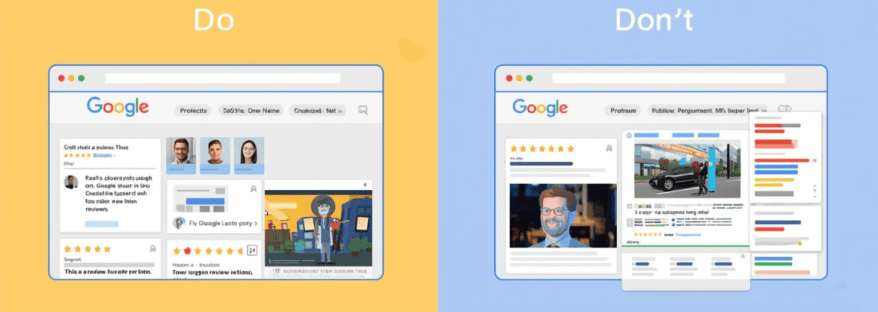
The Do’s of Showcasing Google Reviews

1. Do Display Recent Reviews

Highlighting the latest reviews ensures your site looks active and up-to-date. Visitors are more likely to trust recent feedback than reviews from years ago.

2. Do Use Widgets or Plugins

Use a Google Reviews widget or plugin to display reviews automatically. Tools like Taggbox, Elfsight, or Tagembed allow you to showcase reviews in attractive layouts without manually updating them.

3. Do Feature Reviews Strategically

Place reviews on pages where they matter most:

  • Homepage
  • Product or service pages
  • Pricing pages
  • Contact page or landing pages

Strategic placement ensures maximum visibility and impact.

4. Do Include Reviewer Details

Include the reviewer’s name, profile picture, rating, and date. It makes the reviews look authentic and builds trust with your audience.

5. Do Highlight Different Types of Reviews

Show a mix of reviews that cover different aspects: product quality, customer service, delivery speed, or overall experience. This gives a comprehensive view of your business.

6. Do Respond to Reviews Publicly

Responding to reviews shows that you care about customer feedback. A polite acknowledgment or solution increases credibility and encourages more reviews.

7. Do Keep the Design Clean and Consistent

Ensure the review section matches your website’s overall design. Avoid clutter or using too many different fonts and colors. A clean, consistent layout improves readability.


The Don’ts of Showcasing Google Reviews

1. Don’t Fake Reviews

Never create fake reviews to boost ratings. Google has strict policies against fake reviews, and visitors can usually tell when reviews aren’t genuine. This can damage your reputation and even lead to penalties.

2. Don’t Display Only 5-Star Reviews

Showing only perfect reviews may appear suspicious. A few balanced reviews, including constructive criticism, make your feedback section authentic and believable.

3. Don’t Overload the Page with Reviews

While it’s good to show multiple reviews, too many reviews can overwhelm visitors. Use a carousel, slider, or limit the number of reviews displayed per page for a cleaner look.

4. Don’t Ignore Negative Reviews

Negative reviews provide an opportunity to demonstrate professionalism. Ignoring them or deleting them can hurt your credibility. Respond politely and offer solutions instead.

5. Don’t Use Reviews Without Permission

If you’re quoting reviews from sources outside of Google, make sure you have permission or that it complies with copyright rules. Always credit the reviewer.

6. Don’t Forget Mobile Optimization

Many visitors will view your site on mobile devices. If your review section isn’t mobile-friendly, it may break the layout or be hard to read. Always test reviews on different screen sizes.

7. Don’t Place Reviews in Hard-to-Find Areas

Reviews should be visible and easy to find. Placing them at the bottom of the site without any prominence may reduce their impact. Use clear headings or sections like “What Our Customers Say.”


Tips for Effective Google Reviews Integration

To make your Google Reviews section more effective:

  1. Use Interactive Widgets – Carousels, sliders, or grids make reviews engaging.
  2. Filter High-Impact Reviews – Highlight reviews that cover key selling points or reflect your strengths.
  3. Combine with Other Social Proof – Include testimonials, case studies, or user-generated content alongside Google Reviews.
  4. Encourage New Reviews – Make it easy for customers to leave reviews on Google. You can provide links in emails or thank-you pages.
  5. Monitor Review Metrics – Track engagement with your reviews section: clicks, scrolls, and impressions to optimize layout and content.

Tools to Display Google Reviews

Some reliable tools to help showcase Google Reviews on your website include:

  • Taggbox – Collects reviews and allows customizable widgets.
  • Elfsight – Offers responsive and visually appealing review display options.
  • Tagembed – Integrates Google Reviews with website and social feeds.
  • WidgetPack – Simple solution to display reviews with minimal setup.

These tools save time, ensure automatic updates, and give your site a professional look.


Final Thoughts

Google Reviews are more than just ratings—they’re a powerful marketing tool. When showcased properly, they can improve trust, boost conversions, and enhance your online reputation.

Remember the do’s: use widgets, display recent reviews, respond publicly, keep the design clean, and highlight reviewer details.

Avoid the don’ts: don’t fake reviews, ignore negative feedback, overload the page, or neglect mobile optimization.

By following these best practices, your website can leverage Google Reviews as authentic social proof that drives engagement, builds trust, and grows your business.

Start today, and turn your customer feedback into a powerful marketing asset!

promote facebook page
Digital Marketing, facebook, facebook widget

How to Effectively Promote Your Facebook Page and Go Viral

Facebook remains one of the most powerful platforms for businesses, creators, and influencers seeking to connect with their audiences. With billions of active users worldwide, it provides an ideal space to share content, engage fans, and grow your brand. However, simply having a Facebook page isn’t enough. To succeed, you need actionable strategies to promote your Facebook page, make your content resonate, and maximize reach.

In this blog, we’ll explore practical tips, tools, and best practices to help you grow your audience, and use Facebook hashtags effectively.


Why Promoting Your Facebook Page Matters?

Many businesses underestimate the importance of actively promoting their Facebook page. A few posts here and there won’t build a loyal audience. Promotion is essential because it:

  • Builds Brand Awareness: The more people see your page, the more recognizable your brand becomes.
  • Encourages Engagement: Active promotion leads to more likes, shares, and comments.
  • Drives Traffic to Your Website: Facebook posts can guide followers to your blog, product pages, or landing pages.
  • Generates Leads and Sales: A well-promoted page can convert followers into paying customers.

Promotion doesn’t just grow numbers—it builds trust and authority in your niche.

Optimize Your Page for Maximum Impact

Before you start promoting, ensure your page is optimized for both users and search engines. A well-optimized page increases the likelihood that new visitors will hit the “Like” button.

  1. Complete Your Profile: Add a professional profile picture, cover photo, and business details.
  2. Craft a Clear About Section: Include your description, website link, and contact info.
  3. Use a Branded URL: A clean URL, such as facebook.com/yourbrand, is easy to remember.
  4. Enable Call-to-Action Buttons: Options like “Shop Now,” “Sign Up,” or “Contact Us” guide visitors effectively.

Once your page is fully optimized, you’re ready to attract followers and grow engagement.

Smart Ways to Promote Your Facebook Page

1. Cross-Promote on Other Channels

Sharing your Facebook page on your website, blog, email newsletters, and other social media accounts helps reach existing audiences who may not know you’re on Facebook. Cross-promotion is an easy, cost-effective way to increase visibility.

2. Collaborate with Influencers

Partnering with influencers in your niche can boost exposure. Influencers can share your content, tag your page, and help posts go viral on Facebook. The key is to collaborate with influencers whose followers match your target audience.

3. Use Facebook Ads Strategically

Paid promotion can accelerate growth. With Facebook Ads, you can:

  • Target specific demographics, locations, and interests.
  • Boost high-performing posts to reach more people.
  • Encourage page likes, website visits, or event responses.

Even a small ad budget can lead to significant growth when applied thoughtfully.

4. Engage Your Audience

Actively engage with followers by responding to comments, asking questions, and running polls. Interaction not only strengthens relationships but also boosts the visibility of your posts in others’ Facebook feed.

Optimize Your Facebook Feed for Engagement

Your Facebook feed is where followers interact with your content. To make the most of it:

1. Post Consistently

A consistent posting schedule keeps your audience engaged and expecting new content. Use a content calendar to plan posts in advance.

2. Mix Content Types

Different types of content resonate differently with your audience:

  • Text posts for quick updates
  • Images for visual appeal
  • Videos for storytelling
  • Polls or quizzes for engagement
  • Live sessions for real-time interaction

Videos and live sessions, in particular, are more likely to go viral on Facebook because of their higher engagement rates.

3. Tell Stories

Stories are memorable and relatable. Share behind-the-scenes content, customer testimonials, or team experiences to create an emotional connection with your audience.

4. Monitor Metrics

Track likes, shares, comments, and reach to identify what content works best. Adjust your strategy based on these insights to improve engagement.

Harness the Power of Facebook Hashtags

Facebook hashtags help categorize your content and make it discoverable by people who aren’t following your page.

  • Use hashtags relevant to your niche, like #MarketingTips or #HealthyLiving.
  • Combine popular hashtags with more specific ones to reach a targeted audience.
  • Limit your hashtags to 2–5 per post for optimal engagement—too many can look spammy.

When used strategically, hashtags increase visibility and can contribute to making your content go viral on Facebook.

Additional Tips to Boost Reach

  1. Host Giveaways and Contests: Encourage followers to like, comment, and share your posts for a chance to win.
  2. Feature User-Generated Content: Share content created by your fans to build community and trust.
  3. Post at Optimal Times: Analyze your audience insights to determine when followers are most active.
  4. Use Eye-Catching Visuals: Bright, high-quality images and videos attract more attention in the Facebook feed.
  5. Encourage Shares: Craft content that is informative, entertaining, or inspirational to encourage followers to share it with friends.

How to Measure the Success of Your Facebook Promotion

Tracking your efforts is key to improving your strategy. Focus on these metrics:

  • Page Likes and Follower Growth: Measures overall audience growth.
  • Engagement Rate: Includes likes, comments, and shares.
  • Reach and Impressions: Shows how many people saw your posts.
  • Click-Through Rate (CTR): Tracks clicks to your website or landing pages.

Regularly reviewing analytics allows you to refine your content, posting schedule, and promotional efforts.


Conclusion

Promoting your Facebook page effectively requires a mix of strategy, consistency, and creativity. By optimizing your page, leveraging your Facebook feed, using Facebook hashtags, and engaging your audience, you can increase visibility, build trust, and encourage interactions. When done right, these efforts can help your content go viral on Facebook, attracting new followers and growing your brand’s online presence.

Remember, the goal is not just to get likes but to foster a community of engaged, loyal followers who contribute to your brand’s long-term success. Start applying these strategies today and watch your Facebook page grow.

verified on facebook
Digital Marketing, facebook

Guide to Got Verified on Facebook

Getting verified on Facebook is something many people and businesses aim for. It shows your audience that your page or profile is the real deal. Whether you’re a creator, public figure, brand, or business, being verified on Facebook builds trust and makes you stand out.

In this guide, we’ll explain everything you need to know about how to get verified on Facebook. We’ll also show you how tools like Facebook widgets and Facebook aggregators can help boost your visibility.

What Does it Mean to Be Verified on Facebook?

When you’re verified on Facebook, you get a blue or gray checkmark next to your name. The blue check is for public figures, celebrities, brands, or notable pages, while the gray check used to be for businesses and organizations (Facebook has since removed the gray check but may bring similar features again).

This checkmark means Facebook has confirmed that your page or profile is authentic. It helps prevent fake accounts from pretending to be you.

Why Get Verified on Facebook?

There are many benefits to being verified:

  • Builds Trust: Your audience knows you are the real deal.
  • Better Visibility: Verified accounts often rank higher in search results.
  • Boosts Credibility: People are more likely to follow and engage with verified accounts.
  • Prevents Impersonation: No one can easily pose as your brand or profile.

Who Can Get Verified on Facebook?

Facebook doesn’t just verify anyone. You need to meet certain requirements:

  1. Authentic: Your account must represent a real person, business, or brand.
  2. Complete: You must have a profile photo, bio, and at least one post.
  3. Unique: You can’t have multiple verified accounts for the same person or brand (except in different languages).
  4. Notable: Your account should represent a person, brand, or entity that is well-known and frequently searched.

How to Apply for Facebook Verification

Follow these steps to apply:

  1. Go to your Facebook profile or page.
  2. Click the menu icon (three dots).
  3. Select Settings & Privacy > Settings.
  4. Click on Account Verification (or search for “Verification”).
  5. Fill in the required form:
    • Your full name.
    • Your account category (e.g., entertainment, sports, business).
    • A few sentences explaining why your account should be verified.
    • Official documents (like an ID or business license).
  6. Click Send and wait for Facebook to review your request.

Tips to Increase Your Chances of Getting Verified

While applying is simple, getting approved is not guaranteed. Here are tips to improve your chances:

  • Be Consistent: Use the same name across all your social media accounts.
  • Post Regularly: Show that your account is active and relevant.
  • Build Your Online Presence: Be featured in news articles, blogs, or websites.
  • Engage With Followers: Interact and grow your community.
  • Avoid Fake Followers: Organic growth is key.

How Facebook Widget Helps Your Online Identity

A Facebook widget is a small tool you can add to your website to display your Facebook feed, likes, or posts. It helps in many ways:

  • Increase Trust: Visitors can see real-time activity from your Facebook page.
  • Grow Followers: People can like and follow your page directly from your site.
  • Keep Users Engaged: Show them what’s happening on your social media.

Adding a Facebook widget to your website not only improves engagement but also signals to Facebook that you are active and serious about your brand.

Common Reasons for Verification Rejection

If your verification request is denied, it could be because of:

  • Incomplete profile information
  • Lack of official documents
  • Not enough public presence or media coverage
  • Fake or misleading information

Don’t worry—if you’re denied, you can apply again in 30 days. Use that time to improve your profile and build your visibility.

Mistakes to Avoid

Avoid these mistakes while applying:

  • Submitting false documents
  • Using inconsistent names across platforms
  • Having a profile with no posts or low engagement
  • Not linking to your other verified platforms or sites

How Long Does Facebook Verification Take?

Facebook usually responds within a few days to a week, but in some cases, it might take longer. If you’re approved, you’ll see a checkmark next to your name. If not, you’ll receive a notification explaining why.

How Verified Status Impacts Engagement

Once verified, people are more likely to interact with your content. Facebook may also prioritize your posts in news feeds and comments. You’ll likely gain followers more quickly because your account looks trustworthy.

Final Thoughts

Getting verified on Facebook isn’t just about the blue checkmark—it’s about building a strong online identity. Stay consistent, be active, and use helpful tools like Facebook widgets and Facebook aggregators to show that you’re real and reputable.

Whether you’re a creator, business, or public figure, follow this guide step-by-step to improve your chances of success. Keep growing your brand, and soon enough, you might just see that verified badge next to your name!

best-linkedin-widget-tools-.jpg
linkedin

Top 10 Best LinkedIn Widget Tools for Website Owners

With regards to the digital world in which we live today, it is now imperative for companies, entrepreneurs, and content creators to engage in professional networking and branding on LinkedIn. Integrating the LinkedIn Widget Tools into their websites enables users to showcase LinkedIn content, increase engagement, and strengthen credibility. These widgets allow website owners to effortlessly connect their professional presence with their online audience. This article discusses some of the best LinkedIn Widget Tools available for site owners.

Key Features to Look for in LinkedIn Widget Tools

According to many specialists for perfect choice of LinkedIn Widget Tools, it should be having important features: 

  • Easy Integration-Easy to mediate integration widgets need less coding knowledge. 
  • Customization-Ability to change the style, layout, and other features so that it matches the overall website. 
  • Mobile Responsiveness – Ensures a seamless experience across different devices.
  • Engagement-Action such as like, follow, and share LinkedIn content from the site. 
  • Analytics and Measure Performance: Understands what users do with the widget.

Top 10 LinkedIn Widget Tools for Website Owners

Find out the top 10 LinkedIn widget tools that you can use to easily embed LinkedIn features on your website and boost engagement.

1. Tagembed

Tagembed is another excellent LinkedIn Widget Tool that helps website owners display LinkedIn content effectively. It offers:

  • Real-time LinkedIn feed updates.
  • Highly customizable designs.
  • Multi-platform support along with LinkedIn integration.

2. Elfsight 

Elfsight offers a powerful LinkedIn Widget Tool that helps website owners showcase LinkedIn feeds, company pages, and profiles with ease. Features include:

  • Customizable display settings.
  • No coding required.
  • Auto-updating LinkedIn content.

3. Common Ninja 

Common Ninja provides a feature-rich LinkedIn Widget Tool designed for website owners looking to improve engagement. Key features include:

  • Stylish and customizable designs.
  • Easy embedding process.
  • Works across various website platforms.

4. Tagbox

Taggbox is a social media aggregator that offers a LinkedIn-specific widget. This LinkedIn Widget Tool allows website owners to display LinkedIn content dynamically. Features include:

  • Moderation tools for content control.
  • Real-time content updates.
  • Seamless integration with various CMS platforms.

5. EmbedSocial

EmbedSocial is a popular platform that provides a LinkedIn Widget Tool for website owners who want to showcase LinkedIn posts and interactions. Features include:

  • Automatically updates LinkedIn content on websites.
  • Customization options for branding.
  • Interactive and engaging design elements.

6. Flockle 

Flockler offers a social media aggregation tool that allows embedding LinkedIn content on websites. This LinkedIn Widget Tool helps in enhancing engagement through:

  • Displaying LinkedIn posts, articles, and videos.
  • Mobile-friendly designs.
  • Various layout options for better customization.

7. Juicer 

Juicer’s LinkedIn Widget Tool aggregates LinkedIn content and displays it on websites, making it an excellent choice for businesses and content creators. Features include:

  • Ability to pull LinkedIn posts into a social feed.
  • Customizable themes and layouts.
  • Integration with multiple social media platforms.

8. SociableKIT 

SociableKIT offers a dedicated LinkedIn Widget Tool that makes embedding LinkedIn company page posts effortless. Features include:

  • No coding required.
  • Customizable display options.
  • Smooth integration with various website builders.

9. Walls.io

Walls.io is a social wall platform that allows website owners to integrate LinkedIn content seamlessly. This LinkedIn Widget Tool offers:

  • Real-time content updates from LinkedIn.
  • Supports multiple social media sources.
  • Easy setup and customization.

10. Powr

Powr provides an easy-to-use LinkedIn Widget Tool that allows website owners to display LinkedIn posts, articles, and company updates. Features include:

  • Simple drag-and-drop functionality.
  • Multiple layout and display options.
  • Works with various website platforms.

How to Choose the Right LinkedIn Widget Tools for Your Website

Selecting the best LinkedIn Widget Tools for your website depends on several factors:

  • Budget – Free vs. premium widget options.
  • Ease of Use – No-code vs. coding-required widgets.
  • Website Compatibility – Ensure the widget works with your CMS (WordPress, Shopify, etc.).
  • Customization – Consider whether you need advanced styling and layout options.
  • Engagement Needs – If you require interactive features like likes and shares, choose accordingly.

Conclusion

Integrating LinkedIn Widget Tools into a website is a great way to enhance engagement, showcase professional credibility, and increase brand visibility. From LinkedIn’s official plugins to third-party solutions like Elfsight, Tagbox, and Tagembed, website owners have numerous options to choose from. By selecting the right LinkedIn Widget Tools, businesses and professionals can strengthen their LinkedIn presence and drive more interactions directly from their websites.

Affiliate Marketing
linkedin

Affiliate Marketing on LinkedIn: What You Must Know

This passive income strategy that is affiliate marketing is becoming more popular among marketers who are now exploring LinkedIn as an effective platform for it. LinkedIn is primarily known as a networking site for professional people but is an untapped goldmine for affiliates wanting to sell to a higher-intent audience. On the other hand, LinkedIn is not like other social media sites. It has professionals, decision-makers, and industry leaders who are seeking a solution to their problems. All of these make it a great space to utilize when promoting high-value products and services through affiliate marketing.

In this article, we shall deliberate on Affiliate Marketing on LinkedIn, touching upon its effectiveness, getting-started ideas, fine-tuning strategies, and measuring success. After going through this guide, you should have a clear plan for starting your affiliate marketing ventures on LinkedIn.

Why Choose LinkedIn for Affiliate Marketing?

The importance of platforms, including Facebook, Instagram, and YouTube, is great for most affiliate marketers. Affiliate Marketing on LinkedIn, on the other hand, has its extraordinary benefits, which bring much better results into play in your affiliate marketing process.

1. A Professional and High-Intent Audience

Separate from ordinary social networking sites, the LinkedIn audience primarily includes professionals seeking actionable insights, business tools, and solutions. This means that, when promoting high-ticket or B2B affiliate products, LinkedIn has an audience that is much more likely to convert.

2. Less Competition

Because most affiliate marketers use other platforms, LinkedIn is not a particularly crowded platform which makes it a good weapon to use. If you can buoy yourself up as a thought leader to put out good value content, your competition will be less and it would be easy to build trust with people.

3. Organic Reach and Credibility Benefits

The LinkedIn algorithm favors just the Great Content, and this simply means that you could get a great deal of organic reach without having to pay an ounce on advertising. So, while you are creating content and engaging with others in the process, your authority will grow, thus enhancing your credibility and making your efforts toward LinkedIn for Affiliate Marketing all the more effective.

4. Opportunities for B2B and High-Ticket Affiliate Programs

LinkedIn is definitely the most suitable platform where you can promote business tools, software, and high-value courses. Regardless of whether you engage in the SaaS industry or you are a finance or consultancy professional, you can find respective products and services that can speak to your audience.

How to Get Started with Affiliate Marketing on LinkedIn

If you’re new to Affiliate Marketing on LinkedIn, follow these steps to set yourself up for success.

1. Choose the Right Affiliate Programs

However, creating a link for affiliate or referral programs is certainly not a productive use of time on LinkedIn. Choose programs from the niche of professionals, businesses, or industries that actively participate on LinkedIn, for example, SaaS products, career development courses, business coaching services, business consulting services, or digital marketing products.

2. Set Up a Professional LinkedIn Profile

Your LinkedIn profile is your personal brand, here are some optimization strategies to make it credible: 

  • A catchy headline should contain your niche. 
  • Build an ‘About’ Section that describes your proficiency. 
  • Feature Content that showcases past works, testimonials as well as case studies. 
  • Have a professional profile picture and banner.

3. Build a Relevant and Engaged Network

Build relationships with professionals, industry experts, and potential customers. Drive Engagement by interacting with their content, joining discussions, and fostering genuine connections before promoting your affiliate products. The backbone of successful Affiliate Marketing on LinkedIn is trust.

Best Strategies for Affiliate Marketing on LinkedIn

To effectively leverage Affiliate Marketing on LinkedIn, you need a strategic approach. Below are some of the best methods to promote affiliate products without being overly promotional.

1. Content Marketing

Your audience will be engaged, and credibility will be attained by providing unique content that is widely appreciated. An effective LinkedIn Content Strategy ensures that your posts resonate with your audience and drive meaningful interactions.

  • Write useful articles on LinkedIn: Publish well-researched articles that inform your audience on industry topics relevant to the affiliate product you sell.
  • Use storytelling techniques to create interesting posts: Relate your own experience through real-life events, case studies, and success stories that indirectly give relevance to an affiliate product.
  • Consider newsletters initiated by LinkedIn: Nurture a subscriber base by giving away value-added insights on grassroots to your niche.

2. Leverage LinkedIn Groups

  • Lately, many affiliate marketers are finding it beneficial to join specific LinkedIn groups where members of their target audience engage in professional matters.
  • Provide helpful insights and establish credibility for yourself before promoting any affiliate link. 
  • Participate in the conversation and answer pertinent questions that can start building your relationship.

3. Utilize LinkedIn Video & Live Features

  • Host a webinar and do live Q&A sessions to teach the audience about the affiliate products you promote. 
  • Create short video content explaining the benefits and features of affiliate products..

4. Direct Outreach & Relationship Building

  • Instead, use LinkedIn messaging for productive conversations rather than spamming links.
  • Outreach should give some benefit, for example, providing free resources or advice before the introduction of affiliate offers.
  • Personalization is necessary-messages should not contain cookie-cutter pitches.

Do’s and Don’ts of Affiliate Marketing on LinkedIn

Understanding the best practices for Affiliate Marketing on LinkedIn will help you maximize your success and avoid common pitfalls.

Do’s

  • Provide value before promoting affiliate products. 
  •  Engage consistently with your network through comments and shares. 
  •  Be authentic and build trust with your audience. 
  •  Use storytelling to make your promotions more relatable. 
  •  Focus on high-quality affiliate programs that align with your audience’s interests.

Don’ts

  •  Don’t spam your affiliate links in every post or message. 
  •  Avoid being overly sales-focused—build relationships first. 
  •  Don’t use clickbait tactics that damage your credibility. 
  •  Avoid promoting irrelevant products that don’t add value to your audience.

Measuring Success & Optimizing Performance

To ensure that your Affiliate Marketing on LinkedIn efforts are working, track and analyze key metrics.

1. Track Affiliate Link Clicks & Conversions

UTM parameters, URL shorteners, or affiliate dashboards should be adapted for tracking link performance. Find out which posts or strategies yield the highest conversions.

2. Utilize LinkedIn Analytics

Keep checking on your engagement rates, profile views and the growth or decrease in your followers. Understand which types of content your audience appreciates.

3. Adjust Content and Engagement Strategies

  • Conduct trials of different content such as video, text post or article. 
  • Engagement through comments and direct messages with one’s audience. 
  • Experiment with different styles of messaging in your affiliate promotions to discern what works best.

Maximize Profits with Affiliate Marketing on LinkedIn

If you want to get the most out of Affiliate Marketing on LinkedIn, you need to optimize your approach for maximum profitability.

1. Focus on High-Commission Affiliate Programs

Affiliate programs that provide high revenue-sharing and recurring revenue must be given a higher priority than other payment models in this context. High-margin items, software as a service (SaaS) products, coaching assignments, and premium memberships offer far better returns through the affiliate channel.

2. Utilize LinkedIn Ads for Targeted Promotion

Although organic reach has its benefits, LinkedIn Ads allow you to reach the audience you want. Sponsored content and InMail campaigns should be used for the promotion of more significant ticket affiliate offers.

3. Implement Lead Generation Strategies

  • Share free content such as eBooks, templates, or webinars to the users in exchange for their email addresses.
  • Use LinkedIn lead generation forms to gather potential customer details before marketing them an affiliate offer.

4. Repurpose Content Across Multiple Formats

One way to boost maximum reach is by taking the same content and repurposing it into different formats, such as blog, infographics, and email newsletter takes(ness). This greatly increases visibility and translates into greater affiliate sales.

5. Track Performance and Optimize Continuously

Scrutinize which of the posts, strategies, and affiliate products are performing best; hone your approach based on LinkedIn analytics and insights from the affiliate programs.

Affiliate Marketing on LinkedIn: Tips for More Sales

To maximize your affiliate sales on LinkedIn, you require a certain dose of strategy, consistency, and engagement. A strong LinkedIn Lead Generation approach can help you attract the right audience and boost conversions.

Following are some additional tips to help push your sales further:

  • Build Trust Before Selling: Before promoting affiliate products, establish yourself as a knowledgeable, helpful source.
  • Share Real-Life Case Studies and Testimonials: Highlight real-life scenarios where the product benefited its customers.
  • Poll and Survey Your Audience: Engage your audience by posing questions about your niche, subtly incorporating your affiliate recommendations.
  • Post at Peak Times: LinkedIn experiences the highest engagement on weekdays (Tuesday-Thursday), particularly in the morning and at lunchtime.
  • A/B Test Your Material: Experiment with different post formats, CTAs, and messaging strategies.
  • Encourage User-Generated Content: Ask your connections to share their experiences with the products you promote and tag you in their posts.

By implementing these tips, you can increase conversions and make Affiliate Marketing on LinkedIn more profitable in 2025.

Affiliate Marketing on LinkedIn: Grow & Monetize Fast

If you want to scale your affiliate marketing efforts on LinkedIn and get into profits fast, adopting a strong LinkedIn Marketing strategy is essential. Here are key strategies to help you succeed:

  • Expand Your Network Strategically: Connect with professionals inclined toward your niche, engage with their content, and consistently appear in their feeds.
  • Utilize LinkedIn Hashtags & SEO Techniques: Tag your posts with relevant hashtags and keywords to enhance visibility.
  • Collaborate with Influencers and Industry Experts: Partnering with authoritative professionals on LinkedIn can give your affiliate promotions a significant boost in credibility and reach.
  • Monetize Free Value (Lead Magnets): Offer free content such as eBooks or webinars that subtly include affiliate links as part of the solution.
  • Be Consistent and Measure: Regularly review LinkedIn analytics to identify what works best and adjust your strategy accordingly.

By following these steps, you can accelerate growth and maximize your affiliate income through Affiliate Marketing on LinkedIn in 2025.

VII. Conclusion

Affiliate marketing is one such type of marketing that helps generate great income on the other side, and among those different platforms, LinkedIn can be seen as one of the most advantageous access points that many professionals have in today’s age to run the affiliate marketing game. Using relevance in your content, building genuine relationships, and avoiding specialties from your attempt to make you an effective grower in Affiliate Marketing on LinkedIn will get you to great levels in income generation.

Thus, start optimizing your LinkedIn profile, adding valuable content, and reach out strategically to your audience. And, at the same time, remember to keep track of your progress along those lines so that as you adopt those strategies, you can adapt your approach to maximize conversions. 

So now that you have an understanding of what affiliate marketing on LinkedIn is all about, it is time to put this all into action. Build your networks, share valuable insights, and position yourself as a trusted affiliate marketer on LinkedIn!

social media Facebook aggregator
facebook

Facebook Aggregators Explained: A Beginner’s Guide

For businesses, marketers, and content creators, Facebook content management can be very taxing. social media Facebook aggregator free simplify this process. By pooling posts, comments, and analytics from several sources, these aggregator tools allow one to save time, efficiently manage content, and elevate engagement strategies. If one is looking to increase Facebook Page followers, probe audience interactions, or monitor trends, Facebook aggregators can change the game.

What Are Facebook Aggregators?

A Facebook aggregators is a tool that facilitates the collection and organization of Facebook content from various pages, groups, or profiles. Rather than manually searching multiple sources, an aggregator collects all relevant content into a single dashboard. This would be useful for businesses monitoring brand mentions, content creators in search of ideas for Facebook posts, or marketers analyzing trends.

Some aggregators might even allow the automation of content curation, allowing the easy sharing of trending posts to keep the audience engaged. This is vital for anyone trying to increase followers on their Facebook page through consistent posts.

How Do Facebook Aggregators Work?

API connections are the modus operandi of most Facebook Aggregators to extract data from Facebook pages, groups, or user interactions. These tools search across the platform for keywords, hashtags, or specific pieces of user-generated content and display the collected information in an easy-to-read format. 

For example, a Facebook aggregator can provide insights into Facebook Hashtag Tracking by collecting and analyzing posts that relate to a brand, product, or issue for which hashtag engagement is being tracked. Such data helps with the identification of trending subjects that can be preparing to counter-program with the content strategy.

Benefits of Using Facebook Aggregators

1. Save Time and Effort

Page after page and group after group can be converted to a Facebook Aggregator into hours spent manually checking and cross-forming them all. It is flexible enough for social media managers who would want to schedule post timings while also needing a way to see how people would be engaging.

2. Discover Fresh Content Ideas

Ideas for Facebook posts can be hard to come by; however, those ideas are made easier with aggregators by showing trending topics, viral posts, and user-generated content that pertain to your niche. So your content will usually remain relevant and interactive.

3. Boost Engagement with Data-Driven Insights

Likewise, plenty of engagement is really important in developing a Facebook page. The Facebook Aggregators provide great insights for you to optimize content performance. Is there any engagement from the users through likes, comments, or shares? Then trial and error will help you figure out what types of posts your audience likes. you can join trending conversations and gain visibility. So with that in mind, you can create content that attracts more eyeballs and keeps your followers engaged.

4. Improve Page Engagement

When you know the kind of content that resonates with your audience, it is possible to use it for more likes, shares, and comments for your post. This will lead to better engagement while following the Facebook Page organically.

5. Embed Facebook Content on Your Website

You can have Facebook widgets from some aggregators for displaying Facebook feeds, reviews, posts, etc., on your website in real time, thus increasing audience engagement and prompting visitors to interact with your brand on Facebook.

6. Monitor Brand Reputation with Facebook Reviews

Aggregators are also keeping an eye on the Facebook reviews, thus helping businesses quickly respond to feedback from customers. The positive reviews can be showcased on websites, while one should be proactive to address any negative customer feedback.

Popular Facebook Aggregators to Consider

Some of the best-known aggregators help in creating a streamlined content management and engagement strategy.

  1. Tagbox– A social media aggregator for embedding live Facebook feeds on websites.
  2. Hootsuite– Enables you to schedule, track engagement, and monitor mentions for your posts.
  3. Sprout Social– Has in-depth analytics and hashtag tracking.
  4. Feed Them Social– This is a plugin that allows you to embed Facebook feeds, posts, and videos on your site.
  5. Tagembed– Gathers Facebook posts as a live feed displayed on websites. 

These instruments have made the content aggregation easy but feature-rich like embedding Facebook Reels, tracking hashtags, and showing real-time social proof using Facebook reviews.

How to Choose the Right Facebook Aggregator

When selecting a aggregator, consider the following factors:

1. Features and Functionality

Consider features like Facebook Hashtag Monitoring, Post Scheduling, Analytics, and Facebook Widgets for integration into Websites. Ensure the software fits your exact needs.

2. Ease of Use

A good aggregator should have an intuitive interface that simplifies material management. Beginners should choose the possibility of a user -friendly equipment with a minimum setup.

3. Pricing and Scalability

If you’re a small business or content creator, start with a free plan before investing in a premium tool. Ensure the aggregator can scale with your growing needs.

4. Integration with Other Platforms

Some aggregators support multiple social media platforms, allowing you to manage Facebook alongside Instagram, Twitter, and LinkedIn in one place.

Potential Challenges and Limitations

While Facebook Aggregators offer numerous benefits, they also come with some challenges:

  • Data Accuracy Issues – Some tools may not update in real-time, leading to outdated content displays.
  • Privacy and Compliance Concerns – Facebook’s API restrictions may limit data collection, affecting certain features.
  • Dependence on Third-Party Tools – Relying too much on aggregators can be risky if a tool discontinues service or changes its pricing structure.

Despite these challenges, the right aggregator can be an invaluable tool for content curation, engagement, and analytics.

Conclusion

In today’s fast-paced digital world, aggregators are essential for businesses, marketers, and content creators looking to streamline their social media strategy. From Facebook Hashtag Tracking to embedding Facebook Reels on websites, these tools provide valuable insights and automation that can help increase Facebook Page followers and improve engagement.

By choosing the right aggregator, you can simplify content management, track audience interactions, and enhance your online presence. Whether you’re monitoring Facebook reviews or looking for fresh Facebook post ideas, aggregators offer the perfect solution to optimize your strategy. Start exploring the best tools today and take your Facebook game to the next level!

Track Twitter Mentions
Social Media Marketing, Technology

Track Twitter Mentions: Strategies to Boost Customer Engagement

Social media platforms like Twitter have made it easy for businesses to keep their audience connected, create brand awareness, and add value to existing customers in this digital age. Twitter boasts over 396 million users from around the globe and serves as the perfect platform for businesses to engage their customers in real-time conversation while following trends by paying attention to customer needs. One of the best ways to engage with Twitter in a business marketing strategy would be tracking Twitter mentions. Knowing what people are saying about your brand will give you valuable insight into how to increase customer satisfaction and engagement within your business.

In this article, we will examine the importance of tracking mentions on Twitter, ways to discover new strategies for enhancing customer engagement, and tools that can keep you up to date with all Twitter activity.

Why Track Twitter Mentions?

One of the most integral aspects that make a successful social media strategy is tracking Twitter mentions. It fulfills the need to react when someone mentions the brand, as it will help you to get in touch with a customer, resolve his problem, or even thank them for following your work. These are a few reasons why tracking Twitter mentions would best serve your business:

  • Real-Time Feedback: Twitter is a fast-paced platform that provides real-time conversations. Tracking Twitter mentions lets you discover what customers have to say about your brand, products, or services. This allows you to quickly resolve issues and thus improve customer experience.
  • Build Relationships: Engaging users who mention your brand goes a long way in building a solid bond. Compliment, complaints, or question-answering indicates that you hold their input in high regard and that you want to serve them excellently.
  • Monitor Brand Reputation: Twitter mentions help you monitor a brand’s reputation. Amplify positive mentions and rectify negative ones before they escalate.
  • Identify Influencers: By tracking mentions on Twitter, you can identify influencers or advocates of the brand who are talking about your business. Collaborating with them will reach a large audience, increasing your credibility.
  • Stay Ahead of Trends: Twitter trends normally reflect what is happening across the world. Keeping an eye on mentions keeps you in the loop on what’s trending and allows you to shape your content strategy accordingly.

Strategies to Boost Customer Engagement by Tracking Twitter Mentions

Measuring Twitter mentions is the basis on which to develop strategies for encouraging customer engagement. Here are some ways to engage your customers more productively:

1. Respond Soon Enough to Mentions

In such instances, the wittiest response must be applied to the customer who is in touch on social media in an online tweet. No matter what the context is: a question, a complaint, or a compliment, simply acknowledging the mention shows that you’re really listening and that you care about your customers. Get Twitter marketing tools and set alerts for mentions so that you’ll never miss a moment of opportunity to engage.

2. Personalize Your Responses 

Internet communication has now become robotic, and it isn’t very kind of them. But at least make an effort to reply personally to a specific customer’s concern or comment. That small effort could make a huge difference in keeping someone with your company, especially in encouraging and developing trust and loyalty.

3. Capitalize on Twitter Trends

You will always be up to date with Twitter trends that very much relate to your audience. If the brand were to be discussed in relation to something currently trending, then it would be wise to take part in that serendipity to create high visibility for your brand and a sense of community between users.

4. Engage Twitter Hashtag Analysis Tools 

Hashtags increase the reach of your tweets significantly. First and foremost, let Twitter hashtag analytics help you examine popular hashtags in your industry so that you can include them in your content as well. This will help you track such mentions specific to particular campaigns or topics.

5. Use Influence Engagement

Usually, influencers get the brand that they’ve worked out when their talk includes your brand in their Tweet’s mentions page. Engage with that mention by hitting a like, retweeting, or replying back on their Tweet. This strengthens your influence relationship with that star and ensures that your brand is exposed to that star’s following.

6. Hold Polls and Surveys on Twitter

Such events encourage one’s audience to participate by making a poll or survey that inclines to the brand. Remember to tag the users by mentioning or thanking them for helping out with this. This can incite many interactions over the content. 

7. Display the User-Generated Content 

When a customer has talked positively about your brand, think of retweeting or sharing what they have tweeted. This will also display appreciation while enticing the others to mention your brand with the hopes of being able to feature as well.

8. Observe Your Competitors

Monitoring Twitter mentions is not only your brand but also your competitors. Analyze how they interact with the public and find relevant areas in which you can improve your strategy.

9. Optimize for the Twitter Algorithm

Understand the Twitter algorithm and maximize engagement by creating tweets focused on accumulating likes, retweets, and replies. Mention tracking is useful in identifying what types of topics your audience is really going to resonate most.

10. Find Organic Ways to Increase Your Twitter Followers

Increase your Twitter follower count organically by engaging personally with the naive user who mentions your name. When readers discover that you will respond quickly and carefully, they might end up following your account and engaging with your offerings.

Tools For Monitor Twitter Mentions

To carry out an efficient mention of Twitter, you will need the right tools. Here are some of the widely used ones:

  1. Twitter Analytics

Built inside Twitter, this analytics tool relays certain insights about mentions, impressions, and other engagement metrics. It is more of a general entry point for tracking mentions and knowing your audience. 

  1. Taggbox

Taggbox is an online marketing tool pairing and displaying social media posts and mentions from users, making it easy to track and curate. Taggbox is the best platform for any business to monitor mentions, hashtags, and keywords in real-time.

  1. Tagembed

Another fabulous tool for monitoring and displaying Twitter mentions is Tagembed. It assists businesses in collecting, curating, and embedding social media content, including Twitter mentions, onto websites or digital platforms.

  1. Hootsuite

Hootsuite is a complete social media management tool that lets you track mentions, schedule tweets, and monitor several accounts while all online.

  1. Sprout Social

 Sprout Social has great advanced features for tracking mentions and analyzing engagement as well as managing customer relationships.

  1. Brandwatch

Brandwatch really is a powerful tool to monitor your brand mentions across various social media channels including the all-important Twitter. But it also provides sentiment analysis on how people feel about your product. 

  1. TweetDeck

It is a free tool on Twitter that allows users to create columns for mentions, hashtags, and keywords in real-time. 

  1. Mention

Mention is a social listening tool that tracks brand mentions on Twitter and other channels. It also uses analytics to measure social media performance. 

  1. Keyhole

Keyhole is a Twitter hashtag analytics tool that helps you track hashtags, mentions, and engagement metrics, which is particularly useful for tracking campaign progress.

Best Practices to Track Your Twitter Mentions

Follow these best practices to maximize your Twitter mention-tracking efforts:

Set Up Alerts: Leverage tools to establish alerts for brand mentions so that you never miss the opportunity to engage.

Sentiment Analysis: It is worth analyzing the sentiment surrounding mentions so that positive mentions can be amplified and negative ones addressed quickly.

Engagement Regularity is how you build potent relationships with your audience. Make a habit of responding to mentions on a daily basis.

Track Campaign Metrics: A Twitter marketing kit allows you to track mentions related to specific campaigns, gauging the success of ongoing efforts and making data-backed decisions.

Keep Pace with Twitter Features Updates: Twitter is blessed with regular updates to its platform through new Twitter features. Keep up with them to be able to use them for your engagement improvement.

Conclusion

Tracking Twitter mentions is perhaps the best strategy you will ever command for customer engagement as well as for building an impressive online presence. Quick responsiveness, personal touch during response, and using tools such as Twitter hashtag analytics tools, Twitter marketing tools create meaningfully connected customers.

Twitter is much more than a platform for broadcast messages; it is a place for conversations. Follow this up by tracking Twitter mentions and engaging with that audience, and you’ll already be well on your way to converting casual mentions into loyal customers and brand advocates.
So start tracking Twitter mentions today because you’ll see your customer engagement increase as a result! Be it boosting Twitter followers, matching up Twitter trends, or optimizing for the Twitter algorithm, it can do all of these things for you.

Facebook Page Followers
facebook

The Ultimate Guide to Increase Facebook Page Followers

With the digital revolution of our current era, social media is key to brand creation and audience building. Amongst all the social media platforms available, Facebook continues to be a giant with billions of active accounts. Nevertheless, increasing your base on Facebook isn’t simply having a page; it’s having the ongoing determination to discover how to gain increased Facebook page followers. More followers equal greater engagement, better credibility, and more business prospects. In this guide, we will lead you through time-tested methods to increase Facebook page followers naturally as well as by paid means.

Top tips increase Facebook Page Followers

Increase your Facebook Page followers with these top 12 tips for engagement and growth

1. Knowledge of Facebook’s Algorithm

First, let us know how the algorithm of Facebook works. Facebook gives priority to content based on:

  • Engagement (likes, shares, comments)
  • Relevance and quality of posts
  • Consistency and timing of posting

If your posts attract more interaction, Facebook will present them to a larger audience. Thus, high-quality and interactive content is crucial.

2. Optimize Your Facebook Page for Maximum Reach

An optimized page is the stepping stone for increased Facebook page follower growth. Make sure your page has:

  • A quality profile and cover photo
  • An interesting “About” section with key information
  • Keywords for improved searchability
  • Clean contact details and CTA buttons

An optimized page will not only assist you in promoting Facebook pages efficiently but also create a powerful first impression among potential followers.

3. Produce High-Quality, Engaging Content

Content is the monarch of social media. To increase Facebook page followers, you need to post useful and engaging content regularly, including:

  • Eye-catching images and graphics
  • Short and interesting videos
  • Live streams for real-time interaction
  • Polls and quizzes to encourage engagement

Using Facebook Hashtag strategically can also boost your content’s reach, making it more discoverable to a wider audience. The more interesting and well-optimized your content, the higher the chances of increasing Facebook page visibility and getting users to follow your page.

4. Use Facebook Groups & Communities

Facebook Groups are a great method to increase  Facebook page followers. Tactics include:

  • Participating in and joining groups related to your niche
  • Sharing useful information rather than direct promotions
  • Building your own Facebook group for community building

An efficient group can assist you in interacting with prospective followers on a more personal level and improve Facebook page interaction through valuable discussions.

5. Host Contests & Giveaways

Having contests or giveaways is an infallible method to increase Facebook page followers. Best practices are as follows:

  • Inviting users to like, share, and tag friends to participate
  • Providing niche-related prizes
  • Having clear and equitable contest rules

Contests not only enhance Facebook page engagement but also boost brand loyalty and exposure. Additionally, encouraging participants to leave a Facebook review about their experience can further strengthen credibility and attract more potential followers.

6. Utilize Facebook Ads Wisely

Facebook advertising can greatly contribute to increase Facebook page followers. Successful ad tactics involve:

  • Targeting specific groups
  • Utilizing interactive ad formats such as video and carousel ads
  • Optimizing the budget for maximum ROI

A carefully planned Facebook ad campaign can effectively promote Facebook page growth and draw quality followers.

7. Work with Influencers and Other Pages

Working with influencers and related Facebook pages can give your follower base a huge boost. Consider:

  • Collaborating with influencers in your niche
  • Cross-promoting with other Facebook pages
  • Hosting joint live sessions or giveaways

A simple shoutout or shared post from a popular influencer can really boost Facebook page followers.

8. Encourage Engagement and User-Generated Content

Engaging a facebook page is an important factor in increase Facebook page followers. Successful strategies include:

  • Asking thought-provoking questions
  • Running interactive polls

Encouraging user-generated content (UGC) such as testimonials and photos

Featuring user content creates a sense of community and encourages more participation.

9. Post at Optimal Times and Stay Consistent

Posting at optimal times can help increase Facebook page followers. Best practices include:

  • Analyzing Facebook Insights for peak activity times
  • Creating a content calendar for consistency
  • Maintaining a steady posting schedule with engaging Facebook post ideas

Consistently sharing well-planned Facebook post ideas will boost your page’s credibility and keep your brand on top of your followers’ minds.

10. Leverage Facebook Live and Stories

embedding Facebook reel and Stories are excellent features to interact with your audience. Consider:

  • Using Facebook Live for Q&A sessions and product launches
  • Sharing behind-the-scenes content through Stories
  • Posting limited-time offers and exclusive updates

These features keep the audience engaged and increase Facebook page engagement.

11. Engage With Your Audience Proactively

Engagement is a two-way process. In order to boost Facebook page followers, you ought to:

  • Answer comments and messages in a timely manner
  • Show appreciation for shares and mentions
  • Start conversations with followers

A strong relationship with your audience generates loyalty and fuels Facebook page reach.

12. Track and Update Your Strategy Ongoing

Keeping track of how you’re performing is important in order to drive long-term growth. Utilize Facebook Insights to:

  • Measure post engagement and reach
  • Determine content that will resonate with your audience
  • Make adjustments to strategy for improved outcomes

A data-driven approach ensures your efforts effectively increase Facebook page followers over time.

Conclusion

Building a Facebook page involves strategic planning, compelling content, and ongoing audience interaction. By optimizing your page, taking advantage of Facebook’s features, and employing organic and paid tactics, you can effectively grow Facebook page followers. Through contests, collaborations, or targeted advertising, there are many methods to increase Facebook page engagement and drive Facebook page growth. Be consistent, try various strategies, and see your followers build steadily over time.

Embed Facebook Photo albums (1)
embed facebook

The Ultimate Guide to Embedding Facebook Photo Albums for Businesses

Visual content is an essential part of engaging audiences and building brand awareness in the modern world of digital marketing. Among the most successful methods of sharing your brand’s events, products, or customers’ experiences is through photo albums on your website. Facebook photo albums embedded on websites enable businesses to present new and stimulating content without having to regularly manually update.

In this guide, we’ll explore why integrating Facebook photo albums is beneficial, different methods to integrate them, and best practices to ensure seamless performance on your website.

Why Businesses Should Embed Facebook Photo Albums ?

Embedding Facebook photo albums on your website offers several advantages:

  1. Increased Engagement: Visual content attracts more visitors and encourages interaction. Photo albums enhance this effect. By using a Facebook widget, you can seamlessly display engaging albums on your website.
  2. Social Proof: Showcasing customer photographs and reviews engenders trust and confidence. Fencing in Facebook photo albums by a Facebook widget ensures easy inclusion of authentic user experiences.
  3. SEO Perks: Updating content can drive better search rankings. Embedding Facebook photo albums by a Facebook widget keeps your website fresh-looking and updated.
  4. Saves Time: No effort is needed to hand-upload images onto your site—a Facebook widget enables auto-synchronization of albums, simplifying content handling.
  5. Cross-Platform Promotion: Drives traffic between your website and Facebook page, increasing visibility. Facebook photo albums by a Facebook widget enhance brand exposure.

Different Methods to Embed Facebook Photo Albums

There are multiple ways to embed Facebook photo albums on your website, depending on your technical expertise and customization needs.

Method 1: Using Facebook’s Built-in Embed Feature

Facebook also has an embedded option that can be used to easily show a photo album on your site. Here’s how:

  1. Open up your Facebook Page and go to the photo album you wish to embed.
  2. Click on the album and look for the Embed Post or Get Link option.
  3. Copy the embed code provided.
  4. Insert the code on your website’s HTML where you’d like the album to be shown.

This technique is a simple method of adding Facebook albums without needing extra tools.

Method 2: With a WordPress Plugin

For WordPress blog administrators facebook plugins offer an easy means of embedding Facebook photo albums with further options for customizing. Here’s how:

  1. Install a plugin such as Smash Balloon Social Photo Feed or Facebook Feed by 10Web.
  2. Link your Facebook Page to the plugin by submitting your API credentials.
  3. Personalize the display settings, i.e., layout, album choice, and auto-updating.
  4. Embed the album using a shortcode or widget on your preferred webpage.

Facebook photo albums through a plugin provides more flexibility and automation for content refresh.

Method 3: Advanced Integration via Facebook API

Businesses that require more control and flexibility have custom integration provided by Facebook Graph API. Steps are:

  1. Sign up for a Facebook Developer account.
  2. Develop an app and get API access credentials.
  3. Use the API to retrieve photo album information and present it dynamically on your website.
  4. Add custom CSS and JavaScript for more styling and functionality.

This advanced method of Facebook photo albums is best for companies with technical capabilities to produce a smooth integration.

Selecting the Best Approach for Your Company

  1. For small businesses: Embedding is a straightforward and useful feature of Facebook for Facebook photo albums.
  2. For WordPress users: Plugins offer automation and control without coding, simplifying Facebook photo albums.
  3. For technical businesses: Graph API of Facebook provides full management of the functionality and display of Facebook photo albums, allowing deeper integration with features like Facebook review aggregation for enhanced credibility.

Best Practices for Displaying Embedded Facebook Photo Albums

  1. Choose High-Quality Albums: Use images that represent your brand’s highlights. Facebook photo albums must display your most eye-catching content.
  2. Optimize Placement: Place albums on homepages, product pages, or testimonial pages to drive the greatest possible impact from Facebook photo albums.
  3. Make it Mobile Responsive: Embed photo albums using responsive design so that embedding photo albums will appear fantastic on all devices.
  4. Regularly Update Albums: Make your content current by adding fresh images or refreshing albums when embedding Facebook photo albums.
  5. Encourage User Engagement: Invite customers to share and tag themselves in pictures included in your embedded Facebook photo albums, making it a powerful tool for e-commerce driving conversions through authentic social proof.

Troubleshooting Common Issues

Facebook Embed Not Displaying: Verify privacy settings and the album being public prior to Facebook photo albums.

  1. Plugin Conflicts: Deactivate conflicting plugins and update your WordPress theme to facilitate seamless embedding of Facebook photo albums.
  2. Slow Loading Times: Optimize images and employ caching plugins to enhance site speed when embedding Facebook photo albums.

Utilizing Embedded Facebook Albums for Marketing & Engagement

  1. Display Customer Testimonials: Utilize albums to showcase positive customer experiences by embedding Facebook photo albums as part of your Facebook marketing strategy.
  2. Promote Events and Behind-the-Scenes Content: Engage with visitors by sharing exclusive images through embedded Facebook photo albums, enhancing your Facebook marketing efforts.
  3. Encourage User-Generated Content: Boost Facebook marketing by creating campaigns that encourage customers to upload their own photos to Facebook photo albums, increasing engagement.
  4. Track Performance: Monitor the success of your Facebook marketing strategy by analyzing the performance of embedded Facebook photo albums through Facebook Insights and Google Analytics.

Conclusion

Embedding Facebook photo albums on your site is a compelling method for increasing engagement, establishing credibility, and simplifying content management. Whether you opt for Facebook’s native embed code, a WordPress plugin, or API integration, the solution ultimately relies on the needs of your business and the level of technical sophistication. Utilizing best practices and social proof, you can build a striking and dynamic presence that continues to attract visitors time and again.

Begin adding your Facebook photo albums today and maximize your website’s impact!

Engaging Facebook Post Ideas for Business
Social Media Marketing

Engaging Facebook Post Ideas for Business

Facebook is the most effective medium for companies to reach out, establish connections, and get involved with their customers. Yet posting content isn’t sufficient—companies must prepare effective, engaging, and interactive content to become memorable. In this guide, numerous Facebook post ideas for business have been detailed in order to attain maximum exposure, interaction, and customer involvement.

Knowing What Engages a Facebook Post

The Facebook algorithm favors content that generates interactions, including comments, shares, and reactions. In order to produce engaging posts, companies must aim to offer value, authenticity, and interactivity. Customizing content based on audience interests and behaviors guarantees increased engagement and assists in building long-term relationships with followers.

Engaging Facebook Post Ideas For Every Business

a. Educational & Informative Facebook Post Ideas for Business

Individuals look to social media for information and insights. Producing informative posts makes your business a thought leader.

  • How-To Guides & Tutorials – Post step-by-step guides on matters pertaining to your business. Example: A beauty company can upload a tutorial on how to get a perfect makeup look.
  • Industry News & Updates – Keep the followers updated about related trends, regulatory updates, or new developments in your industry.
  • Quick Tips & Hacks – Offer bite-sized, actionable tips that can assist your audience in their everyday lives. Example: A digital marketing agency offering SEO tips.

b. Interactive & Engaging Facebook Post Ideas for Engagement

Get your audience to engage and interact with your posts directly.

  • Polls & Surveys – Seek opinions on products, services, or industry trends. Example: A restaurant can ask followers to vote for their favorite dish.
  • Q&A Sessions – Organize live or comment-based Q&A sessions where your followers can pose questions regarding your business or niche.
  • Quizzes & Challenges – Organize entertaining quizzes or social media challenges to make your audience participate. Example: A fitness brand introducing a 7-day workout challenge.

c. User-Generated Content & Social Proof Facebook Post Ideas for Small Business

Emphasizing customer content establishes credibility and community, which small businesses need to expand their audience and trust. Leveraging tools like a Facebook Widget can further enhance visibility by showcasing real-time interactions on your website.

  • Customer Testimonials & Reviews – Publish positive feedback with images to boost credibility, and consider embedding a Facebook Widget on your site to display recent reviews.
  • Feature Customer Stories – Highlight actual customers using your products or services. Example: A fashion brand showcasing a customer’s outfit styling.
  • Community Engagement Posts – Invite followers to share their experiences using your hashtag or mentioning your business, and use a Facebook Widget to display these interactions for added social proof.

d. Behind-the-Scenes & Company Culture Facebook Post Ideas for Business

Sharing a little behind-the-scenes action humanizes your brand and strengthens your Facebook Marketing strategy by creating more intimate connections with your audience.

  • Meet the Team – Introduce employees with brief bios and interesting facts to add a personal touch to your Facebook Marketing efforts.
  • Workplace Moments – Post pictures or videos of office gatherings, team-building sessions, or typical workdays to showcase your company culture.
  • Product Development Sneak Peeks – Offer teasers for upcoming products or services to generate anticipation and keep your audience engaged.

e. Promotional & Sales-Driven Facebook Post Ideas for Small Business

Although promotional material shouldn’t dominate your feed, it plays a crucial role in driving sales, especially for small businesses looking to boost revenue. Staying updated with the latest Facebook Updates can also help refine your strategy for maximum reach and engagement.

  • Exclusive Facebook Deals – Provide exclusive discounts or one-time offers for followers.
  • New Product Announcements – Post updates on product releases or service upgrades, ensuring they align with recent Facebook Updates to maximize visibility.
  • Contests & Giveaways – Organize giveaways that require followers to like, comment, or share to participate, leveraging new Facebook Updates to enhance engagement.

f. Fun & Trend-Based Facebook Post Ideas to Engage

Individuals enjoy having fun and shareable material. Adding personality to your posts drives reach and engagement.

  • Memes & Humor – Post relatable memes or funny material applicable to your niche.
  • Seasonal & Holiday-Themed Posts – Commemorate special days with themed material.
  • Trending Topics & Challenges – Take advantage of viral trends, challenges, or breaking news to remain timely.

Best Practices for Creating High-Engagement Facebook Posts

To get the most out of your Facebook posts, use these best practices:

  • Use Eye-Catching Visuals – Good photos and videos boost engagement.
  • Keep Captions Concise & Engaging – Keep text short and interesting while strategically incorporating a relevant Facebook Hashtags to increase discoverability.
  • Optimize Posting Times – Post at times when your audience is most active.
  • Encourage Interaction – Use powerful CTAs to elicit likes, comments, and shares.

Measuring Success & Adapting Your Facebook Post Strategy

Monitoring performance aids in enhancing your content strategy and boosting engagement. Incorporating Facebook Reviews into your analysis can provide valuable insights into customer sentiment and brand perception.

  • Measure Engagement Metrics – Monitor likes, shares, and comments using Facebook Insights, and consider tracking Facebook Reviews to understand audience feedback.
  • Testing Different Facebook Post Ideas for Engagement Using A/B – Experiment with various formats to determine what resonates most, including posts that highlight positive Facebook Reviews for added credibility.
  • Data-Driven Strategy Refining – Modify your content strategy based on audience reactions, analytics, and insights gathered from Facebook Reviews to improve engagement.

Conclusion

Developing good Facebook post ideas for business means combining useful, interactive, and visually engaging content. By utilizing these Facebook post ideas for engagement, companies are able to have a stronger relationship with their users, increase brand awareness, and eventually generate more conversions. When it comes to Facebook post ideas for small business, consistency and creativity are crucial—begin trying out today and see what performs best with your audience!

500 YouTube Subscribers
Social Media Marketing, Technology

Get Your First 500 YouTube Subscribers Like This

Building a very budding YouTube channel can feel like fighting an uphill battle when you are trying so hard to create the first 500 YouTube subscribers. But with the right strategies, consistency, and a bit of creativity, hitting that mark is indeed doable. In this article, we will take you through actionable steps to help you gain your first 500 YouTube subscribers and set the base for future growth. These tips will be helpful whether you find yourself as a beginner or someone still struggling to grow; they are time-tested methods toward success.

Why 500 YouTube Subscribers Matter

Before we dive into the strategies, let us analyze this 500-subscriber-your-in milestone. While it may seem trivial when more than one million subscribers are a mere doorsill, it counts for new creators because it indicates that the content you are putting out has found an audience, and it energizes you to continue. Plus, one now qualifies for the application to the YouTube Partner Program once other requirements are met-which can then help earn income for the channel. 

Identify Your Niche and Target Audience

By the first step, you are well on the course to your first 500 subscribers. Identify your niche and take into account your target viewers. An indiscriminate array of content leaves no direction for followers, making it all the more difficult to sign up and stay subscribed.

Defining Your Niche:

  • Discover Your Passion: You have to be passionate about something before it can become a niche topic.
  • Research It’s Drawing Demand: Use tools like Google Trends or YouTube’s search bar to search for popular niches.
  • Analyze Competitors: It helps to see which successful channels are doing well in your niche to see what works fine.

And Why This Matters

A defined niche helps to greatly focus the type of content generated toward a select audience, increasing your chances of immediately attracting the first 500 YouTube subscribers.

2. Produce Quality Content

The Contents Have to Be Captivating. The videos need to be interesting as well as informative and should be great in appearance to have subscribers.

Great Content Creation Tips

  • Equipment Investing: Good video quality, of course, can be achieved when you are armed with a simple, yet effective camera, microphone, and lighting. You don’t have to even break your wallet to get them.
  • Plan Your Videos: This helps you stick with a script or outline so that your audience will get something valuable at the end of it. 
  • Thumbnails and Titles: Eloquently composed, eye-catching thumbnails and very catchy titles are equally important to be clicked. 

Example:

 Let’s say your niche is fitness; you can shoot videos such as “10-Minute Home Workout for Beginners” or “Belly Fat Loss in 30 Days”. These topics are very specific, actionable, and will most probably attract viewers. 

3. Video Optimization for SEO 

Search engine optimization is not just for websites; YouTube SEO very much requires it as well. A higher ranking means that the YouTube video can be found very readily by your potential first 500 YouTube subscribers since it would add to the convenience of them finding you. 

How to Optimize Your Videos: 

  • Use Keywords: Add relevant key phrases in the title, description, and tags. 
  • Write Detailed Descriptions: Clearly describe your video and also link your socials or website. 
  • Add Captions: Captions improve accessibility and facilitate YouTube’s understanding of the content of the video. 

Useful tools: 

TubeBuddy: A browser extension for keyword research and optimization. 

VidIQ: It helps with the performance of videos and brings forward suggestions related to SEO.

4. Consistency is Key

Besides the quality and care given to content, consistency is an important factor in making your channel grow. Regular uploads keep your audience engaged and tell YouTube that your channel is working.

How to Stay Consistent:

Make a Content Calendar: Plan what you’re going to shoot and avoid last-minute hustles.

Schedule it: Once a week, twice a month – make it a point to stick to that upload schedule.

Batch Record: Save time and record multiple videos in one day.

According to: 

Consistency builds trust with the audience and makes it possible for them will get the first 500 YouTube subscribers.

5. Promote Your Videos Outside of YouTube

You wouldn’t want to restrict your promotional activities to just your YouTube channel. You can also promote your shorts/videos on social media to reach more audiences and gain your first 500 subscribers on YouTube.

These Platforms Should Be Used for Promotion:

  • Instagram: Short clips and behind-the-scenes content.
  • Twitter: Interesting tweets and links to your videos.
  • Facebook: Join relevant groups on Facebook and share your video for better engagement.

Tips for Promotion: 

  • Interact with Your Audience: React to comments and messages, and engage with people for visibility.
  • Collaborate with Others: Do a collaboration video with your partners for cross-promotion.

6. Stay in Touch with Your Audience 

Engagement is a two-way street; the more you interact with people, the more you can convince them to subscribe and keep watching. 

Ways to Engage Viewers: 

  • Reply to Comments: Reply to comments on your videos so that your audience knows you are appreciating them. 
  • Ask for Feedback: Encourage them to tell what they think about your content and what impressed them the most. 
  • Live Stream: Do live streaming once or twice in a month to get better reach. 

The Importance: 

Those involved share your content more, and they will help you reach your first 500 subscribers on YouTube.

7. Collaborate with Others

Collaborations with other YouTube creators can expose your channel to a new audience and give you a better chance of gaining subscribers.

Ways to Find Collaboration Opportunities:

  • Contact Creators: Reach out to other creators whose content resembles yours and have similar subscriber counts.
  • Participate in Online Communities: Join online forums or groups on Facebook where creators come on board.
  • Value: Give the concept of collaboration in mutually beneficial ways.

Example:

If you are a cooking channel, collaborate with a fitness creator for a healthy recipe video.

8. Include Calls to Action (CTAs)

Sometimes all it needs is a simple reminder for viewers to subscribe. Place CTAs within your videos to nudge them into action.

How to Adapt CTAs:

  • Verbal Reminders: Encourage viewers to subscribe at the start, in the middle, and at the end of your videos.
  • Visuals: Use subscribe buttons or annotations included within the videos.
  • Something in Return: Give something back, a free guide, or even a shoutout for subscribing.

Why This Is Important:

CTAs can increase a subscription rate significantly and help you achieve your first 500 YouTube subscribers.

9. Analyze and Adjust

Finally, perform continuous analysis on your channel’s performance determine what is working and what is not, and use the resulting data to narrow down your processes and grow much faster.

Metrics to Analyze: 

  • Watch time denotes the engagement of your videos.
  • Click-Through Rate (CTR): It shows how catchy your thumbnails and titles are.
  • Subscriber Growth: How fast you are growing subscribers.

Tools to Use: 

YouTube Studio: It offers an in-depth analysis of how your channel performs. 

Google Analytics: Source of traffic and behavioral tracking.

Bonus Tips to Get Your First 500 YouTube Subscribers

More useful options for getting subscribers will be highlighted here:

  1. Make A Channel Trailer: This is a short, engaging video that introduces new visitors to your channel.
  1. Do A Contest/Giveaway: Encourage viewers to subscribe for a chance to win something. 
  1. Get Trendy: Making content based on trending topics will help you attract more views.

Conclusion: The Time Is Now to Grow

The journey of getting 500 subscribers on YouTube may feel arduous, but employing the right strategies makes it plausible. Sit down, define your niche, create quality content, do your SEO work, engage with your audiences, and you’ll find yourself hitting the first 500 subscribers soon enough. Be consistent and flexible. Experiment, learn, and improve.

So, what are you waiting for? Start working on these tips now and see for yourself how fast your channel will grow. Your first 500 YouTube subscribers are ready to meet you!