I’m Daisy and I’m a digital marketer & technical writer. I’m passionate about exploring and writing about innovation, technology, social media, and digital marketing trends.
If you manage multiple platforms, save time and boost results by using social media scheduling tools. These tools let you plan, organize, and automate your posts across different social platforms, helping you stay consistent, keep your brand active, and reach your audience when they’re most engaged. In this guide, you’ll find the top scheduling tools, their features, and why they’re perfect for creators, brands, and businesses.
Why Use a Social Media Scheduling Tool?
Efficiency is the biggest benefit. Instead of posting in real-time every day, you can plan your social media feeds in advance. This approach helps you:
Stay consistent, even on busy days
Organize campaigns and launches
Post at optimal times, even when you’re offline
Analyze what’s working with built-in analytics
Modern tools also help you manage comments, add new content formats (like YouTube Shorts), and easily add your social media feed to websites.
Social Media Scheduling Tools
1. Buffer
Buffer is trusted by marketers for its simple interface and powerful features. You can:
Schedule posts across Facebook, Instagram, Twitter, LinkedIn, Pinterest, and more
Preview your social media feeds before they go live
Collaborate with team members for approval and edits
Use built-in analytics to improve your strategy
Buffer is beginner-friendly but offers enough options for advanced users too.
2. Hootsuite
A leader in the social scheduling space, Hootsuite makes managing multiple accounts simple. With Hootsuite, you can:
Plan and schedule posts on all major platforms
Monitor comments, messages, and mentions from one dashboard
Add social media feed widgets to your website
Access content curation tools and performance analytics
Hootsuite is well-suited for businesses, agencies, and growing creators.
3. Later
Later is known for its visual calendar, making it easy to plan Instagram, Pinterest, Facebook, and TikTok posts with drag-and-drop.
Schedule images, videos, and Stories in advance
Analyze your Instagram and TikTok engagement
Add YouTube Shorts to your posting schedule
Get suggestions for the best time to post
The visual planner is especially popular for brands focused on aesthetics.
4. Sprout Social
Sprout Social is a robust tool with features perfect for teams and agencies:
Schedule, publish, and analyze across all platforms
Manage approvals and workflow with ease
Monitor brand mentions and trends
Easily add your social media feed to your website
Advanced reporting to measure ROI
Sprout Social is pricier but provides comprehensive analytics.
5. SocialPilot
SocialPilot is a cost-effective solution for small teams, freelancers, and agencies needing bulk scheduling. Features include:
Bulk scheduling for Facebook, Twitter, LinkedIn, Instagram, and more
Client management tools
Custom branding options
Social inbox for engaging with followers
SocialPilot balances affordability with strong workflow features.
6. Zoho Social
Zoho Social caters to businesses looking for deep analytics and integration with the Zoho ecosystem.
Multi-account scheduling and publishing
Visual calendar to organize all posts
Listen to conversations about your brand
Detailed performance analytics
Zoho Social is ideal if you already use other Zoho tools.
7. Sendible
Sendible is great for agencies handling multiple client accounts:
Supports all major networks with scheduling and monitoring
Create content calendars per client
Add social media feed to your website and blogs
Lead tracking and advanced reports
Sendible makes managing large-scale social media efforts much simpler.
Key Features to Look For
When picking a social media scheduling tool, look for:
Support for all platforms you use (especially video and stories)
Ability to upload and schedule video posts (like YouTube Shorts)
Automated social media feeds and content suggestions
Analytics to track and improve your posts
Collaboration tools for teams
How to Add Your Social Media Feed to a Website?
Many scheduling tools let you add your social media feed directly onto your website using a widget. You can typically copy a snippet of code to embed your latest posts, pictures, or even YouTube Shorts. This keeps your website fresh and encourages visitors to follow your channels.
Tips for Effective Social Media Scheduling
Plan content a week or month in advance
Mix up post types: images, video, carousel, and stories
Check analytics regularly and adjust your strategy
Use time slots when your audience is most active
Respond quickly to comments and messages to boost engagement
Scheduling frees up more of your time so you can focus on creativity, community engagement, and growing your audience.
Conclusion
Social media scheduling tools are a must-have for anyone who wants consistent, effective social marketing. Whether you want to schedule posts, add YouTube Shorts, or simply add your social media feed to your website, these tools can streamline your workflow and maximize your results in 2025. Explore the options above, try out free trials, and find what fits your workflow, and watch your social presence grow!
If you run a business online or through a physical store, you already know how powerful Google Reviews can be. They influence customer trust, improve your brand reputation, and even help with SEO.
If your website is built on Wix, you can easily display your best Google Reviews to attract more visitors and convert them into loyal customers. In this blog, we’ll explain how to add Google reviews on your Wix website step by step using tools like a Google Reviews widget, code, or third-party integrations.
Let’s dive in!
Why Add Google Reviews to Your Wix Website?
Before learning the “how,” it’s important to understand the “why.”
Builds Trust Instantly When new visitors see positive customer feedback, it builds credibility and encourages them to take action.
Boosts Local SEO Google Reviews are a ranking factor for local search results. Embedding them signals authenticity and improves visibility.
Increases Conversions People trust other customers more than ads. Real testimonials can drive more bookings, sales, or inquiries.
Enhances Website Design A Google Reviews widget adds dynamic, engaging content that keeps your homepage fresh and interactive.
Saves Time and Effort Instead of manually adding reviews, a widget automatically syncs your latest Google Reviews, so your website is always up-to-date.
Methods to Add Google Reviews on Wix
There are a few ways to display Google Reviews on your Wix website. Let’s go through each option.
1. Use a Google Reviews Widget (Easiest Method)
The simplest and most efficient way to display your Google Reviews on Wix is by using a Google Reviews widget.
These widgets automatically pull reviews from your Google Business Profile and display them beautifully on your website. You don’t need to code, just copy and paste the embed code.
Here’s how you can do it using a tool like Tagembed (a popular social media and review aggregator):
Steps to Add Google Reviews Using Tagembed:
Go to Tagembed’s Website. Visit Tagembed.com and sign up for free.
Create a New Widget. After signing in, click “Add Social Feeds” and select Google Reviews as your source.
Connect Your Google My Business Account. Authorize Tagembed to fetch your reviews automatically from your business listing.
Customize Your Widget. Choose a layout, color scheme, and font style that match your Wix website design.
Generate the Embed Code. Click “Publish,” then copy the HTML embed code Tagembed provides.
And you’re done! Your live Google Reviews widget will now appear on your Wix website.
2. Use Wix’s Built-In Embed Code Feature
If you don’t want to use a third-party tool, you can manually embed a Google Reviews snippet using HTML. However, this method has limitations — reviews won’t auto-update, and it requires some manual work.
Steps:
Open your Google Business Profile and copy a few positive reviews.
In your Wix Editor, choose the section where you want to display them.
Click Add → Text → Paragraph or Embed Code → Custom HTML.
Paste your copied reviews with design formatting (like stars, names, and comments).
This gives you control over which reviews appear, but they won’t update automatically like a Google Reviews widget.
3. Use the Wix App Market
The Wix App Market also has third-party review plugins that help you show Google Reviews easily.
Here’s how:
Go to Wix App Market from your website editor.
Search for “Google Reviews.”
Choose an app that supports syncing your Google Business Profile.
Install it and customize the look and placement of your reviews.
While this option is simple, free versions of these apps often have limited features or branding. That’s why tools like Tagembed are often preferred for flexibility and affordability.
4. Embed Google Reviews with API (Advanced Method)
If you’re tech-savvy, you can use the Google Places API to fetch and display reviews dynamically.
However, this method requires coding knowledge and API keys. You’ll need to:
Enable the Google Places API in your Google Cloud Console.
Generate an API key.
Use JavaScript or PHP code to display the reviews.
This approach works well for developers but can be time-consuming for small business owners.
Best Practices for Displaying Google Reviews
Simply embedding reviews isn’t enough. How and where you show them also affects engagement and trust.
Here are some best practices:
Place Reviews Strategically Show them on high-conversion pages like your homepage, product pages, or contact page.
Highlight Positive Feedback Display 4-star and 5-star reviews to make a strong first impression.
Use a Clean Design A Google Reviews widget with a minimalist layout looks professional and loads faster.
Include Reviewer Details Showing names and profile images makes the reviews appear more genuine.
Regularly Update Your Widget Choose a widget like Tagembed that auto-syncs new reviews — no manual refresh needed.
Why Use Tagembed for Google Reviews on Wix?
Tagembed is one of the best tools for embedding social feeds and customer reviews on websites. It’s trusted by thousands of businesses for its simplicity, customization options, and smooth performance.
Here’s why many Wix users prefer it:
Free to start — no need for a paid plan to add Google Reviews.
Automatic syncing — new reviews appear instantly.
Customizable designs — choose layouts, fonts, and colors.
Fast and responsive — optimized for mobile and desktop.
Supports multiple platforms — like Facebook, Instagram, Yelp, and TripAdvisor too.
Using the Google Reviews widget from Tagembed gives your website an interactive and authentic touch — boosting customer trust effortlessly.
SEO Benefits of Adding Google Reviews
Adding reviews isn’t just for aesthetics — it also helps with SEO.
Here’s how:
Improves dwell time: Visitors spend more time reading reviews.
Enhances keyword relevance: Reviews often include natural keywords about your business.
Boosts local rankings: Google favors businesses that actively use and display customer feedback.
Encourages conversions: Trustworthy reviews drive more clicks and purchases.
When combined with other on-page SEO elements like meta descriptions and schema markup, your Google Reviews widget can make a real impact on your website’s visibility.
Final Thoughts
Adding Google Reviews to your Wix website is one of the easiest ways to build credibility and improve conversions. Whether you’re a restaurant, salon, agency, or online store, showcasing customer feedback shows transparency and trustworthiness.
The best and simplest method? Use a Google Reviews widget from Tagembed. It’s free, customizable, and automatically updates with your latest reviews — no coding or maintenance required.
Start today and turn your visitors into customers by letting your satisfied clients do the talking!
Conclusion
Facebook scheduling tools make social media management simpler and more consistent. They help you plan, organize, and publish posts automatically, keeping your page active without daily effort. Whether you’re a brand, creator, or business owner, these tools save time while improving engagement and reach.
Each platform offers unique features from analytics and content calendars to collaboration options, so the best choice depends on your goals and workflow.
Beyond automation, scheduling tools give you space to focus on creativity and genuine connection. When posting becomes effortless, you can spend more time crafting meaningful content that resonates with your audience and strengthens your online presence, even when you’re away from the screen.
YouTube Shorts exploded onto the scene as a game-changer for creators and brands. With attention spans getting shorter, vertical videos under 60 seconds deliver fast, fun, and easy-to-watch content that can go viral in hours. But with millions of Shorts uploaded daily, how do you make yours stand out and get more views?
Whether you’re a new creator or an experienced marketer, this guide covers the most effective ways to grow your YouTube Shorts views and build your channel’s momentum. From proven content strategies to technical tips, here’s how you can rise above the crowd!
Why Should You Focus on YouTube Shorts?
YouTube Shorts not only help you reach new viewers, but they also boost your overall watch time, channel engagement, and subscriber count. Shorts get featured in YouTube’s dedicated Shorts section, the home page, and even in search results, meaning more opportunities for exposure.
Plus, YouTube is investing in Shorts—making it easier for creators to monetize and grow, rivaling platforms like TikTok and Instagram Reels. Getting more views on Shorts can quickly accelerate the growth of your channel.
1. Use Eye-Catching Thumbnails
First impressions matter—even for Shorts. Although YouTube Shorts often auto-play, thumbnails are still important for getting clicks, especially from the Shorts shelf or your channel page. Choose bright colors, bold text, and a clear focal point that instantly tells viewers what your video is about.
Keep text minimal and easy to read.
Make sure your thumbnail matches the content of your Short.
Use high-contrast imagery to stand out.
2. Optimize Your Titles and Descriptions
Just because Shorts are short doesn’t mean you can skip SEO! Use descriptive, keyword-rich titles that clearly state what viewers will get. Include relevant hashtags (like #shorts, #tutorial, #funny) and keywords in your description.
Titles: Clear, catchy, and 40–50 characters.
Descriptions: Add context, keywords, and a call-to-action.
Use hashtags to help YouTube categorize your content.
3. Hook Your Audience in the First Few Seconds
Viewers scroll fast—a boring start means they’ll swipe away! Open with a strong, “hook” moment that grabs attention in the first 2–3 seconds. Ask a question, show something unexpected, or use a quick visual to stop the scroll.
Start with action, humor, or curiosity.
Pace your video so there’s no slow intro.
Use captions to reinforce your message.
4. Create Quality, Vertical Videos
Shorts need to look clear and crisp. Shoot in vertical format (9:16 aspect ratio), ideally in HD. Good lighting and sound make a huge difference, even for quick videos! Avoid blurry footage and make sure your content fills the screen.
Use your phone’s rear camera for better quality.
Edit out background noise or add music to boost engagement.
Add quick cuts or transitions to maintain viewer interest.
5. Post Regularly and Consistently
Consistency is key! Posting Shorts regularly (at least 2–3 times a week) helps you stay fresh in viewers’ minds and signals to YouTube’s algorithm that you’re an active creator. Schedule uploads for times when your audience is most active.
Research your audience using YouTube Analytics.
Batch record and schedule Shorts ahead of time.
Try posting at different times to see what gets the best results.
6. Use Trending Hashtags and Topics
Hop on current trends to increase visibility! Check the Shorts section, TikTok, or Twitter for ideas. Use trending music, challenges, or memes that fit your niche. The right hashtag can put your video in front of thousands more viewers.
Explore what’s popular and adapt it to your style.
Include 2–3 relevant hashtags per Short.
Stay authentic—don’t force trends that don’t fit your brand.
7. Collaborate with Other Creators
Partnerships amplify your reach. Team up with others in your niche for quick duets, challenges, or shoutouts. Cross-promotion means their audience gets to meet you—leading to more views, likes, and subscribers.
Shout out your collaborators in captions and comments.
Exchange ideas and tips with other creators.
Interact with followers by responding to comments and mentions.
8. Share User-Generated Content
Invite fans and followers to create Shorts about your brand, products, or channel. User-generated content brings more voices and variety, adding authenticity. Feature the best submissions on your channel to encourage more participation.
Run contests or challenges (“Show us your talent in 15 seconds!”).
Request video reviews or testimonials.
Always credit and celebrate fans whose content you repost.
9. Embed Your Shorts on Your Website
Increase your Shorts views by showing them on your own site or blog. Use a YouTube widget, gallery plugin, or direct embed to add videos in relevant pages—like home, blog, or product sections. Visitors can view, share, and even subscribe without leaving your site.
Add clear CTA buttons (“Watch More Shorts” / “Subscribe Now”).
Keep your embedded feed updated with the latest videos.
Promote your Shorts feed through your newsletter or social profiles.
10. Encourage Engagement with Captions and Subtitles
Many viewers watch videos on mute—captions make sure your message comes through. Subtitles also help non-native speakers and people with hearing difficulties. Use built-in YouTube tools or automatic caption generators.
Add short, bold captions for key ideas.
Include calls-to-action (“Like for more!” / “Subscribe for updates!”).
Double-check captions for errors to maintain quality.
11. Experiment with Video Length
Not all Shorts need to be a full 60 seconds. Sometimes a 15-second clip gets more engagement than a longer one. Try different lengths and analyze what works best for your audience and topic.
Mix quick tips, jokes, or skits (10–20 seconds) with longer how-tos (45–60 seconds).
Watch retention rates in YouTube Analytics to shape future video ideas.
Shorter videos often lead viewers to binge-watch several Shorts in a row.
12. Jump on Viral Trends and Challenges
Participating in viral challenges or trends can skyrocket your Shorts views! Stay alert for popular hashtags, music, or stunts. But always choose those that fit your brand and audience.
Check the Shorts tab, TikTok, and Instagram for current trends.
Add your unique twist to the challenge.
Encourage viewers to participate and tag you.
13. Trigger Emotions in Your Content
Videos that make viewers laugh, feel surprised, or identify with the story get shared more—and watched for longer. Emotional connection is powerful on Shorts, where you have seconds to make an impact.
Use relatable stories, jokes, or surprising facts.
Show your passion and personality—authenticity wins.
Invite viewers to share their reactions in the comments.
14. Analyze Performance and Adjust Your Strategy
Check YouTube Analytics often. Track which Shorts get the most views, likes, and comments—and see where viewers drop off. Use this data to refine your content, posting schedule, and topics.
Review audience retention, traffic sources, and engagement rates.
Experiment with formats, music, and captions to improve results.
Double down on successful ideas—test new concepts often.
Conclusion
Boosting views on YouTube Shorts is about more than luck. It takes smart strategy, consistent effort, and creativity. From crafting catchy thumbnails and titles to riding viral trends and engaging viewers, each step brings your channel closer to real results.
Focus on quality, stay active, and always look for new ways to connect with your audience. With the right approach, your Shorts can reach thousands—even millions—of viewers and turn casual scrollers into loyal subscribers.
Facebook remains one of the most powerful platforms for businesses to reach their target audience. With over 2.9 billion monthly active users, it offers enormous potential to connect, engage, and convert. However, posting content alone isn’t enough. To truly succeed on Facebook, businesses need to understand how their content performs, who engages with it, and how to optimize their strategy.
This is where Facebook analytics tools come in. These tools provide insights into your audience, posts, and campaigns, helping you make data-driven decisions to boost engagement, conversions, and ROI. In this blog, we’ll explore the importance of Facebook analytics, key metrics to track, and the best tools to help you analyze your performance effectively.
Why Facebook Analytics is Important
Facebook analytics is essential for any business or marketer who wants to maximize the platform’s potential. Here’s why:
1. Understand Your Audience
Analytics tools provide insights into your audience’s demographics, interests, and behaviors. By knowing who engages with your content, you can create posts that resonate, improving engagement and reach.
2. Measure Content Performance
Not all posts perform equally. Analytics allow you to track likes, comments, shares, and clicks. This information helps identify top-performing content and guides future posting strategies.
3. Optimize Campaigns
If you run Facebook Ads or campaigns, analytics tools provide data on reach, impressions, and conversions. This allows you to adjust your strategy, budget, and targeting for better ROI.
4. Track Competitor Activity
Some tools let you monitor competitors’ pages to see what works for them. Understanding their successful strategies can help you refine your approach.
5. Make Data-Driven Decisions
Instead of guessing what works, Facebook analytics tools provide concrete data. You can plan content, schedule posts, and invest in campaigns backed by insights.
Key Metrics to Track on Facebook
When using analytics tools, these are the key metrics you should monitor:
Reach: How many unique users saw your content.
Impressions: The total number of times your content was displayed.
Engagement: Likes, comments, shares, and clicks.
Page Likes & Follows: Tracks audience growth over time.
Post Clicks: How many users clicked on links, photos, or videos.
Video Views: Measures engagement on video content.
Demographics: Age, gender, location, and interests of your audience.
Referral Traffic: How many users visited your website from Facebook.
Conversion Metrics: Leads, sales, or actions taken after interacting with your page.
Tracking these metrics regularly will help you identify patterns, optimize content, and improve overall performance.
Top Facebook Analytics Tools
Here are some of the best tools to track and analyze your Facebook performance:
1. Facebook Insights
Facebook Insights is Facebook’s native analytics platform and a must-use for any business page.
Key Features:
Provides data on page performance, engagement, and reach.
Tracks audience demographics and behavior.
Monitors individual post performance.
Visual reports and charts for easy analysis.
Benefits: Being a native tool, Facebook Insights is reliable and free. It’s ideal for beginners who want an overview of their page’s performance without third-party tools.
2. Tagembed
Tagembed is primarily known as a social media aggregator, but it also provides analytics for embedded Facebook widgets.
Key Features:
Tracks engagement metrics for embedded feeds.
Real-time updates on likes, shares, and comments.
Customizable dashboards to analyze feed performance.
Works with multiple social media platforms alongside Facebook.
Benefits: Tagembed allows businesses to embed Facebook feeds on websites while monitoring engagement. It’s perfect for brands that want to combine analytics with interactive displays on their websites.
3. Hootsuite Analytics
Hootsuite is a complete social media management platform with powerful analytics features.
Key Features:
Tracks engagement, reach, and performance across multiple social accounts.
Customizable reporting dashboards.
Scheduled reporting and exportable charts.
Competitor analysis and benchmarking.
Benefits: Hootsuite is ideal for agencies and businesses managing multiple Facebook pages. Its comprehensive reports help in long-term planning and strategic decision-making.
4. Sprout Social
Sprout Social is another robust analytics tool for Facebook and other social platforms.
Key Features:
Tracks engagement, impressions, and clicks.
Audience demographic analysis.
Competitor comparison and trend insights.
Custom reporting and team collaboration features.
Benefits: Sprout Social is suitable for businesses looking for deep insights into audience behavior and content performance. It also allows teams to collaborate and plan campaigns efficiently.
5. Buffer Analyze
Buffer Analyze focuses on social media performance tracking and reporting.
Key Features:
Monitors post engagement, reach, and clicks.
Provides visual reports for easy sharing.
Audience growth tracking over time.
Tracks campaigns and content strategy effectiveness.
Benefits: Buffer Analyze is great for small and medium businesses that want a simple, easy-to-understand analytics tool without overwhelming features.
6. Quintly
Quintly is a professional social media analytics tool for brands and agencies.
Key Features:
In-depth analytics for posts, pages, and campaigns.
Customizable dashboards and KPI tracking.
Benchmarking against competitors.
Historical data analysis to track performance over time.
Benefits: Quintly is ideal for data-driven marketers who need detailed metrics to refine strategies and report to clients or stakeholders.
How to Use Facebook Analytics Tools Effectively
Having tools is one thing; using them effectively is another. Here’s how to maximize the benefits:
Set Clear Goals: Know what you want to achieve—more engagement, leads, or website traffic.
Track Relevant Metrics: Focus on metrics that align with your goals.
Analyze Trends: Look for patterns in engagement, posting times, and content types.
Optimize Content Strategy: Use insights to post more of what resonates with your audience.
Report and Adjust: Regularly create reports and adjust campaigns based on analytics.
Combine with Website Analytics: If you embed a Facebook feed on your site using tools like Tagembed, track website engagement alongside Facebook metrics.
Benefits of Combining Facebook Analytics with Widgets
Embedding a Facebook widget on your website not only enhances engagement but also allows you to analyze visitor interaction. Benefits include:
Real-Time Engagement Tracking: See how users interact with your feed on your website.
Social Proof: Display genuine likes, comments, and shares to increase trust.
Increased Time on Site: Visitors interact with content without leaving your page.
Cross-Platform Insights: Combine website analytics with Facebook performance data for better strategy.
Conclusion
Facebook analytics tools are essential for businesses and marketers who want to succeed on the platform. They provide valuable insights into audience behavior, post performance, and campaign effectiveness. Tools like Facebook Insights, Tagembed, Hootsuite, Sprout Social, Buffer Analyze, and Quintly make it easier to track metrics, optimize content, and improve ROI.
Embedding a Facebook widget on your website amplifies these benefits, allowing you to monitor real-time engagement while keeping visitors interactive and informed.
By using the right analytics tools and leveraging the data, you can craft a more effective Facebook strategy, improve engagement, and achieve your business goals. Start tracking, analyzing, and optimizing today to maximize the impact of your Facebook presence.
In today’s digital landscape, integrating your Facebook feed on your WordPress website is a smart way to increase engagement, build trust, and showcase your latest content directly to website visitors. Facebook feeds can act as social proof, encourage more page likes, and keep your website dynamic. Luckily, WordPress offers a variety of plugins that make embedding your Facebook feed seamless.
In this blog, we’ll explore the best WordPress plugins to add a Facebook feed to your website, highlighting features, pricing, and suitability for different business needs.
Why You Should Embed Facebook Feed on Your Website?
Before diving into plugins, it’s important to understand why embedding a Facebook feed matters:
Boost Engagement – Your latest posts, photos, and videos are displayed directly to visitors, keeping them engaged without leaving your site.
Increase Social Proof – Showing real-time activity from your Facebook page builds credibility and trust with your audience.
Drive Page Likes – Visitors who enjoy your feed are more likely to like and follow your page, expanding your social reach.
Save Time – Instead of manually updating your website with social content, the feed plugin automatically syncs your latest posts.
Improved SEO & Dwell Time – Interactive social feeds can increase the time visitors spend on your website, which positively impacts SEO.
Best WordPress Plugins to Add Facebook Feed
Here’s a curated list of top plugins you can use to integrate your Facebook feed:
1. Tagembed Social Media Feed
Tagembed is a popular social media aggregator for embedding Facebook feeds. It’s beginner-friendly and supports multiple platforms like WordPress, Shopify, and Wix.
Key Features:
Auto-sync Facebook page and group feeds.
Customizable layouts (grid, carousel, or list view).
Moderation panel to filter content.
GDPR compliant and responsive on mobile.
AI-powered curation to highlight relevant posts.
Pricing: Free plan available; paid plans start at $24/month.
Why Choose Tagembed: It’s an all-in-one solution, perfect for brands that want a code-free, easy setup and dynamic social content on their site.
2. Smash Balloon Social Post Feed
Smash Balloon is one of the most trusted plugins for WordPress, allowing you to display Facebook feeds beautifully.
Key Features:
Display multiple feeds (page, group, or timeline).
Fully responsive and customizable.
Filter posts based on keywords or content types.
Supports caching to improve site speed.
Offers seamless integration with other social platforms.
Pricing: Free version available; premium starts at $49/year.
Why Choose Smash Balloon: It’s highly customizable and perfect for businesses wanting a polished and professional look.
3. 10Web Social Feed
10Web Social Feed lets you display feeds from multiple social media accounts, including Facebook, Instagram, and Twitter.
Key Features:
Multiple feed layouts (carousel, masonry, grid).
Real-time updates from Facebook pages.
Moderation tools to control what content appears.
Fully responsive and mobile-friendly.
Pricing: Free with basic features; premium plans for advanced features.
Why Choose 10Web: It’s ideal for businesses looking for a multi-platform solution without complex setup.
4. Feed Them Social
Feed Them Social is a versatile plugin for embedding Facebook, Instagram, Twitter, and YouTube feeds on WordPress.
Key Features:
Supports Facebook pages, events, and groups.
Offers shortcode support to place feeds anywhere.
Fully customizable feed designs.
Can display multiple feeds on the same page.
Pricing: Free plan available; premium starts at $50/year.
Why Choose Feed Them Social: Perfect for marketers who want control over feed appearance and placement flexibility.
5. WP Social Ninja
WP Social Ninja is an all-in-one social media feed plugin that supports reviews, Facebook feeds, and Twitter feeds.
Key Features:
Fetch Facebook page posts and reviews.
Multiple layout options (grid, list, carousel).
Advanced moderation and filtering.
Analytics to track engagement from feeds.
Responsive and fast-loading.
Pricing: Premium starts at $39/year.
Why Choose WP Social Ninja: Great for businesses that want to combine social feeds with review aggregation in one plugin.
How to Choose the Right Facebook Feed Plugin
Selecting the right plugin depends on your website goals and requirements:
Ease of Use: Beginners may prefer Tagembed or Smash Balloon for simple setup.
Customization: For a more branded look, consider Smash Balloon or WP Social Ninja.
Multi-platform Integration: If you want feeds from multiple social platforms, 10Web or WP Social Ninja is ideal.
Budget: Free plugins work for small businesses, but premium plans unlock advanced layouts and moderation features.
Analytics & Engagement Tracking: Choose a plugin that offers insights if your goal is to monitor engagement from embedded feeds.
Tips for Displaying Your Facebook Feed Effectively
Choose the Right Layout: Grid layout is compact, while carousel works well for limited space.
Keep It Updated: Ensure real-time syncing so visitors always see the latest posts.
Moderate Content: Remove irrelevant posts to maintain a professional look.
Place Strategically: Sidebars, footers, or dedicated social pages are great spots.
Combine with Other Widgets: Embed review widgets alongside your feed to enhance credibility.
Conclusion
Embedding a Facebook feed on your WordPress website is a powerful way to increase engagement, showcase content, and grow your social presence. Plugins like Tagembed, Smash Balloon, Feed Them Social, 10Web, and WP Social Ninja offer a variety of features to suit businesses of all sizes.
Whether you’re a small business looking for a simple solution or a brand seeking advanced customization, using a Facebook feed plugin can help your website stay dynamic, interactive, and socially connected.
Start integrating your Facebook feed today and watch your website engagement soar!
Today, customer reviews are one of the most effective ways to build trust, credibility, and social proof for your business. Google Reviews, in particular, influence potential customers before they buy a product, visit a store, or use a service.
When displayed correctly on your website, Google Reviews can boost engagement, improve your reputation, and increase conversions. However, mistakes in presenting them can make your site look unprofessional or spammy.
In this guide, we’ll cover the key do’s and don’ts for showcasing Google Reviews, along with practical tips to make your review section trustworthy and attractive.
Why Google Reviews Matter for Your Website?
Google Reviews are more than just star ratings—they are social proof that helps your visitors trust your business. Here’s why they matter:
Build Trust and Credibility: Genuine customer experiences give your business authenticity.
Improve Conversions: Displaying positive feedback can encourage potential customers to take action.
Boost SEO: Fresh user-generated content, like reviews, can help with search rankings, especially for local SEO.
Enhance Customer Engagement: Reviews can spark interest and interaction when highlighted creatively.
With the right approach, Google Reviews can act as both a marketing tool and a proof of quality for your products or services.
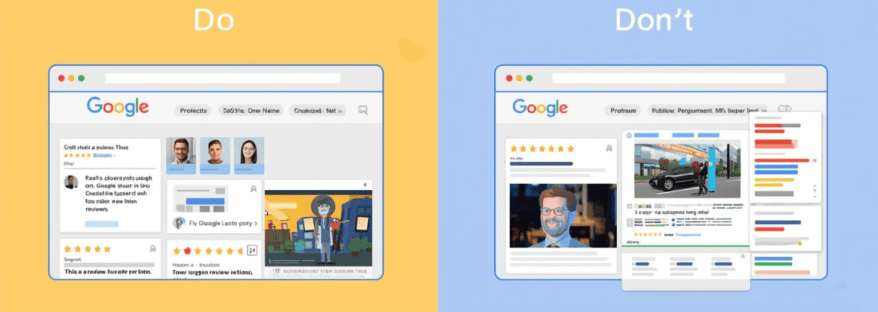
The Do’s of Showcasing Google Reviews
1. Do Display Recent Reviews
Highlighting the latest reviews ensures your site looks active and up-to-date. Visitors are more likely to trust recent feedback than reviews from years ago.
2. Do Use Widgets or Plugins
Use a Google Reviews widget or plugin to display reviews automatically. Tools like Taggbox, Elfsight, or Tagembed allow you to showcase reviews in attractive layouts without manually updating them.
3. Do Feature Reviews Strategically
Place reviews on pages where they matter most:
Homepage
Product or service pages
Pricing pages
Contact page or landing pages
Strategic placement ensures maximum visibility and impact.
4. Do Include Reviewer Details
Include the reviewer’s name, profile picture, rating, and date. It makes the reviews look authentic and builds trust with your audience.
5. Do Highlight Different Types of Reviews
Show a mix of reviews that cover different aspects: product quality, customer service, delivery speed, or overall experience. This gives a comprehensive view of your business.
6. Do Respond to Reviews Publicly
Responding to reviews shows that you care about customer feedback. A polite acknowledgment or solution increases credibility and encourages more reviews.
7. Do Keep the Design Clean and Consistent
Ensure the review section matches your website’s overall design. Avoid clutter or using too many different fonts and colors. A clean, consistent layout improves readability.
The Don’ts of Showcasing Google Reviews
1. Don’t Fake Reviews
Never create fake reviews to boost ratings. Google has strict policies against fake reviews, and visitors can usually tell when reviews aren’t genuine. This can damage your reputation and even lead to penalties.
2. Don’t Display Only 5-Star Reviews
Showing only perfect reviews may appear suspicious. A few balanced reviews, including constructive criticism, make your feedback section authentic and believable.
3. Don’t Overload the Page with Reviews
While it’s good to show multiple reviews, too many reviews can overwhelm visitors. Use a carousel, slider, or limit the number of reviews displayed per page for a cleaner look.
4. Don’t Ignore Negative Reviews
Negative reviews provide an opportunity to demonstrate professionalism. Ignoring them or deleting them can hurt your credibility. Respond politely and offer solutions instead.
5. Don’t Use Reviews Without Permission
If you’re quoting reviews from sources outside of Google, make sure you have permission or that it complies with copyright rules. Always credit the reviewer.
6. Don’t Forget Mobile Optimization
Many visitors will view your site on mobile devices. If your review section isn’t mobile-friendly, it may break the layout or be hard to read. Always test reviews on different screen sizes.
7. Don’t Place Reviews in Hard-to-Find Areas
Reviews should be visible and easy to find. Placing them at the bottom of the site without any prominence may reduce their impact. Use clear headings or sections like “What Our Customers Say.”
Tips for Effective Google Reviews Integration
To make your Google Reviews section more effective:
Use Interactive Widgets – Carousels, sliders, or grids make reviews engaging.
Filter High-Impact Reviews – Highlight reviews that cover key selling points or reflect your strengths.
Combine with Other Social Proof – Include testimonials, case studies, or user-generated content alongside Google Reviews.
Encourage New Reviews – Make it easy for customers to leave reviews on Google. You can provide links in emails or thank-you pages.
Monitor Review Metrics – Track engagement with your reviews section: clicks, scrolls, and impressions to optimize layout and content.
Tools to Display Google Reviews
Some reliable tools to help showcase Google Reviews on your website include:
Taggbox – Collects reviews and allows customizable widgets.
Elfsight – Offers responsive and visually appealing review display options.
Tagembed – Integrates Google Reviews with website and social feeds.
WidgetPack – Simple solution to display reviews with minimal setup.
These tools save time, ensure automatic updates, and give your site a professional look.
Final Thoughts
Google Reviews are more than just ratings—they’re a powerful marketing tool. When showcased properly, they can improve trust, boost conversions, and enhance your online reputation.
Remember the do’s: use widgets, display recent reviews, respond publicly, keep the design clean, and highlight reviewer details.
Avoid the don’ts: don’t fake reviews, ignore negative feedback, overload the page, or neglect mobile optimization.
By following these best practices, your website can leverage Google Reviews as authentic social proof that drives engagement, builds trust, and grows your business.
Start today, and turn your customer feedback into a powerful marketing asset!
Facebook remains one of the most powerful platforms for businesses, creators, and influencers seeking to connect with their audiences. With billions of active users worldwide, it provides an ideal space to share content, engage fans, and grow your brand. However, simply having a Facebook page isn’t enough. To succeed, you need actionable strategies to promote your Facebook page, make your content resonate, and maximize reach.
In this blog, we’ll explore practical tips, tools, and best practices to help you grow your audience, and use Facebook hashtags effectively.
Why Promoting Your Facebook Page Matters?
Many businesses underestimate the importance of actively promoting their Facebook page. A few posts here and there won’t build a loyal audience. Promotion is essential because it:
Builds Brand Awareness: The more people see your page, the more recognizable your brand becomes.
Encourages Engagement: Active promotion leads to more likes, shares, and comments.
Drives Traffic to Your Website: Facebook posts can guide followers to your blog, product pages, or landing pages.
Generates Leads and Sales: A well-promoted page can convert followers into paying customers.
Promotion doesn’t just grow numbers—it builds trust and authority in your niche.
Optimize Your Page for Maximum Impact
Before you start promoting, ensure your page is optimized for both users and search engines. A well-optimized page increases the likelihood that new visitors will hit the “Like” button.
Complete Your Profile: Add a professional profile picture, cover photo, and business details.
Craft a Clear About Section: Include your description, website link, and contact info.
Use a Branded URL: A clean URL, such as facebook.com/yourbrand, is easy to remember.
Enable Call-to-Action Buttons: Options like “Shop Now,” “Sign Up,” or “Contact Us” guide visitors effectively.
Once your page is fully optimized, you’re ready to attract followers and grow engagement.
Smart Ways to Promote Your Facebook Page
1. Cross-Promote on Other Channels
Sharing your Facebook page on your website, blog, email newsletters, and other social media accounts helps reach existing audiences who may not know you’re on Facebook. Cross-promotion is an easy, cost-effective way to increase visibility.
2. Collaborate with Influencers
Partnering with influencers in your niche can boost exposure. Influencers can share your content, tag your page, and help posts go viral on Facebook. The key is to collaborate with influencers whose followers match your target audience.
3. Use Facebook Ads Strategically
Paid promotion can accelerate growth. With Facebook Ads, you can:
Target specific demographics, locations, and interests.
Boost high-performing posts to reach more people.
Encourage page likes, website visits, or event responses.
Even a small ad budget can lead to significant growth when applied thoughtfully.
4. Engage Your Audience
Actively engage with followers by responding to comments, asking questions, and running polls. Interaction not only strengthens relationships but also boosts the visibility of your posts in others’ Facebook feed.
Optimize Your Facebook Feed for Engagement
Your Facebook feed is where followers interact with your content. To make the most of it:
1. Post Consistently
A consistent posting schedule keeps your audience engaged and expecting new content. Use a content calendar to plan posts in advance.
2. Mix Content Types
Different types of content resonate differently with your audience:
Text posts for quick updates
Images for visual appeal
Videos for storytelling
Polls or quizzes for engagement
Live sessions for real-time interaction
Videos and live sessions, in particular, are more likely to go viral on Facebook because of their higher engagement rates.
3. Tell Stories
Stories are memorable and relatable. Share behind-the-scenes content, customer testimonials, or team experiences to create an emotional connection with your audience.
4. Monitor Metrics
Track likes, shares, comments, and reach to identify what content works best. Adjust your strategy based on these insights to improve engagement.
Harness the Power of Facebook Hashtags
Facebook hashtags help categorize your content and make it discoverable by people who aren’t following your page.
Use hashtags relevant to your niche, like #MarketingTips or #HealthyLiving.
Combine popular hashtags with more specific ones to reach a targeted audience.
Limit your hashtags to 2–5 per post for optimal engagement—too many can look spammy.
When used strategically, hashtags increase visibility and can contribute to making your content go viral on Facebook.
Additional Tips to Boost Reach
Host Giveaways and Contests: Encourage followers to like, comment, and share your posts for a chance to win.
Feature User-Generated Content: Share content created by your fans to build community and trust.
Post at Optimal Times: Analyze your audience insights to determine when followers are most active.
Use Eye-Catching Visuals: Bright, high-quality images and videos attract more attention in the Facebook feed.
Encourage Shares: Craft content that is informative, entertaining, or inspirational to encourage followers to share it with friends.
How to Measure the Success of Your Facebook Promotion
Tracking your efforts is key to improving your strategy. Focus on these metrics:
Page Likes and Follower Growth: Measures overall audience growth.
Engagement Rate: Includes likes, comments, and shares.
Reach and Impressions: Shows how many people saw your posts.
Click-Through Rate (CTR): Tracks clicks to your website or landing pages.
Regularly reviewing analytics allows you to refine your content, posting schedule, and promotional efforts.
Conclusion
Promoting your Facebook page effectively requires a mix of strategy, consistency, and creativity. By optimizing your page, leveraging your Facebook feed, using Facebook hashtags, and engaging your audience, you can increase visibility, build trust, and encourage interactions. When done right, these efforts can help your content go viral on Facebook, attracting new followers and growing your brand’s online presence.
Remember, the goal is not just to get likes but to foster a community of engaged, loyal followers who contribute to your brand’s long-term success. Start applying these strategies today and watch your Facebook page grow.
Getting verified on Facebook is something many people and businesses aim for. It shows your audience that your page or profile is the real deal. Whether you’re a creator, public figure, brand, or business, being verified on Facebook builds trust and makes you stand out.
In this guide, we’ll explain everything you need to know about how to get verified on Facebook. We’ll also show you how tools like Facebook widgets and Facebook aggregators can help boost your visibility.
What Does it Mean to Be Verified on Facebook?
When you’re verified on Facebook, you get a blue or gray checkmark next to your name. The blue check is for public figures, celebrities, brands, or notable pages, while the gray check used to be for businesses and organizations (Facebook has since removed the gray check but may bring similar features again).
This checkmark means Facebook has confirmed that your page or profile is authentic. It helps prevent fake accounts from pretending to be you.
Why Get Verified on Facebook?
There are many benefits to being verified:
Builds Trust: Your audience knows you are the real deal.
Better Visibility: Verified accounts often rank higher in search results.
Boosts Credibility: People are more likely to follow and engage with verified accounts.
Prevents Impersonation: No one can easily pose as your brand or profile.
Who Can Get Verified on Facebook?
Facebook doesn’t just verify anyone. You need to meet certain requirements:
Authentic: Your account must represent a real person, business, or brand.
Complete: You must have a profile photo, bio, and at least one post.
Unique: You can’t have multiple verified accounts for the same person or brand (except in different languages).
Notable: Your account should represent a person, brand, or entity that is well-known and frequently searched.
How to Apply for Facebook Verification
Follow these steps to apply:
Go to your Facebook profile or page.
Click the menu icon (three dots).
Select Settings & Privacy > Settings.
Click on Account Verification (or search for “Verification”).
Fill in the required form:
Your full name.
Your account category (e.g., entertainment, sports, business).
A few sentences explaining why your account should be verified.
Official documents (like an ID or business license).
Click Send and wait for Facebook to review your request.
Tips to Increase Your Chances of Getting Verified
While applying is simple, getting approved is not guaranteed. Here are tips to improve your chances:
Be Consistent: Use the same name across all your social media accounts.
Post Regularly: Show that your account is active and relevant.
Build Your Online Presence: Be featured in news articles, blogs, or websites.
Engage With Followers: Interact and grow your community.
Avoid Fake Followers: Organic growth is key.
How Facebook Widget Helps Your Online Identity
A Facebook widget is a small tool you can add to your website to display your Facebook feed, likes, or posts. It helps in many ways:
Increase Trust: Visitors can see real-time activity from your Facebook page.
Grow Followers: People can like and follow your page directly from your site.
Keep Users Engaged: Show them what’s happening on your social media.
Adding a Facebook widget to your website not only improves engagement but also signals to Facebook that you are active and serious about your brand.
Common Reasons for Verification Rejection
If your verification request is denied, it could be because of:
Incomplete profile information
Lack of official documents
Not enough public presence or media coverage
Fake or misleading information
Don’t worry—if you’re denied, you can apply again in 30 days. Use that time to improve your profile and build your visibility.
Mistakes to Avoid
Avoid these mistakes while applying:
Submitting false documents
Using inconsistent names across platforms
Having a profile with no posts or low engagement
Not linking to your other verified platforms or sites
How Long Does Facebook Verification Take?
Facebook usually responds within a few days to a week, but in some cases, it might take longer. If you’re approved, you’ll see a checkmark next to your name. If not, you’ll receive a notification explaining why.
How Verified Status Impacts Engagement
Once verified, people are more likely to interact with your content. Facebook may also prioritize your posts in news feeds and comments. You’ll likely gain followers more quickly because your account looks trustworthy.
Final Thoughts
Getting verified on Facebook isn’t just about the blue checkmark—it’s about building a strong online identity. Stay consistent, be active, and use helpful tools like Facebook widgets and Facebook aggregators to show that you’re real and reputable.
Whether you’re a creator, business, or public figure, follow this guide step-by-step to improve your chances of success. Keep growing your brand, and soon enough, you might just see that verified badge next to your name!
With regards to the digital world in which we live today, it is now imperative for companies, entrepreneurs, and content creators to engage in professional networking and branding on LinkedIn. Integrating the LinkedIn Widget Tools into their websites enables users to showcase LinkedIn content, increase engagement, and strengthen credibility. These widgets allow website owners to effortlessly connect their professional presence with their online audience. This article discusses some of the best LinkedIn Widget Tools available for site owners.
Key Features to Look for in LinkedIn Widget Tools
According to many specialists for perfect choice of LinkedIn Widget Tools, it should be having important features:
Easy Integration-Easy to mediate integration widgets need less coding knowledge.
Customization-Ability to change the style, layout, and other features so that it matches the overall website.
Mobile Responsiveness – Ensures a seamless experience across different devices.
Engagement-Action such as like, follow, and share LinkedIn content from the site.
Analytics and Measure Performance: Understands what users do with the widget.
Top 10 LinkedIn Widget Tools for Website Owners
Find out the top 10 LinkedIn widget tools that you can use to easily embed LinkedIn features on your website and boost engagement.
Elfsight offers a powerful LinkedIn Widget Tool that helps website owners showcase LinkedIn feeds, company pages, and profiles with ease. Features include:
Taggbox is a social media aggregator that offers a LinkedIn-specific widget. This LinkedIn Widget Tool allows website owners to display LinkedIn content dynamically. Features include:
EmbedSocial is a popular platform that provides a LinkedIn Widget Tool for website owners who want to showcase LinkedIn posts and interactions. Features include:
Automatically updates LinkedIn content on websites.
Flockler offers a social media aggregation tool that allows embedding LinkedIn content on websites. This LinkedIn Widget Tool helps in enhancing engagement through:
Juicer’s LinkedIn Widget Tool aggregates LinkedIn content and displays it on websites, making it an excellent choice for businesses and content creators. Features include:
Ability to pull LinkedIn posts into a social feed.
Powr provides an easy-to-use LinkedIn Widget Tool that allows website owners to display LinkedIn posts, articles, and company updates. Features include:
Simple drag-and-drop functionality.
Multiple layout and display options.
Works with various website platforms.
How to Choose the Right LinkedIn Widget Tools for Your Website
Selecting the best LinkedIn Widget Tools for your website depends on several factors:
Budget – Free vs. premium widget options.
Ease of Use – No-code vs. coding-required widgets.
Website Compatibility – Ensure the widget works with your CMS (WordPress, Shopify, etc.).
Customization – Consider whether you need advanced styling and layout options.
Engagement Needs – If you require interactive features like likes and shares, choose accordingly.
Conclusion
Integrating LinkedIn Widget Tools into a website is a great way to enhance engagement, showcase professional credibility, and increase brand visibility. From LinkedIn’s official plugins to third-party solutions like Elfsight, Tagbox, and Tagembed, website owners have numerous options to choose from. By selecting the right LinkedIn Widget Tools, businesses and professionals can strengthen their LinkedIn presence and drive more interactions directly from their websites.
This passive income strategy that is affiliate marketing is becoming more popular among marketers who are now exploring LinkedIn as an effective platform for it. LinkedIn is primarily known as a networking site for professional people but is an untapped goldmine for affiliates wanting to sell to a higher-intent audience. On the other hand, LinkedIn is not like other social media sites. It has professionals, decision-makers, and industry leaders who are seeking a solution to their problems. All of these make it a great space to utilize when promoting high-value products and services through affiliate marketing.
In this article, we shall deliberate on Affiliate Marketing on LinkedIn, touching upon its effectiveness, getting-started ideas, fine-tuning strategies, and measuring success. After going through this guide, you should have a clear plan for starting your affiliate marketing ventures on LinkedIn.
Why Choose LinkedIn for Affiliate Marketing?
The importance of platforms, including Facebook, Instagram, and YouTube, is great for most affiliate marketers. Affiliate Marketing on LinkedIn, on the other hand, has its extraordinary benefits, which bring much better results into play in your affiliate marketing process.
1. A Professional and High-Intent Audience
Separate from ordinary social networking sites, the LinkedIn audience primarily includes professionals seeking actionable insights, business tools, and solutions. This means that, when promoting high-ticket or B2B affiliate products, LinkedIn has an audience that is much more likely to convert.
2. Less Competition
Because most affiliate marketers use other platforms, LinkedIn is not a particularly crowded platform which makes it a good weapon to use. If you can buoy yourself up as a thought leader to put out good value content, your competition will be less and it would be easy to build trust with people.
3. Organic Reach and Credibility Benefits
The LinkedIn algorithm favors just the Great Content, and this simply means that you could get a great deal of organic reach without having to pay an ounce on advertising. So, while you are creating content and engaging with others in the process, your authority will grow, thus enhancing your credibility and making your efforts toward LinkedIn for Affiliate Marketing all the more effective.
4. Opportunities for B2B and High-Ticket Affiliate Programs
LinkedIn is definitely the most suitable platform where you can promote business tools, software, and high-value courses. Regardless of whether you engage in the SaaS industry or you are a finance or consultancy professional, you can find respective products and services that can speak to your audience.
How to Get Started with Affiliate Marketing on LinkedIn
If you’re new to Affiliate Marketing on LinkedIn, follow these steps to set yourself up for success.
1. Choose the Right Affiliate Programs
However, creating a link for affiliate or referral programs is certainly not a productive use of time on LinkedIn. Choose programs from the niche of professionals, businesses, or industries that actively participate on LinkedIn, for example, SaaS products, career development courses, business coaching services, business consulting services, or digital marketing products.
2. Set Up a Professional LinkedIn Profile
Your LinkedIn profile is your personal brand, here are some optimization strategies to make it credible:
A catchy headline should contain your niche.
Build an ‘About’ Section that describes your proficiency.
Feature Content that showcases past works, testimonials as well as case studies.
Have a professional profile picture and banner.
3. Build a Relevant and Engaged Network
Build relationships with professionals, industry experts, and potential customers. Drive Engagement by interacting with their content, joining discussions, and fostering genuine connections before promoting your affiliate products. The backbone of successful Affiliate Marketing on LinkedIn is trust.
Best Strategies for Affiliate Marketing on LinkedIn
To effectively leverage Affiliate Marketing on LinkedIn, you need a strategic approach. Below are some of the best methods to promote affiliate products without being overly promotional.
1. Content Marketing
Your audience will be engaged, and credibility will be attained by providing unique content that is widely appreciated. An effective LinkedIn Content Strategy ensures that your posts resonate with your audience and drive meaningful interactions.
Write useful articles on LinkedIn: Publish well-researched articles that inform your audience on industry topics relevant to the affiliate product you sell.
Use storytelling techniques to create interesting posts: Relate your own experience through real-life events, case studies, and success stories that indirectly give relevance to an affiliate product.
Consider newsletters initiated by LinkedIn: Nurture a subscriber base by giving away value-added insights on grassroots to your niche.
2. Leverage LinkedIn Groups
Lately, many affiliate marketers are finding it beneficial to join specific LinkedIn groups where members of their target audience engage in professional matters.
Provide helpful insights and establish credibility for yourself before promoting any affiliate link.
Participate in the conversation and answer pertinent questions that can start building your relationship.
3. Utilize LinkedIn Video & Live Features
Host a webinar and do live Q&A sessions to teach the audience about the affiliate products you promote.
Create short video content explaining the benefits and features of affiliate products..
4. Direct Outreach & Relationship Building
Instead, use LinkedIn messaging for productive conversations rather than spamming links.
Outreach should give some benefit, for example, providing free resources or advice before the introduction of affiliate offers.
Personalization is necessary-messages should not contain cookie-cutter pitches.
Do’s and Don’ts of Affiliate Marketing on LinkedIn
Understanding the best practices for Affiliate Marketing on LinkedIn will help you maximize your success and avoid common pitfalls.
Do’s
Provide value before promoting affiliate products.
Engage consistently with your network through comments and shares.
Be authentic and build trust with your audience.
Use storytelling to make your promotions more relatable.
Focus on high-quality affiliate programs that align with your audience’s interests.
Don’ts
Don’t spam your affiliate links in every post or message.
Avoid being overly sales-focused—build relationships first.
Don’t use clickbait tactics that damage your credibility.
Avoid promoting irrelevant products that don’t add value to your audience.
Measuring Success & Optimizing Performance
To ensure that your Affiliate Marketing on LinkedIn efforts are working, track and analyze key metrics.
1. Track Affiliate Link Clicks & Conversions
UTM parameters, URL shorteners, or affiliate dashboards should be adapted for tracking link performance. Find out which posts or strategies yield the highest conversions.
2. Utilize LinkedIn Analytics
Keep checking on your engagement rates, profile views and the growth or decrease in your followers. Understand which types of content your audience appreciates.
3. Adjust Content and Engagement Strategies
Conduct trials of different content such as video, text post or article.
Engagement through comments and direct messages with one’s audience.
Experiment with different styles of messaging in your affiliate promotions to discern what works best.
Maximize Profits with Affiliate Marketing on LinkedIn
If you want to get the most out of Affiliate Marketing on LinkedIn, you need to optimize your approach for maximum profitability.
1. Focus on High-Commission Affiliate Programs
Affiliate programs that provide high revenue-sharing and recurring revenue must be given a higher priority than other payment models in this context. High-margin items, software as a service (SaaS) products, coaching assignments, and premium memberships offer far better returns through the affiliate channel.
2. Utilize LinkedIn Ads for Targeted Promotion
Although organic reach has its benefits, LinkedIn Ads allow you to reach the audience you want. Sponsored content and InMail campaigns should be used for the promotion of more significant ticket affiliate offers.
3. Implement Lead Generation Strategies
Share free content such as eBooks, templates, or webinars to the users in exchange for their email addresses.
Use LinkedInlead generation forms to gather potential customer details before marketing them an affiliate offer.
4. Repurpose Content Across Multiple Formats
One way to boost maximum reach is by taking the same content and repurposing it into different formats, such as blog, infographics, and email newsletter takes(ness). This greatly increases visibility and translates into greater affiliate sales.
5. Track Performance and Optimize Continuously
Scrutinize which of the posts, strategies, and affiliate products are performing best; hone your approach based on LinkedIn analytics and insights from the affiliate programs.
Affiliate Marketing on LinkedIn: Tips for More Sales
To maximize your affiliate sales on LinkedIn, you require a certain dose of strategy, consistency, and engagement. A strong LinkedIn Lead Generation approach can help you attract the right audience and boost conversions.
Following are some additional tips to help push your sales further:
Build Trust Before Selling: Before promoting affiliate products, establish yourself as a knowledgeable, helpful source.
Share Real-Life Case Studies and Testimonials: Highlight real-life scenarios where the product benefited its customers.
Poll and Survey Your Audience: Engage your audience by posing questions about your niche, subtly incorporating your affiliate recommendations.
Post at Peak Times: LinkedIn experiences the highest engagement on weekdays (Tuesday-Thursday), particularly in the morning and at lunchtime.
A/B Test Your Material: Experiment with different post formats, CTAs, and messaging strategies.
Encourage User-Generated Content: Ask your connections to share their experiences with the products you promote and tag you in their posts.
By implementing these tips, you can increase conversions and make Affiliate Marketing on LinkedIn more profitable in 2025.
Affiliate Marketing on LinkedIn: Grow & Monetize Fast
If you want to scale your affiliate marketing efforts on LinkedIn and get into profits fast, adopting a strong LinkedIn Marketing strategy is essential. Here are key strategies to help you succeed:
Expand Your Network Strategically: Connect with professionals inclined toward your niche, engage with their content, and consistently appear in their feeds.
Utilize LinkedIn Hashtags & SEO Techniques: Tag your posts with relevant hashtags and keywords to enhance visibility.
Collaborate with Influencers and Industry Experts: Partnering with authoritative professionals on LinkedIn can give your affiliate promotions a significant boost in credibility and reach.
Monetize Free Value (Lead Magnets): Offer free content such as eBooks or webinars that subtly include affiliate links as part of the solution.
Be Consistent and Measure: Regularly review LinkedIn analytics to identify what works best and adjust your strategy accordingly.
By following these steps, you can accelerate growth and maximize your affiliate income through Affiliate Marketing on LinkedIn in 2025.
VII. Conclusion
Affiliate marketing is one such type of marketing that helps generate great income on the other side, and among those different platforms, LinkedIn can be seen as one of the most advantageous access points that many professionals have in today’s age to run the affiliate marketing game. Using relevance in your content, building genuine relationships, and avoiding specialties from your attempt to make you an effective grower in Affiliate Marketing on LinkedIn will get you to great levels in income generation.
Thus, start optimizing your LinkedIn profile, adding valuable content, and reach out strategically to your audience. And, at the same time, remember to keep track of your progress along those lines so that as you adopt those strategies, you can adapt your approach to maximize conversions.
So now that you have an understanding of what affiliate marketing on LinkedIn is all about, it is time to put this all into action. Build your networks, share valuable insights, and position yourself as a trusted affiliate marketer on LinkedIn!
All around the globe, Facebook is the most used and most popular social media platform, with a massive 2.9 billion active monthly users. For marketers and brands, Facebook is a treasure trove of prospective users they can convert into actual sales.
The question is how brands can leverage this treasure into a powerful tool, ensuring that prospective customers get a glimpse of your social media without leaving your website. Well, the game-changer for your business is a Facebook aggregator.
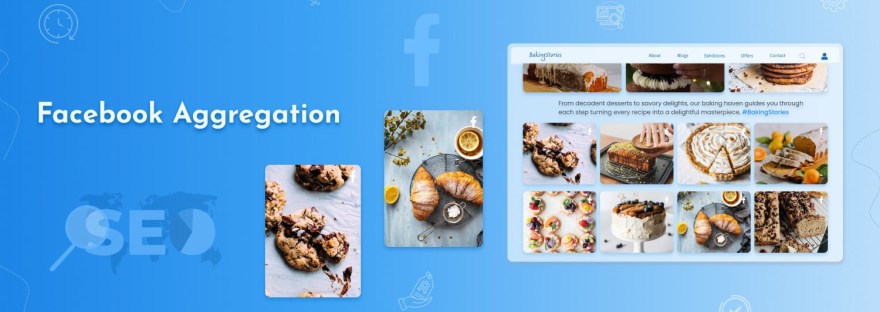
The benefits of a Facebook aggregator are no longer a secret to brands. With the magic of Facebook aggregation, brands can easily embed Facebook feeds on websites. Explore the SEO advantages of adding Facebook content to your website with the help of Facebook aggregation in this blog.
Let’s get started!
Paramount Statistics Related To Facebook: The Magic Of Numbers
Before we proceed further, take a closer look at the statistics on Facebook Aggregation.
According to research by LYFE Marketing, users access Facebook an average of 8 times per day. Users are highly engaged on Facebook and regularly check their newsfeeds.
To communicate with their audience, more than 160 million businesses use Facebook every month.
Including a Call-to-Action (CTA) button on your Facebook Business page can significantly increase the conversion rates of your brand by 2.85x.
According to Pew Research Centre reports, over 69% of American adults use Facebook, and their purchasing decisions are influenced by posts on the platform.
More than 1 billion stories are posted daily across Facebook. Nearly 57% of businesses realized that promoting their products and services through stories is crucial to their success.
Facebook platform is much more than just connecting and sending cute videos to your peers. And you know the numbers don’t lie!
What Are Facebook Aggregators?
A Facebook aggregator is a tool that facilitates the collection and organization of Facebook content from various pages, groups, or profiles. Rather than manually searching multiple sources, an aggregator collects all relevant content into a single dashboard. This would be useful for businesses monitoring brand mentions, content creators in search of ideas for Facebook posts, or marketers analyzing trends.
Some aggregators might even enable automated content curation, making it easy to share trending posts and keep the audience engaged. This is vital for anyone trying to increase their Facebook page’s followers through consistent posting.
How Do Facebook Aggregators Work?
API connections are the modus operandi of most Facebook Aggregators to extract data from Facebook pages, groups, or user interactions. These tools search across the platform for keywords, hashtags, or specific pieces of user-generated content and display the collected information in an easy-to-read format.
For example, a Facebook aggregator can provide insights into Facebook Hashtag Tracking by collecting and analyzing posts that relate to a brand, product, or issue for which hashtag engagement is being tracked. Such data helps identify trending subjects that can be prepared to counter-program with the content strategy.
Benefits of Using Facebook Aggregators
1. Save Time and Effort
Page after page and group after group can be converted to a Facebook Aggregator in hours spent manually checking and cross-referencing them all. It is flexible enough for social media managers who would want to schedule post timings while also needing a way to see how people would be engaging.
2. Discover Fresh Content Ideas
Ideas for Facebook postscan be hard to come by; however, those ideas are made easier with aggregators by showing trending topics, viral posts, and user-generated content that pertain to your niche. So your content will usually remain relevant and interactive.
3. Boost Engagement with Data-Driven Insights
Likewise, strong engagement is really important for developing a Facebook page. The Facebook Aggregators provide great insights for you to optimize content performance. Is there any user engagement through likes, comments, or shares? Then trial and error will help you figure out what types of posts your audience likes. you can join trending conversations and gain visibility. So with that in mind, you can create content that attracts more eyeballs and keeps your followers engaged.
4. Improve Page Engagement
When you know the kind of content that resonates with your audience, it is possible to use it for more likes, shares, and comments for your post. This will lead to better engagement while following the Facebook Page organically.
5. Embed Facebook Content on Your Website
You can use Facebook widgets from aggregators to display Facebook feeds, reviews, posts, etc., on your website in real time, thereby increasing audience engagement and prompting visitors to interact with your brand on Facebook.
6. Monitor Brand Reputation with Facebook Reviews
Aggregators are also keeping an eye on Facebook reviews, thus helping businesses quickly respond to feedback from customers. Positive reviews can be showcased on websites, while one should be proactive in addressing any negative customer feedback.
Popular Facebook Aggregators to Consider
Some of the best-known aggregators help in creating a streamlined content management and engagement strategy.
Taggbox– A social media aggregator for embedding live Facebook feeds on websites.
Hootsuite– Enables you to schedule, track engagement, and monitor mentions for your posts.
Tagembed– Gathers Facebook posts as a live feed displayed on websites.
Sprout Social– Has in-depth analytics and hashtag tracking.
Feed Them Social– This is a plugin that allows you to embed Facebook feeds, posts, and videos on your site.
These tools have made content aggregation easy while offering features like embedding Facebook Reels, tracking hashtags, and showing real-time social proof via Facebook reviews.
Types Of Facebook Content Suitable for Embedding
When it comes to embedding content on the website, here are some of the best Facebook feed examples to add.
1. Facebook Page- To increase your brand growth and online visibility, you can add the Facebook feed of your business page on the website if you have a good number of followers on it.
2. Facebook Profile- One of the top features of Facebook aggregator is that it can help you embed the Facebook posts of your profile on the website to make it more vibrant.
3. Facebook Album- To engage your audience on the website, adding a Facebook Album is an even more effective method.
4. Facebook Reviews- One of the forms of user-generated content is Facebook Reviews. Social proof for your brand can be built through positive Facebook reviews.
5. Page Mention- The Mention feed is another great Facebook content example that can be added to the website. Embedding Page Mention on your website is one of the benefits of a Facebook aggregator you can get.
Embedding Methods And Techniques
There are several ways to embed Facebook content on your website. Let’s check them out.
1. Facebook Feed Widget
A Facebook feed widget is a functional tool that lets you collect, curate, and embed Facebook content on your website. These widgets are customizable and provide various features like themes, layouts, designs, styles, colors, etc.
Tagembed is a tool that provides an exceptional Facebook widget through which you can moderate your feed and filter irrelevant content. Tagembed gives you analytic and tracking features to analyze the performance of your feed. This tool is code-free, and users don’t require any technical expertise. In the website code, just paste the embed code, and it’s done.
2. WordPress Plugins
To display your Facebook feed on your website, users can use the Tagembed Facebook Feed plugin for WordPress. This WordPress plugin comes with a highly responsive layout and is optimized to display content on any screen size. For creating a Facebook feed, this plugin from Tagembed is easy to use and user-friendly.
3. Facebook Page Plugin
Through the Facebook Page plugin, users have the option to embed Facebook feed into their website. After entering your Facebook page URL and widget dimensions, Facebook will provide you with a code to paste on your website. As soon as you paste the code, your feed will embed on the website.
How to Choose the Right Facebook Aggregator?
When selecting an aggregator, consider the following factors:
1. Features and Functionality
Consider features like Facebook Hashtag Monitoring, Post Scheduling, Analytics, and Facebook Widgetsfor integration into Websites. Ensure the software fits your exact needs.
2. Ease of Use
A good aggregator should have an intuitive interface that simplifies material management. Beginners should choose the possibility of a user-friendly tool with a minimum setup.
3. Pricing and Scalability
If you’re a small business or content creator, start with a free plan before investing in a premium tool. Ensure the aggregator can scale with your growing needs.
4. Integration with Other Platforms
Some aggregators support multiple social media platforms, allowing you to manage Facebook alongside Instagram, Twitter, and LinkedIn in one place.
Potential Challenges and Limitations
While Facebook Aggregators offer numerous benefits, they also come with some challenges:
Data Accuracy Issues – Some tools may not update in real time, leading to outdated content being displayed.
Privacy and Compliance Concerns – Facebook’s API restrictions may limit data collection, affecting certain features.
Dependence on Third-Party Tools – Relying too much on aggregators can be risky if a tool discontinues service or changes its pricing structure.
Despite these challenges, the right aggregator can be an invaluable tool for content curation, engagement, and analytics.
Conclusion
In today’s fast-paced digital world, aggregators are essential for businesses, marketers, and content creators looking to streamline their social media strategy. From Facebook Hashtag Tracking to embedding Facebook Reels on websites, these tools provide valuable insights and automation that can help increase Facebook Page followers and improve engagement.
By choosing the right aggregator, you can simplify content management, track audience interactions, and enhance your online presence. Whether you’re monitoring Facebook reviews or looking for fresh Facebook post ideas, aggregators offer the perfect solution to optimize your strategy. Start exploring the best tools today and take your Facebook game to the next level!
Social media platforms like Twitter have made it easy for businesses to keep their audience connected, create brand awareness, and add value to existing customers in this digital age. Twitter boasts over 396 million users from around the globe and serves as the perfect platform for businesses to engage their customers in real-time conversation while following trends by paying attention to customer needs. One of the best ways to engage with Twitter in a business marketing strategy would be tracking Twitter mentions. Knowing what people are saying about your brand will give you valuable insight into how to increase customer satisfaction and engagement within your business.
In this article, we will examine the importance of tracking mentions on Twitter, ways to discover new strategies for enhancing customer engagement, and tools that can keep you up to date with all Twitter activity.
Why Track Twitter Mentions?
One of the most integral aspects that make a successful social media strategy is tracking Twitter mentions. It fulfills the need to react when someone mentions the brand, as it will help you to get in touch with a customer, resolve his problem, or even thank them for following your work. These are a few reasons why tracking Twitter mentions would best serve your business:
Real-Time Feedback: Twitter is a fast-paced platform that provides real-time conversations. Tracking Twitter mentions lets you discover what customers have to say about your brand, products, or services. This allows you to quickly resolve issues and thus improve customer experience.
Build Relationships: Engaging users who mention your brand goes a long way in building a solid bond. Compliment, complaints, or question-answering indicates that you hold their input in high regard and that you want to serve them excellently.
Monitor Brand Reputation: Twitter mentions help you monitor a brand’s reputation. Amplify positive mentions and rectify negative ones before they escalate.
Identify Influencers: By tracking mentions on Twitter, you can identify influencers or advocates of the brand who are talking about your business. Collaborating with them will reach a large audience, increasing your credibility.
Stay Ahead of Trends: Twitter trends normally reflect what is happening across the world. Keeping an eye on mentions keeps you in the loop on what’s trending and allows you to shape your content strategy accordingly.
Strategies to Boost Customer Engagement by Tracking Twitter Mentions
Measuring Twitter mentions is the basis on which to develop strategies for encouraging customer engagement. Here are some ways to engage your customers more productively:
1. Respond Soon Enough to Mentions
In such instances, the wittiest response must be applied to the customer who is in touch on social media in an online tweet. No matter what the context is: a question, a complaint, or a compliment, simply acknowledging the mention shows that you’re really listening and that you care about your customers. Get Twitter marketing tools and set alerts for mentions so that you’ll never miss a moment of opportunity to engage.
2. Personalize Your Responses
Internet communication has now become robotic, and it isn’t very kind of them. But at least make an effort to reply personally to a specific customer’s concern or comment. That small effort could make a huge difference in keeping someone with your company, especially in encouraging and developing trust and loyalty.
3. Capitalize on Twitter Trends
You will always be up to date with Twitter trends that very much relate to your audience. If the brand were to be discussed in relation to something currently trending, then it would be wise to take part in that serendipity to create high visibility for your brand and a sense of community between users.
4. Engage Twitter Hashtag Analysis Tools
Hashtags increase the reach of your tweets significantly. First and foremost, let Twitter hashtag analytics help you examine popular hashtags in your industry so that you can include them in your content as well. This will help you track such mentions specific to particular campaigns or topics.
5. Use Influence Engagement
Usually, influencers get the brand that they’ve worked out when their talk includes your brand in their Tweet’s mentions page. Engage with that mention by hitting a like, retweeting, or replying back on their Tweet. This strengthens your influence relationship with that star and ensures that your brand is exposed to that star’s following.
6. Hold Polls and Surveys on Twitter
Such events encourage one’s audience to participate by making a poll or survey that inclines to the brand. Remember to tag the users by mentioning or thanking them for helping out with this. This can incite many interactions over the content.
7. Display the User-Generated Content
When a customer has talked positively about your brand, think of retweeting or sharing what they have tweeted. This will also display appreciation while enticing the others to mention your brand with the hopes of being able to feature as well.
8. Observe Your Competitors
Monitoring Twitter mentions is not only your brand but also your competitors. Analyze how they interact with the public and find relevant areas in which you can improve your strategy.
9. Optimize for the Twitter Algorithm
Understand the Twitter algorithm and maximize engagement by creating tweets focused on accumulating likes, retweets, and replies. Mention tracking is useful in identifying what types of topics your audience is really going to resonate most.
10. Find Organic Ways to Increase Your Twitter Followers
Increase your Twitter follower count organically by engaging personally with the naive user who mentions your name. When readers discover that you will respond quickly and carefully, they might end up following your account and engaging with your offerings.
Tools For Monitor Twitter Mentions
To carry out an efficient mention of Twitter, you will need the right tools. Here are some of the widely used ones:
Twitter Analytics
Built inside Twitter, this analytics tool relays certain insights about mentions, impressions, and other engagement metrics. It is more of a general entry point for tracking mentions and knowing your audience.
Taggbox
Taggbox is an online marketing tool pairing and displaying social media posts and mentions from users, making it easy to track and curate. Taggbox is the best platform for any business to monitor mentions, hashtags, and keywords in real-time.
Tagembed
Another fabulous tool for monitoring and displaying Twitter mentions is Tagembed. It assists businesses in collecting, curating, and embedding social media content, including Twitter mentions, onto websites or digital platforms.
Hootsuite
Hootsuite is a complete social media management tool that lets you track mentions, schedule tweets, and monitor several accounts while all online.
Sprout Social
Sprout Social has great advanced features for tracking mentions and analyzing engagement as well as managing customer relationships.
Brandwatch
Brandwatch really is a powerful tool to monitor your brand mentions across various social media channels including the all-important Twitter. But it also provides sentiment analysis on how people feel about your product.
TweetDeck
It is a free tool on Twitter that allows users to create columns for mentions, hashtags, and keywords in real-time.
Mention
Mention is a social listening tool that tracks brand mentions on Twitter and other channels. It also uses analytics to measure social media performance.
Keyhole
Keyhole is a Twitter hashtag analytics tool that helps you track hashtags, mentions, and engagement metrics, which is particularly useful for tracking campaign progress.
Best Practices to Track Your Twitter Mentions
Follow these best practices to maximize your Twitter mention-tracking efforts:
Set Up Alerts: Leverage tools to establish alerts for brand mentions so that you never miss the opportunity to engage.
Sentiment Analysis: It is worth analyzing the sentiment surrounding mentions so that positive mentions can be amplified and negative ones addressed quickly.
Engagement Regularity is how you build potent relationships with your audience. Make a habit of responding to mentions on a daily basis.
Track Campaign Metrics: A Twitter marketing kit allows you to track mentions related to specific campaigns, gauging the success of ongoing efforts and making data-backed decisions.
Keep Pace with Twitter Features Updates: Twitter is blessed with regular updates to its platform through new Twitter features. Keep up with them to be able to use them for your engagement improvement.
Conclusion
Tracking Twitter mentions is perhaps the best strategy you will ever command for customer engagement as well as for building an impressive online presence. Quick responsiveness, personal touch during response, and using tools such as Twitter hashtag analytics tools, Twitter marketing tools create meaningfully connected customers.
Twitter is much more than a platform for broadcast messages; it is a place for conversations. Follow this up by tracking Twitter mentions and engaging with that audience, and you’ll already be well on your way to converting casual mentions into loyal customers and brand advocates. So start tracking Twitter mentions today because you’ll see your customer engagement increase as a result! Be it boosting Twitter followers, matching up Twitter trends, or optimizing for the Twitter algorithm, it can do all of these things for you.
With the digital revolution of our current era, social media is key to brand creation and audience building. Amongst all the social media platforms available, Facebook continues to be a giant with billions of active accounts. Nevertheless, increasing your base on Facebook isn’t simply having a page; it’s having the ongoing determination to discover how to gain increased Facebook page followers. More followers equal greater engagement, better credibility, and more business prospects. In this guide, we will lead you through time-tested methods to increase Facebook page followers naturally as well as by paid means.
Top tips increase Facebook Page Followers
Increase your Facebook Page followers with these top 12 tips for engagement and growth
1. Knowledge of Facebook’s Algorithm
First, let us know how the algorithm of Facebook works. Facebook gives priority to content based on:
Engagement (likes, shares, comments)
Relevance and quality of posts
Consistency and timing of posting
If your posts attract more interaction, Facebook will present them to a larger audience. Thus, high-quality and interactive content is crucial.
2. Optimize Your Facebook Page for Maximum Reach
An optimized page is the stepping stone for increased Facebook page follower growth. Make sure your page has:
A quality profile and cover photo
An interesting “About” section with key information
Keywords for improved searchability
Clean contact details and CTA buttons
An optimized page will not only assist you in promoting Facebook pages efficiently but also create a powerful first impression among potential followers.
3. Produce High-Quality, Engaging Content
Content is the monarch of social media. To increase Facebook page followers, you need to post useful and engaging content regularly, including:
Eye-catching images and graphics
Short and interesting videos
Live streams for real-time interaction
Polls and quizzes to encourage engagement
Using Facebook Hashtag strategically can also boost your content’s reach, making it more discoverable to a wider audience. The more interesting and well-optimized your content, the higher the chances of increasing Facebook page visibility and getting users to follow your page.
4. Use Facebook Groups & Communities
Facebook Groups are a great method to increase Facebook page followers. Tactics include:
Participating in and joining groups related to your niche
Sharing useful information rather than direct promotions
Building your own Facebook group for community building
An efficient group can assist you in interacting with prospective followers on a more personal level and improve Facebook page interaction through valuable discussions.
5. Host Contests & Giveaways
Having contests or giveaways is an infallible method to increase Facebook page followers. Best practices are as follows:
Inviting users to like, share, and tag friends to participate
Providing niche-related prizes
Having clear and equitable contest rules
Contests not only enhance Facebook page engagement but also boost brand loyalty and exposure. Additionally, encouraging participants to leave a Facebook review about their experience can further strengthen credibility and attract more potential followers.
6. Utilize Facebook Ads Wisely
Facebook advertising can greatly contribute to increase Facebook page followers. Successful ad tactics involve:
Targeting specific groups
Utilizing interactive ad formats such as video and carousel ads
Optimizing the budget for maximum ROI
A carefully planned Facebook ad campaign can effectively promote Facebook page growth and draw quality followers.
7. Work with Influencers and Other Pages
Working with influencers and related Facebook pages can give your follower base a huge boost. Consider:
Collaborating with influencers in your niche
Cross-promoting with other Facebook pages
Hosting joint live sessions or giveaways
A simple shoutout or shared post from a popular influencer can really boost Facebook page followers.
8. Encourage Engagement and User-Generated Content
Engaging a facebook page is an important factor in increase Facebook page followers. Successful strategies include:
Asking thought-provoking questions
Running interactive polls
Encouraging user-generated content (UGC) such as testimonials and photos
Featuring user content creates a sense of community and encourages more participation.
9. Post at Optimal Times and Stay Consistent
Posting at optimal times can help increase Facebook page followers. Best practices include:
Analyzing Facebook Insights for peak activity times
Creating a content calendar for consistency
Maintaining a steady posting schedule with engaging Facebook post ideas
Consistently sharing well-planned Facebook post ideas will boost your page’s credibility and keep your brand on top of your followers’ minds.
10. Leverage Facebook Live and Stories
embedding Facebook reel and Stories are excellent features to interact with your audience. Consider:
Using Facebook Live for Q&A sessions and product launches
Sharing behind-the-scenes content through Stories
Posting limited-time offers and exclusive updates
These features keep the audience engaged and increase Facebook page engagement.
11. Engage With Your Audience Proactively
Engagement is a two-way process. In order to boost Facebook page followers, you ought to:
Answer comments and messages in a timely manner
Show appreciation for shares and mentions
Start conversations with followers
A strong relationship with your audience generates loyalty and fuels Facebook page reach.
12. Track and Update Your Strategy Ongoing
Keeping track of how you’re performing is important in order to drive long-term growth. Utilize Facebook Insights to:
Measure post engagement and reach
Determine content that will resonate with your audience
Make adjustments to strategy for improved outcomes
A data-driven approach ensures your efforts effectively increase Facebook page followers over time.
Conclusion
Building a Facebook page involves strategic planning, compelling content, and ongoing audience interaction. By optimizing your page, taking advantage of Facebook’s features, and employing organic and paid tactics, you can effectively grow Facebook page followers. Through contests, collaborations, or targeted advertising, there are many methods to increase Facebook page engagement and drive Facebook page growth. Be consistent, try various strategies, and see your followers build steadily over time.
Visual content is an essential part of engaging audiences and building brand awareness in the modern world of digital marketing. Among the most successful methods of sharing your brand’s events, products, or customers’ experiences is through photo albums on your website. Facebook photo albums embedded on websites enable businesses to present new and stimulating content without having to regularly manually update.
In this guide, we’ll explore why integrating Facebook photo albums is beneficial, different methods to integrate them, and best practices to ensure seamless performance on your website.
Why Businesses Should Embed Facebook Photo Albums ?
Embedding Facebook photo albums on your website offers several advantages:
Increased Engagement: Visual content attracts more visitors and encourages interaction. Photo albums enhance this effect. By using a Facebook widget, you can seamlessly display engaging albums on your website.
Social Proof: Showcasing customer photographs and reviews engenders trust and confidence. Fencing in Facebook photo albums by aFacebook widget ensures easy inclusion of authentic user experiences.
SEO Perks: Updating content can drive better search rankings. Embedding Facebook photo albums by a Facebook widget keeps your website fresh-looking and updated.
Saves Time: No effort is needed to hand-upload images onto your site—a Facebook widget enables auto-synchronization of albums, simplifying content handling.
Cross-Platform Promotion: Drives traffic between your website and Facebook page, increasing visibility. Facebook photo albums by a Facebook widget enhance brand exposure.
Different Methods to Embed Facebook Photo Albums
There are multiple ways to embed Facebook photo albums on your website, depending on your technical expertise and customization needs.
Method 1: Using Facebook’s Built-in Embed Feature
Facebook also has an embedded option that can be used to easily show a photo album on your site. Here’s how:
Open up your Facebook Page and go to the photo album you wish to embed.
Click on the album and look for the Embed Post or Get Link option.
Copy the embed code provided.
Insert the code on your website’s HTML where you’d like the album to be shown.
This technique is a simple method of adding Facebook albums without needing extra tools.
Method 2: With a WordPress Plugin
For WordPress blog administrators facebook plugins offer an easy means of embedding Facebook photo albums with further options for customizing. Here’s how:
Install a plugin such as Smash Balloon Social Photo Feed or Facebook Feed by 10Web.
Link your Facebook Page to the plugin by submitting your API credentials.
Personalize the display settings, i.e., layout, album choice, and auto-updating.
Embed the album using a shortcode or widget on your preferred webpage.
Facebook photo albums through a plugin provides more flexibility and automation for content refresh.
Method 3: Advanced Integration via Facebook API
Businesses that require more control and flexibility have custom integration provided by Facebook Graph API. Steps are:
Sign up for a Facebook Developer account.
Develop an app and get API access credentials.
Use the API to retrieve photo album information and present it dynamically on your website.
Add custom CSS and JavaScript for more styling and functionality.
This advanced method of Facebook photo albums is best for companies with technical capabilities to produce a smooth integration.
Selecting the Best Approach for Your Company
For small businesses: Embedding is a straightforward and useful feature of Facebook for Facebook photo albums.
For WordPress users: Plugins offer automation and control without coding, simplifying Facebook photo albums.
For technical businesses: Graph API of Facebook provides full management of the functionality and display of Facebook photo albums, allowing deeper integration with features like Facebook review aggregation for enhanced credibility.
Best Practices for Displaying Embedded Facebook Photo Albums
Choose High-Quality Albums: Use images that represent your brand’s highlights. Facebook photo albums must display your most eye-catching content.
Optimize Placement: Place albums on homepages, product pages, or testimonial pages to drive the greatest possible impact from Facebook photo albums.
Make it Mobile Responsive: Embed photo albums using responsive design so that embedding photo albums will appear fantastic on all devices.
Regularly Update Albums: Make your content current by adding fresh images or refreshing albums when embedding Facebook photo albums.
Encourage User Engagement: Invite customers to share and tag themselves in pictures included in your embedded Facebook photo albums, making it a powerful tool for e-commerce driving conversions through authentic social proof.
Troubleshooting Common Issues
Facebook Embed Not Displaying: Verify privacy settings and the album being public prior to Facebook photo albums.
Plugin Conflicts: Deactivate conflicting plugins and update your WordPress theme to facilitate seamless embedding of Facebook photo albums.
Slow Loading Times: Optimize images and employ caching plugins to enhance site speed when embedding Facebook photo albums.
Utilizing Embedded Facebook Albums for Marketing & Engagement
Display Customer Testimonials: Utilize albums to showcase positive customer experiences by embedding Facebook photo albums as part of your Facebook marketing strategy.
Promote Events and Behind-the-Scenes Content: Engage with visitors by sharing exclusive images through embedded Facebook photo albums, enhancing your Facebook marketing efforts.
Encourage User-Generated Content: Boost Facebook marketing by creating campaigns that encourage customers to upload their own photos to Facebook photo albums, increasing engagement.
Track Performance: Monitor the success of your Facebook marketing strategy by analyzing the performance of embedded Facebook photo albums through Facebook Insights and Google Analytics.
Conclusion
Embedding Facebook photo albums on your site is a compelling method for increasing engagement, establishing credibility, and simplifying content management. Whether you opt for Facebook’s native embed code, a WordPress plugin, or API integration, the solution ultimately relies on the needs of your business and the level of technical sophistication. Utilizing best practices and social proof, you can build a striking and dynamic presence that continues to attract visitors time and again.
Begin adding your Facebook photo albums today and maximize your website’s impact!
Facebook is the most effective medium for companies to reach out, establish connections, and get involved with their customers. Yet posting content isn’t sufficient—companies must prepare effective, engaging, and interactive content to become memorable. In this guide, numerous Facebook post ideas for business have been detailed in order to attain maximum exposure, interaction, and customer involvement.
Knowing What Engages a Facebook Post
The Facebook algorithm favors content that generates interactions, including comments, shares, and reactions. In order to produce engaging posts, companies must aim to offer value, authenticity, and interactivity. Customizing content based on audience interests and behaviors guarantees increased engagement and assists in building long-term relationships with followers.
Engaging Facebook Post Ideas For Every Business
a. Educational & Informative Facebook Post Ideas for Business
Individuals look to social media for information and insights. Producing informative posts makes your business a thought leader.
How-To Guides & Tutorials – Post step-by-step guides on matters pertaining to your business. Example: A beauty company can upload a tutorial on how to get a perfect makeup look.
Industry News & Updates – Keep the followers updated about related trends, regulatory updates, or new developments in your industry.
Quick Tips & Hacks – Offer bite-sized, actionable tips that can assist your audience in their everyday lives. Example: A digital marketing agency offering SEO tips.
b. Interactive & Engaging Facebook Post Ideas for Engagement
Get your audience to engage and interact with your posts directly.
Polls & Surveys – Seek opinions on products, services, or industry trends. Example: A restaurant can ask followers to vote for their favorite dish.
Q&A Sessions – Organize live or comment-based Q&A sessions where your followers can pose questions regarding your business or niche.
Quizzes & Challenges – Organize entertaining quizzes or social media challenges to make your audience participate. Example: A fitness brand introducing a 7-day workout challenge.
c. User-Generated Content & Social Proof Facebook Post Ideas for Small Business
Emphasizing customer content establishes credibility and community, which small businesses need to expand their audience and trust. Leveraging tools like a Facebook Widget can further enhance visibility by showcasing real-time interactions on your website.
Customer Testimonials & Reviews – Publish positive feedback with images to boost credibility, and consider embedding a Facebook Widget on your site to display recent reviews.
Feature Customer Stories – Highlight actual customers using your products or services. Example: A fashion brand showcasing a customer’s outfit styling.
Community Engagement Posts – Invite followers to share their experiences using your hashtag or mentioning your business, and use a Facebook Widget to display these interactions for added social proof.
d. Behind-the-Scenes & Company Culture Facebook Post Ideas for Business
Sharing a little behind-the-scenes action humanizes your brand and strengthens your Facebook Marketing strategy by creating more intimate connections with your audience.
Meet the Team – Introduce employees with brief bios and interesting facts to add a personal touch to your Facebook Marketing efforts.
Workplace Moments – Post pictures or videos of office gatherings, team-building sessions, or typical workdays to showcase your company culture.
Product Development Sneak Peeks – Offer teasers for upcoming products or services to generate anticipation and keep your audience engaged.
e. Promotional & Sales-Driven Facebook Post Ideas for Small Business
Although promotional material shouldn’t dominate your feed, it plays a crucial role in driving sales, especially for small businesses looking to boost revenue. Staying updated with the latest Facebook Updates can also help refine your strategy for maximum reach and engagement.
Exclusive Facebook Deals – Provide exclusive discounts or one-time offers for followers.
New Product Announcements – Post updates on product releases or service upgrades, ensuring they align with recent Facebook Updates to maximize visibility.
Contests & Giveaways – Organize giveaways that require followers to like, comment, or share to participate, leveraging new Facebook Updates to enhance engagement.
f. Fun & Trend-Based Facebook Post Ideas to Engage
Individuals enjoy having fun and shareable material. Adding personality to your posts drives reach and engagement.
Memes & Humor – Post relatable memes or funny material applicable to your niche.
Seasonal & Holiday-Themed Posts – Commemorate special days with themed material.
Trending Topics & Challenges – Take advantage of viral trends, challenges, or breaking news to remain timely.
Best Practices for Creating High-Engagement Facebook Posts
To get the most out of your Facebook posts, use these best practices:
Use Eye-Catching Visuals – Good photos and videos boost engagement.
Keep Captions Concise & Engaging – Keep text short and interesting while strategically incorporating a relevant Facebook Hashtags to increase discoverability.
Optimize Posting Times – Post at times when your audience is most active.
Encourage Interaction – Use powerful CTAs to elicit likes, comments, and shares.
Measuring Success & Adapting Your Facebook Post Strategy
Monitoring performance aids in enhancing your content strategy and boosting engagement. Incorporating Facebook Reviews into your analysis can provide valuable insights into customer sentiment and brand perception.
Measure Engagement Metrics – Monitor likes, shares, and comments using Facebook Insights, and consider tracking Facebook Reviews to understand audience feedback.
Testing Different Facebook Post Ideas for Engagement Using A/B – Experiment with various formats to determine what resonates most, including posts that highlight positive Facebook Reviews for added credibility.
Data-Driven Strategy Refining – Modify your content strategy based on audience reactions, analytics, and insights gathered from Facebook Reviews to improve engagement.
Conclusion
Developing good Facebook post ideas for business means combining useful, interactive, and visually engaging content. By utilizing these Facebook post ideas for engagement, companies are able to have a stronger relationship with their users, increase brand awareness, and eventually generate more conversions. When it comes to Facebook post ideas for small business, consistency and creativity are crucial—begin trying out today and see what performs best with your audience!
Building a very budding YouTube channel can feel like fighting an uphill battle when you are trying so hard to create the first 500 YouTube subscribers. But with the right strategies, consistency, and a bit of creativity, hitting that mark is indeed doable. In this article, we will take you through actionable steps to help you gain your first 500 YouTube subscribers and set the base for future growth. These tips will be helpful whether you find yourself as a beginner or someone still struggling to grow; they are time-tested methods toward success.
Why 500 YouTube Subscribers Matter
Before we dive into the strategies, let us analyze this 500-subscriber-your-in milestone. While it may seem trivial when more than one million subscribers are a mere doorsill, it counts for new creators because it indicates that the content you are putting out has found an audience, and it energizes you to continue. Plus, one now qualifies for the application to the YouTube Partner Program once other requirements are met-which can then help earn income for the channel.
Identify Your Niche and Target Audience
By the first step, you are well on the course to your first 500 subscribers. Identify your niche and take into account your target viewers. An indiscriminate array of content leaves no direction for followers, making it all the more difficult to sign up and stay subscribed.
Defining Your Niche:
Discover Your Passion: You have to be passionate about something before it can become a niche topic.
Research It’s Drawing Demand: Use tools like Google Trends or YouTube’s search bar to search for popular niches.
Analyze Competitors: It helps to see which successful channels are doing well in your niche to see what works fine.
And Why This Matters
A defined niche helps to greatly focus the type of content generated toward a select audience, increasing your chances of immediately attracting the first 500 YouTube subscribers.
2. Produce Quality Content
The Contents Have to Be Captivating. The videos need to be interesting as well as informative and should be great in appearance to have subscribers.
Great Content Creation Tips:
Equipment Investing: Good video quality, of course, can be achieved when you are armed with a simple, yet effective camera, microphone, and lighting. You don’t have to even break your wallet to get them.
Plan Your Videos: This helps you stick with a script or outline so that your audience will get something valuable at the end of it.
Thumbnails and Titles: Eloquently composed, eye-catching thumbnails and very catchy titles are equally important to be clicked.
Example:
Let’s say your niche is fitness; you can shoot videos such as “10-Minute Home Workout for Beginners” or “Belly Fat Loss in 30 Days”. These topics are very specific, actionable, and will most probably attract viewers.
3. Video Optimization for SEO
Search engine optimization is not just for websites; YouTube SEO very much requires it as well. A higher ranking means that the YouTube video can be found very readily by your potential first 500 YouTube subscribers since it would add to the convenience of them finding you.
How to Optimize Your Videos:
Use Keywords: Add relevant key phrases in the title, description, and tags.
Write Detailed Descriptions: Clearly describe your video and also link your socials or website.
Add Captions: Captions improve accessibility and facilitate YouTube’s understanding of the content of the video.
Useful tools:
TubeBuddy: A browser extension for keyword research and optimization.
VidIQ: It helps with the performance of videos and brings forward suggestions related to SEO.
4. Consistency is Key
Besides the quality and care given to content, consistency is an important factor in making your channel grow. Regular uploads keep your audience engaged and tell YouTube that your channel is working.
How to Stay Consistent:
Make a Content Calendar: Plan what you’re going to shoot and avoid last-minute hustles.
Schedule it: Once a week, twice a month – make it a point to stick to that upload schedule.
Batch Record: Save time and record multiple videos in one day.
According to:
Consistency builds trust with the audience and makes it possible for them will get the first 500 YouTube subscribers.
5. Promote Your Videos Outside of YouTube
You wouldn’t want to restrict your promotional activities to just your YouTube channel. You can also promote your shorts/videos on social media to reach more audiences and gain your first 500 subscribers on YouTube.
These Platforms Should Be Used for Promotion:
Instagram: Short clips and behind-the-scenes content.
Twitter: Interesting tweets and links to your videos.
Facebook: Join relevant groups on Facebook and share your video for better engagement.
Tips for Promotion:
Interact with Your Audience: React to comments and messages, and engage with people for visibility.
Collaborate with Others: Do a collaboration video with your partners for cross-promotion.
6. Stay in Touch with Your Audience
Engagement is a two-way street; the more you interact with people, the more you can convince them to subscribe and keep watching.
Ways to Engage Viewers:
Reply to Comments: Reply to comments on your videos so that your audience knows you are appreciating them.
Ask for Feedback: Encourage them to tell what they think about your content and what impressed them the most.
Live Stream: Do live streaming once or twice in a month to get better reach.
The Importance:
Those involved share your content more, and they will help you reach your first 500 subscribers on YouTube.
7. Collaborate with Others
Collaborations with other YouTube creators can expose your channel to a new audience and give you a better chance of gaining subscribers.
Ways to Find Collaboration Opportunities:
Contact Creators: Reach out to other creators whose content resembles yours and have similar subscriber counts.
Participate in Online Communities: Join online forums or groups on Facebook where creators come on board.
Value: Give the concept of collaboration in mutually beneficial ways.
Example:
If you are a cooking channel, collaborate with a fitness creator for a healthy recipe video.
8. Include Calls to Action (CTAs)
Sometimes all it needs is a simple reminder for viewers to subscribe. Place CTAs within your videos to nudge them into action.
How to Adapt CTAs:
Verbal Reminders: Encourage viewers to subscribe at the start, in the middle, and at the end of your videos.
Visuals: Use subscribe buttons or annotations included within the videos.
Something in Return: Give something back, a free guide, or even a shoutout for subscribing.
Why This Is Important:
CTAs can increase a subscription rate significantly and help you achieve your first 500 YouTube subscribers.
9. Analyze and Adjust
Finally, perform continuous analysis on your channel’s performance determine what is working and what is not, and use the resulting data to narrow down your processes and grow much faster.
Metrics to Analyze:
Watch time denotes the engagement of your videos.
Click-Through Rate (CTR): It shows how catchy your thumbnails and titles are.
Subscriber Growth: How fast you are growing subscribers.
Tools to Use:
YouTube Studio: It offers an in-depth analysis of how your channel performs.
Google Analytics: Source of traffic and behavioral tracking.
Bonus Tips to Get Your First 500 YouTube Subscribers
More useful options for getting subscribers will be highlighted here:
Make A Channel Trailer: This is a short, engaging video that introduces new visitors to your channel.
Do A Contest/Giveaway: Encourage viewers to subscribe for a chance to win something.
Get Trendy: Making content based on trending topics will help you attract more views.
Conclusion: The Time Is Now to Grow
The journey of getting 500 subscribers on YouTube may feel arduous, but employing the right strategies makes it plausible. Sit down, define your niche, create quality content, do your SEO work, engage with your audiences, and you’ll find yourself hitting the first 500 subscribers soon enough. Be consistent and flexible. Experiment, learn, and improve.
So, what are you waiting for? Start working on these tips now and see for yourself how fast your channel will grow. Your first 500 YouTube subscribers are ready to meet you!
In today’s digital-first world, LinkedIn has emerged as a powerhouse for businesses looking to build brand awareness, establish thought leadership, and generate leads. With over 1 billion professionals on the platform, LinkedIn offers unparalleled opportunities for businesses to connect with their target audience. However, simply being present on LinkedIn isn’t enough. To truly succeed, businesses need a well-crafted LinkedIn content strategy that not only boosts visibility but also drives meaningful engagement and conversions.
In this guide, we’ll walk you through the essentials of creating a LinkedIn content strategy that turns visibility into leads and sales. Whether you’re a small business owner, a marketer, or a corporate executive, these actionable tips will help you maximize your LinkedIn presence.
Why LinkedIn Content Strategy Matters
LinkedIn is more than just a professional networking platform—it’s a dynamic space where businesses can showcase their expertise, build trust, and nurture relationships with potential customers. A strong LinkedIn content strategy ensures that your content resonates with your audience, aligns with your business goals, and drives measurable results.
Here’s why a LinkedIn content strategy is crucial:
Increased Visibility: LinkedIn’s algorithm prioritizes high-quality, engaging content, helping you reach a wider audience.
Credibility and Trust: Consistent, valuable content positions your brand as an industry leader.
Lead Generation: Strategic content can attract potential customers and guide them through the sales funnel.
Relationship Building: LinkedIn allows you to engage directly with prospects, clients, and partners, fostering long-term relationships.
Step 1: Define Your Goals and Audience
Before diving into content creation, it’s essential to define your goals and understand your target audience.
Set Clear Objectives
What do you want to achieve with your LinkedIn content strategy? Common goals include:
Increasing brand awareness
Generating leads
Driving website traffic
Building thought leadership
Recruiting top talent
Your goals will shape the type of content you create and how you measure success.
Know Your Audience
Who are you trying to reach? Consider factors like:
Creating buyer personas can help you tailor your content to resonate with your ideal audience.
Step 2: Optimize Your LinkedIn Presence
Your LinkedIn profile and company page are the foundation of your content strategy. Ensure they’re optimized to make a strong first impression.
Personal Profiles
Use a professional profile picture and banner image.
Write a compelling headline that highlights your expertise.
Craft a detailed summary that showcases your value proposition.
Include relevant keywords to improve discoverability.
Company Pages
Add a clear and concise description of your business.
Use a high-quality logo and cover image.
Highlight your products, services, and unique selling points.
Include a call-to-action (CTA) to encourage visitors to take the next step (e.g., “Visit our website” or “Contact us”).
Step 3: Create Engaging Content
Content is the heart of your LinkedIn strategy. To stand out, focus on creating content that educates, inspires, and engages your audience.
Types of Content to Share
Educational Posts: Share tips, how-tos, and industry insights that address your audience’s pain points.
Thought Leadership Articles: Publish long-form articles on LinkedIn Pulse to showcase your expertise.
Visual Content: Use eye-catching images, infographics, and videos to capture attention.
Success Stories: Share case studies, testimonials, and client success stories to build credibility.
Company Updates: Highlight milestones, product launches, and team achievements.
Interactive Content: Polls, quizzes, and questions encourage engagement and feedback.
Content Best Practices
Be Authentic: Share your unique perspective and voice.
Add Value: Focus on solving problems and providing actionable insights.
Use Storytelling: Stories humanize your brand and make your content more relatable.
Incorporate CTAs: Guide your audience on what to do next (e.g., “Comment below,” “Download our guide,” or “Book a demo”).
Step 4: Leverage LinkedIn Features
LinkedIn offers a variety of features to enhance your content strategy.
LinkedIn Articles
Publishing long-form articles on LinkedIn Pulse allows you to dive deeper into topics and establish thought leadership.
LinkedIn Stories
Stories are a great way to share behind-the-scenes content, quick updates, and time-sensitive offers.
LinkedIn Live
Host live sessions to engage with your audience in real-time, answer questions, and showcase your expertise.
LinkedIn Ads
Sponsored content, InMail, and text ads can help you reach a larger audience and drive targeted traffic.
LinkedIn Groups
Join or create groups related to your industry to participate in discussions and share your content.
Step 5: Engage and Build Relationships
Content creation is only half the battle—engagement is key to building relationships and driving conversions.
Respond to Comments
Reply to comments on your posts to foster conversations and show appreciation for your audience’s input.
Engage with Others’ Content
Like, comment, and share posts from your network to build rapport and increase your visibility.
Personalize Connection Requests
When connecting with prospects, include a personalized message explaining why you’d like to connect.
Use LinkedIn Analytics
Monitor your content performance using LinkedIn Analytics to identify what’s working and adjust your strategy accordingly.
Step 6: Measure and Optimize
To ensure your LinkedIn content strategy is effective, track your performance and make data-driven improvements.
Key Metrics to Monitor
Impressions: How many people saw your content?
Engagement Rate: Likes, comments, shares, and clicks.
Click-Through Rate (CTR): How many people clicked on your links?
Lead Generation: Number of leads generated from LinkedIn.
Conversion Rate: How many leads turned into customers?
Tips for Optimization
Experiment with different content formats and posting times.
A/B test headlines, visuals, and CTAs.
Focus on high-performing topics and replicate their success.
Continuously refine your strategy based on audience feedback and analytics.
Real-Life Examples of Successful LinkedIn Content Strategies
Example 1: HubSpot
HubSpot uses LinkedIn to share educational content, including blog posts, videos, and infographics. They also engage with their audience by responding to comments and hosting live Q&A sessions.
Example 2: Adobe
Adobe showcases its creative tools through visually stunning posts and user-generated content. They also leverage LinkedIn Stories to share quick tips and updates.
Example 3: Salesforce
Salesforce publishes thought leadership articles and success stories to position itself as an industry leader. They also use LinkedIn Ads to target specific audiences and drive conversions.
Final Thoughts
A well-executed LinkedIn content strategy can transform your business’s online presence, turning visibility into leads and sales. By defining your goals, creating engaging content, leveraging LinkedIn’s features, and fostering relationships, you can unlock the full potential of this powerful platform.
Remember, consistency is key. Regularly publish high-quality content, engage with your audience, and refine your strategy based on data and feedback. With time and effort, your LinkedIn presence will become a valuable asset for driving business growth.
Start implementing these strategies today, and watch your LinkedIn efforts translate into tangible results!
Getting more Twitter followers is one way to maximize reach and engagement, whether you are an entrepreneur, an influencer, or an actual business owner. In this guide, we take a look at a few interesting ways to help boost Twitter followers organically and efficiently.
1. Optimize Your Twitter Profile
Twitter profiles can act more as first impressions, and they play a huge role in attracting followers. With that, here are a few good optimization tips you should consider:
Choose a clear profile picture that is a high-quality logo or a picture taken of yourself professionally.
Write an engaging bio that underscores your credibility and what you are interested in.
Include a link to your website or an important landing page.
Download a cover image that shows your brand or personality in a high-resolution way.
Having a well-optimized profile makes you look credible, encourages users to follow you right away, and is especially important when using Twitter for business purposes to grow brand awareness.
2. Post Quality & Engaging Content
Nothing is as great as content in increasing Twitter followers. Therefore, keep your audience engaged with valuable and shareable content such as:
Controversial tweets
Updates and news from your industry
Helpful tips and tricks
Quotes that uplift their spirits
Behind-the-scenes content
Interactive polls and questions
Be consistent! Get on a posting schedule to keep your current followers occupied while attracting new ones. Do make use of Twitter marketing techniques like schedule posts and automation tools in order to maintain uninterrupted content flow.
3. Twitter Features
Twitter is growing its feature set to optimize account engagement and follower growth. Therefore:
Twitter Spaces: Hold live audio discussions to engage the audience.
Polls: Generate engagement by asking funny or insightful questions.
Threads: Create long discussions by linking tweets together.
Fleets (if available): Post 24-hour updates to appear relevant.
Using these Twitter features can make the content more attractive and keep the followers from detaching. Knowing Twitter trends can give an upper hand in formulating a strategy to attract new types of followers.
4. Audience Engagement
Engagement is a two-way process; hence the best way to boost more Twitter followers is to engage consistently with your audience.
Reply to comments and mentions.
Retweet and engage with relevant tweets.
Trending conversations.
DM users for networking.
The more you engage, the better the chances of gaining visibility and new followers. This engagement will substantially aid in your Twitter marketing while also creating incredible relationships with your audience.
5. Exploit Twitter Trends
Knowing the Twitter trends puts you in a much stronger position to enter conversations and sell to a broader audience. Here is more about getting all you can from trends:
Check “Trending” each day.
Participate in trending hashtags to the extent appropriate.
Create content reflecting trending topics that fit into your niche.
Keeping track of Twitter trends will help brand yourself as a relevant and active account, drawing in even more followers. Especially, companies could leverage trending conversations to enhance their Twitter for business engagement.
6. Strategically Use Hashtags
Hashtags make content easier for users to find externally, beyond one’s immediate networks. Here are the best practices for using hashtags:
Add 2-3 relevant hashtags to each tweet.
Combine popular and niche hashtags.
Don’t bog a tweet down with too many hashtags.
An intelligent hashtag strategy will help you engage more and boost Twitter followers organically on Twitter.
7. Collaborate with Influencers
Partnering with influencers could widen the reach and draw in those new followers. Here’s how:
Engage with influencers with comments and retweets.
Propose collaborations or shout-outs.
Participate in Twitter chats organized by industry leaders.
The collaboration will widen the opportunity for you to be seen and provide that added assurance to the new follower. Businesses can opt to execute such a strategy within their Twitter promotion campaign for growth.
8. Optimize your timing
The timing of your post can greatly affect engagement. Studies show that peak tweeting hours are:
Morning (8 AM-10 AM): When people check Twitter before work.
Increased chances of exposure for your content, making it visible for following and sharing, eventually increasing posting when the actual audience is online. A must-do for the commercial entity on Twitter to maximize engagement.
9. Run Contests & Giveaways
People simply adore free stuff! Conducting contests and giveaways can put rocket fuel to your activity on Twitter. Follow these steps:
Pick a prize that will excite your audience.
Let them follow you and retweet the gossip for a chance to win!
Partner with other brands or influencers to extend their reach.
This is sure to stir up quite a bit of attention and bring in an audience to the profile. This could be one way for businesses to extend their brand marketing campaigns.
10. Cross-promote on Other Platforms
Social media profiles on Facebook, Instagram, LinkedIn, or YouTube can be harnessed to advertise the Twitter page on those platforms as well. Some methods include:
Placing your Twitter handle in your email signature.
Sharing tweets on Instagram stories.
Embedding tweets in blogs.
Asking your present audience to follow you on Twitter.
Cross-promotion can yield exponentially better results for boosting Twitter followers since you’re driving people on other platforms to your Twitter page.
11. Grow Your Business on Twitter
If you’re a business brand, Twitter is the ideal place out there for marketing it and getting followers. Here is how:
Deliver industry-related tips and insights alongside case studies.
Announcements of product launches and updates.
Provide direct Twitter support via DMs.
Engage with customers via personalized answers.
Twitter for business not only fortifies the brand but also attracts a loyal follower base.
12. Analyze Your Analytics and Adjust Accordingly
The act of tracking your activities is important for knowing what works and what does not. Use Twitter Analytics and Twitter algorithms to keep the following under observation:
Engagement rate
Follower growth
Best tweets
Audience demographics
Once you have your insights based on these metrics, you can adjust your strategy to boost your Twitter follower base with maximum efficiency. From an organizational perspective, these insights allow one to fine-tune one ís Twitter marketing for maximum traction.
Conclusion
Getting a massive audience on Twitter takes consistency, engagement, and a strategic mindset. Optimization, implementation of Twitter undertakings, participation in Twitter trends, and Twitter for business will help boost Twitter followers with more efficacy and create a hefty footprint on social media. Implement these tips today to see continuous growth in your Twitter followers!
In the dynamic universe of social media, hashtags are much more than just a hot word or phrase attached to the post. Hashtags are powerful ways to extend reach, build communities, and encourage engagement. Though Facebook is still one of the most utilized social media platforms, learning how to take advantage of tracking and analytics on Facebook hashtags is an important ingredient toward growth that businesses, influencers, and marketers cannot afford to ignore in their quest for relevance. Utilizing Facebook hashtag tracking tools can help you monitor the performance of your hashtags and refine your strategy for maximum impact.
In this post, we shall be looking at some of the basic elements of tracking Facebook hashtags and how to put them into good use to extend your reach on the platform, including best ways to ensure you get optimum value from your hashtag strategy.
What is Tracking Facebook Hashtags?
Basically, Facebook hashtag tracking is the monitoring and analysis of the performance of hashtags that one uses within his or her posts. In other words, with the tracking of specific hashtags’ performance, you get to know how different hashtags perform to increase engagement, reach, and understand audience behavior. It is a way to measure the success of your hashtag campaigns and make strategic changes for optimized growth. To effectively track these metrics, you can use various Facebook hashtag tracking tools that provide in-depth insights and analytics, helping you make data-driven decisions to refine your strategy.
They basically work to aid in categorization of posts; such that while it makes discovering certain content items, it suits only those interests in similar subject matter. As critical as hashtag utilization is for posts, ignoring to track or follow up properly how well that is working usually can be adverse.
Why Facebook Hashtags Matter for Growth
Facebook Hashtags are more than just a way to organize content; if used strategically, they can amplify your visibility and foster deeper engagement. Facebook hashtag tracking plays a crucial role in achieving this.
Here’s how: Greater Visibility: Hashtags help your posts reach a broader audience beyond just your followers. By choosing relevant and trending hashtags, and utilizing Facebook hashtag tracking to measure their performance, your content can show up in the feeds of users who may not yet follow your page but are interested in similar topics.
Brand Awareness: Brands and influencers are able to establish their brand identities with the use of hashtags. Consistent use of a branded hashtag will help make content unique and traceable, further rooting their presence in their niches.
Setting Up Facebook Hashtag Tracking
Before you start tracking hashtags on Facebook, it’s time to create the right foundations. Here’s how you do it:
1. Choose the Right Hashtags
The first step in effective Facebook hashtag tracking is the right selection of hashtags. Hashtags need to be relevant to your content, industry, and target audience. Using highly popular hashtags is tempting, but it could mean that your content will get lost in the sea of posts. Instead, try using a mix of hashtags that resonate with your niche, and keep in mind any Facebook update that might affect how hashtags are used or displayed on the platform. By staying updated with platform changes, you can fine-tune your hashtag strategy to maximize impact.
Broad Hashtags: Popular hashtags like #marketing or #fashion can help you reach a wide audience.
Niche Hashtags: Precise, niche hashtags, for example, #digitalmarketingtips or #sustainablefashion, will get you in front of a better-targeted audience.
Branded Hashtags: Create unique branded hashtags for your brand or campaigns. Examples are #MyBrandGrowth. It helps you measure the buzz around specific initiatives.
2. Utilize Hashtag Tracking Tools
By now, you’ve chosen your Facebook hashtags for tracking; now it’s time to monitor their performance. While Facebook Insights provides some basic analytics for posts, the best metrics may be accessed through third-party tracking tools. Among the best tools for tracking Facebook hashtags are those that offer detailed insights into reach, engagement, and audience demographics. These tools can help you track how well your hashtags are performing, especially in terms of Driving conversions. By analyzing these metrics, you can refine your strategy to ensure that your hashtags not only increase visibility but also contribute to your business goals, such as website visits or sales.
Facebook Insights: This tool gives post-level data on reach, engagement, and reactions. You can see how posts with specific hashtags are performing.
Hootsuite: A great, easy-to-use social media management platform; it’s very effective for keeping tabs on hashtag performance across many platforms, including Facebook.
Sprout Social: It’s a tool with all-rounded analytics about hashtags-from engagement metrics to audience insights.
Brandwatch: This is a very powerful tracking and analytics tool for hashtag performance, combined with sentiment analysis and competitor benchmarking.
3. Set Clear Tracking Goals
Before you get started with tracking, define what success means to you. Do you want more engagement, follower growth, or better brand awareness? By using Facebook hashtag tracking, you can identify which hashtags are driving the results you’re aiming for. By clearly outlining your KPIs, you can focus your efforts on the metrics that matter most, ensuring your hashtag strategy is aligned with your growth objectives.
Key Facebook Hashtag Analytics to Monitor
Once your hashtags are in use, the next step is tracking and analyzing the data. Below are some of the critical metrics to monitor when using Facebook hashtag tracking:
1. Engagement Metrics
Engagement is one of the most critical indicators of hashtag performance. This includes:
Likes: The number of likes your posts with particular hashtags receive.
Comments: The volume and quality of comments can indicate how interesting your content is.
Shares: When users share your post, it signals strong engagement and can significantly extend the reach of your content.
Facebook hashtag tracking enables you to monitor these engagement metrics, allowing you to identify which hashtags drive the most interaction. By analyzing this data, you can tailor your hashtag strategy to maximize engagement and optimize your content for better results.
2. Reach and Impressions
Reach refers to the number of users who viewed your post; impressions are the total views your post received. Hashtags allow your content to reach audiences much larger than that of your followers. Facebook hashtag tracking helps you measure both reach and impressions, showing how well your posts are being viewed. By analyzing these metrics, you can decipher how effective your hashtags are in introducing your content to new users, expanding your visibility beyond your immediate audience. This can be a powerful tool when you want to Promote a Facebook page, as it helps increase exposure to potential followers who may not have discovered your page otherwise.
3. Follower Growth
Hashtags that consistently deliver engagement can drive more followers. If a hashtag is performing really well, then users may be more likely to follow your page for even more content related to the hashtag. Facebook hashtag tracking allows you to monitor follower growth alongside your hashtag campaigns, helping you determine which hashtags contribute to audience expansion. This can be a strategic way to Increase your business gradually, as a steady growth in followers can lead to increased brand awareness, more engagement, and, ultimately, more conversions over time.
4. Conversion Tracking
For businesses, Facebook hashtag tracking should include monitoring conversions, such as website visits, sign-ups, or sales driven by hashtags. Many analytics tools allow you to track how hashtag-driven traffic converts into business outcomes, providing real insights into the return on investment (ROI) of your hashtag strategy. By measuring conversions, you can evaluate the true impact of your hashtags on your bottom line and make informed decisions to optimize your strategy.
Best Practices for Tracking & Growing Your Facebook Hashtags
Tracking hashtags is half the battle; using the insights you obtain from Facebook hashtag tracking analytics will help you work toward growth. Here are a few best practices for maximizing your results:
1. Optimize Your Content Strategy
Analyze your content created based on performance inspired by hashtag performance. Imagine that after evaluating the hashtag performances, one appeared to get many likes. Hence, go into creating more about it. Vice versa, reassess underperforming hashtags by considering substituting them with relevant ones to see if this change will align your audience better with your hashtags.
2. Observe the Popular Hashtags
With Facebook hashtag tracking, you can monitor trending hashtags and incorporate them into your strategy in real time. Trending hashtags have a higher possibility of reaching a wider audience, especially if they are relevant to your industry. By tracking these trends, you can ensure your content stays relevant and aligns with the right trending topics, allowing you to engage with a broader audience and increase visibility. Additionally, monitoring the performance of these trending hashtags can also help you understand the impact of Facebook reviews, as positive reviews can contribute to the success of certain hashtags and campaigns.
3. Test and Refine
Try different hashtags and measure their performance. That is, create posts that are similar in nature, but their differences will be represented in their various hashtags. This way, you can find out which of them your audience responds to best. Do this often to keep your hashtag game on point.
4. Engage with Hashtag Communities
Don’t just track hashtags-use them. Join conversations around popular hashtags with commenting on posts, sharing content, and responding to users. Building relationships within the communities provided by hashtags will increase visibility of your brand and drive users to engage with your posts.
Conclusion:
Facebook hashtag tracking is one of the most critical growth hacks you can use. By selecting the right hashtags, understanding their performance through tracking, and adjusting your strategy accordingly, you can gain more visibility and reach a broader audience for growth.
As Facebook remains a vital social media platform for businesses and marketers, the time you invest in Facebook hashtag tracking and analytics will help you stay ahead of the competition and make your presence more engaging on the platform. Begin tracking, analyzing, and refining your strategy to unlock the full potential of Facebook hashtags today, and watch your growth unfold.
In today’s digital world, social media has become a cornerstone of online engagement and interaction. Facebook, one of the most widely used platforms, offers various tools to integrate social sharing and engagement features directly on websites or applications. One such tool is the FreeFacebook widget. These widgets, which include features like the Like button, Share button, and embedded posts, allow users to interact with content without leaving a webpage. For businesses and content creators, understanding and analyzing the engagement metrics tied to these widgets is essential to optimize digital strategies and improve user experience. This article explores how to analyze engagement metrics from Facebook widgets, providing insights on the types of metrics to track, tools to use, and methods of analysis.
Understanding Facebook Widgets A Facebook widget is a small piece of code that can be embedded into a website or app to display a variety of Facebook-based content or allow interaction with Facebook directly on the webpage. Facebook offers several types of widgets, including:
Like Button: This allows users to express approval of content, signaling interest or alignment with a particular post, page, or item.
Share Button: Users can share content directly to their Facebook profile, spreading the word and increasing the reach of a piece of content.
Comment Plugin: Enables users to leave comments on articles or products, fostering interaction and discussion.
Embedded Posts: Displays public Facebook posts directly on the website, providing a seamless integration between external content and the site.
Page Plugin: Displays a preview of a Facebook page, including the number of likes and posts, allowing visitors to engage directly with the page from the website.
Each widget serves a specific purpose and plays a unique role in user interaction. To better understand the effectiveness of these widgets and how users are engaging with them, businesses can utilize Facebook review tools to track and analyze engagement metrics, providing valuable insights into how well these widgets are performing.
Key Engagement Metrics to Track When analyzing Facebook widgets, there are several key metrics that provide valuable insights into how users are interacting with the content. These metrics give a comprehensive view of widget performance and help businesses understand their audience’s preferences, ultimately contributing to business growth.
Likes and Reactions The Like and Reactions buttons are among the most visible and commonly used widgets on Facebook. They allow users to quickly express their feelings toward a post with a simple click. Analyzing the number of likes and reactions provides insight into the popularity of the content.
Metrics to track include:
Total number of likes/reactions on a page or post.
The distribution of different reactions (love, haha, wow, sad, angry) to gauge the emotional response from users.
The correlation between the number of likes/reactions and other forms of engagement, such as shares and comments.
Understanding these metrics can help businesses refine their content strategy, enhance engagement, and drive business growth by aligning their offerings with what resonates most with their audience. By analyzing these reactions, businesses can better understand what content resonates most with their audience.
2. Comments
The Comment Plugin enables users to engage in conversations around a piece of content, providing valuable qualitative feedback. The number of comments can be a direct indicator of how engaging or thought-provoking a post is. Additionally, businesses can analyze the tone and content of comments to assess sentiment and gain deeper insights into user feedback. This highlights the importance of a Facebook page as a platform for fostering meaningful interactions with customers and potential clients. Metrics to track include:
The total number of comments on a post or page.
The average length of comments and the sentiment (positive, neutral, or negative).
Trends in the types of questions or discussions users are starting in the comment section.
Tracking comment volume and sentiment helps businesses measure not only engagement but also the quality of interaction, emphasizing the importance of a Facebook page as a tool for understanding customer needs and enhancing relationships.
.3. Shares
One of the most significant indicators of content engagement on social media is how often it is shared. When users share content using the Share button, they are effectively endorsing it and spreading it to their own network, extending its reach exponentially. Analyzing shares helps businesses understand the viral potential of their content and highlights an effective way to promote a Facebook page by encouraging users to share content with their network. Metrics to track include:
Total number of shares over a specific period.
The platforms or locations where content is being shared (Facebook, Messenger, etc.).
Identifying top influencers or users who share content most frequently.
Understanding sharing patterns helps businesses identify what content has the highest potential for viral distribution, making it a powerful tool to promote a Facebook page and increase visibility.
4. Click-Through Rate (CTR)
Another vital metric to track is the Click-Through Rate (CTR). This metric measures how often users click on links or call-to-action buttons embedded in the widgets. The CTR helps businesses gauge how effectively their content is converting visitors into deeper engagement, whether through visiting a website, signing up for a newsletter, or making a purchase. Tracking this metric is crucial for driving conversions and optimizing content strategies to achieve business goals. Metrics to track include:
Number of clicks generated by Facebook widgets.
Conversion rate of users who clicked on the widget versus those who did not.
Bounce rate of users who clicked through but left the page quickly.
A high CTR signals effective content and well-placed calls to action, playing a key role in driving conversions and enhancing the overall user experience.
5. Impressions and Reach
Impressions and Reach are foundational metrics for understanding the visibility of a piece of content. Impressions refer to how many times a post or widget was displayed on users’ screens, while reach refers to the number of unique users who saw it. By closely monitoring these metrics, businesses can gain insights to improve Facebook updating marketing strategies and enhance their content’s visibility. Metrics to track include:
Total impressions generated by Facebook widgets.
Total reach, including both organic and paid reach.
Analysis of engagement relative to reach to understand the effectiveness of content distribution.
Monitoring impressions and reach helps businesses understand their content’s visibility and identify opportunities to enhance its exposure, which is essential for Facebook updating marketing efforts aimed at staying relevant and engaging the right audience.
6. Time on Widget
Tracking how long users engage with a widget is another useful metric. Time on widget can provide insights into user interest and content engagement. If users interact with a widget for a long time, it suggests they find the content or the post intriguing.
Metrics to track include:
Average duration users spend interacting with a Facebook widget.
The impact of time spent on widgets in relation to other forms of engagement (comments, shares, likes).
By analyzing this metric, businesses can optimize content to increase interaction duration.
Tools for Tracking Engagement Metrics
To effectively analyze Facebook widget engagement, it’s essential to use the right tools. These tools help businesses track, interpret, and act on data gathered from Facebook widgets.
Facebook Insights: Facebook provides native analytics for pages and posts, allowing businesses to track engagement metrics such as likes, comments, shares, and overall reach.
Google Analytics: Google Analytics offers powerful tracking capabilities, enabling businesses to track widget interactions and their impact on website traffic, conversion rates, and user behavior.
Third-Party Tools: Tools like Hootsuite, Socialbakers, and Sprout Social provide advanced social media tracking features, including detailed reports on Facebook widget performance and audience sentiment.
Facebook Analytics: Facebook’s own analytics tool provides deep insights into cross-platform engagement, helping businesses understand how widgets perform across different devices and platforms.
Methods of Analyzing the Data
Once you’ve gathered the necessary data, the next step is to analyze it effectively. There are several methods to interpret Facebook widget engagement metrics.
Quantitative Analysis
This approach involves numerical analysis of engagement data. You can calculate key performance indicators such as:
Engagement Rate: Divide total interactions (likes, shares, comments) by the total number of impressions or reach.
Conversion Rate: Measure how many users took a desired action after interacting with a widget (e.g., purchasing a product or signing up for a newsletter).
Qualitative Analysis
In addition to the numbers, analyzing the quality of engagement is important. Reviewing comments and shares provides context to the metrics. Sentiment analysis can help gauge user feelings, whether positive, neutral, or negative.
Time-Based Analysis
By comparing engagement across different time periods, businesses can identify patterns or trends. Analyzing peak times of interaction helps optimize when to post content for maximum engagement.
Best Practices for Enhancing Engagement with Facebook Widgets
To increase engagement with Facebook widgets, businesses should implement several best practices:
Optimize Widget Placement: Ensure widgets, such as the option to embed Facebook feed on your website, are placed prominently in areas where users are most likely to engage.
Encourage Interaction: Use clear calls-to-action to prompt users to like, share, or comment on posts, especially when engaging with the embedded Facebook feed.
Appealing Content: Make sure the content linked to the widget, including the embedded Facebook feed, is visually appealing, relevant, and valuable to the audience.
Mobile Optimization: Ensure that the widgets, including the embedded Facebook feed, are fully responsive and easy to interact with on mobile devices, providing an optimal experience across all platforms.
Conclusion
Analyzing engagement metrics from Facebook widgets, such as likes, shares, comments, CTR, and time on widget, is a crucial part of understanding user interaction and optimizing content strategy. One effective way to enhance engagement is by embedding Facebook reviews on your website. By tracking the metrics related to these reviews, businesses can gain valuable insights into what resonates with their audience. Using the right tools to analyze this data effectively can help refine social media strategies, improve content engagement, and build trust with potential customers. As Facebook widgets, includingembedded reviews on websites, continue to play an essential role in online interaction, businesses that embrace data-driven analysis will have a significant edge in creating more engaging and effective content.