In today’s digital world, social media has become a cornerstone of online engagement and interaction. Facebook, one of the most widely used platforms, offers various tools to integrate social sharing and engagement features directly on websites or applications. One such tool is the Free Facebook widget. These widgets, which include features like the Like button, Share button, and embedded posts, allow users to interact with content without leaving a webpage. For businesses and content creators, understanding and analyzing the engagement metrics tied to these widgets is essential to optimize digital strategies and improve user experience. This article explores how to analyze engagement metrics from Facebook widgets, providing insights on the types of metrics to track, tools to use, and methods of analysis.
Understanding Facebook Widgets
A Facebook widget is a small piece of code that can be embedded into a website or app to display a variety of Facebook-based content or allow interaction with Facebook directly on the webpage. Facebook offers several types of widgets, including:
- Like Button: This allows users to express approval of content, signaling interest or alignment with a particular post, page, or item.
- Share Button: Users can share content directly to their Facebook profile, spreading the word and increasing the reach of a piece of content.
- Comment Plugin: Enables users to leave comments on articles or products, fostering interaction and discussion.
- Embedded Posts: Displays public Facebook posts directly on the website, providing a seamless integration between external content and the site.
- Page Plugin: Displays a preview of a Facebook page, including the number of likes and posts, allowing visitors to engage directly with the page from the website.
Each widget serves a specific purpose and plays a unique role in user interaction. To better understand the effectiveness of these widgets and how users are engaging with them, businesses can utilize Facebook review tools to track and analyze engagement metrics, providing valuable insights into how well these widgets are performing.
Key Engagement Metrics to Track
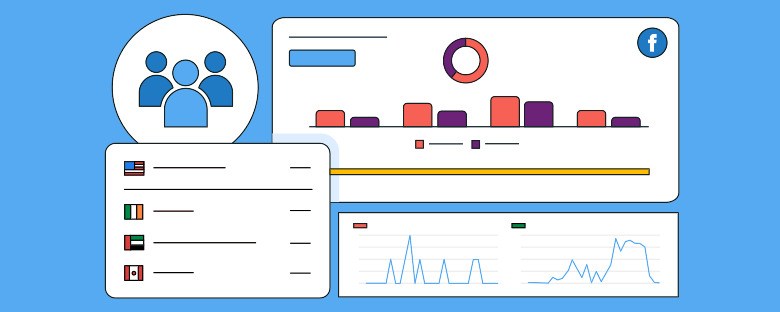
When analyzing Facebook widgets, there are several key metrics that provide valuable insights into how users are interacting with the content. These metrics give a comprehensive view of widget performance and help businesses understand their audience’s preferences, ultimately contributing to business growth.
- Likes and Reactions
The Like and Reactions buttons are among the most visible and commonly used widgets on Facebook. They allow users to quickly express their feelings toward a post with a simple click. Analyzing the number of likes and reactions provides insight into the popularity of the content.
Metrics to track include:
- Total number of likes/reactions on a page or post.
- The distribution of different reactions (love, haha, wow, sad, angry) to gauge the emotional response from users.
- The correlation between the number of likes/reactions and other forms of engagement, such as shares and comments.
Understanding these metrics can help businesses refine their content strategy, enhance engagement, and drive business growth by aligning their offerings with what resonates most with their audience. By analyzing these reactions, businesses can better understand what content resonates most with their audience.
2. Comments
The Comment Plugin enables users to engage in conversations around a piece of content, providing valuable qualitative feedback. The number of comments can be a direct indicator of how engaging or thought-provoking a post is. Additionally, businesses can analyze the tone and content of comments to assess sentiment and gain deeper insights into user feedback. This highlights the importance of a Facebook page as a platform for fostering meaningful interactions with customers and potential clients.
Metrics to track include:
- The total number of comments on a post or page.
- The average length of comments and the sentiment (positive, neutral, or negative).
- Trends in the types of questions or discussions users are starting in the comment section.
Tracking comment volume and sentiment helps businesses measure not only engagement but also the quality of interaction, emphasizing the importance of a Facebook page as a tool for understanding customer needs and enhancing relationships.
.3. Shares
One of the most significant indicators of content engagement on social media is how often it is shared. When users share content using the Share button, they are effectively endorsing it and spreading it to their own network, extending its reach exponentially. Analyzing shares helps businesses understand the viral potential of their content and highlights an effective way to promote a Facebook page by encouraging users to share content with their network.
Metrics to track include:
- Total number of shares over a specific period.
- The platforms or locations where content is being shared (Facebook, Messenger, etc.).
- Identifying top influencers or users who share content most frequently.
Understanding sharing patterns helps businesses identify what content has the highest potential for viral distribution, making it a powerful tool to promote a Facebook page and increase visibility.
4. Click-Through Rate (CTR)
Another vital metric to track is the Click-Through Rate (CTR). This metric measures how often users click on links or call-to-action buttons embedded in the widgets. The CTR helps businesses gauge how effectively their content is converting visitors into deeper engagement, whether through visiting a website, signing up for a newsletter, or making a purchase. Tracking this metric is crucial for driving conversions and optimizing content strategies to achieve business goals.
Metrics to track include:
- Number of clicks generated by Facebook widgets.
- Conversion rate of users who clicked on the widget versus those who did not.
- Bounce rate of users who clicked through but left the page quickly.
A high CTR signals effective content and well-placed calls to action, playing a key role in driving conversions and enhancing the overall user experience.
5. Impressions and Reach
Impressions and Reach are foundational metrics for understanding the visibility of a piece of content. Impressions refer to how many times a post or widget was displayed on users’ screens, while reach refers to the number of unique users who saw it. By closely monitoring these metrics, businesses can gain insights to improve Facebook updating marketing strategies and enhance their content’s visibility.
Metrics to track include:
- Total impressions generated by Facebook widgets.
- Total reach, including both organic and paid reach.
- Analysis of engagement relative to reach to understand the effectiveness of content distribution.
Monitoring impressions and reach helps businesses understand their content’s visibility and identify opportunities to enhance its exposure, which is essential for Facebook updating marketing efforts aimed at staying relevant and engaging the right audience.
6. Time on Widget
Tracking how long users engage with a widget is another useful metric. Time on widget can provide insights into user interest and content engagement. If users interact with a widget for a long time, it suggests they find the content or the post intriguing.
Metrics to track include:
- Average duration users spend interacting with a Facebook widget.
- The impact of time spent on widgets in relation to other forms of engagement (comments, shares, likes).
By analyzing this metric, businesses can optimize content to increase interaction duration.
Tools for Tracking Engagement Metrics
To effectively analyze Facebook widget engagement, it’s essential to use the right tools. These tools help businesses track, interpret, and act on data gathered from Facebook widgets.
- Facebook Insights: Facebook provides native analytics for pages and posts, allowing businesses to track engagement metrics such as likes, comments, shares, and overall reach.
- Google Analytics: Google Analytics offers powerful tracking capabilities, enabling businesses to track widget interactions and their impact on website traffic, conversion rates, and user behavior.
- Third-Party Tools: Tools like Hootsuite, Socialbakers, and Sprout Social provide advanced social media tracking features, including detailed reports on Facebook widget performance and audience sentiment.
- Facebook Analytics: Facebook’s own analytics tool provides deep insights into cross-platform engagement, helping businesses understand how widgets perform across different devices and platforms.
Methods of Analyzing the Data
Once you’ve gathered the necessary data, the next step is to analyze it effectively. There are several methods to interpret Facebook widget engagement metrics.
Quantitative Analysis
This approach involves numerical analysis of engagement data. You can calculate key performance indicators such as:
- Engagement Rate: Divide total interactions (likes, shares, comments) by the total number of impressions or reach.
- Conversion Rate: Measure how many users took a desired action after interacting with a widget (e.g., purchasing a product or signing up for a newsletter).
Qualitative Analysis
In addition to the numbers, analyzing the quality of engagement is important. Reviewing comments and shares provides context to the metrics. Sentiment analysis can help gauge user feelings, whether positive, neutral, or negative.
Time-Based Analysis
By comparing engagement across different time periods, businesses can identify patterns or trends. Analyzing peak times of interaction helps optimize when to post content for maximum engagement.
Best Practices for Enhancing Engagement with Facebook Widgets
- To increase engagement with Facebook widgets, businesses should implement several best practices:
- Optimize Widget Placement: Ensure widgets, such as the option to embed Facebook feed on your website, are placed prominently in areas where users are most likely to engage.
- Encourage Interaction: Use clear calls-to-action to prompt users to like, share, or comment on posts, especially when engaging with the embedded Facebook feed.
- Appealing Content: Make sure the content linked to the widget, including the embedded Facebook feed, is visually appealing, relevant, and valuable to the audience.
- Mobile Optimization: Ensure that the widgets, including the embedded Facebook feed, are fully responsive and easy to interact with on mobile devices, providing an optimal experience across all platforms.
Conclusion
Analyzing engagement metrics from Facebook widgets, such as likes, shares, comments, CTR, and time on widget, is a crucial part of understanding user interaction and optimizing content strategy. One effective way to enhance engagement is by embedding Facebook reviews on your website. By tracking the metrics related to these reviews, businesses can gain valuable insights into what resonates with their audience. Using the right tools to analyze this data effectively can help refine social media strategies, improve content engagement, and build trust with potential customers. As Facebook widgets, including embedded reviews on websites, continue to play an essential role in online interaction, businesses that embrace data-driven analysis will have a significant edge in creating more engaging and effective content.








 Social Widget