
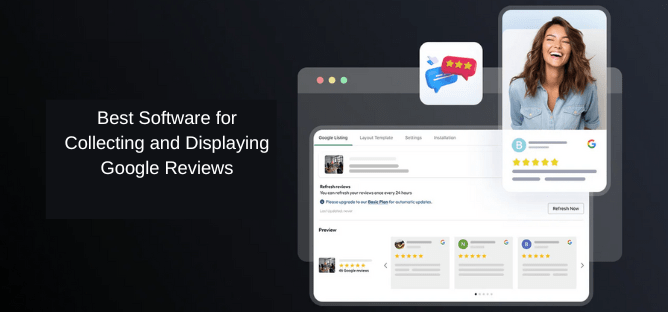
In the world of e-commerce, online reviews have become one of the most crucial factors influencing consumer behavior. Google reviews, in particular, carry significant weight in building trust and credibility for businesses. By displaying Google reviews on your website, you can effectively showcase customer satisfaction, boost your brand’s credibility, and ultimately drive conversions. However, collecting and displaying Google reviews manually can be time-consuming and difficult to manage. Fortunately, there are various software tools available to streamline this process. In this article, we will explore the best software options for collecting and displaying Google reviews and discuss why integrating these tools can benefit your business.
Why Google Reviews Matter for Your Business
Before diving into the software tools, it’s essential to understand the significance of Google reviews for your business:
- Building Trust: Google reviews act as social proof, showing potential customers that others have had positive experiences with your business. Positive reviews can help build trust and establish credibility.
- Improving SEO: Google considers reviews as part of its ranking algorithm. Businesses with more positive reviews are likely to rank higher in local search results, which can result in increased website traffic and more conversions.
- Customer Decisions: A study by BrightLocal found that 79% of consumers trust online reviews as much as personal recommendations. As a result, displaying Google reviews can significantly influence purchasing decisions.
Best Software for Collecting and Displaying Google Reviews
Now that we understand the importance of Google reviews, let’s explore the best software for collecting and displaying them on your website. Using the right tools will help you showcase reviews effectively and automate the process to save time and resources.
1. Google Review Widget

A Google review widget is one of the most efficient ways to display your Google reviews directly on your website. This tool pulls customer reviews from your Google My Business listing and shows them on your site in a clean and easy-to-read format. Here are the key benefits of using a Google review widget:
- Instant Display: Customers can immediately view your reviews as soon as they visit your website, which increases the chances of conversion.
- Customizable Design: Most Google review widgets are customizable, allowing you to tailor the appearance to match your website’s design and branding.
- Easy Integration: Adding a Google review widget to your website is simple and doesn’t require advanced technical skills.
The Google review widget ensures that positive feedback from customers is prominently displayed, making your website more credible and trustworthy.
2. Google Review Automation
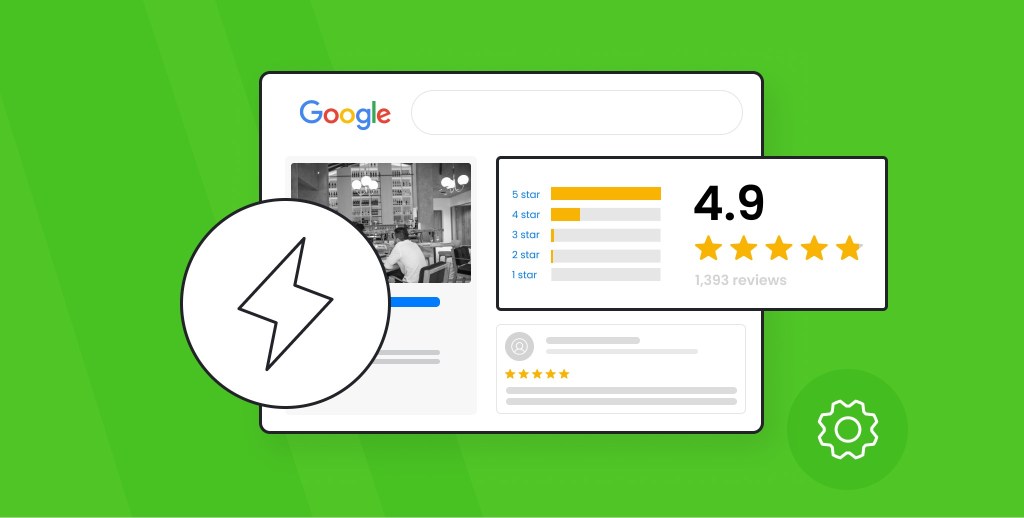
Google review automation tools take the hassle out of collecting reviews. Instead of manually requesting reviews from your customers, automation tools allow you to set up automated emails, SMS, or other messaging options to request reviews from your customers at the right time. Here’s why it’s valuable:
- Time-Saving: You don’t have to worry about sending review requests manually, freeing up your time for other business tasks.
- Higher Review Volume: Automation ensures that more customers receive review requests, leading to a higher volume of reviews.
- Consistent Follow-Ups: Automated reminders can be set up to follow up with customers who haven’t left a review yet, increasing your chances of getting valuable feedback.
By automating the review collection process, businesses can gather more customer feedback with minimal effort.
3. Embed Google Reviews
Another great way to showcase customer feedback is to embed Google reviews directly on your website. When you embed Google reviews, you place them directly within your content, allowing customers to see the reviews without leaving your site. This integration can be highly effective for a few reasons:
- Improved User Experience: Visitors to your site can instantly read reviews, which keeps them engaged without navigating to external platforms.
- Increased Conversions: Positive reviews can encourage potential customers to take action, whether that’s making a purchase, signing up for a service, or reaching out for more information.
- Better Trust Signals: Embedding reviews from a trusted source like Google adds credibility to your business and increases trust with potential customers.
By embedding Google reviews, you make it easy for site visitors to engage with the reviews without distractions, potentially increasing conversion rates.
4. Google Review Plugin

A Google review plugin is an excellent tool for businesses that want to integrate Google reviews seamlessly into their website. This plugin helps you collect and display reviews in an attractive, professional manner. Here’s why using a Google review plugin can be beneficial:
- Easy Integration: Most plugins are designed for easy installation and integration, with little to no coding required.
- Customizable Display Options: With a Google review plugin, you can choose how reviews are displayed, whether in a grid format, a slider, or a list. This flexibility allows you to match the display style with your website’s design.
- Advanced Features: Some plugins come with additional features like review sorting, filtering by rating, or displaying reviews from multiple sources.
Using a Google review plugin gives you complete control over how reviews appear on your website, ensuring that they’re displayed in the most effective way possible.
5. Customer Review Widget
A customer review widget is a versatile tool that not only displays Google reviews but also integrates reviews from other platforms such as Yelp, Facebook, or Trustpilot. This can be especially helpful if your business has reviews across multiple sites. The benefits include:
- Multi-Platform Integration: A customer review widget allows you to display reviews from various sources in one place, giving potential customers a comprehensive view of your reputation.
- Social Proof: By displaying reviews from multiple platforms, you further enhance your business’s credibility and increase the chances of conversion.
- Customization Options: Most review widgets are highly customizable, allowing you to match the design and layout with your website’s aesthetics.
A customer review widget enables you to consolidate all your reviews into one place, making it easier for customers to see the full picture of your business’s reputation.
6. Social Media Feed Plugin
A social media feed plugin can help you integrate your social media channels, including Facebook, Instagram, and Twitter, into your website. While this is often used to display posts and updates, you can also use it to showcase customer reviews shared on your social media accounts. This is beneficial for several reasons:
- Real-Time Updates: Social media feed plugins update automatically, so you can display the most current reviews and customer feedback without any manual effort.
- Increased Engagement: Visitors can interact with your social media posts directly from your website, encouraging them to follow your social media accounts and engage with your brand.
- Streamlined Integration: A social media feed plugin allows you to display a cohesive and integrated social media presence, enhancing your online reputation.
Using a social media feed plugin not only helps you display reviews but also keeps your website dynamic by showing real-time customer engagement.
Best Practices for Collecting and Displaying Google Reviews
To maximize the effectiveness of these software tools, consider these best practices:
- Ask for Reviews at the Right Time
Request reviews after customers have had a positive experience with your product or service. Timing is essential to getting higher-quality reviews. - Encourage Honest Feedback
Encourage customers to provide honest feedback, both positive and constructive. This helps build trust with potential customers and gives you valuable insights for improvement. - Respond to Reviews
Always take the time to respond to customer reviews, both positive and negative. This shows that you value customer feedback and are dedicated to improving your business. - Highlight Positive Reviews
Display positive reviews prominently on your website, especially on high-traffic pages such as product pages, landing pages, and your homepage. This maximizes their impact. - Monitor and Moderate Reviews
Regularly monitor the reviews displayed on your website to ensure they remain relevant and appropriate. Remove spammy or irrelevant reviews and ensure the reviews you show align with your brand’s values.
Conclusion
Displaying Google reviews on your website is one of the most effective ways to increase trust, boost your SEO, and drive conversions. By using the right software, such as a Google review widget, Google review automation, embed Google reviews, Google review plugin, and customer review widget, you can easily collect and display reviews while saving time and effort. Incorporating a social media feed plugin further enhances your online presence by showcasing real-time customer engagement.
By following best practices and utilizing these software tools, you can ensure that your Google reviews work to their full potential, helping you build credibility and ultimately drive more conversions for your business.

 Social Widget