

Facebook is a powerhouse platform for e-commerce businesses looking to drive traffic, increase engagement, and ultimately boost conversions. With over 2.8 billion active users globally, it offers vast opportunities for small businesses to connect with potential customers. One of the most effective ways to harness Facebook’s potential is by integrating Facebook widgets into your e-commerce website.
In this article, we’ll explore how Facebook widgets can help promote a Facebook presence, increase engagement, and ultimately drive more conversions for your e-commerce business.
What Are Facebook Widgets?
Before diving into the details of how Facebook widgets can help increase conversions, let’s define what they are. Facebook widgets are small interactive elements that can be added to your website. These widgets typically allow your site visitors to interact with Facebook features, such as liking a page, sharing content, or leaving a comment.
Common Facebook widgets include:
- Like button: Allows visitors to like a specific product or your business’s Facebook page.
- Share button: Enables easy sharing of content from your website to Facebook.
- Comment plugin: Lets users leave comments on products or content directly through their Facebook accounts.
- Facebook Messenger: Provides live chat functionality with customers through Facebook Messenger.
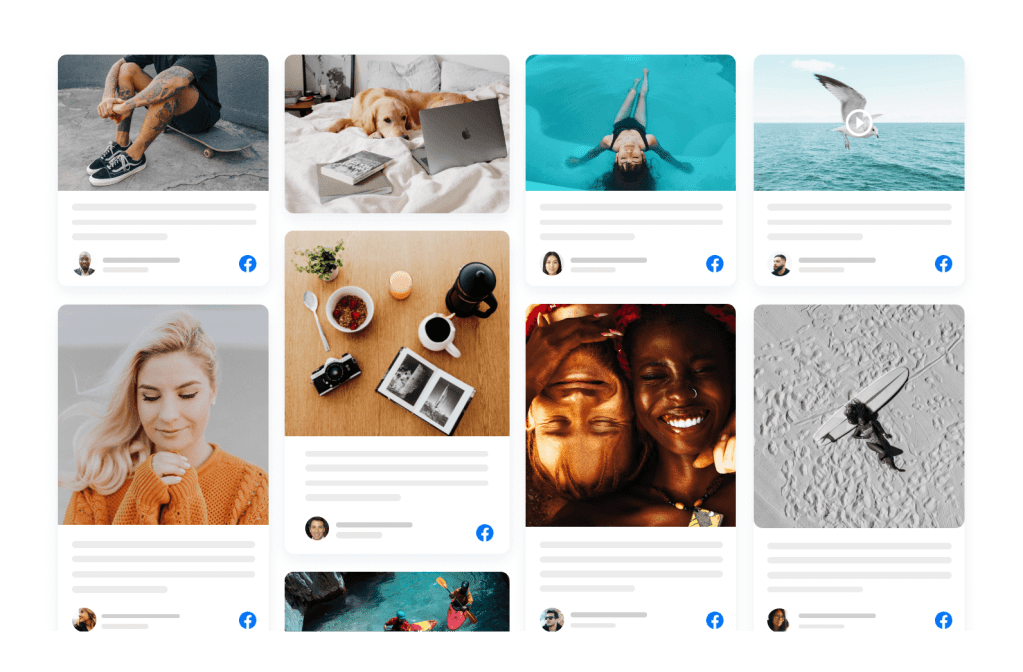
- Facebook Feed: Displays recent posts from your Facebook page directly on your site.
Benefits of Facebook Widgets for E-Commerce Websites
Integrating Facebook widgets into your e-commerce site can provide numerous benefits. Here are the top advantages:
- Promote a Facebook Presence
- Adding Facebook widgets to your site encourages visitors to follow and engage with your business on Facebook. This helps build a stronger presence on social media and keep your customers connected.
- Increase Engagement
- Facebook widgets make it easy for visitors to interact with your content, whether by liking, sharing, or commenting. This increases user engagement, which in turn can lead to more interactions and conversions.
- Improve Social Proof
- Widgets like the Facebook Like and Share buttons can act as powerful social proof. When users see that others have liked or shared your product, they are more likely to trust your business and make a purchase.
- Enhance User Experience
- Facebook widgets improve the overall user experience by offering seamless integration with Facebook features. This means your visitors can engage without leaving your site, resulting in a more fluid shopping experience.
- Increase Traffic
- Sharing products or content directly to Facebook can help drive additional traffic to your e-commerce site. It helps expand your reach beyond your website’s visitors and into your followers’ networks.
Key Facebook Widgets to Drive Conversions
Now that we know why Facebook widgets are important, let’s dive into the specific widgets you should consider integrating into your e-commerce website to maximize conversions.
1. Facebook Like Button
The Facebook Like button is one of the most popular and recognizable Facebook widgets. This simple tool allows users to show support for your products or content, which can encourage more visitors to make a purchase.
How it helps drive conversions:
- Builds Trust: A “like” indicates that others approve of a product, making it more likely that visitors will trust your brand and convert.
- Encourages Social Proof: The more likes your products receive, the more social proof you gather. This can influence potential customers to make a purchase.
2. Facebook Share Button
The Share button allows visitors to share content from your website, such as product pages or blog posts, to their Facebook profiles. This widget can increase the visibility of your products and bring in new customers.
How it helps drive conversions:
Increases Reach: When users share your product with their network, they are exposing your business to a wider audience. This could lead to more potential customers and higher conversion rates. Additionally, when users embed Facebook reviews on your site, they bring positive social proof, which can further enhance credibility and attract new customers.
Promotes Word-of-Mouth Marketing: Social shares are an effective form of word-of-mouth marketing, which has a significant impact on consumer decisions. Embedding Facebook reviews also contributes to this by showcasing authentic customer experiences, influencing potential buyers to make confident purchasing decisions.
3. Facebook Comment Plugin
The Facebook Comment plugin lets users comment on your product pages using their Facebook accounts. Comments can create a conversation around your products and help foster a community around your brand.
How it helps drive conversions:
- Facilitates Social Proof: When users leave comments or reviews on your product pages, it builds trust for future customers.
- Encourages Interaction: Comments give your customers an opportunity to ask questions and engage directly with your brand. Responding to these interactions helps build relationships, which can increase conversions.
4. Facebook Messenger Chat Plugin
The Facebook Messenger chat plugin allows your website visitors to communicate directly with your business via Facebook Messenger. This real-time communication is a great way to answer questions and address concerns that may be preventing a customer from completing their purchase.
How it helps drive conversions:
- Instant Support: Providing immediate responses to customer questions or concerns can increase the likelihood of a successful sale.
- Builds Relationships: Direct communication with potential customers helps build trust and can make them more comfortable completing a transaction.
5. Facebook Page Feed
The Facebook Page Feed widget lets you display your latest Facebook posts on your website. It helps keep your website content fresh and encourages visitors to follow you on Facebook for updates.
How it helps drive conversions:
- Showcases New Products: You can promote new products, special offers, or sales directly on your website.
- Encourages Social Following: By displaying your social media activity on your website, visitors are more likely to follow you on Facebook, leading to long-term engagement and potential future purchases.
6. Facebook Reviews Plugin
Customer reviews are a powerful tool in driving e-commerce conversions. The Facebook Reviews plugin allows you to display user reviews from your Facebook page directly on your website. Additionally, by integrating a Facebook feed, you can showcase real-time updates and interactions from your Facebook page, further enhancing social proof and engagement. This combination of reviews and live feed can help build trust and encourage visitors to convert into customers.
How it helps drive conversions:
- Social Proof: Positive reviews from real customers build trust and make it easier for potential buyers to make purchasing decisions.
- Encourages User-Generated Content: When customers see that their reviews could be showcased on your website, they may be more likely to leave feedback, which can improve future conversions.
Read also: Key Benefits of Adding Social Media Feeds on Websites!
How to Integrate Facebook Widgets into Your E-Commerce Website
Integrating Facebook widgets into your e-commerce website is relatively simple and can be done in a few steps. Here’s how:
Step 1: Sign Up for a Facebook Developer Account
To integrate Facebook widgets into your site, you’ll need a Facebook Developer account. Visit the Facebook Developers site and create an account if you don’t already have one.
Step 2: Choose the Widget You Want to Add
Navigate to the Facebook for Developers page and choose the widget you want to add to your website. Facebook offers various tools and resources to customize widgets, from Like buttons to Messenger plugins.
Step 3: Customize Your Widget
Once you’ve selected a widget, customize it according to your needs. This can include choosing colors, size, layout, and other settings to match your website’s design.
Step 4: Copy the Code
After customizing your widget, Facebook will provide you with a piece of HTML code that you need to embed Facebook feed into your website.
Step 5: Paste the Code into Your Website
Paste the code into the appropriate section of your website’s HTML. This is typically done within the source code of the page where you want the widget to appear.
Step 6: Test and Optimize
Once the widget is installed, test it to ensure it’s working properly. Monitor how your audience is interacting with the widget, and optimize it based on engagement and conversion data.
Best Practices for Using Facebook Widgets to Drive Conversions
To get the most out of Facebook widgets, keep these best practices in mind:
1. Place Widgets Where They’re Easy to Find
Ensure that your widgets are placed in visible and strategic locations on your website, such as product pages, checkout pages, or blog posts. This increases the chances that your visitors will interact with them.
2. Make Widgets Mobile-Friendly
Since many Facebook users access the platform via mobile devices, ensure that the widgets are optimized for mobile. Facebook provides mobile-friendly versions of most widgets to ensure a seamless user experience.
3. A/B Test Widget Placement and Design
Try testing different widget placements and designs to see which ones result in the highest engagement and conversion rates. A/B testing can help you find the best combination for your e-commerce business.
4. Use Widgets in Combination
Combine multiple Facebook widgets on your site for maximum impact. For example, use the Like and Share buttons together to encourage social sharing and increase the visibility of your products.
5. Encourage Customers to Leave Reviews
Prompt customers to leave reviews on your Facebook page by offering incentives or making it easy for them to do so. Displaying these reviews on your website can greatly influence potential buyers.
Read Also: Top 5 Social Media Feed Plugins for WordPress Website
Conclusion
Incorporating Facebook widgets into your e-commerce website is a powerful strategy to drive conversions, engage visitors, and increase your brand’s visibility. These widgets not only encourage social interaction but also help build trust with your audience through social proof, reviews, and direct communication. By promoting a Facebook presence on your site and increasing reach and engagement through interactive features, you can create a seamless experience that boosts conversions and ultimately grows your small business.
So, whether you’re just starting out or looking for ways to optimize your existing e-commerce site, Facebook widgets are a simple yet effective way to take your business to the next level.

 Social Widget