

Reviews are important for the business, when it comes to online reviews Airbnb stands as one of the prominent review platform. Airbnb reviews helps brands to gain credibility and reputation in the market. While many business look in gathering more reviews for their business, they often miss out on another important aspect of the reviews and that is showcasing them to potential customers. Hence, in this article we will be talking about this aspect that is – Displaying Airbnb reviews on website.
Here are the simple steps to embed Airbnb reviews on the website:-
Step 1: Aggregate Airbnb Reviews
1. Sign Up to create a Free Tagembed Account or Login if you already have an account.

2. You’ll be redirected towards the Tagembed dashboard.
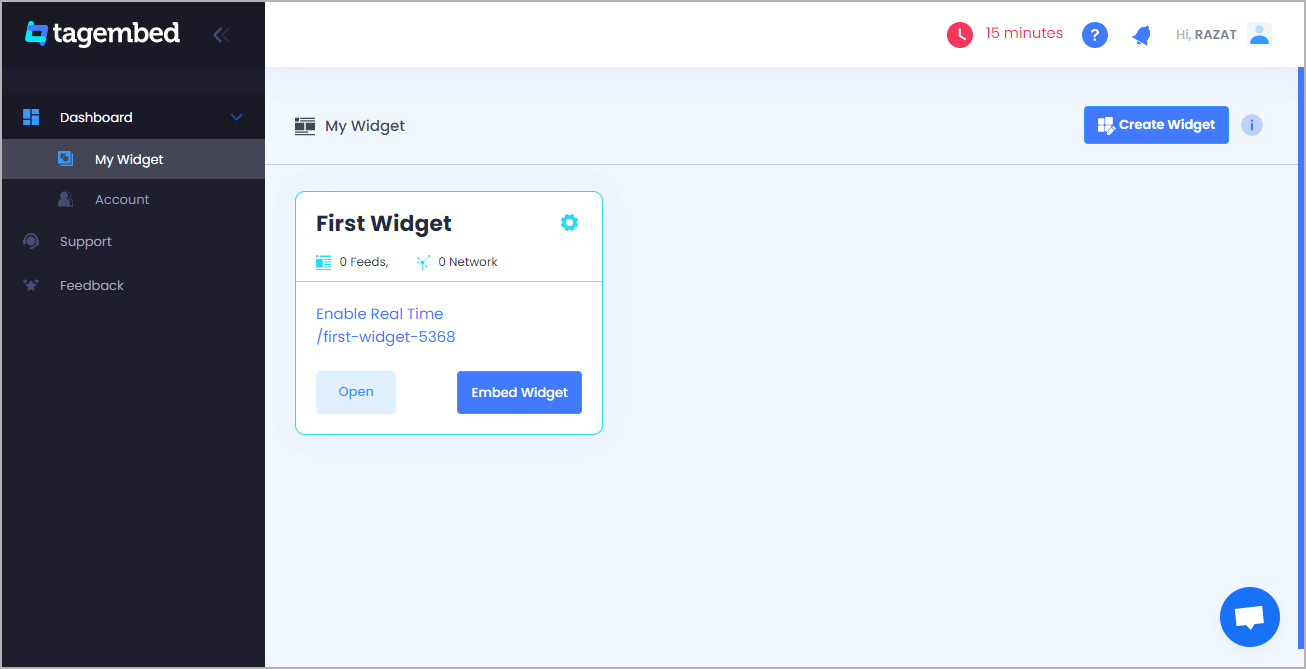
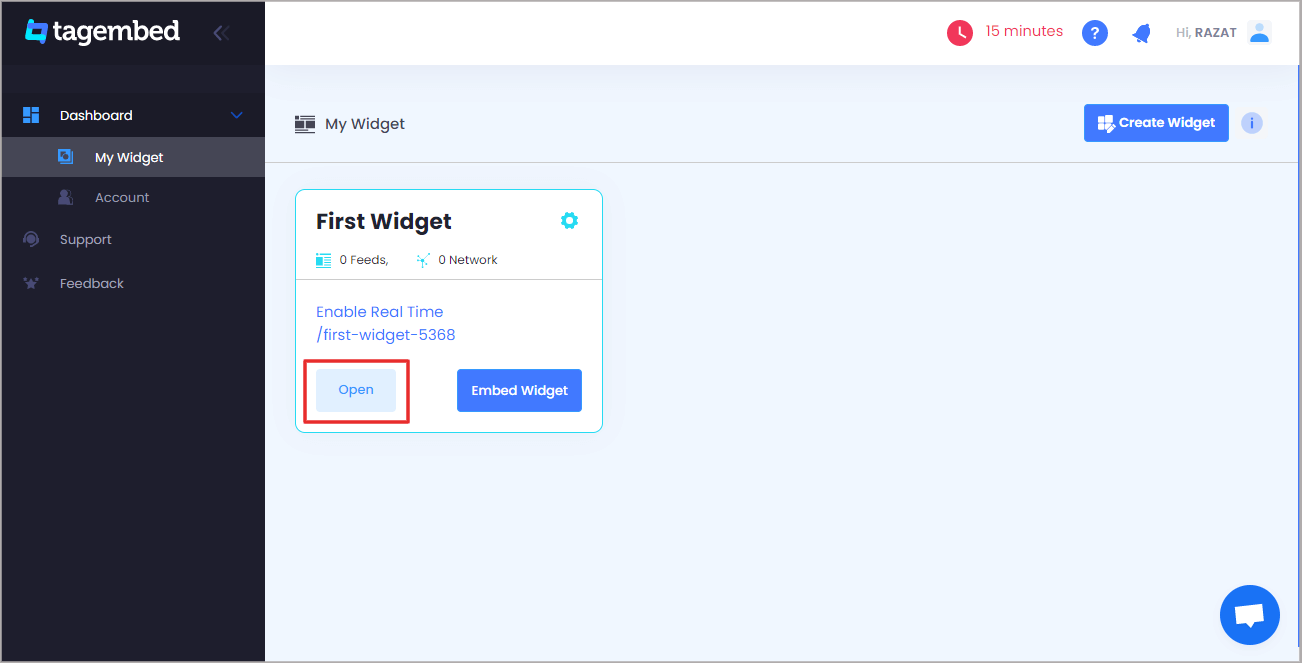
3. Your First Widget will be already created, just click on the Open button to proceed.
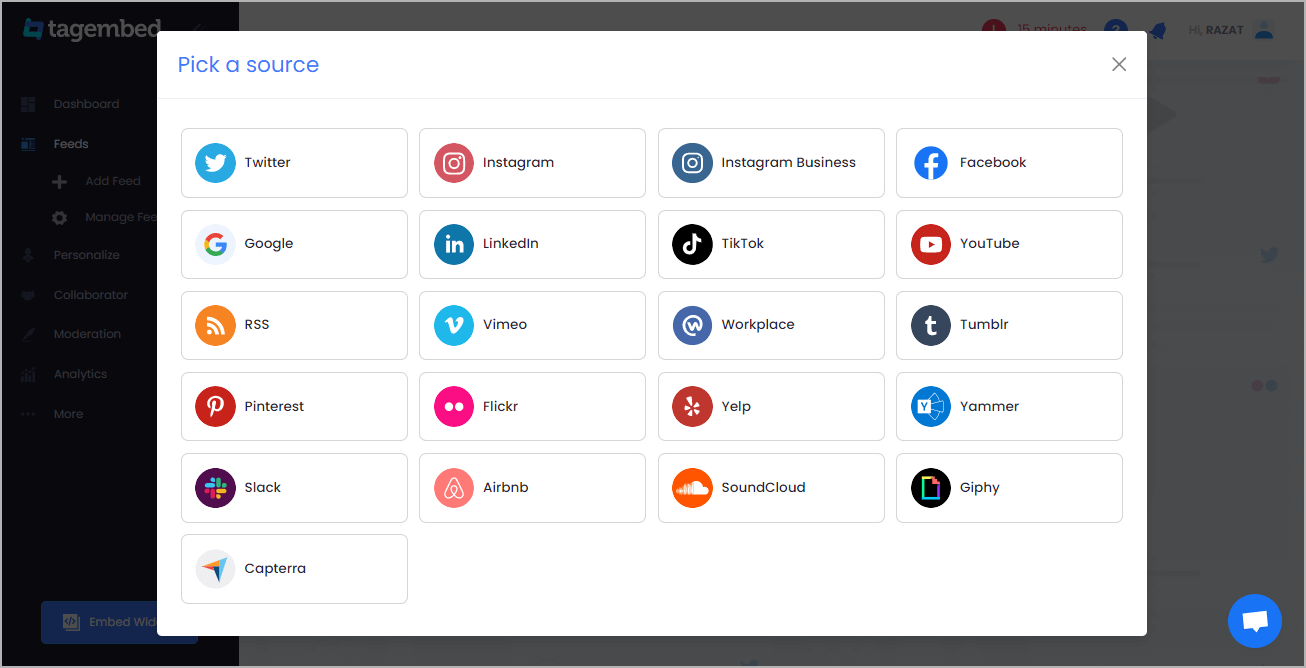
4. A screen “Pick a source” will appear, here select Airbnb from the list of networks.
5. You can aggregate Airbnb reviews using the Listing URL
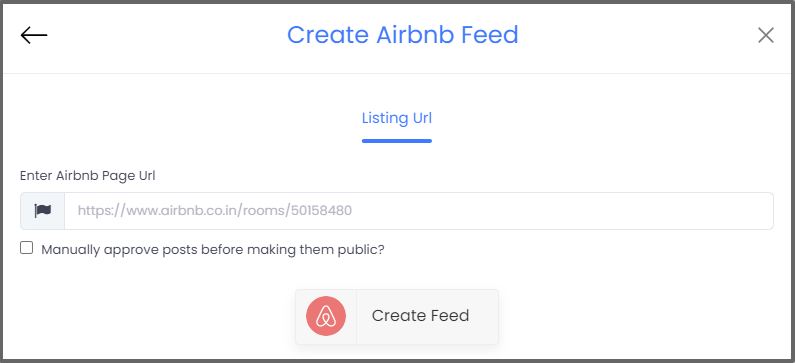
6. Finally, click on the Create Feed button to start aggregation.
Tip: You can click on the Personalize tab on the left menu panel to change the themes & layout, background, banners and other dedicated themes settings to make the widget look more appealing and attractive.
Step 2: Generate Embed Code for Webflow website
1. On the bottom-left menu panel, click on the Embed Widget button.

2. A new pop-up “Choose Your Platform” will appear with the list of different website CMS.

3. Choose your website CMS as OTHER (for blogger CMS users) and adjust the height & width of the widget,
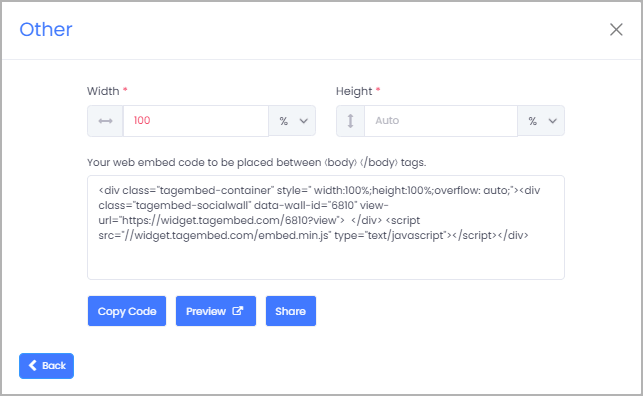
4. Finally, click on the Copy Code button to copy the embed code and paste it on the backend of the website.

 Social Widget